- Posts: 654
- Thank you received: 42
3 Post Moderation Rule for New Boarders (25 Jan 2021)
New boarders will have their posts moderated - Don't worry if you cannot see your post immediately.
Generation Loss? Alpha Exports?
- simonpwood
-
 Topic Author
- Offline
- Platinum Member
-

Less
More
09 Jul 2015 15:30 - 09 Jul 2015 15:35 #66310
by simonpwood
Generation Loss? Alpha Exports? was created by simonpwood
Hi People,
I have a project I'm doing that requires a lot of different special effects. Probably it should have been done in Motion, but FCP it is. The problem is that I am using a lot of plug ins that are processor heavy, and a number of them seems to have clashed, and caused some plug ins to stop functioning, and have caused general instability in FCPX.
As a workaround I have decided to use one batch of effects first, and export this as a movie, then reimport these into another timeline and apply more effects, probably I will have to do this a few times as new effects are added. Yes its time consuming, but as I am not sure exactly which effects are clashing I prefer to play it safe rather than have FCPX fail on me.
So what is the best way to cycle footage a few times, without any generation loss? What would be the optimum export settings?
Also, I have some chromakey footage that is being keyed in to the scene. The inbuilt keyer effect seems to be doing the trick. Currently the footage is being inserted into a drop zone, and then I use the keyer to get it right. I do not use the keyer with the effect that has the drop zone, as this may be causing some of the instability. Is it possible to key the footage first on its own timeline, and then export it with an alpha channel (so I place it directly to the dropzone without keyeing it in that timeline?
Thanks!
I have a project I'm doing that requires a lot of different special effects. Probably it should have been done in Motion, but FCP it is. The problem is that I am using a lot of plug ins that are processor heavy, and a number of them seems to have clashed, and caused some plug ins to stop functioning, and have caused general instability in FCPX.
As a workaround I have decided to use one batch of effects first, and export this as a movie, then reimport these into another timeline and apply more effects, probably I will have to do this a few times as new effects are added. Yes its time consuming, but as I am not sure exactly which effects are clashing I prefer to play it safe rather than have FCPX fail on me.
So what is the best way to cycle footage a few times, without any generation loss? What would be the optimum export settings?
Also, I have some chromakey footage that is being keyed in to the scene. The inbuilt keyer effect seems to be doing the trick. Currently the footage is being inserted into a drop zone, and then I use the keyer to get it right. I do not use the keyer with the effect that has the drop zone, as this may be causing some of the instability. Is it possible to key the footage first on its own timeline, and then export it with an alpha channel (so I place it directly to the dropzone without keyeing it in that timeline?
Thanks!
Last edit: 09 Jul 2015 15:35 by simonpwood.
Please Log in to join the conversation.

09 Jul 2015 19:21 #66325
by BenB
Replied by BenB on topic Generation Loss? Alpha Exports?
Or just do it all in Motion and save time?
ProRes of any flavor will hold up better over generational transcodes than anything else. If this is HD footage and you're paranoid, use ProRes HQ, other wise the standard 422 would do fine.
Yeah, I'd by pass the work arounds and crashes and such and just work in Motion for my effects...
ProRes of any flavor will hold up better over generational transcodes than anything else. If this is HD footage and you're paranoid, use ProRes HQ, other wise the standard 422 would do fine.
Yeah, I'd by pass the work arounds and crashes and such and just work in Motion for my effects...
Please Log in to join the conversation.
- simonpwood
-
Topic Author
- Offline
- Platinum Member
-
Less
More
- Posts: 654
- Thank you received: 42
09 Jul 2015 20:41 #66338
by simonpwood
Replied by simonpwood on topic Generation Loss? Alpha Exports?
Yeah, only problem is that I'm really not good with Motion, and still haven't put in the time to learn it properly.
The project is just a music video, only 4 minutes long so the workaround will drag out the workload, but were not talking about too much footage in the first place. I can afford the time.
So ProRes 422 it is then; that should be good for a few generations?
How about an alpha layer with keyed footage; is it possible to export with an alpha layer from FCPX?
The project is just a music video, only 4 minutes long so the workaround will drag out the workload, but were not talking about too much footage in the first place. I can afford the time.
So ProRes 422 it is then; that should be good for a few generations?
How about an alpha layer with keyed footage; is it possible to export with an alpha layer from FCPX?
Please Log in to join the conversation.
10 Jul 2015 01:13 #66349
by plysat
Yep, export a master file using ProRes 4444. If that doesn't work (for some reason it sometimes won't), you can create a new Compressor Share setting using "Apple ProRes 4444 with Alpha". That'll do the trick.
Can't sleep? Try this: fcpxpert.net ;-)
Replied by plysat on topic Generation Loss? Alpha Exports?
simonpwood wrote: How about an alpha layer with keyed footage; is it possible to export with an alpha layer from FCPX?
Yep, export a master file using ProRes 4444. If that doesn't work (for some reason it sometimes won't), you can create a new Compressor Share setting using "Apple ProRes 4444 with Alpha". That'll do the trick.
Can't sleep? Try this: fcpxpert.net ;-)
Please Log in to join the conversation.

10 Jul 2015 08:43 #66352
by Pazu
Replied by Pazu on topic Generation Loss? Alpha Exports?
I've also the problem with alpha 
Export master file in 4444 don't work. Export with a compressor setting (a new made one and the default 4444with alpha) don't work too. I can't get any alpha with my export right now
It was working before... Any idea ?
Export master file in 4444 don't work. Export with a compressor setting (a new made one and the default 4444with alpha) don't work too. I can't get any alpha with my export right now
It was working before... Any idea ?
Please Log in to join the conversation.
10 Jul 2015 14:01 - 10 Jul 2015 14:20 #66362
by BenB
Replied by BenB on topic Generation Loss? Alpha Exports?
Just tested with a ProRes 4x4 custom preset, FCPX exports with alpha channel just fine.
Download here
the custom Compressor preset I used. Unzip and place in [user home] > Library >Application Support > Compressor > Settings.
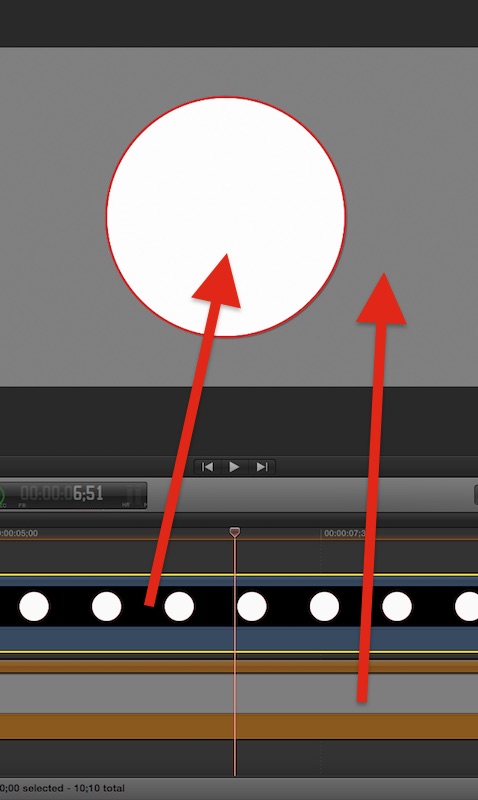
In the above image, I laid a simple shape generator in a timeline. Exported with the preset from above. Imported that back into FCPX. Placed it on top of a Solid generator. Presto, alpha channel. Tested in Motion, too, and alpha holds up.
In the above image, I laid a simple shape generator in a timeline. Exported with the preset from above. Imported that back into FCPX. Placed it on top of a Solid generator. Presto, alpha channel. Tested in Motion, too, and alpha holds up.
Last edit: 10 Jul 2015 14:20 by BenB.
Please Log in to join the conversation.
- Tom Wolsky
-

- Offline
- Moderator
-

10 Jul 2015 14:38 #66364
by Tom Wolsky
Replied by Tom Wolsky on topic Generation Loss? Alpha Exports?
No problem exporting directly from FCP with alpha using PR4444.
Please Log in to join the conversation.
- Tom Wolsky
-
- Offline
- Moderator
-
10 Jul 2015 14:39 #66365
by Tom Wolsky
Replied by Tom Wolsky on topic Generation Loss? Alpha Exports?
Post screen shot of viewer with player background set to checkerboard.
Please Log in to join the conversation.
- Andreas Kiel
-
- Offline
- Platinum Member
-
Less
More
- Posts: 1077
- Thank you received: 189
10 Jul 2015 15:08 #66368
by Andreas Kiel
Replied by Andreas Kiel on topic Generation Loss? Alpha Exports?
No problem exporting directly from FCP with alpha using PR4444.
Same result here.
- Andreas
Same result here.
- Andreas
Please Log in to join the conversation.
10 Jul 2015 15:34 #66369
by Pazu
Replied by Pazu on topic Generation Loss? Alpha Exports?
Thx for your reply. I used Ben's compressor settings and i get this. Something is weird or i'm simply dumb :woohoo:
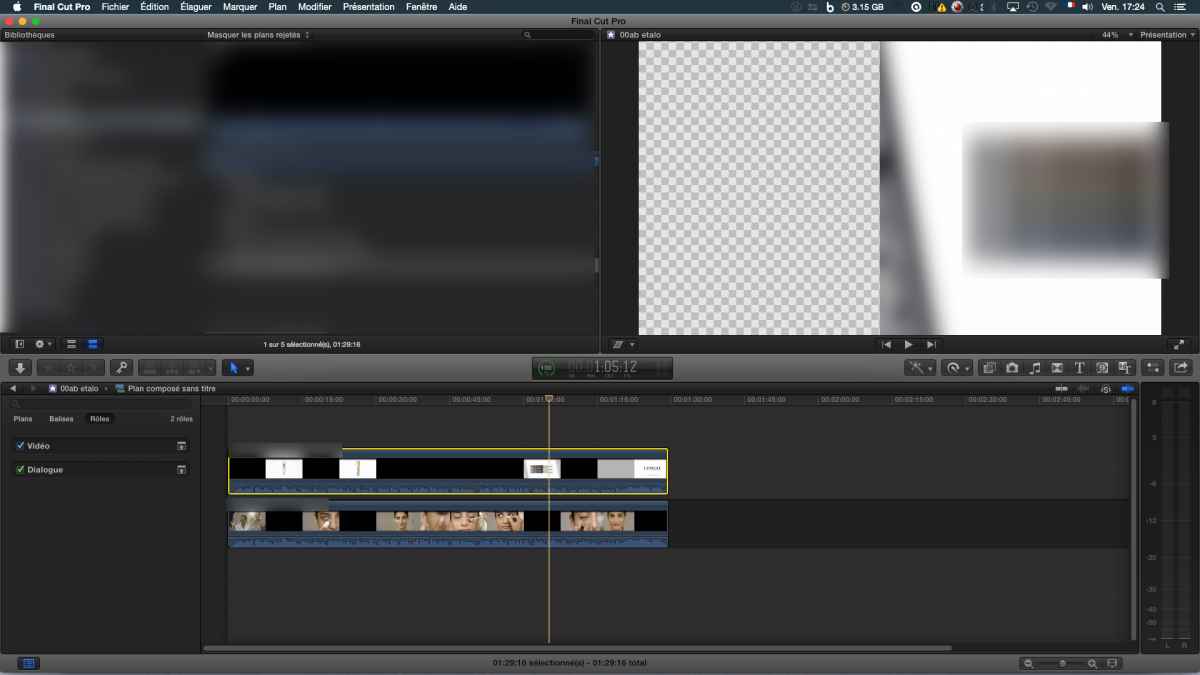
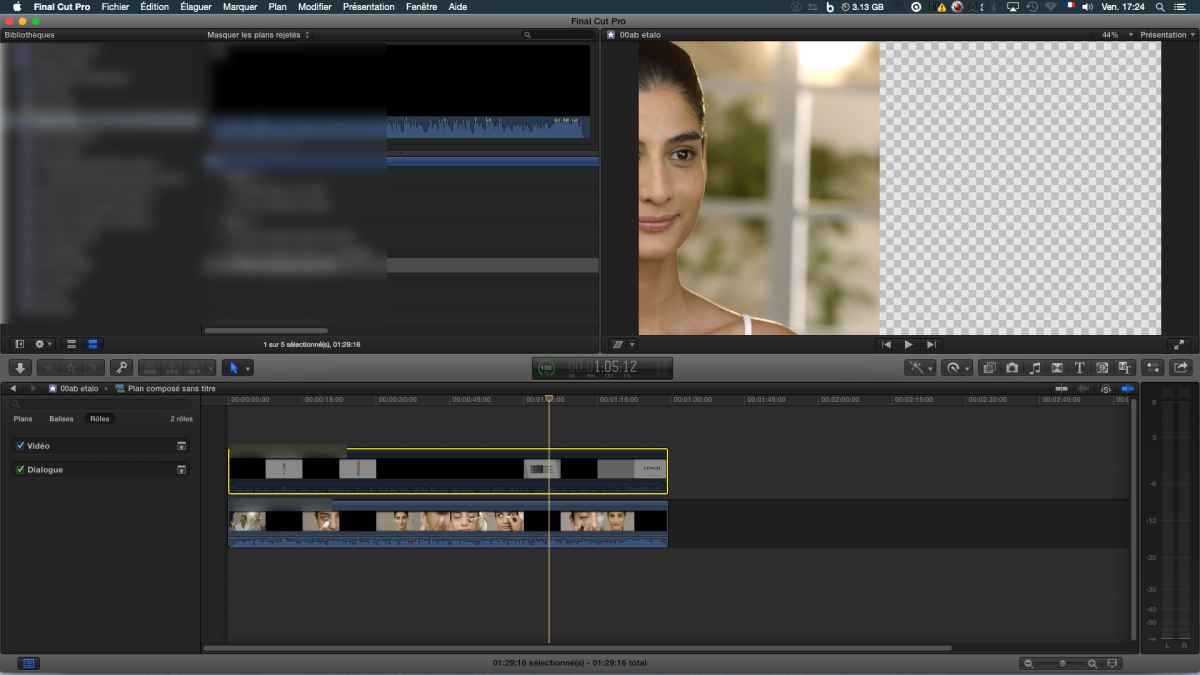
I try with AE.
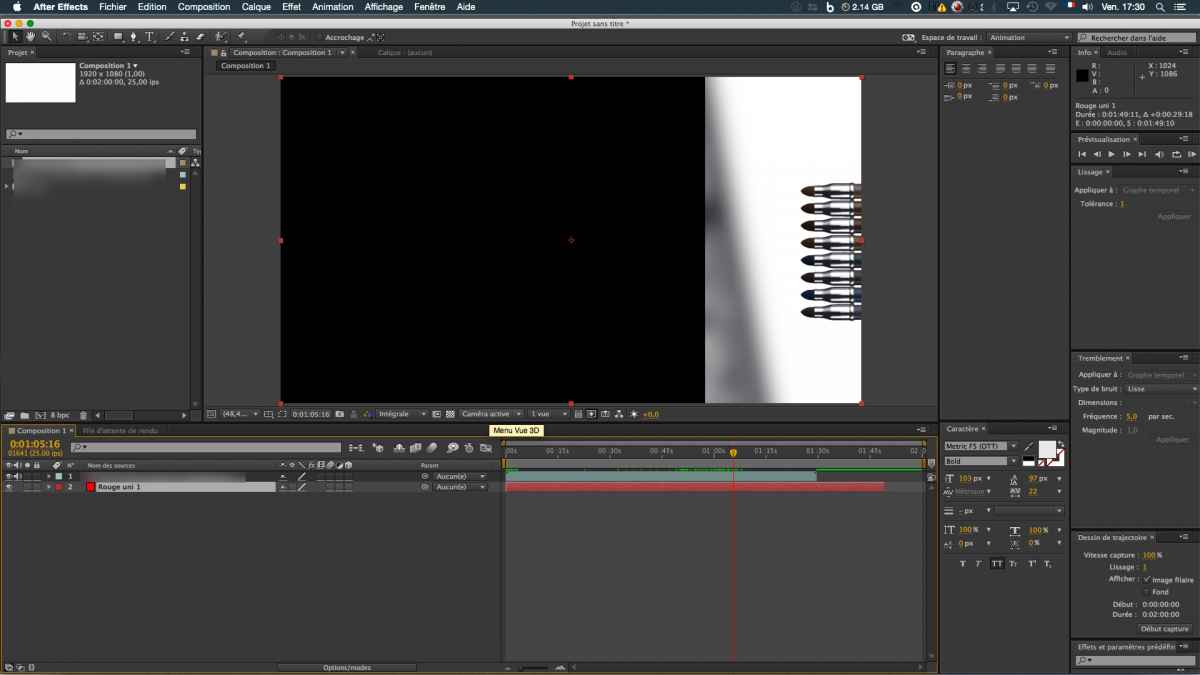
I try with AE.
Please Log in to join the conversation.
- Tom Wolsky
-
- Offline
- Moderator
-
10 Jul 2015 15:51 #66370
by Tom Wolsky
Replied by Tom Wolsky on topic Generation Loss? Alpha Exports?
You're not get transparency with that? You have two layers so not sure what you're doing. Try a simple test. Clip in a project. Crop it. Export with 4444. Does it work?
Please Log in to join the conversation.