


- Posts: 20
- Thank you received: 1
3 Post Moderation Rule for New Boarders (25 Jan 2021)
New boarders will have their posts moderated - Don't worry if you cannot see your post immediately.
How to save 10.2.1. project to 10.1.4 compatible format
05 Jun 2015 04:16 #65239
by szzs
How to save 10.2.1. project to 10.1.4 compatible format was created by szzs
I have both mavericks an yosemite system on my machine.
I prefer mavericks as it is faster then yosemite, expecially in youtube and other internet related things...
So, on the yosemitee I have the fcpx 10.2.1 version, and on mavericks the 10.1.4 version. Unfortunately as I opened some 10.1.4 projects on the 10.2.1 fcpx, it converted immediately to the new format.
I can not open anymore thus projects in 10.4.1....
How can I save my 10.2.1 projects in 10.4.1 compatible format again? (even if there will be some effect loss...)
It is very important because in my team there are some who use only mavericks yet.
I prefer mavericks as it is faster then yosemite, expecially in youtube and other internet related things...
So, on the yosemitee I have the fcpx 10.2.1 version, and on mavericks the 10.1.4 version. Unfortunately as I opened some 10.1.4 projects on the 10.2.1 fcpx, it converted immediately to the new format.
I can not open anymore thus projects in 10.4.1....
How can I save my 10.2.1 projects in 10.4.1 compatible format again? (even if there will be some effect loss...)
It is very important because in my team there are some who use only mavericks yet.
Please Log in to join the conversation.


05 Jun 2015 05:14 #65241
by Redifer
Replied by Redifer on topic How to save 10.2.1. project to 10.1.4 compatible format
Well you could try exporting an XML but I doubt that's going to be successful. Your only real option is just to export a ProRes 422 Quicktime file and import it into 10.1.4.
Please Log in to join the conversation.
05 Jun 2015 07:31 #65244
by lichinho
Replied by lichinho on topic How to save 10.2.1. project to 10.1.4 compatible format
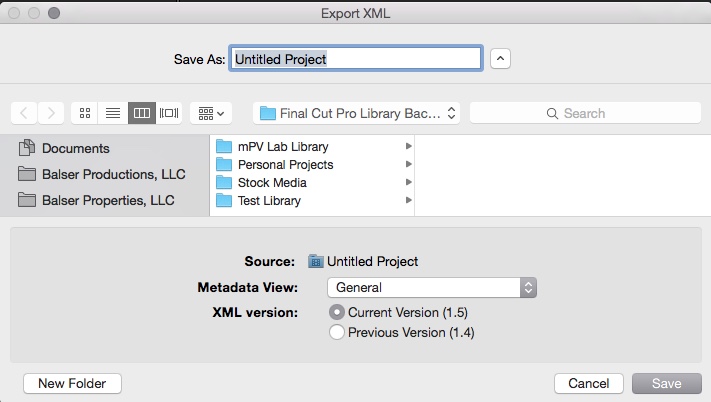
FCP X has the capability to export XML in either 1.5 version or 1.4 version - the latter may work, but I haven't tried it.
Please Log in to join the conversation.

05 Jun 2015 13:06 #65258
by BenB
Replied by BenB on topic How to save 10.2.1. project to 10.1.4 compatible format
We've tried it and it does work. But we've not done much of it. How far back does FCPXML version 1.4 go with FCPX versions?
Please Log in to join the conversation.
- ronny courtens
-

- Offline
- Moderator
-

Less
More
- Posts: 4455
- Thank you received: 962
05 Jun 2015 20:48 - 07 Jun 2015 19:45 #65279
by ronny courtens
Replied by ronny courtens on topic How to save 10.2.1. project to 10.1.4 compatible format
FCPXML 1.4 goes back to 10.1.0.
Yes you can use XML to port a 10.1.2 project back to 10.1.4. All if not most of your Project will be preserved. The only thing that might not transfer properly are third party effects and titles, as well as any new features that were added since 10.2 (Bezier Masks, 3D titles...).
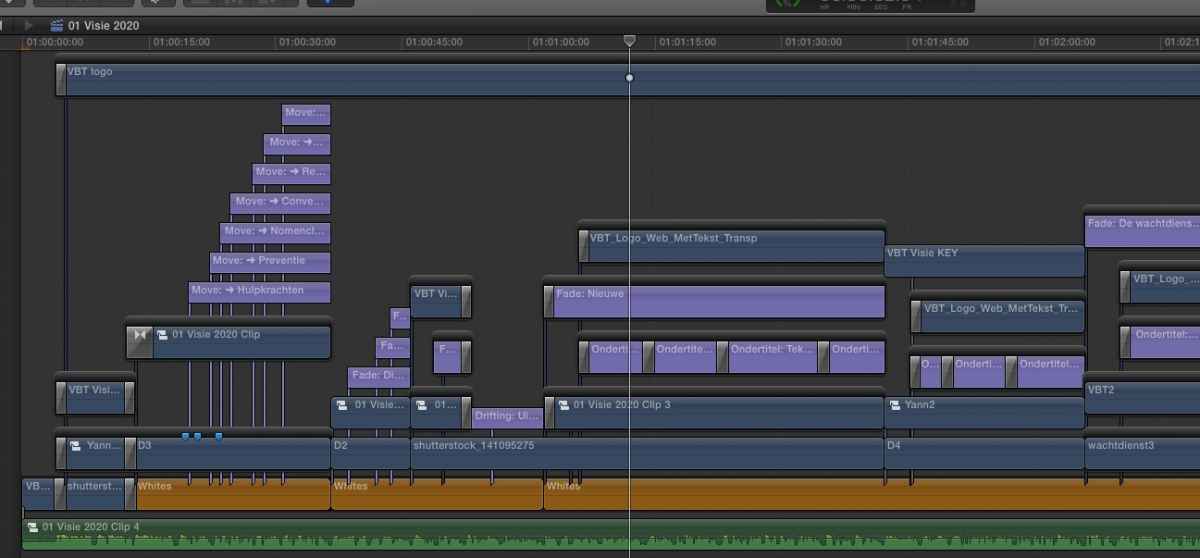
Here's a timeline called "Visie 2020" with compound clips, transitions, green keys, titles, animations, video effects, color corrections, generators, secondary storylines with transitions and audio with effects in 10.2.1:
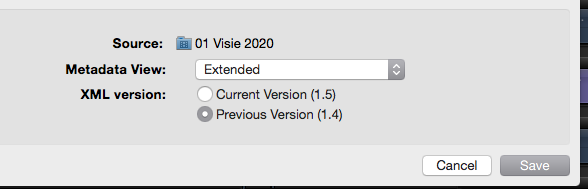
I export a Project XML and I make sure to use the previous (1.4) XML version:
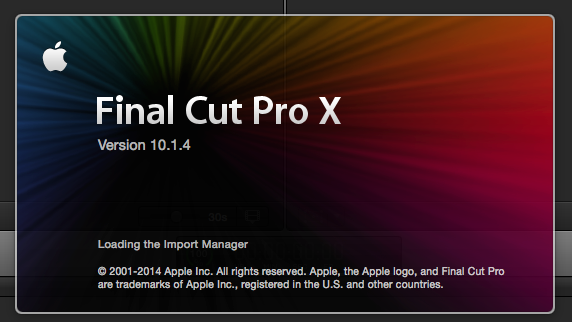
Then I launch FCP X 10.1.4:
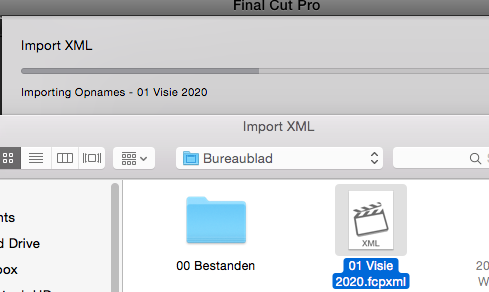
I import the "Visie 2020" Project XML in 10.1.4:
FCP X immediately connects to the media and opens the Visie 2020 Project. Everything has been properly ported over, except for the bezier masks I had used to mask out the green keys (a 10.2 feature):
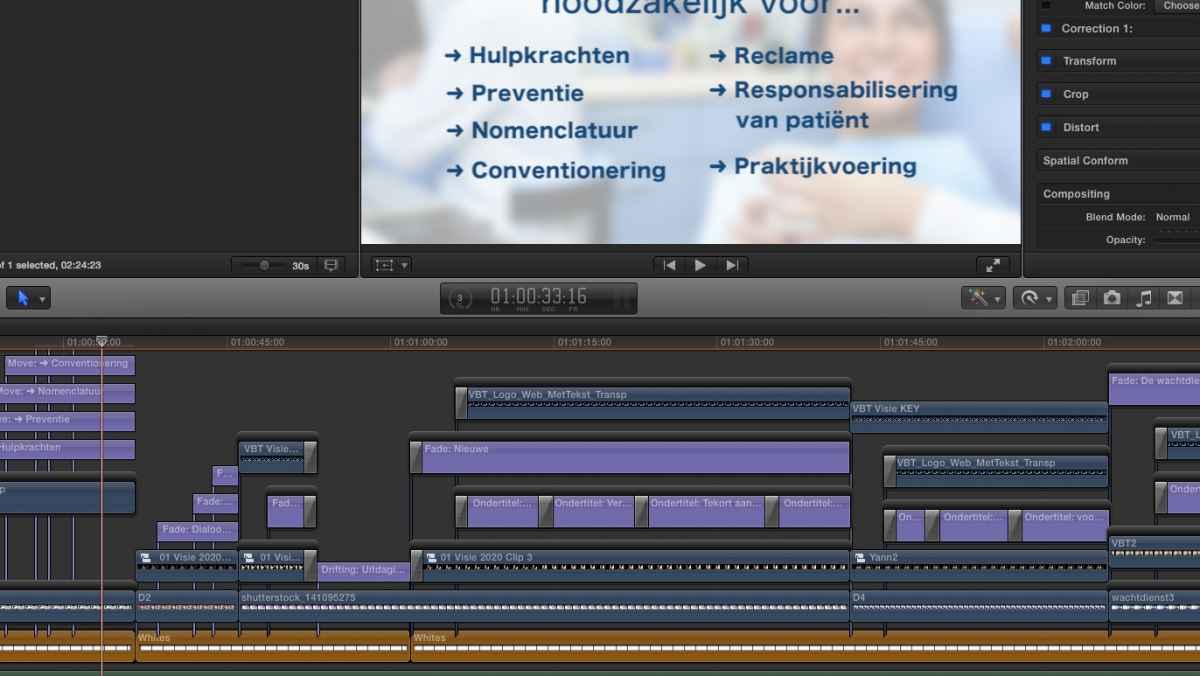
So I would say FCPXML works much better than most people think.
- Ronny
Yes you can use XML to port a 10.1.2 project back to 10.1.4. All if not most of your Project will be preserved. The only thing that might not transfer properly are third party effects and titles, as well as any new features that were added since 10.2 (Bezier Masks, 3D titles...).
Here's a timeline called "Visie 2020" with compound clips, transitions, green keys, titles, animations, video effects, color corrections, generators, secondary storylines with transitions and audio with effects in 10.2.1:
I export a Project XML and I make sure to use the previous (1.4) XML version:
Then I launch FCP X 10.1.4:
I import the "Visie 2020" Project XML in 10.1.4:
FCP X immediately connects to the media and opens the Visie 2020 Project. Everything has been properly ported over, except for the bezier masks I had used to mask out the green keys (a 10.2 feature):
So I would say FCPXML works much better than most people think.
- Ronny
Last edit: 07 Jun 2015 19:45 by ronny courtens.
Please Log in to join the conversation.
07 Jun 2015 16:25 #65315
by szzs
Replied by szzs on topic How to save 10.2.1. project to 10.1.4 compatible format
Thank you Ronny !
I'm just back from the long weekend, so I see your reply now. It sounds very good. i will try it within minutes
It was important, because in our small team we use mavericks and yosemite mixed
Thanx again!
I'm just back from the long weekend, so I see your reply now. It sounds very good. i will try it within minutes
It was important, because in our small team we use mavericks and yosemite mixed
Thanx again!
Please Log in to join the conversation.
