


- Posts: 479
- Thank you received: 5
3 Post Moderation Rule for New Boarders (25 Jan 2021)
New boarders will have their posts moderated - Don't worry if you cannot see your post immediately.
multicam audio problem
12 May 2015 13:19 #64370
by parkerhqj
multicam audio problem was created by parkerhqj
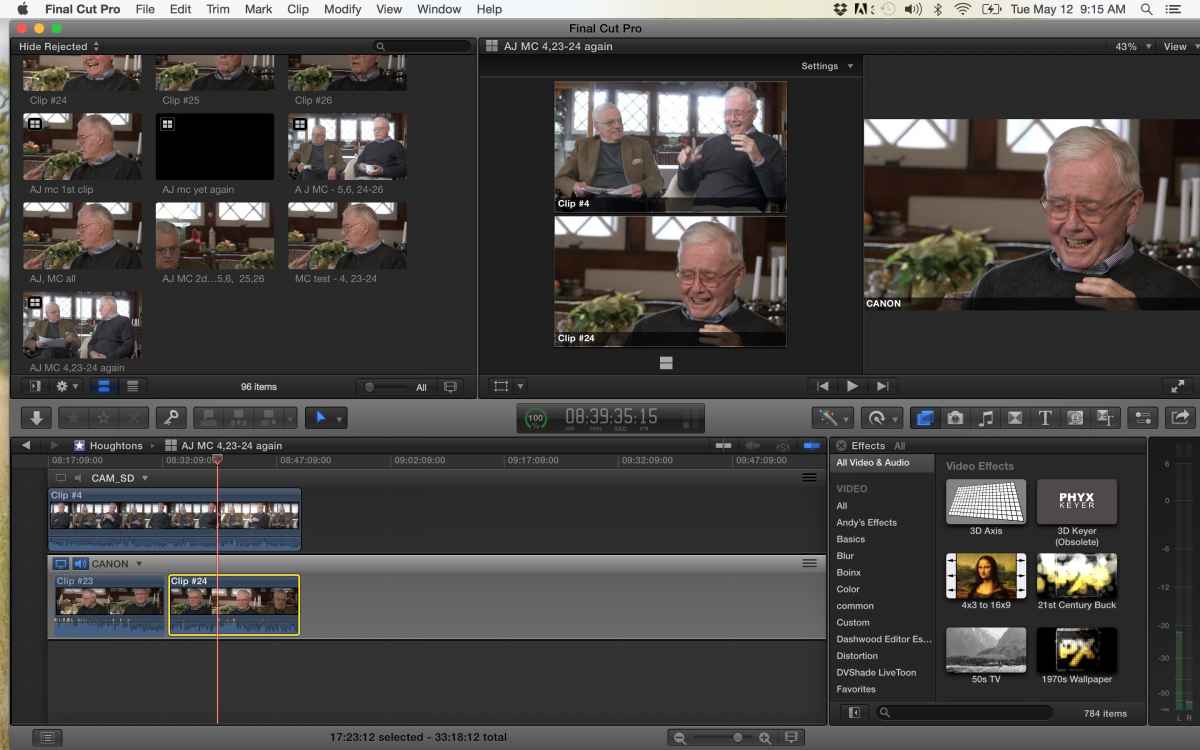
Not sure where to even start and forgive me if I don't explain this well ... I have a two person interview with two cameras - wide and close-up. I am going with the close-up audio, When I sync the clips, the wide shot winds up on the top in the multicam timeline which doesn't bother me as long as I can use the audio from the close-up angle. When I choose the close-up camera as the monitoring angle, that works fine in the angle editor timeline, but when I drop the MC clip into a time line to edit, I only get the wide shot audio. I've tried flipping the angles in the angle editor timeline, but that doesn't make a difference. Not sue if this frame grab helps but here it is:
Please Log in to join the conversation.

12 May 2015 13:49 #64373
by BenB
Replied by BenB on topic multicam audio problem
This has nothing to do with the Angle Editor, but configured in the Project Timeline.
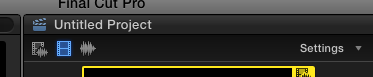
When you are in the Project Timeline, look at the top of the Viewer, while showing the angles (shift-command-7).
You'll see three icons, left to right are: video/audio, video only, audio only.
We use these to switch/cut while editing.
First, select the first icon, video/audio, and click the angle you want to use the audio of.
Next, select the second icon, video only.
Now when you click on the angle to edit, only the video will be cut, the audio will remain in place.
When you are in the Project Timeline, look at the top of the Viewer, while showing the angles (shift-command-7).
You'll see three icons, left to right are: video/audio, video only, audio only.
We use these to switch/cut while editing.
First, select the first icon, video/audio, and click the angle you want to use the audio of.
Next, select the second icon, video only.
Now when you click on the angle to edit, only the video will be cut, the audio will remain in place.
Please Log in to join the conversation.
