


- Posts: 786
- Thank you received: 21
3 Post Moderation Rule for New Boarders (25 Jan 2021)
New boarders will have their posts moderated - Don't worry if you cannot see your post immediately.
Can FCP X import 16 bit still images?
- Jonathan Levin
-
 Topic Author
- Offline
- Platinum Member
-

Less
More
21 Apr 2015 13:43 - 21 Apr 2015 13:45 #63381
by Jonathan Levin
Can FCP X import 16 bit still images? was created by Jonathan Levin
Or do You need to convert to 8 bit to work nicely within project. Just curious.
Last edit: 21 Apr 2015 13:45 by Jonathan Levin.
Please Log in to join the conversation.
- ronny courtens
-

- Offline
- Moderator
-

Less
More
- Posts: 4455
- Thank you received: 962
21 Apr 2015 15:48 - 21 Apr 2015 15:49 #63401
by ronny courtens
Replied by ronny courtens on topic Can FCP X import 16 bit still images?
Hi Jonathan,
16-bit stills work just fine in FCP X.
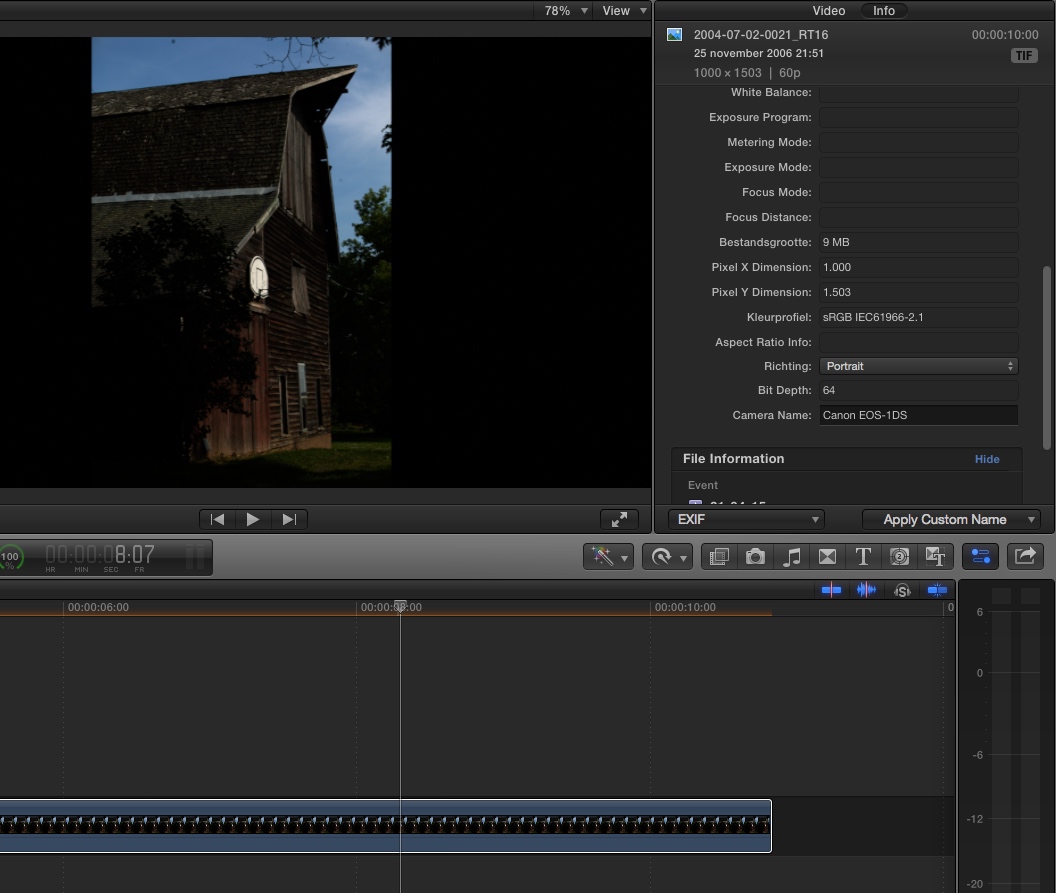
Here's a 16-bit TIFF from an EOS1DS on the FCP X timeline:
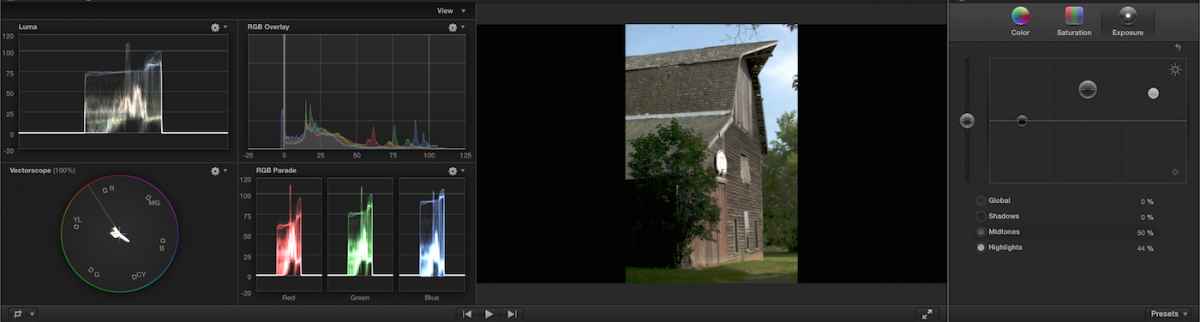
And here's the same still with recovered highlights and shadows using the built-in color correction:
Layered graphics must always be created with 8-bit depth. Layered graphics created with 16-bit depth will be flattened during the import.
- Ronny
16-bit stills work just fine in FCP X.
Here's a 16-bit TIFF from an EOS1DS on the FCP X timeline:
And here's the same still with recovered highlights and shadows using the built-in color correction:
Layered graphics must always be created with 8-bit depth. Layered graphics created with 16-bit depth will be flattened during the import.
- Ronny
Last edit: 21 Apr 2015 15:49 by ronny courtens.
Please Log in to join the conversation.
- Jonathan Levin
-
Topic Author
- Offline
- Platinum Member
-
Less
More
- Posts: 786
- Thank you received: 21
21 Apr 2015 19:47 #63408
by Jonathan Levin
Replied by Jonathan Levin on topic Can FCP X import 16 bit still images?
Thanks Ronny. That was really helpful!!!!
JL
JL
Please Log in to join the conversation.

21 Apr 2015 19:51 #63409
by tpayton
Replied by tpayton on topic Can FCP X import 16 bit still images?
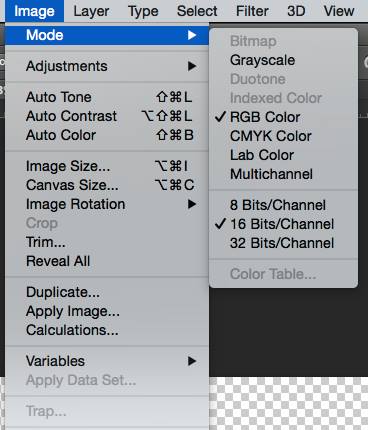
BTW exporting a PSD still from FCPX will give you a 16bit image.
Please Log in to join the conversation.
- Jonathan Levin
-
Topic Author
- Offline
- Platinum Member
-
Less
More
- Posts: 786
- Thank you received: 21
22 Apr 2015 15:46 #63439
by Jonathan Levin
Replied by Jonathan Levin on topic Can FCP X import 16 bit still images?
Thanks tpayotn.
That's interesting. I wonder why it would export to a bit rate higher than the original. I don't think video is 16 bit unless I'm missing something.
That's interesting. I wonder why it would export to a bit rate higher than the original. I don't think video is 16 bit unless I'm missing something.
Please Log in to join the conversation.
22 Apr 2015 16:02 #63440
by tpayton
Replied by tpayton on topic Can FCP X import 16 bit still images?
Internally, as far as I understand it, FCPX isn't 8 bit or even 16bit but floating point "liner light." 16bit is just the highest current output format.
Please Log in to join the conversation.

23 Apr 2015 11:56 - 23 Apr 2015 11:58 #63481
by BenB
Replied by BenB on topic Can FCP X import 16 bit still images?
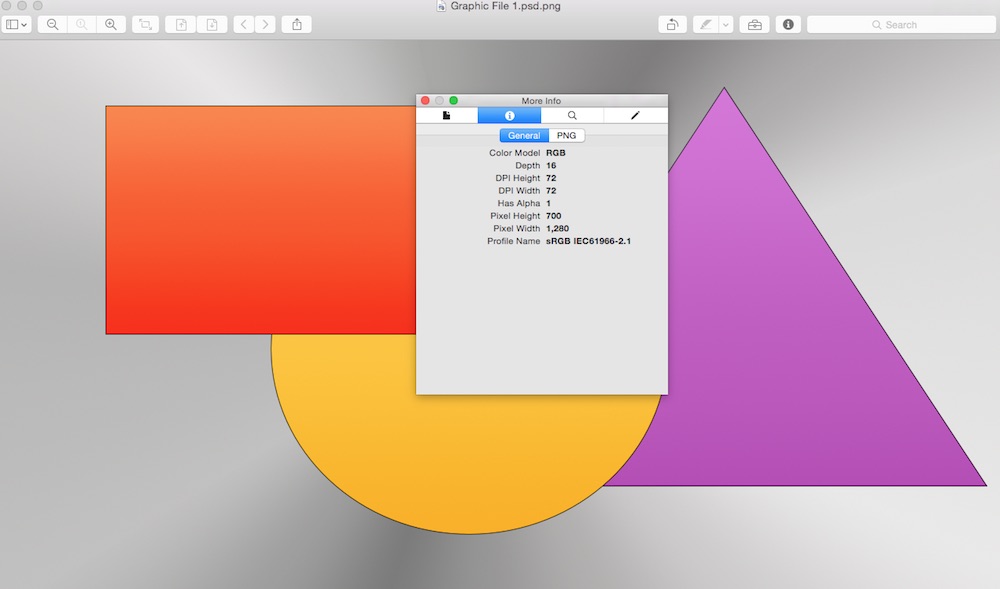
I can confirm that FCPX does export layered PSDs as 16-bit. The original was created in Pixelmator as 8-bit.
Last edit: 23 Apr 2015 11:58 by BenB.
Please Log in to join the conversation.
