


- Posts: 32
- Thank you received: 1
3 Post Moderation Rule for New Boarders (25 Jan 2021)
New boarders will have their posts moderated - Don't worry if you cannot see your post immediately.
FCPX 10.2 and Photoshop layer files
- Stereodesign
-
 Topic Author
- Offline
- Junior Member
-

Less
More
14 Apr 2015 19:52 #62726
by Stereodesign
FCPX 10.2 and Photoshop layer files was created by Stereodesign
Updated FCPX to 10.2 earlier today and have been editing just fine since on a couple of projects.
I then thought I'd have a bit of a play with a layered Photoshop file I've been messing about with.
I last opened this file yesterday and it was working just fine.
So, I made some alterations to the file in Photoshop and then imported into FCPX, I received the Missing Plugin message and saw this in the Library

Have I done something wrong or is this a bug in the latest version of FCPX?
I then thought I'd have a bit of a play with a layered Photoshop file I've been messing about with.
I last opened this file yesterday and it was working just fine.
So, I made some alterations to the file in Photoshop and then imported into FCPX, I received the Missing Plugin message and saw this in the Library
Have I done something wrong or is this a bug in the latest version of FCPX?
Please Log in to join the conversation.
- Tom Wolsky
-

- Offline
- Moderator
-

14 Apr 2015 20:02 #62727
by Tom Wolsky
Replied by Tom Wolsky on topic FCPX 10.2 and Photoshop layer files
Did you import the PSD or just update a file that was already in the library? It probably depends on exactly what you did to the image in Photoshop. Not everything translates into FCP.
Please Log in to join the conversation.
- Stereodesign
-
Topic Author
- Offline
- Junior Member
-
Less
More
- Posts: 32
- Thank you received: 1
14 Apr 2015 20:58 #62733
by Stereodesign
Replied by Stereodesign on topic FCPX 10.2 and Photoshop layer files
I re-saved the PSD with a different incremental name rather than overwrite the original and it worked.
Problem solved.
Problem solved.
Please Log in to join the conversation.
- ronny courtens
-

- Offline
- Moderator
-
Less
More
- Posts: 4455
- Thank you received: 962
14 Apr 2015 21:05 - 14 Apr 2015 21:08 #62736
by ronny courtens
Replied by ronny courtens on topic FCPX 10.2 and Photoshop layer files
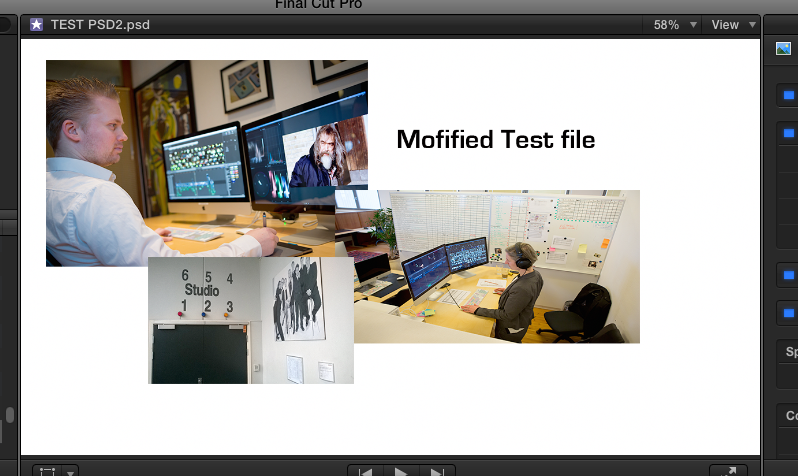
Just tested here and updating layered PSD works fine. Just don't forget to convert your layers to a Smart Object before saving it and importing it in FCP X. Otherwise the changes won't update. I have overwritten the original file and it works.
- Ronny
- Ronny
Last edit: 14 Apr 2015 21:08 by ronny courtens.
Please Log in to join the conversation.
