


3 Post Moderation Rule for New Boarders (25 Jan 2021)
New boarders will have their posts moderated - Don't worry if you cannot see your post immediately.
in and out time of a clip
- Betancourt
-
 Topic Author
- Offline
- Premium Member
-

I want to know the time starting point of my clips used in the timeline, but cannot find a way to get that info.
Suppose that I have a 2' clip that is being used in the timeline, but only 10" of it. What I want to get is the exact moment where this clip is coming in but refered to its own total lenght, not to the project or the timeline.
In the info window, I'm getting the start and end point but the info shown is not correct at all and in fact I don't know where is taking that info from.
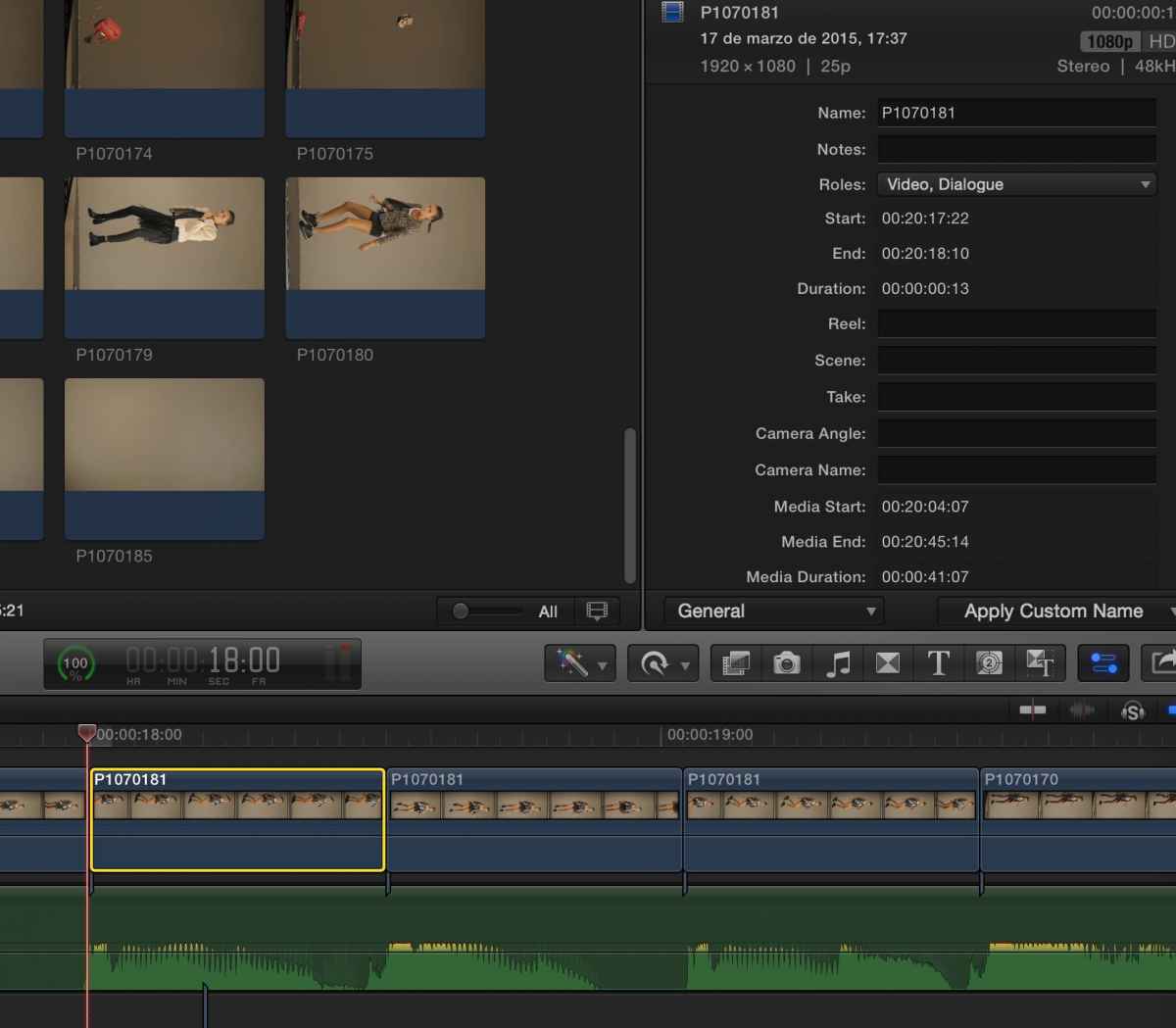
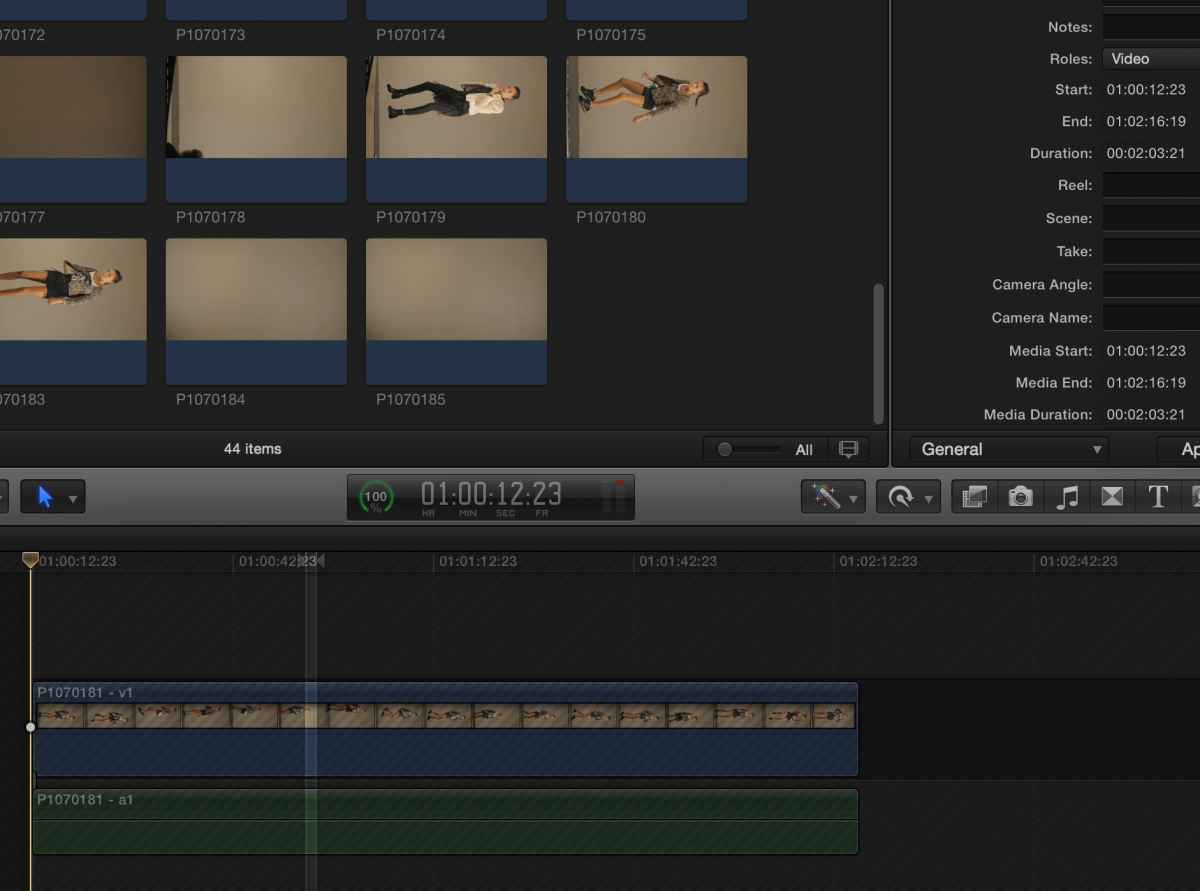
And to confuse me more, if I open the selected clip in its own timeline, the time does not start at 0 but 1:00:12:23 I don't know either what is refering to.
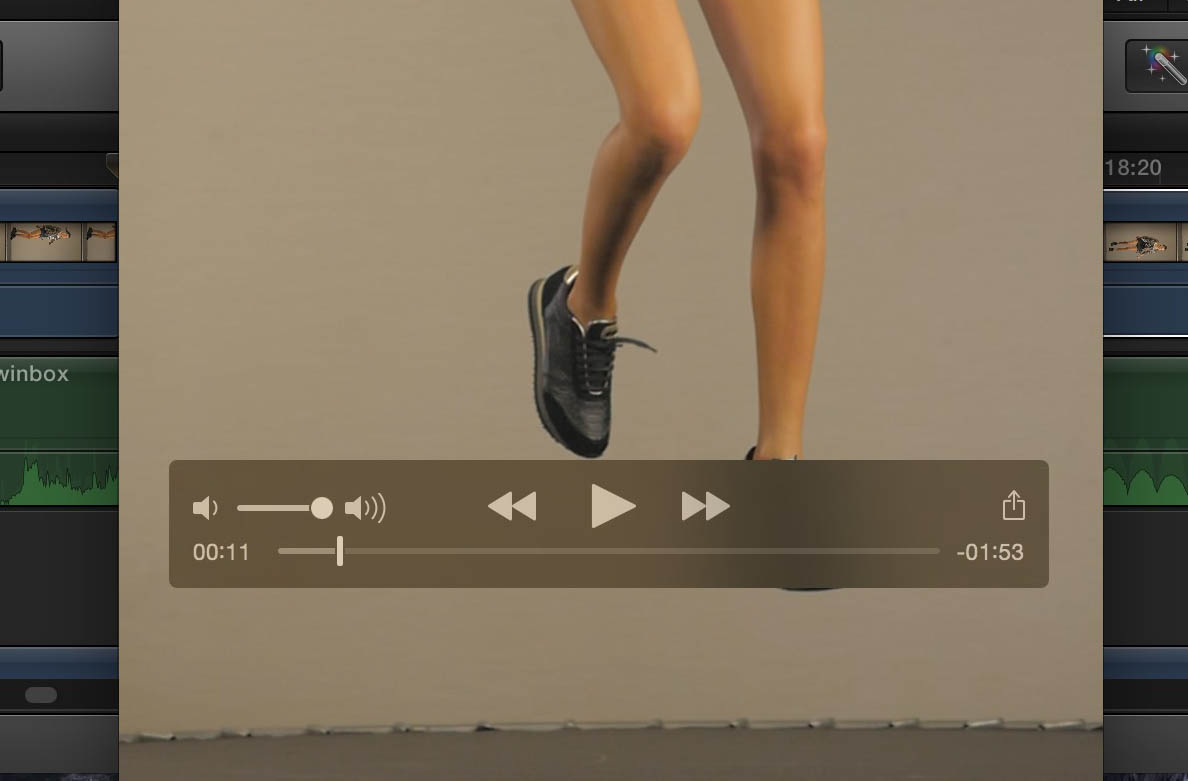
the in point of the clip, seen on quicktime is around 11", so I'm very confused...
Pablo Betancourt
Please Log in to join the conversation.
- Tom Wolsky
-

- Offline
- Moderator
-

Please Log in to join the conversation.
- Betancourt
-
Topic Author
- Offline
- Premium Member
-
I need to edit the used portion of the clips in after effects to cut out the background, but I guess that AE will recognize the timecode after all.
By the way, what is the info window telling me when it says "Start", "End", "Media start", "Media End"?
Pablo Betancourt
Please Log in to join the conversation.
- Tom Wolsky
-
- Offline
- Moderator
-
Please Log in to join the conversation.


Betancourt wrote: By the way, what is the info window telling me when it says "Start", "End", "Media start", "Media End"?
Excellent question. Sometimes it will show the clips correct start/end timecode as per Toms description. Sometimes it returns very odd numbers, especially if the clip frame rate is different than the project, or it is retimed.
The clip skimmer will give you the correct number at all times. The inspector is, uh... not always accurate. I'd encourage you to send feedback to Apple about this...
Can't sleep? Try this: fcpxpert.net ;-)
Please Log in to join the conversation.
- Betancourt
-
Topic Author
- Offline
- Premium Member
-
Sometimes it will show the clips correct start/end timecode as per Toms description. Sometimes it returns very odd numbers, especially if the clip frame rate is different than the project, or it is retimed.
It seems that this is the case. The original media was shot on a Panasonic GH4 at 96fps and the project is 25 fps.
Pablo Betancourt
Please Log in to join the conversation.


1- shift F to match frame -> this shows segment in event
2- shift I to go to in point -> read time code or start of segment time
3- shift O to go to out point -> read time code or end of segment time
it is simple but maybe i don't understand correctly.
Cheers
Please Log in to join the conversation.
Francois wrote: If i understand your question, I would stop on the shot in timeline and do a match frame...
1- shift F to match frame -> this shows segment in event
2- shift I to go to in point -> read time code or start of segment time
3- shift O to go to out point -> read time code or end of segment time
it is simple but maybe i don't understand correctly.
Cheers
This is true, and you can also simply turn on clip skimming and the TC window will show the clip TC when it is skimmed. However, the inspector should also return the correct clip TC and it does not always do so. Please do report this as it's something that most people probably don't notice. It should be brought to Apples attention if it hasn't.
Can't sleep? Try this: fcpxpert.net ;-)
Please Log in to join the conversation.
- Betancourt
-
Topic Author
- Offline
- Premium Member
-
If i understand your question, I would stop on the shot in timeline and do a match frame...
1- shift F to match frame -> this shows segment in event
2- shift I to go to in point -> read time code or start of segment time
3- shift O to go to out point -> read time code or end of segment time
it is simple but maybe i don't understand correctly.
Sorry for my english, it's difficult for me to ask questions like this in my native language, you can realize how much harder is doing it in english.
Your answer is correct and both your way and clip skimming do the trick. The main problem was that I was confused because of the original timecode of the clip that came from the camera, as Tom explained.
Pablo Betancourt
Please Log in to join the conversation.
- Betancourt
-
Topic Author
- Offline
- Premium Member
-
Please do report this as it's something that most people probably don't notice. It should be brought to Apples attention if it hasn't.
I'll do it , many thanks
Pablo Betancourt
Please Log in to join the conversation.
