


- Posts: 402
- Thank you received: 72
3 Post Moderation Rule for New Boarders (25 Jan 2021)
New boarders will have their posts moderated - Don't worry if you cannot see your post immediately.
ProRes 4444 to H.264 with window burn problems
- haysoos123
-
 Topic Author
- Offline
- Platinum Member
-

Less
More
17 Mar 2015 18:32 #61460
by haysoos123
ProRes 4444 to H.264 with window burn problems was created by haysoos123
Hi all, we seem to be running into an odd issue here with the conversion of ProRes 4444 clips to H.264 while adding a TC burn window. If we don't try to add the TC burn, it will convert to H.264 fine, but if we add the TC burn in compressor, it gets all the way to the end and then fails to write the file. The strange thing is, if you convert the ProRes 4444 clip to 422, and then convert THAT file with TC burn, it will work. Is this a bug that other people have gotten? Can anyone help me test a clip? Thanks!
Please Log in to join the conversation.
- ronny courtens
-

- Offline
- Moderator
-

Less
More
- Posts: 4455
- Thank you received: 962
17 Mar 2015 20:05 #61466
by ronny courtens
Replied by ronny courtens on topic ProRes 4444 to H.264 with window burn problems
Hey haysoos,
I will be happy to test this for you.
Are you doing the conversion in Compressor or are you doing it in FCP X with a Compressor preset Destination?
- Ronny
I will be happy to test this for you.
Are you doing the conversion in Compressor or are you doing it in FCP X with a Compressor preset Destination?
- Ronny
Please Log in to join the conversation.
- haysoos123
-
Topic Author
- Offline
- Platinum Member
-
Less
More
- Posts: 402
- Thank you received: 72
17 Mar 2015 20:24 #61471
by haysoos123
Replied by haysoos123 on topic ProRes 4444 to H.264 with window burn problems
Hi Ronny, thanks, I just sent you a PM to arrange sending you the file.
Please Log in to join the conversation.
- ronny courtens
-
- Offline
- Moderator
-
Less
More
- Posts: 4455
- Thank you received: 962
17 Mar 2015 21:05 #61477
by ronny courtens
Replied by ronny courtens on topic ProRes 4444 to H.264 with window burn problems
Okay, I have the file. Are you using any special settings for the H.264 conversion? I would like to test this exactly as you did it.
- Ronny
- Ronny
Please Log in to join the conversation.
- haysoos123
-
Topic Author
- Offline
- Platinum Member
-
Less
More
- Posts: 402
- Thank you received: 72
17 Mar 2015 21:13 #61479
by haysoos123
Replied by haysoos123 on topic ProRes 4444 to H.264 with window burn problems
Nothing special, really. Just H.264, 540p at 2500k CALVC single-pass, AAC 48kHz audio. TC burn is the timecode generator, lower-right title-safe Helvetica 24pt. I tested this on a Mac Pro D700, two different iMac 27" GTX780M machines.
Please Log in to join the conversation.
- ronny courtens
-
- Offline
- Moderator
-
Less
More
- Posts: 4455
- Thank you received: 962
17 Mar 2015 21:14 #61480
by ronny courtens
Replied by ronny courtens on topic ProRes 4444 to H.264 with window burn problems
Okay, I'm finishing something right now and I will get back to you soon.
- Ronny
- Ronny
Please Log in to join the conversation.

17 Mar 2015 21:50 #61485
by BenB
Replied by BenB on topic ProRes 4444 to H.264 with window burn problems
You know, you could save those settings as a custom preset, and email them to Ronny.
[user folder} > Library > Application Support > Pro Apps > Export Presets
Just an idea, to make things exactly the same.
[user folder} > Library > Application Support > Pro Apps > Export Presets
Just an idea, to make things exactly the same.
Please Log in to join the conversation.
- ronny courtens
-
- Offline
- Moderator
-
Less
More
- Posts: 4455
- Thank you received: 962
17 Mar 2015 22:11 - 17 Mar 2015 22:13 #61491
by ronny courtens
Replied by ronny courtens on topic ProRes 4444 to H.264 with window burn problems
Hi haysoos,
Okay I have done two tests with the file you sent me.
Test 1
Import the file into FCP X, add to timeline, add TC Generator:
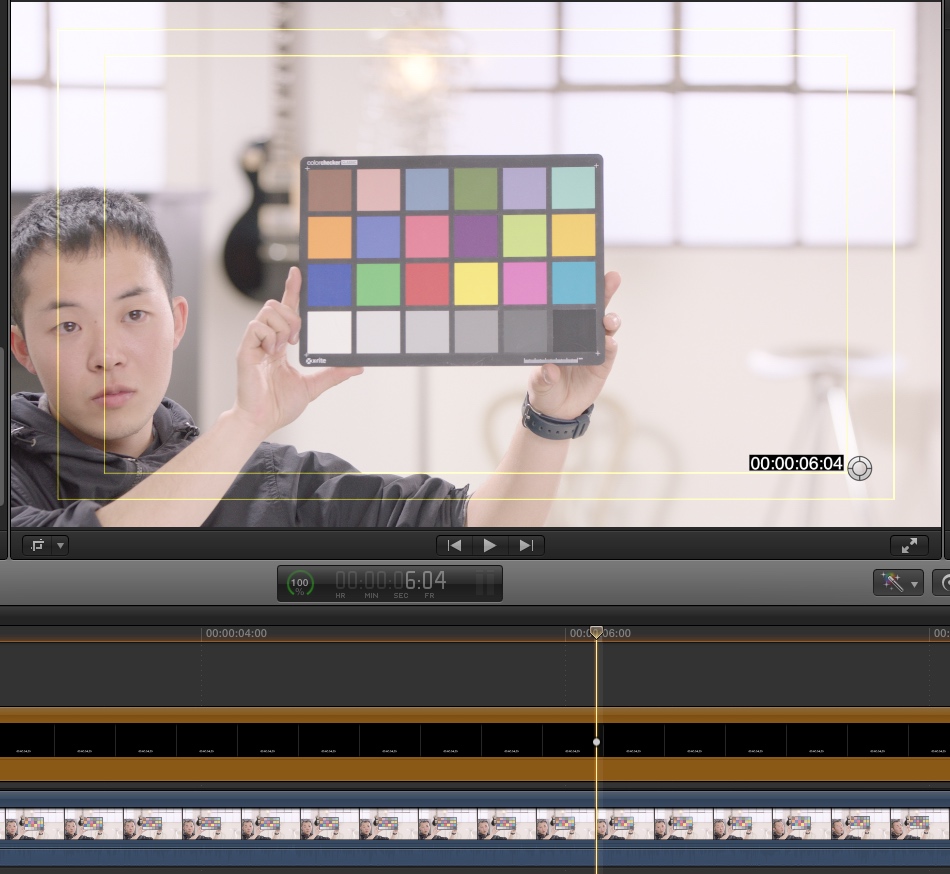
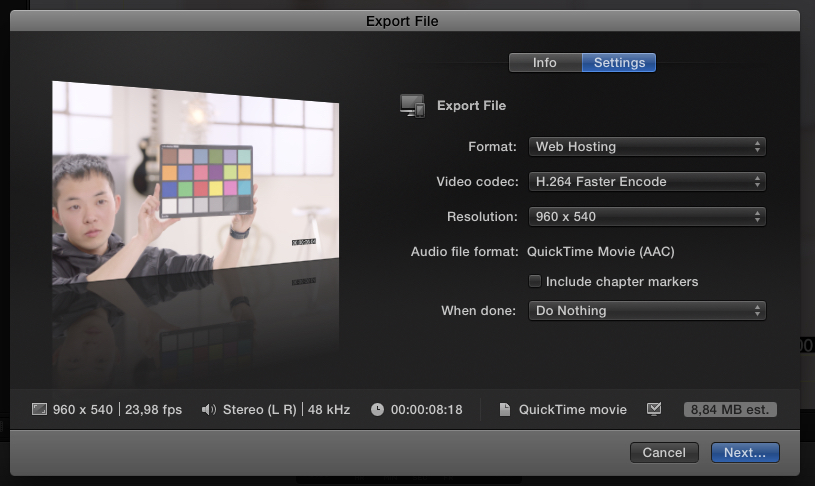
Share the timeline using a standard FCP X setting that corresponds with the settings you have given (Master File > Web hosting > H264 Faster > 950x450):
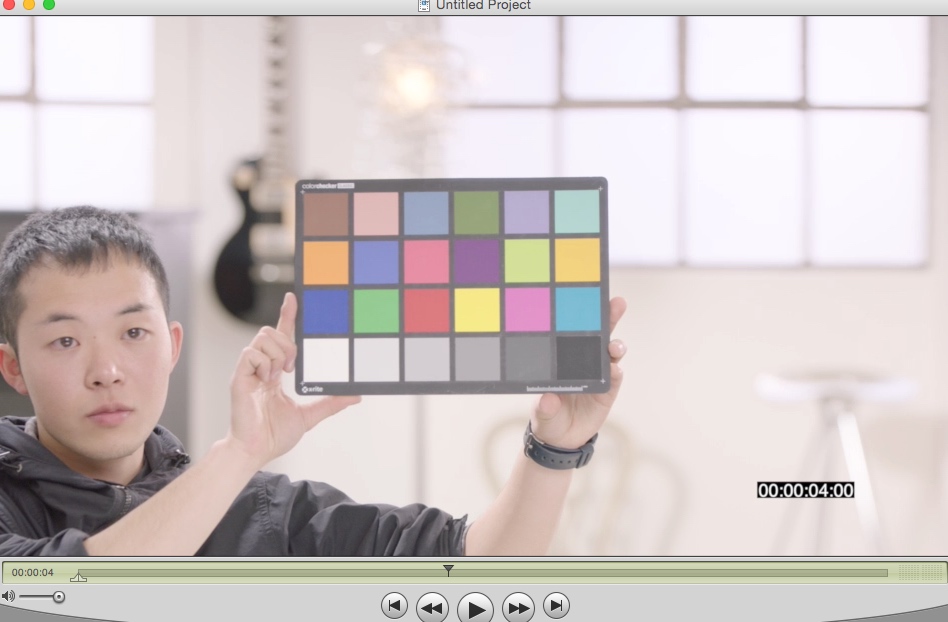
Export went fine, the H.264 file with TC plays perfectly in QT player:
Test 2
Create a custom preset in Compressor using the specifications you have given:
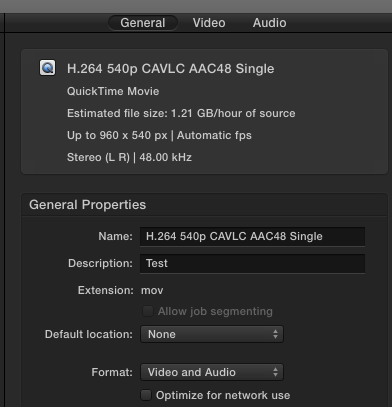
Add the custom preset as a Share Destination in FCP X and export using this preset:
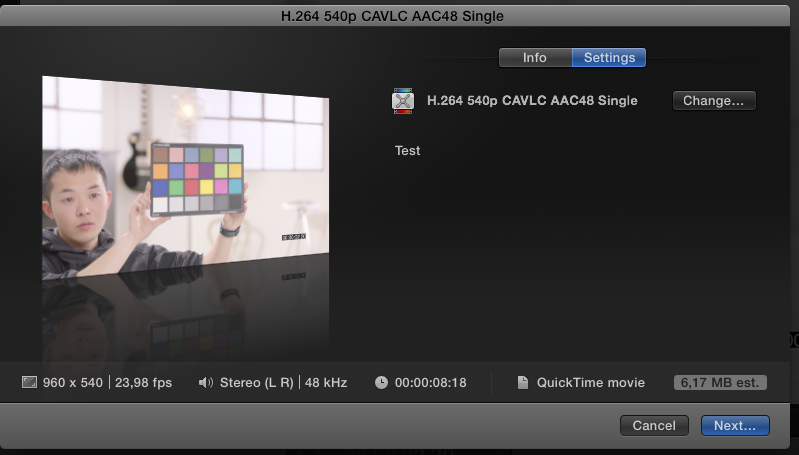
Again the export finishes as expected and the H.264 file with TC plays perfectly in QT player:
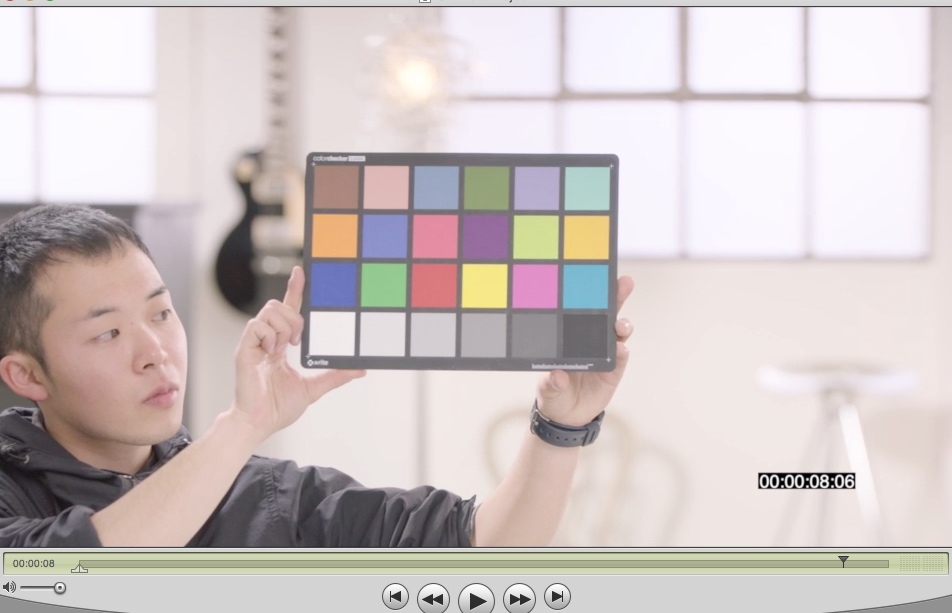
So I have no idea why this does not work on your side. Maybe you could try refresh your FCP X preferences and see if this solves the issue, or try exporting the H.264 with TC using the export preset I have mentioned in Test 1.
- Ronny
Okay I have done two tests with the file you sent me.
Test 1
Import the file into FCP X, add to timeline, add TC Generator:
Share the timeline using a standard FCP X setting that corresponds with the settings you have given (Master File > Web hosting > H264 Faster > 950x450):
Export went fine, the H.264 file with TC plays perfectly in QT player:
Test 2
Create a custom preset in Compressor using the specifications you have given:
Add the custom preset as a Share Destination in FCP X and export using this preset:
Again the export finishes as expected and the H.264 file with TC plays perfectly in QT player:
So I have no idea why this does not work on your side. Maybe you could try refresh your FCP X preferences and see if this solves the issue, or try exporting the H.264 with TC using the export preset I have mentioned in Test 1.
- Ronny
Last edit: 17 Mar 2015 22:13 by ronny courtens.
Please Log in to join the conversation.
- haysoos123
-
Topic Author
- Offline
- Platinum Member
-
Less
More
- Posts: 402
- Thank you received: 72
18 Mar 2015 01:01 #61505
by haysoos123
Replied by haysoos123 on topic ProRes 4444 to H.264 with window burn problems
Hi Ronny, thanks for doing that. I didn't try it as a preset from FCPX, just from Compressor because the idea is to have tc burn with the source timecode (although I do know you can do it by opening it up in a timeline and putting the tc generator in each clip). The big reason for this is to have the clips done in batches. I'll send you the preset to test as Ben suggests.
Please Log in to join the conversation.
- ronny courtens
-
- Offline
- Moderator
-
Less
More
- Posts: 4455
- Thank you received: 962
18 Mar 2015 09:03 - 18 Mar 2015 09:55 #61509
by ronny courtens
Replied by ronny courtens on topic ProRes 4444 to H.264 with window burn problems
Hey Howard,
Now this has been an interesting one. Let me explain the tests I did and how I came to the solution.
TEST 1
Open your original 4444 file in Compressor and add your H.264 with TC burn preset:
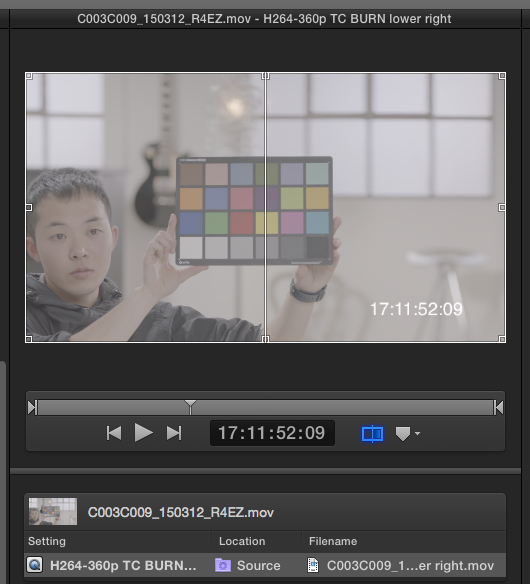
Compressor starts exporting, a temp file is created but after 3 attempts the export fails:
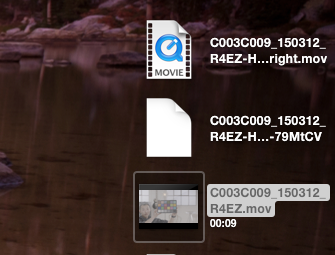
This is the problem you have reported.
TEST 2
Make a ProRes 422 version of the original 4444 file, open it in Compressor and add your preset:
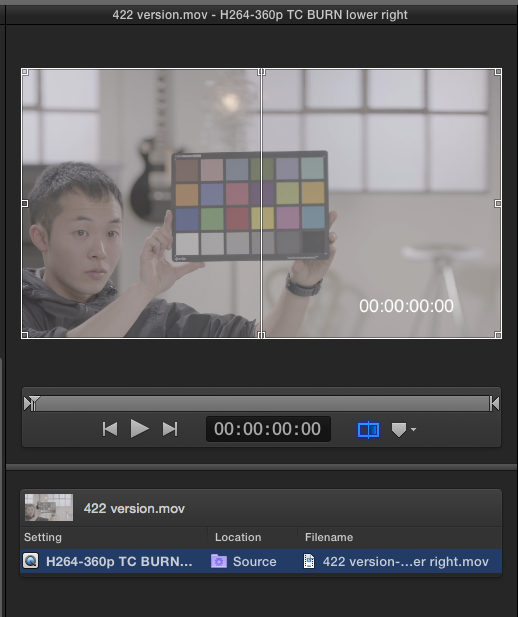
This results in a correctly exported H.264 file with burnt-in source TC:
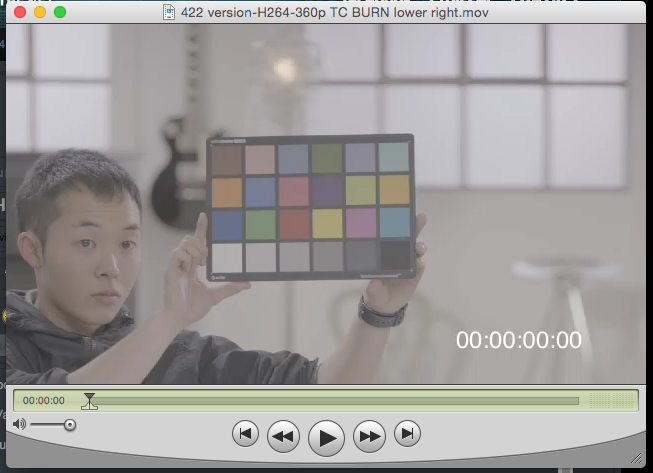
You also had reported this. So what causes the export failure with the original 4444 file while the 422 version works fine?
I know it is impossible that this can be related to the 4444 codec because I have done this before without any issues. The only difference is that when you convert the 4444 file to 422 the audio gets mixed down to stereo. So I checked the audio configuration in your original 4444 file:
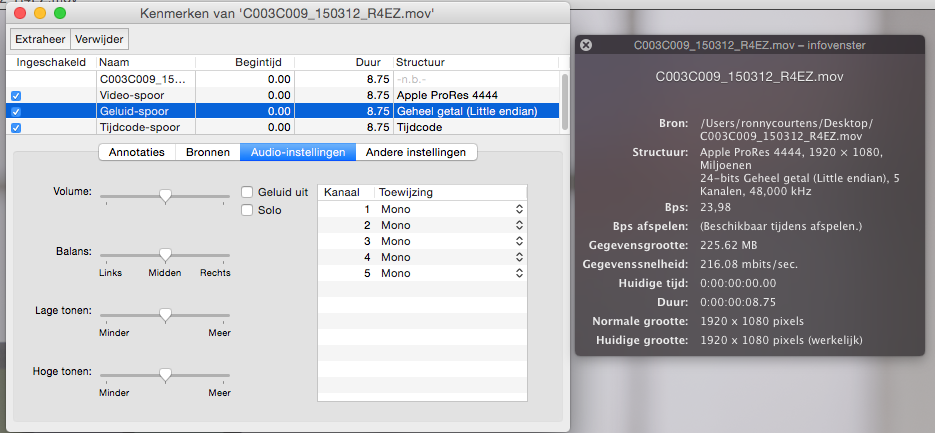
As you see the original file has 5 discrete mono channels. So the problem could be with the audio-remapping to Stereo in Compressor when TC burn is activated.
TEST 3
I opened the file in Compressor again, applied your preset and in the Audio tab I selected "Copy audio tracks from source" instead of mapping the audio to Stereo:
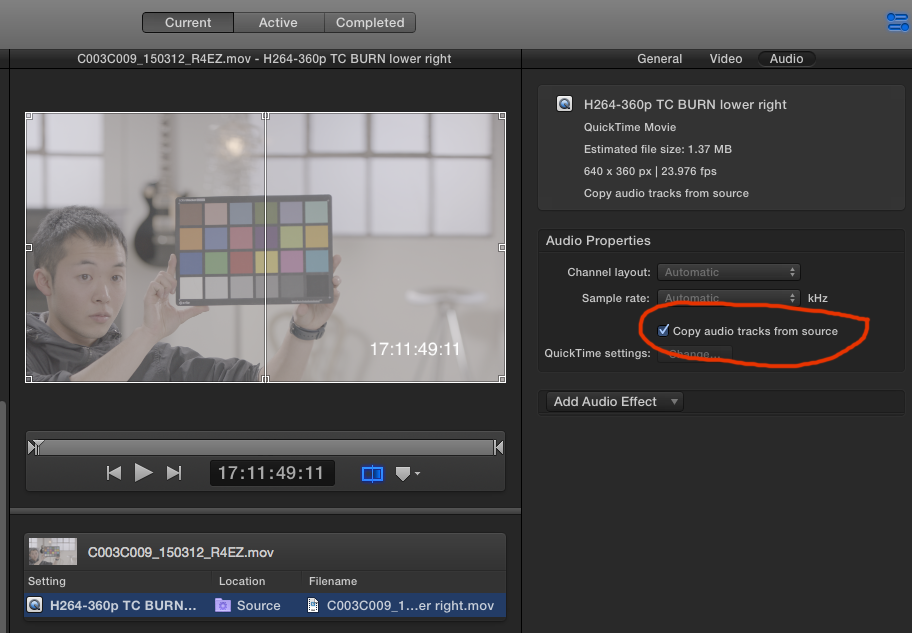
The original 4444 file exported perfectly as H.264 with burnt-in source TC:
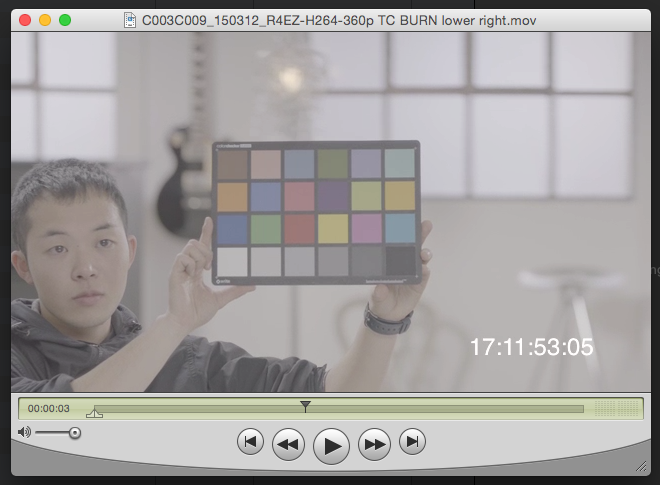
Now we could be happy with this workaround, but this creates 5 audio channels in your exported file and you probably want stereo.
So I started experimenting and I came to the conclusion that the issue was solely related to this particular preset. I have created a new one from scratch with the exact settings you want, tested it multiple times and it works without any issues. I have sent it to you by e-mail.
- Ronny
Now this has been an interesting one. Let me explain the tests I did and how I came to the solution.
TEST 1
Open your original 4444 file in Compressor and add your H.264 with TC burn preset:
Compressor starts exporting, a temp file is created but after 3 attempts the export fails:
This is the problem you have reported.
TEST 2
Make a ProRes 422 version of the original 4444 file, open it in Compressor and add your preset:
This results in a correctly exported H.264 file with burnt-in source TC:
You also had reported this. So what causes the export failure with the original 4444 file while the 422 version works fine?
I know it is impossible that this can be related to the 4444 codec because I have done this before without any issues. The only difference is that when you convert the 4444 file to 422 the audio gets mixed down to stereo. So I checked the audio configuration in your original 4444 file:
As you see the original file has 5 discrete mono channels. So the problem could be with the audio-remapping to Stereo in Compressor when TC burn is activated.
TEST 3
I opened the file in Compressor again, applied your preset and in the Audio tab I selected "Copy audio tracks from source" instead of mapping the audio to Stereo:
The original 4444 file exported perfectly as H.264 with burnt-in source TC:
Now we could be happy with this workaround, but this creates 5 audio channels in your exported file and you probably want stereo.
So I started experimenting and I came to the conclusion that the issue was solely related to this particular preset. I have created a new one from scratch with the exact settings you want, tested it multiple times and it works without any issues. I have sent it to you by e-mail.
- Ronny
Last edit: 18 Mar 2015 09:55 by ronny courtens.
Please Log in to join the conversation.
- haysoos123
-
Topic Author
- Offline
- Platinum Member
-
Less
More
- Posts: 402
- Thank you received: 72
18 Mar 2015 18:17 #61537
by haysoos123
Replied by haysoos123 on topic ProRes 4444 to H.264 with window burn problems
Hi Ronny,
Great, your preset worked! However, I was trying to find out why and looked at what the differences between the presets are. And just to be sure, I created one by duping one of Apple's presets, and found that for some reason, it HAS to be on multi-pass CALVC when processing these ProRes4444 files. If you can, please test this by creating a preset and making it single-pass CALVC or CABAC, and see if it doesn't work. For my money, it's got to be some sort of Compressor bug specifically related to those settings and ProRes4444 files.
thanks again.
Great, your preset worked! However, I was trying to find out why and looked at what the differences between the presets are. And just to be sure, I created one by duping one of Apple's presets, and found that for some reason, it HAS to be on multi-pass CALVC when processing these ProRes4444 files. If you can, please test this by creating a preset and making it single-pass CALVC or CABAC, and see if it doesn't work. For my money, it's got to be some sort of Compressor bug specifically related to those settings and ProRes4444 files.
thanks again.
Please Log in to join the conversation.
18 Mar 2015 18:21 #61538
by BenB
Replied by BenB on topic ProRes 4444 to H.264 with window burn problems
If you're going to the trouble to do 4x4, why in the world would you even want single pass?
Actually, it's not a bug, there is some odd Compressor restriction about that, I'm not totally clear about it.
Actually, it's not a bug, there is some odd Compressor restriction about that, I'm not totally clear about it.
Please Log in to join the conversation.
- haysoos123
-
Topic Author
- Offline
- Platinum Member
-
Less
More
- Posts: 402
- Thank you received: 72
18 Mar 2015 18:34 #61541
by haysoos123
Replied by haysoos123 on topic ProRes 4444 to H.264 with window burn problems
Ben, this is for timecode burn-in for dailies translation, so the actual quality of the video doesn't matter too much and the AE just has to pump it out. And even then, CABAC which is only single-pass is pretty good for certain types of video, wouldn't you agree? If it is a restriction, it's very weird because 422 HQ and normal work fine. In any case, we'll just use the multi-pass because it works.
Please Log in to join the conversation.
