


- Posts: 7
- Thank you received: 0
3 Post Moderation Rule for New Boarders (25 Jan 2021)
New boarders will have their posts moderated - Don't worry if you cannot see your post immediately.
Save Current Frame exporting blank files
16 Mar 2015 04:16 #61390
by Curly
Save Current Frame exporting blank files was created by Curly
Hello!
I am currently trying to "save current frame" to get a picture from my footage. I am selecting a frame, sharing it with "save current frame", and on EVERY setting and format (jpeg, png, etc) the program will quickly create a "successful" share. However when I go to the file, they are all blank. I have tried everything I can think of, but no luck. All blank.
I am working with RED footage in proxy mode. Thinking this was the problem, I switched everything to "optimized/original". Still all exported frames are blank files.
Any thoughts on what I am missing? Thank you so much!
I am currently trying to "save current frame" to get a picture from my footage. I am selecting a frame, sharing it with "save current frame", and on EVERY setting and format (jpeg, png, etc) the program will quickly create a "successful" share. However when I go to the file, they are all blank. I have tried everything I can think of, but no luck. All blank.
I am working with RED footage in proxy mode. Thinking this was the problem, I switched everything to "optimized/original". Still all exported frames are blank files.
Any thoughts on what I am missing? Thank you so much!
Please Log in to join the conversation.
- ronny courtens
-

- Offline
- Moderator
-

Less
More
- Posts: 4455
- Thank you received: 962
16 Mar 2015 07:48 #61394
by ronny courtens
Replied by ronny courtens on topic Save Current Frame exporting blank files
Hi Curly,
Exporting a still from Red footage should work like it does with any other format. Working in Proxy mode shouldn't make any difference either.
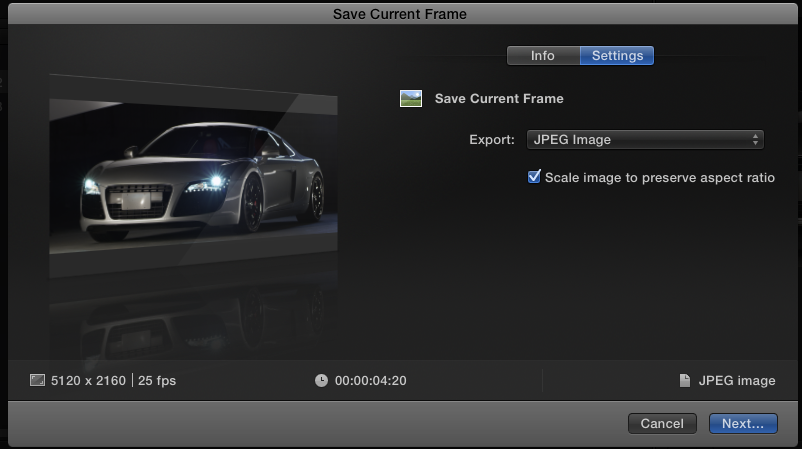
Just make sure that the frame you are trying to export is active when you export it. If the frame is taken from a clip in the Browser the Browser window must be active when you push the Share button, if the image is taken from the Timeline the Timeline window must be active.
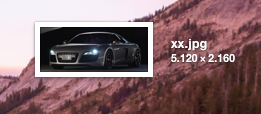
This is a still taken from a raw 5K R3D clip in the Timeline:
If this does not work for you, you can try deleting your FCP X preferences to see if this solves the issue.
If you need this still urgently you can set your FCP X Viewer to any size you wish and use the OS screenshot function (SHIFT+CMD+4) to quickly create a still from the Viewer.
- Ronny
Exporting a still from Red footage should work like it does with any other format. Working in Proxy mode shouldn't make any difference either.
Just make sure that the frame you are trying to export is active when you export it. If the frame is taken from a clip in the Browser the Browser window must be active when you push the Share button, if the image is taken from the Timeline the Timeline window must be active.
This is a still taken from a raw 5K R3D clip in the Timeline:
If this does not work for you, you can try deleting your FCP X preferences to see if this solves the issue.
If you need this still urgently you can set your FCP X Viewer to any size you wish and use the OS screenshot function (SHIFT+CMD+4) to quickly create a still from the Viewer.
- Ronny
Please Log in to join the conversation.
