


- Posts: 15
- Thank you received: 0
3 Post Moderation Rule for New Boarders (25 Jan 2021)
New boarders will have their posts moderated - Don't worry if you cannot see your post immediately.
Copy Pasting Attributes to Transitions and Titles
- Circuit Factory
-
 Topic Author
- Offline
- New Member
-

Less
More
14 Mar 2015 06:18 #61333
by Circuit Factory
Copy Pasting Attributes to Transitions and Titles was created by Circuit Factory
Hi Guys,
I use the copy and then Paste attributes (Command, Shift, V) function all the time, but I was just wondering if there was a way to do this with transitions so you don't have to manually adjust their duration etc. Same with titles. Can you apply to changes to one title and then copy paste them to others?
If yes, how do you do this?
Thank you !
Phil x
I use the copy and then Paste attributes (Command, Shift, V) function all the time, but I was just wondering if there was a way to do this with transitions so you don't have to manually adjust their duration etc. Same with titles. Can you apply to changes to one title and then copy paste them to others?
If yes, how do you do this?
Thank you !
Phil x
Please Log in to join the conversation.
- ronny courtens
-

- Offline
- Moderator
-

Less
More
- Posts: 4455
- Thank you received: 962
14 Mar 2015 12:24 - 14 Mar 2015 12:26 #61342
by ronny courtens
Replied by ronny courtens on topic Copy Pasting Attributes to Transitions and Titles
Hi Phil,
Transitions and titles are not handled by the Paste Attributes command. But yes, you can paste transition settings and title attributes between clips.
Transitions.
1. If you have created a specific transition with a specific duration and you want to add the exact transition between other clips: just use Copy/Paste. That's obvious.
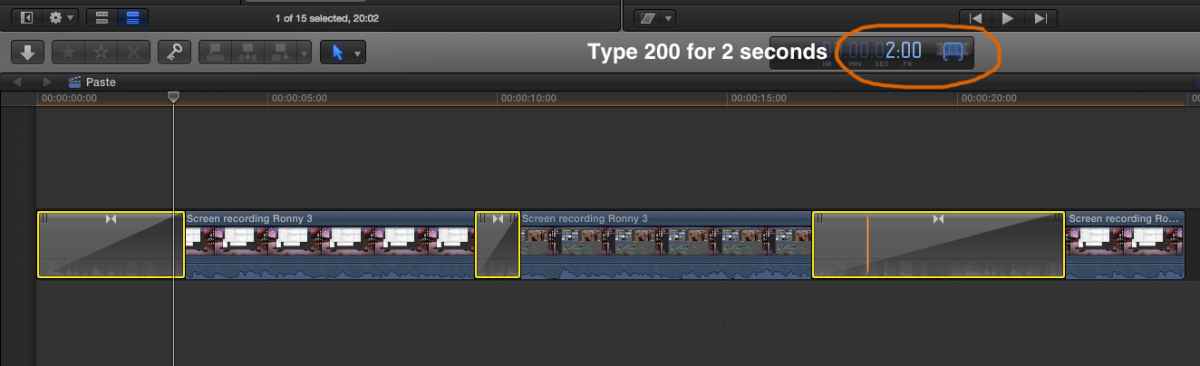
2. If you have created the same or different transitions between different clips and you want to apply the same duration to all the transitions: select all the transitions, press CTRL+D and enter a duration in the time field:
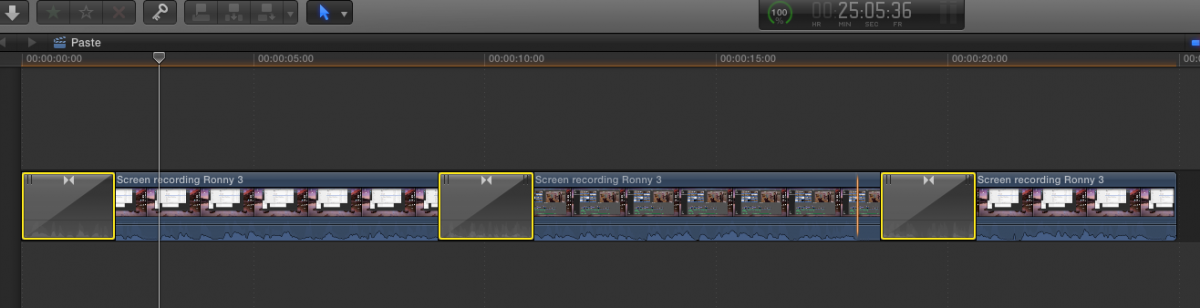
Press Return and all the selected transition will have the duration you have entered:
Titles
You cannot copy/paste title attributes, but you can save a title (font, size...) + its appearance (color, shadow...) as a title preset. Then all you need to do is select multiple title clips, click on the saved preset and all the selected titles will get the format and the appearance of the preset. Here's how:
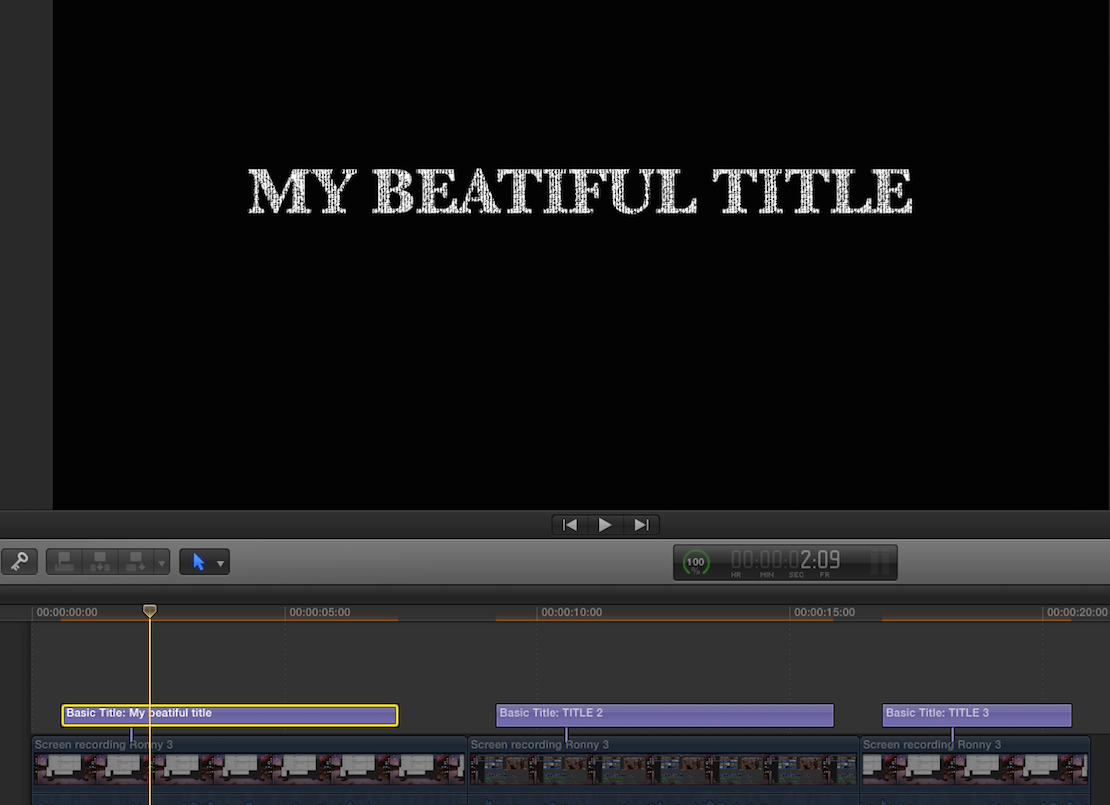
1. Create a custom title:
2. Select the title and in the Inspector > Text tab click on the black bar with the word "Normal". This will reveal the Save window from which you can select to save the title as a preset:

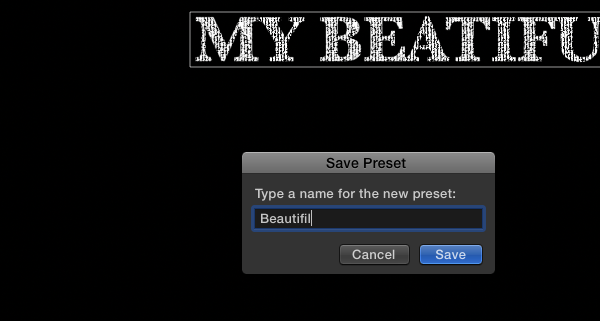
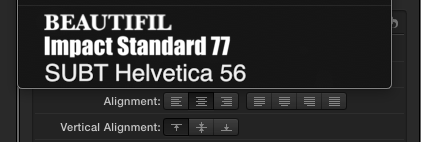
3. Select what you want to save. (Format = font, size... Appearance = color, shadow...). A window will pop up where you can enter a name for your preset (I have entered "Beautifil"). Then press Save:
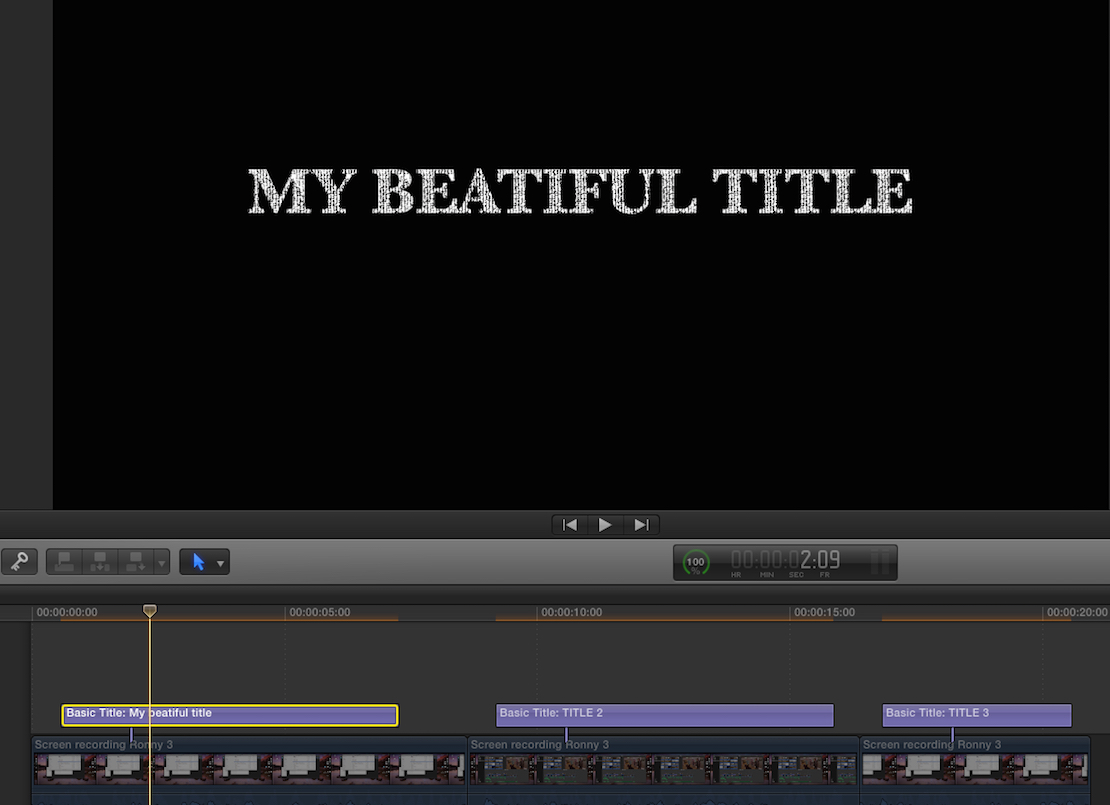
Now you can select any title on your timeline, click on the preset in your Inspector and all the titles you have selected will get the attributes of your preset:
- Ronny
Transitions and titles are not handled by the Paste Attributes command. But yes, you can paste transition settings and title attributes between clips.
Transitions.
1. If you have created a specific transition with a specific duration and you want to add the exact transition between other clips: just use Copy/Paste. That's obvious.
2. If you have created the same or different transitions between different clips and you want to apply the same duration to all the transitions: select all the transitions, press CTRL+D and enter a duration in the time field:
Press Return and all the selected transition will have the duration you have entered:
Titles
You cannot copy/paste title attributes, but you can save a title (font, size...) + its appearance (color, shadow...) as a title preset. Then all you need to do is select multiple title clips, click on the saved preset and all the selected titles will get the format and the appearance of the preset. Here's how:
1. Create a custom title:
2. Select the title and in the Inspector > Text tab click on the black bar with the word "Normal". This will reveal the Save window from which you can select to save the title as a preset:
3. Select what you want to save. (Format = font, size... Appearance = color, shadow...). A window will pop up where you can enter a name for your preset (I have entered "Beautifil"). Then press Save:
Now you can select any title on your timeline, click on the preset in your Inspector and all the titles you have selected will get the attributes of your preset:
- Ronny
Last edit: 14 Mar 2015 12:26 by ronny courtens.
Please Log in to join the conversation.
