



- Posts: 12
- Thank you received: 0
3 Post Moderation Rule for New Boarders (25 Jan 2021)
New boarders will have their posts moderated - Don't worry if you cannot see your post immediately.
Aspect ratio problem...what am I doing wrong???
17 Feb 2015 16:49 - 17 Feb 2015 16:53 #59909
by jason9235
Aspect ratio problem...what am I doing wrong??? was created by jason9235
Hi, I've never come across this problem before, so maybe someone can help me out. I have a video that's 960x720 SD 4x3 aspect ratio. It looks perfect when playing thru QT or Mpegstreamclip, but when I add to FCPX, it gets squashed somewhat. I've tried everything regarding the project creation settings, including "Set based on first video clip" but nothing is working???? please see attached pics of the QT vs FCPX views.
Thanks!
Thanks!
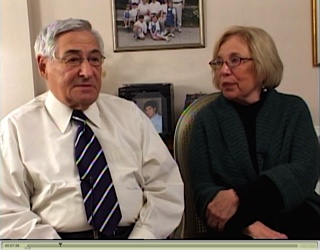
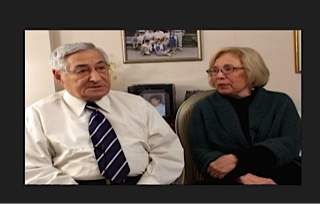
Last edit: 17 Feb 2015 16:53 by jason9235.
Please Log in to join the conversation.


17 Feb 2015 16:59 - 17 Feb 2015 17:02 #59911
by BenB
Replied by BenB on topic Aspect ratio problem...what am I doing wrong???
1st of all, standard SD is 720x480.
What you have, that 960x720 clip, is Panasonic HVX200 type squeezed HD that is 16:9. Place it into a 720 HD timeline, but specify when creating the Project that it be 960x720. Yes, there is a 720HD setting for that. Then you'll be fine. It is an odd Panasonic thing.
Maybe even select the clip in the Timeline, go to the Inspector, to Video, down to Spacial Conform, and make sure it is set to "None".
What you have, that 960x720 clip, is Panasonic HVX200 type squeezed HD that is 16:9. Place it into a 720 HD timeline, but specify when creating the Project that it be 960x720. Yes, there is a 720HD setting for that. Then you'll be fine. It is an odd Panasonic thing.
Maybe even select the clip in the Timeline, go to the Inspector, to Video, down to Spacial Conform, and make sure it is set to "None".
Last edit: 17 Feb 2015 17:02 by BenB.
Please Log in to join the conversation.
17 Feb 2015 17:02 #59912
by jason9235
Replied by jason9235 on topic Aspect ratio problem...what am I doing wrong???
Thanks...yeah, I tried that (that's actually one of the screen shots) Any other ideas?
Please Log in to join the conversation.
- Tom Wolsky
-

- Offline
- Moderator
-

17 Feb 2015 17:21 - 17 Feb 2015 17:21 #59914
by Tom Wolsky
Replied by Tom Wolsky on topic Aspect ratio problem...what am I doing wrong???
Rather than screen shots of what you're seeing you need to show a screen shot of the exact specs of the media. The file is 720p. That means it's HD. There's no such thing as 4:3 HD. All HD is widescreen. If this is a custom 4:3 format, you'll need to make a custom project.
Last edit: 17 Feb 2015 17:21 by Tom Wolsky.
Please Log in to join the conversation.
17 Feb 2015 17:24 #59915
by jason9235
Replied by jason9235 on topic Aspect ratio problem...what am I doing wrong???
Thanks Tom....here's the info on the file.....does this add any light to the issue?
Please Log in to join the conversation.
- Tom Wolsky
-
- Offline
- Moderator
-
17 Feb 2015 17:32 #59916
by Tom Wolsky
Replied by Tom Wolsky on topic Aspect ratio problem...what am I doing wrong???
I don't know where that came from, but I believe only Panasonic's DVCPRO HD uses that frame size for HD as Ben said in his message. Your material ain't DVCPRO HD.
Assuming it's really supposed to be widescreen, I would suggest converting it to ProRes 1280x720.
Assuming it's really supposed to be widescreen, I would suggest converting it to ProRes 1280x720.
Please Log in to join the conversation.


17 Feb 2015 17:36 #59918
by joema
It says "encoded with Sorenson Squeeze". Is this not a camera media file from the Panasonic? Has it been processed already?
Replied by joema on topic Aspect ratio problem...what am I doing wrong???
Jason9235 wrote: Thanks Tom....here's the info on the file.....does this add any light to the issue?
It says "encoded with Sorenson Squeeze". Is this not a camera media file from the Panasonic? Has it been processed already?
Please Log in to join the conversation.
17 Feb 2015 17:38 #59919
by jason9235
Replied by jason9235 on topic Aspect ratio problem...what am I doing wrong???
yeah, this was ripped from a DVD
Please Log in to join the conversation.
17 Feb 2015 17:39 #59920
by BenB
Replied by BenB on topic Aspect ratio problem...what am I doing wrong???
1st, shift-z in the Viewer, make sure we're seeing it there properly.
Second, I'd put it in a regular 1280x720 timeline, set Spacial Conform to "Fill".
Yeah, someone did something to that file, that's not the camera native. Sorenson Squeeze was not needed anywhere, but, there you have it.
Verify the Spacial Conform of the clip, for sure.
Second, I'd put it in a regular 1280x720 timeline, set Spacial Conform to "Fill".
Yeah, someone did something to that file, that's not the camera native. Sorenson Squeeze was not needed anywhere, but, there you have it.
Verify the Spacial Conform of the clip, for sure.
Please Log in to join the conversation.
17 Feb 2015 17:44 #59921
by joema
And if that doesn't work, try setting Spatial Conform to "Fit". If the project is 16:9 with clips from 4:3 SD, it must either be pillar boxed or stretched. I think "Fill" will stretch it, "Fit" will pillar box it, and "none" will letter box it.
Replied by joema on topic Aspect ratio problem...what am I doing wrong???
BenB wrote: ...I'd put it in a regular 1280x720 timeline, set Spacial Conform to "Fill"...
And if that doesn't work, try setting Spatial Conform to "Fit". If the project is 16:9 with clips from 4:3 SD, it must either be pillar boxed or stretched. I think "Fill" will stretch it, "Fit" will pillar box it, and "none" will letter box it.
Please Log in to join the conversation.
17 Feb 2015 17:52 #59922
by jason9235
Replied by jason9235 on topic Aspect ratio problem...what am I doing wrong???
ok, so what's even stranger is that FCPX sees this as a 720p file...see attached
Please Log in to join the conversation.
- Tom Wolsky
-
- Offline
- Moderator
-
17 Feb 2015 17:58 #59923
by Tom Wolsky
Replied by Tom Wolsky on topic Aspect ratio problem...what am I doing wrong???
Why is that strange? That's what it is. I'm not clear whether this is supposed to be widescreen or 4:3. Which is it meant to be?
Please Log in to join the conversation.
17 Feb 2015 18:02 #59925
by jason9235
Replied by jason9235 on topic Aspect ratio problem...what am I doing wrong???
it plays back properly in 4:3 in QT and MPSC....why the playback issue with FCP??
Please Log in to join the conversation.
- Tom Wolsky
-
- Offline
- Moderator
-
17 Feb 2015 18:07 #59928
by Tom Wolsky
Replied by Tom Wolsky on topic Aspect ratio problem...what am I doing wrong???
Again HD is always widescreen. Only SD is 4:3. 720 vertical is not SD; it's HD. The only file format that uses that resolution for HD is DVCPRO HD, but your material isn't that. You need to make a custom project that fits your media. I don't know how you're going to deliver it in that resolution.
Please Log in to join the conversation.
17 Feb 2015 18:18 - 17 Feb 2015 18:19 #59929
by jason9235
Replied by jason9235 on topic Aspect ratio problem...what am I doing wrong???
so then why when I create a custom project is it still distorting the picture? Look at the new pic
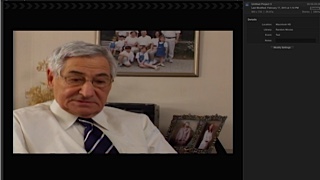
Last edit: 17 Feb 2015 18:19 by jason9235.
Please Log in to join the conversation.
- Tom Wolsky
-
- Offline
- Moderator
-
17 Feb 2015 18:36 #59931
by Tom Wolsky
Replied by Tom Wolsky on topic Aspect ratio problem...what am I doing wrong???
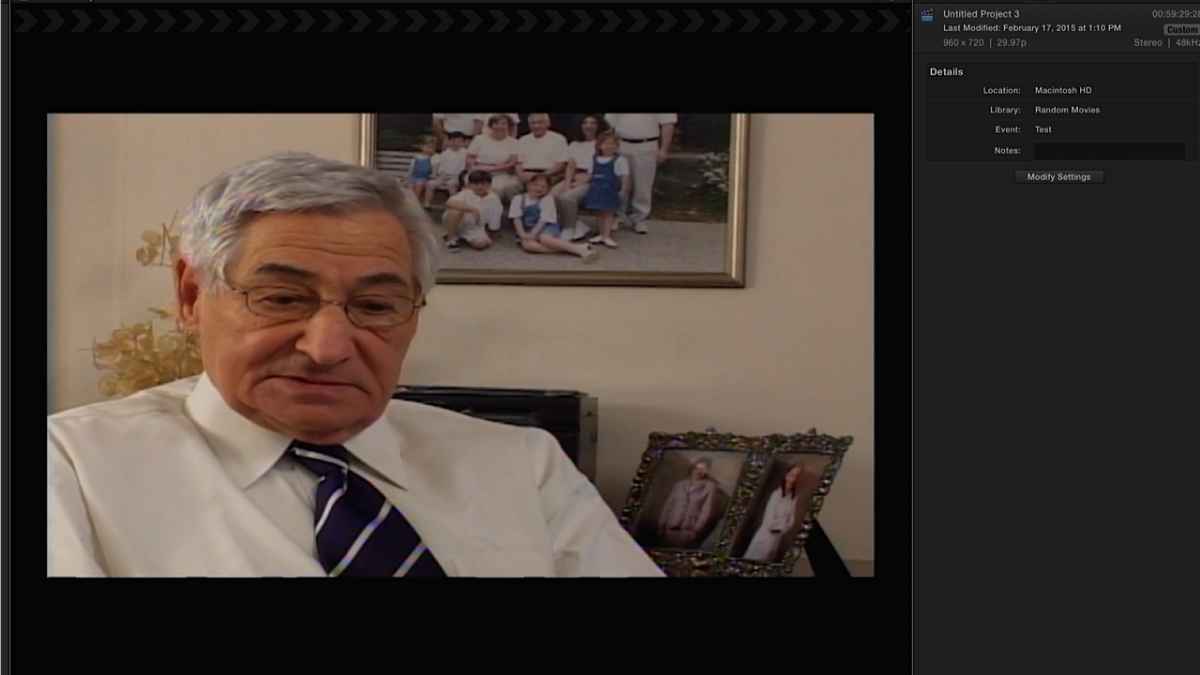
I'm sorry that's too small to be legible. What are your exact project properties? Post a screen shot of the settings in modify properties.
Please Log in to join the conversation.
17 Feb 2015 18:38 #59932
by BenB
Replied by BenB on topic Aspect ratio problem...what am I doing wrong???
The image is supposed to be stretched out like that, that was what Panasonic created 960x720 to do. BUT, it seems your image wasn't originally 960x720, but someone cropped it to that size. That's the issue, it isn't a native 960x720, so it doesn't act like one. In 4:3 aspect ratio, it should look squeezed.
Please Log in to join the conversation.
17 Feb 2015 18:49 #59934
by jason9235
Replied by jason9235 on topic Aspect ratio problem...what am I doing wrong???
yeah...here ya go
Please Log in to join the conversation.
17 Feb 2015 19:06 - 17 Feb 2015 19:07 #59936
by joema
Replied by joema on topic Aspect ratio problem...what am I doing wrong???
Regardless of what camera it was originally shot on, it was encoded and ripped from a DVD and processed by Sorenson Squeeze. Maybe that incorrectly set the anamorphic flag in the video header. FCP X is trying to stretch the 4:3 frame to a 16:9 aspect ratio, which might happen if that were set.
At a physical level, all DVD material is 4:3. For widescreen material, encoders can set an anamorphic flag which tells the playback device "I have digitally squeezed a widescreen frame into 4:3, please de-squeeze this on playback".
If the playback device (or software) does not properly interpret that, the output will look horizontally squeezed (people tall and thin). If the flag IS set but the encoded material is NOT squeezed, you might end up with your situation (people stretched horizontally).
Why would QT play it OK? It's possible there are conflicting flags in the video header, e.g, 4:3 picture aspect ratio but anamorphic flag set. In that undefined situation the playback software takes its best guess.
If you want to upload a clip I'll examine the header. However the solution might require editing the header info, which requires special utilities.
The fastest solution may be to import all that DVD material into an NTSC 4:3 project, then export it as NTSC 720x480, then re-import it into your HD project. I'm assuming you're working on a 16:9 HD project and want to include some 4:3 SD material. I'd suggest first doing one small clip to see if this works.
At a physical level, all DVD material is 4:3. For widescreen material, encoders can set an anamorphic flag which tells the playback device "I have digitally squeezed a widescreen frame into 4:3, please de-squeeze this on playback".
If the playback device (or software) does not properly interpret that, the output will look horizontally squeezed (people tall and thin). If the flag IS set but the encoded material is NOT squeezed, you might end up with your situation (people stretched horizontally).
Why would QT play it OK? It's possible there are conflicting flags in the video header, e.g, 4:3 picture aspect ratio but anamorphic flag set. In that undefined situation the playback software takes its best guess.
If you want to upload a clip I'll examine the header. However the solution might require editing the header info, which requires special utilities.
The fastest solution may be to import all that DVD material into an NTSC 4:3 project, then export it as NTSC 720x480, then re-import it into your HD project. I'm assuming you're working on a 16:9 HD project and want to include some 4:3 SD material. I'd suggest first doing one small clip to see if this works.
Last edit: 17 Feb 2015 19:07 by joema.
Please Log in to join the conversation.
- filmfreak3000
-

- Offline
- New Member
-

Less
More
- Posts: 15
- Thank you received: 2
17 Feb 2015 19:35 #59938
by filmfreak3000
Replied by filmfreak3000 on topic Aspect ratio problem...what am I doing wrong???
I've had this happen, too. It's not always true that HD is 16x9. Old TV shows that were 4x3 are encoded in HD at 1440x1080, square pixels. I was working on a project that required using HD files like that, and FCP X always thought it was suppose to be stretched, even when everything is set to square pixels. In FCP 7, it was just a matter of unchecking the anamorphic box, but in X, for most footage, the override anamorphic setting doesn't appear in the settings tab of the inspector.
My work around was distorting the image, and then paste attributes to all.
My work around was distorting the image, and then paste attributes to all.
Please Log in to join the conversation.
