


- Posts: 4
- Thank you received: 0
3 Post Moderation Rule for New Boarders (25 Jan 2021)
New boarders will have their posts moderated - Don't worry if you cannot see your post immediately.
Events Not showing up in library
- Goldenmeanmedia
-
 Topic Author
- Offline
- New Member
-

Less
More
22 Jan 2015 12:42 #58787
by Goldenmeanmedia
Events Not showing up in library was created by Goldenmeanmedia
Hi,
Looking for some help here,
I moved a managed library from a shared folder into my movies folder on my HD and now FCPX is only seeing one of the events within the library.
If I open the package, it shows the missing events, projects,render files,original media etc..
Is there any way to get final cut to "see" these again?
Thanks,
Mike
Looking for some help here,
I moved a managed library from a shared folder into my movies folder on my HD and now FCPX is only seeing one of the events within the library.
If I open the package, it shows the missing events, projects,render files,original media etc..
Is there any way to get final cut to "see" these again?
Thanks,
Mike
Please Log in to join the conversation.
- Tom Wolsky
-

- Offline
- Moderator
-

22 Jan 2015 12:49 #58789
by Tom Wolsky
Replied by Tom Wolsky on topic Events Not showing up in library
Post a screenshot of the libraries pane. What version are you using?
Please Log in to join the conversation.
- Goldenmeanmedia
-
Topic Author
- Offline
- New Member
-
Less
More
- Posts: 4
- Thank you received: 0
22 Jan 2015 13:03 #58790
by Goldenmeanmedia
Replied by Goldenmeanmedia on topic Events Not showing up in library
Its 10.1.4
Here it is beside an older version but the 2 libraries shown should have the same events in them.
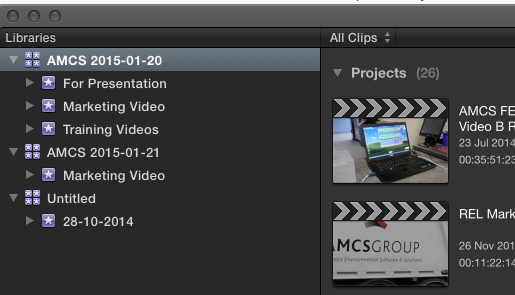
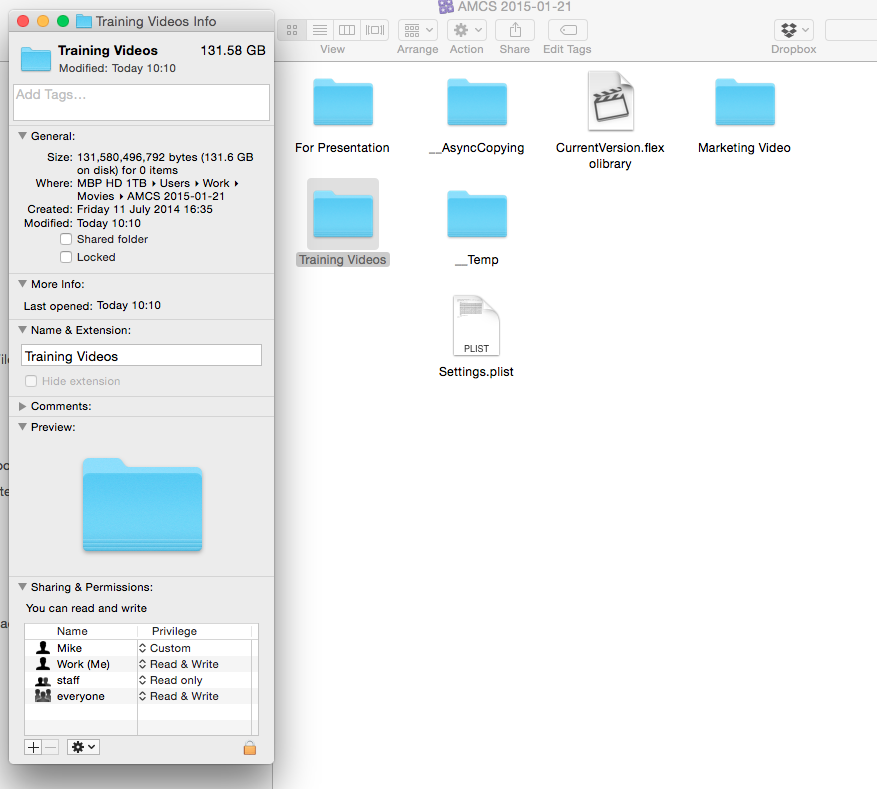
Here it is beside an older version but the 2 libraries shown should have the same events in them.
Please Log in to join the conversation.
- Goldenmeanmedia
-
Topic Author
- Offline
- New Member
-
Less
More
- Posts: 4
- Thank you received: 0
22 Jan 2015 13:08 #58792
by Goldenmeanmedia
Replied by Goldenmeanmedia on topic Events Not showing up in library
It also now seeing only 50GB of the over 200GB that the whole library should be
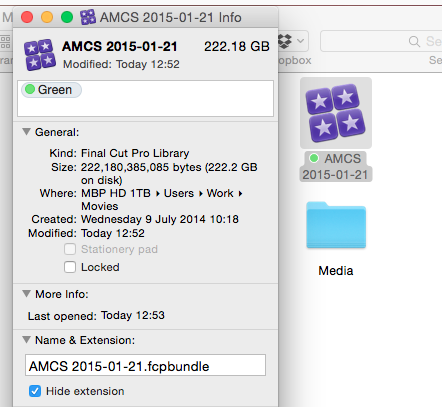
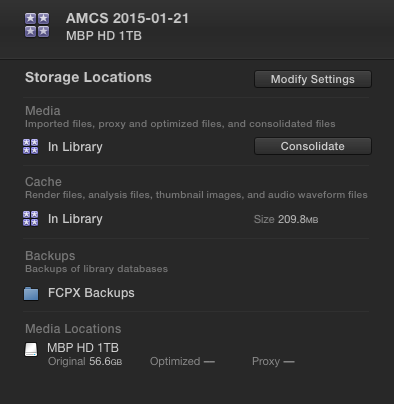
Please Log in to join the conversation.


22 Jan 2015 13:49 - 22 Jan 2015 14:00 #58793
by anickt
Replied by anickt on topic Events Not showing up in library
I have been running into this same thing. Close FCP X and go into the library package. Delete the "currentversion.flexolibrary" file. When you re-open that library in FCP X you should see all your events again. That fixes it for me. Still not sure why this is happening but I have two RAID's that I mirror using Carbon Copy Cloner. Haven't figured out exactly what is going on yet.
I haven't had any problems doing this but, of course, make sure you're working with a backup in place in case something goes wrong.
I haven't had any problems doing this but, of course, make sure you're working with a backup in place in case something goes wrong.
Last edit: 22 Jan 2015 14:00 by anickt.
Please Log in to join the conversation.
- Goldenmeanmedia
-
Topic Author
- Offline
- New Member
-
Less
More
- Posts: 4
- Thank you received: 0
22 Jan 2015 14:55 #58796
by Goldenmeanmedia
Replied by Goldenmeanmedia on topic Events Not showing up in library
I made a copy of the library and tried this, Seems to have worked!!!
I was also speaking to apple support for 40 mins but they hadn't come up with a answer.
Brilliant, thanks!
Mike
I was also speaking to apple support for 40 mins but they hadn't come up with a answer.
Brilliant, thanks!
Mike
Please Log in to join the conversation.
22 Jan 2015 15:58 #58798
by anickt
Replied by anickt on topic Events Not showing up in library
Glad to help. I don't remember where I came up with that solution. I believe I read it somewhere online. I have sent feedback to Apple about this but I haven't heard anything back.
Please Log in to join the conversation.
