


- Posts: 34
- Thank you received: 0
3 Post Moderation Rule for New Boarders (25 Jan 2021)
New boarders will have their posts moderated - Don't worry if you cannot see your post immediately.
Need Help Linking to Deleted Audio
- cavideopro
-
 Topic Author
- Offline
- Junior Member
-

Less
More
25 Nov 2014 14:16 - 25 Nov 2014 14:20 #56486
by cavideopro
Need Help Linking to Deleted Audio was created by cavideopro
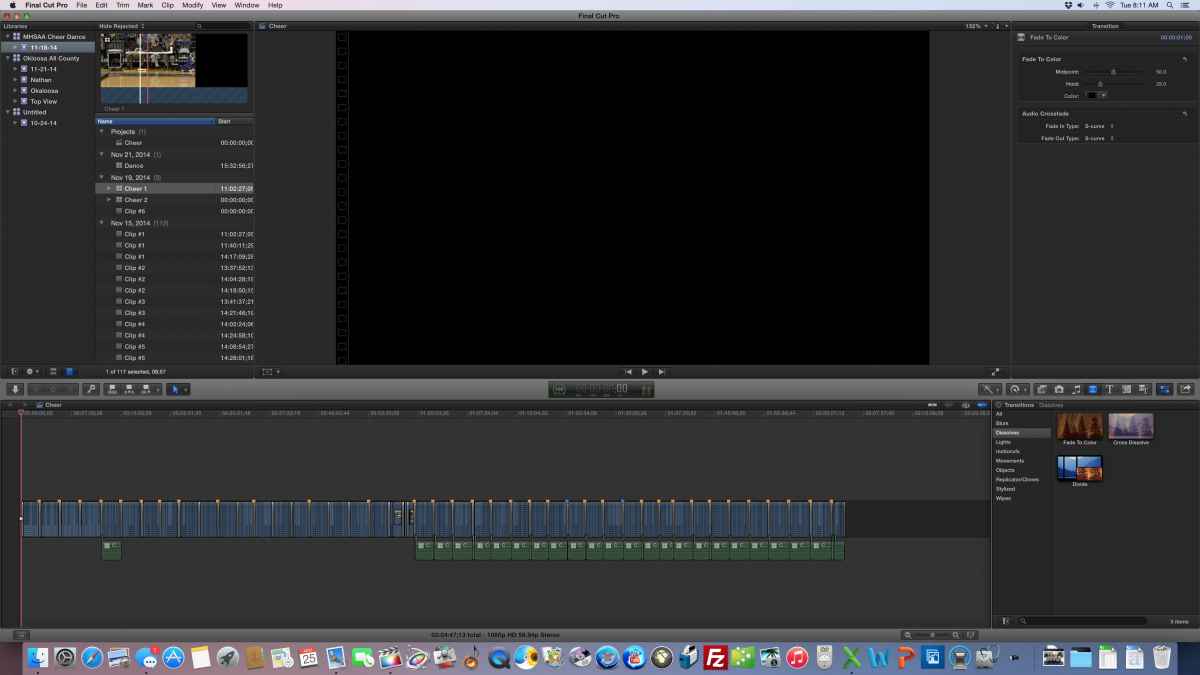
I detached my audio from the video files in order to change the settings on the audio. However, somewhere along the line a large portion of the audio was deleted from the timeline. Does anyone have an easy fix for how to line up my original audio with the video files that are left? This is a multicam clip if that makes any difference.
Thank you.
Jon
Thank you.
Jon
Last edit: 25 Nov 2014 14:20 by cavideopro.
Please Log in to join the conversation.

25 Nov 2014 16:48 #56497
by BenB
Replied by BenB on topic Need Help Linking to Deleted Audio
I don't understand why you are detaching audio just to make adjustments to it? What adjustments require detaching audio?
Select the original clip, Shift-F will reveal the source clip/range in the Browser. Do a Replace From Start edit.
Select the original clip, Shift-F will reveal the source clip/range in the Browser. Do a Replace From Start edit.
Please Log in to join the conversation.
- cavideopro
-
Topic Author
- Offline
- Junior Member
-
Less
More
- Posts: 34
- Thank you received: 0
25 Nov 2014 17:06 #56501
by cavideopro
Replied by cavideopro on topic Need Help Linking to Deleted Audio
I needed to have two separate audio streams going at the same time so I could choose which one was better. It was not always in line with the video angle I was choosing. Long time FCP7 user and still used to working with audio that way. I am sure there is a better way. Thanks for the tip, I'll give it a shot.
Jon
Jon
Please Log in to join the conversation.
- cavideopro
-
Topic Author
- Offline
- Junior Member
-
Less
More
- Posts: 34
- Thank you received: 0
25 Nov 2014 17:10 #56502
by cavideopro
Replied by cavideopro on topic Need Help Linking to Deleted Audio
OK I did the Shift F but where do I find Replace from Start?
Please Log in to join the conversation.
- cavideopro
-
Topic Author
- Offline
- Junior Member
-
Less
More
- Posts: 34
- Thank you received: 0
25 Nov 2014 17:33 #56504
by cavideopro
Replied by cavideopro on topic Need Help Linking to Deleted Audio
Got it! Worked like a charm. You saved me. Thanks!!!!
Please Log in to join the conversation.
