


3 Post Moderation Rule for New Boarders (25 Jan 2021)
New boarders will have their posts moderated - Don't worry if you cannot see your post immediately.
alert icon, but what is missing?

18 Nov 2014 18:48 #56161
by Gretta
alert icon, but what is missing? was created by Gretta
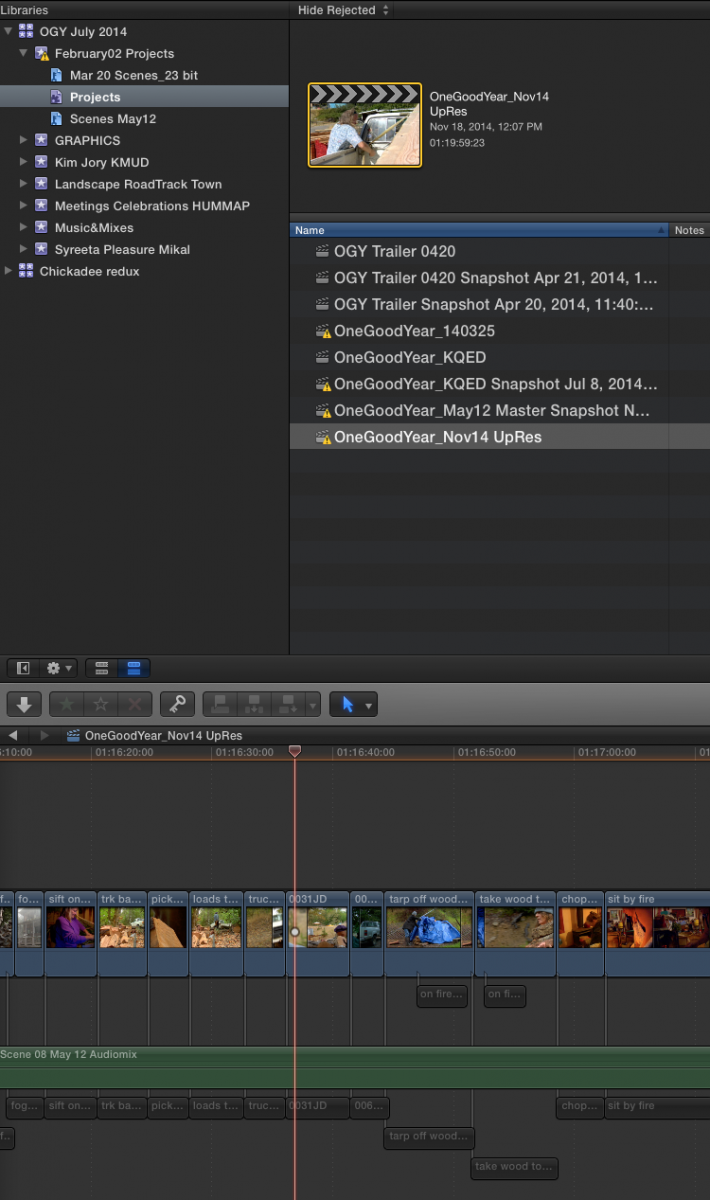
Is there a way to find what the alert icon on event and project is referring to?? Opening this project after several months. I don't have any red frames, no white audio clips, I haven't deleted any plug-ins that I recall…
And yet, I have not watched the whole 80 min thru, just skimmed, but must export it. What could it be? And is there a quick way to find out?
TIA
And yet, I have not watched the whole 80 min thru, just skimmed, but must export it. What could it be? And is there a quick way to find out?
TIA
Please Log in to join the conversation.


18 Nov 2014 19:14 #56162
by BenB
Replied by BenB on topic alert icon, but what is missing?
I've had that, it can be odd, and sometimes not mean anything. Try deleting all generated files, pref files.
Please Log in to join the conversation.
- Tom Wolsky
-

- Offline
- Moderator
-

18 Nov 2014 20:06 #56166
by Tom Wolsky
Replied by Tom Wolsky on topic alert icon, but what is missing?
As Ben said the warning icon will often get stuck on the event icon even after you have removed all offending items. These can sometimes be very hidden like a layer in a Photoshop file inside a compound clip. Either the compound nor the PSD file in the event will show an error, but inside the file you'll see a problem with a layer, so it can be difficult to locate.
Please Log in to join the conversation.
18 Nov 2014 20:28 - 18 Nov 2014 20:29 #56168
by Gretta
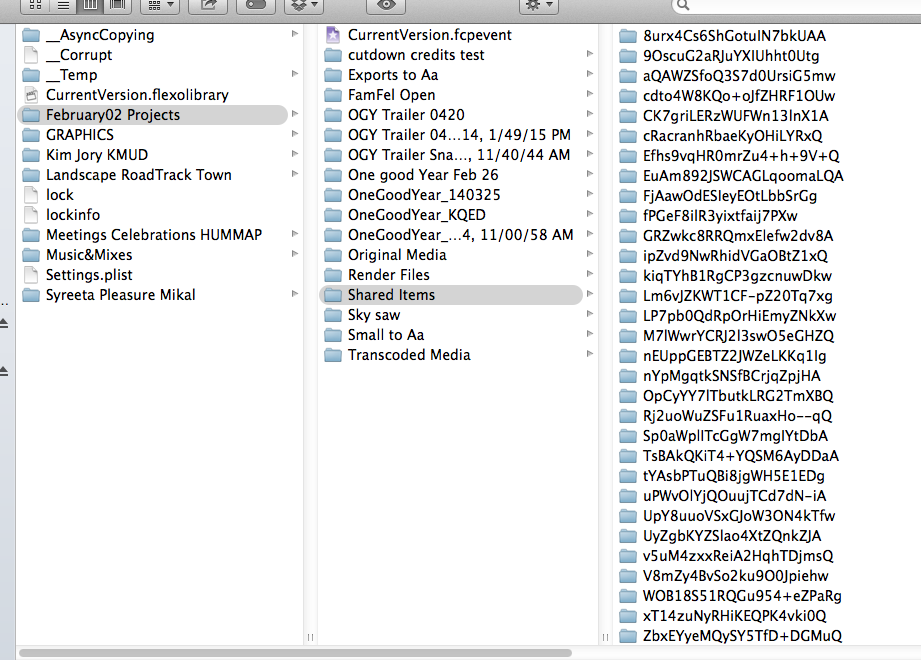
Thanks. the pkg looks really confused. I see already one audio file that I deleted (not used in this current version, and not fro several past versions). Can I delete this entire 'Shared Items folder/contents? What else?
Thanks,
Gretta
Replied by Gretta on topic alert icon, but what is missing?
Thanks. the pkg looks really confused. I see already one audio file that I deleted (not used in this current version, and not fro several past versions). Can I delete this entire 'Shared Items folder/contents? What else?
Thanks,
Gretta
Last edit: 18 Nov 2014 20:29 by Gretta.
Please Log in to join the conversation.
- Tom Wolsky
-
- Offline
- Moderator
-
18 Nov 2014 20:36 #56169
by Tom Wolsky
Replied by Tom Wolsky on topic alert icon, but what is missing?
What version of the software is this? Is the application closed?
You shouldn't do anything inside the library bundle, especially not deleting items. Everything in there is referenced in library or event files. If items suddenly go missing, the library can get corrupted because the files don't make sense.
You shouldn't do anything inside the library bundle, especially not deleting items. Everything in there is referenced in library or event files. If items suddenly go missing, the library can get corrupted because the files don't make sense.
Please Log in to join the conversation.
18 Nov 2014 20:48 #56171
by BenB
Replied by BenB on topic alert icon, but what is missing?
Select your Project, Event, or Library, and go to the File menu to select "Delete Generated [Project/Event/Library] Files". As Tim said, never delete anything inside the Library package manually. Use the File menu to also delete all render files.
Please Log in to join the conversation.

18 Nov 2014 22:11 #56174
by Julian
Replied by Julian on topic alert icon, but what is missing?
I'll tell you one thing, it's not alerting you about missing fonts...
Please Log in to join the conversation.
