


- Posts: 61
- Thank you received: 2
3 Post Moderation Rule for New Boarders (25 Jan 2021)
New boarders will have their posts moderated - Don't worry if you cannot see your post immediately.
Slow, sluggish, unresposive GUI on 10.1.3
20 Oct 2014 12:31 - 20 Oct 2014 12:33 #54451
by chrisb
Slow, sluggish, unresposive GUI on 10.1.3 was created by chrisb
On the iMac I am working on plus my macbook pro, the FCPX GUI is close to the point of being unusable with the slowest, laggiest GUI I have ever had the nightmare of working on.
We are talking *waaaay* worse performance than FCP7. So far the UI of FCPX is the slowest I have ever had to work with, and it's killing me.
iMac, 27-inch, Mid 2011
3,4 GHz i7 / 32GB memory / Radeon 6970M 1024 MB
Macbook Pro, 17-inch, late 2011
I (we) are using TB raids for storage, and we work with XDCam footage - but the issues are also with both prores optimized media and Prores Proxy!
The longer the timeline, the worse it seems.
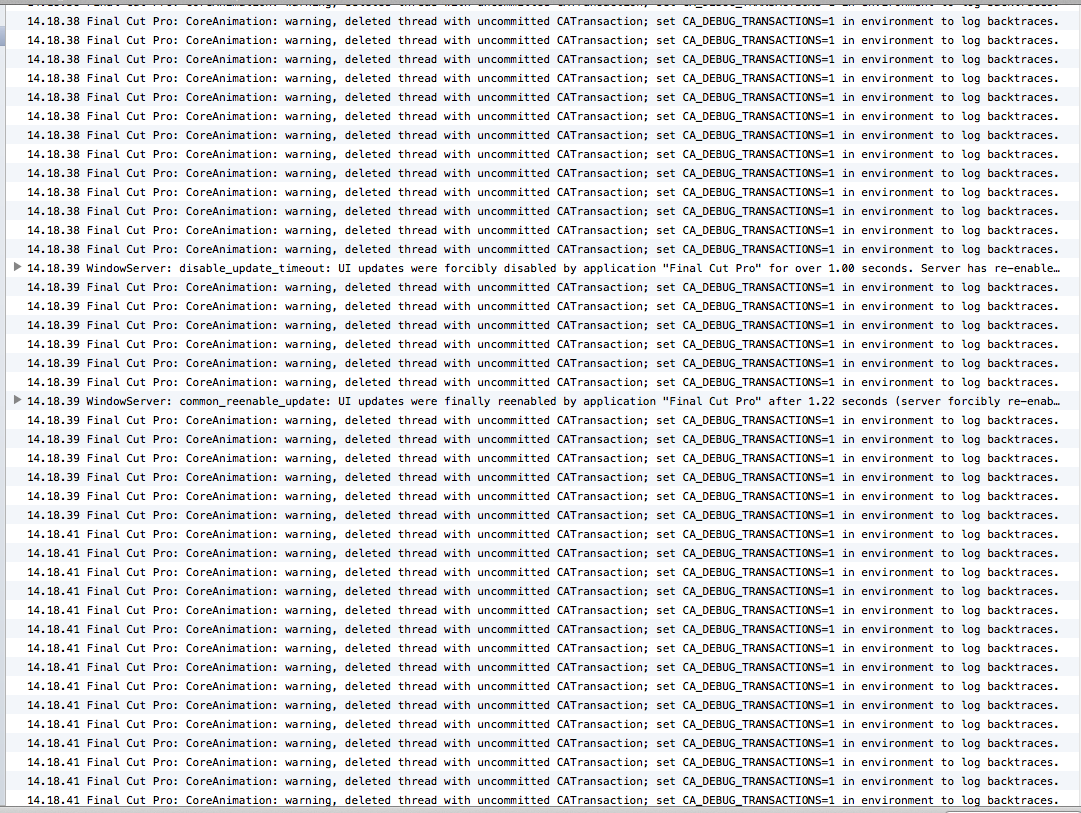
So far, the only thing I have been able to dig up, are the console error commands, related to CoreAnimation and WindowServe.
Does anyone have any clue as to what this is, or are there anyone out there experiencing similar issues with 10.1.3?
Final Cut Pro[430]: CoreAnimation: warning, deleted thread with uncommitted CATransaction; set CA_DEBUG_TRANSACTIONS=1 in environment to log backtraces.
WindowServer[120]: disable_update_timeout: UI updates were forcibly disabled by application "Final Cut Pro" for over 1.00 seconds. Server has re-enabled them.
WindowServer[120]: common_reenable_update: UI updates were finally reenabled by application "Final Cut Pro" after 1.22 seconds (server forcibly re-enabled them after 1.00 seconds)
Here is a screenshot from console.app
We are talking *waaaay* worse performance than FCP7. So far the UI of FCPX is the slowest I have ever had to work with, and it's killing me.
iMac, 27-inch, Mid 2011
3,4 GHz i7 / 32GB memory / Radeon 6970M 1024 MB
Macbook Pro, 17-inch, late 2011
I (we) are using TB raids for storage, and we work with XDCam footage - but the issues are also with both prores optimized media and Prores Proxy!
The longer the timeline, the worse it seems.
So far, the only thing I have been able to dig up, are the console error commands, related to CoreAnimation and WindowServe.
Does anyone have any clue as to what this is, or are there anyone out there experiencing similar issues with 10.1.3?
Final Cut Pro[430]: CoreAnimation: warning, deleted thread with uncommitted CATransaction; set CA_DEBUG_TRANSACTIONS=1 in environment to log backtraces.
WindowServer[120]: disable_update_timeout: UI updates were forcibly disabled by application "Final Cut Pro" for over 1.00 seconds. Server has re-enabled them.
WindowServer[120]: common_reenable_update: UI updates were finally reenabled by application "Final Cut Pro" after 1.22 seconds (server forcibly re-enabled them after 1.00 seconds)
Here is a screenshot from console.app
Last edit: 20 Oct 2014 12:33 by chrisb. Reason: spelling
Please Log in to join the conversation.
- ronny courtens
-

- Offline
- Moderator
-

Less
More
- Posts: 4455
- Thank you received: 962
20 Oct 2014 15:32 #54469
by ronny courtens
Replied by ronny courtens on topic Slow, sluggish, unresposive GUI on 10.1.3
If there were more people experiencing this I'm sure we would see it all over the internet. But as this is not the case I think it must be related to your setup. So we will need some more information to see where things are going wrong for you. Let's start with these:
What OS are you running?
How long have you been using FCP X?
Did you experience these UI issues from the start or did they appear since an update?
Are you using the Automatic Backups feature in FCP X?
- Ronny
What OS are you running?
How long have you been using FCP X?
Did you experience these UI issues from the start or did they appear since an update?
Are you using the Automatic Backups feature in FCP X?
- Ronny
Please Log in to join the conversation.
21 Oct 2014 09:04 #54519
by chrisb
Replied by chrisb on topic Slow, sluggish, unresposive GUI on 10.1.3
OS: 10.9.5 (but it's been the same on all of 10.9 and all of 10.
I have been using FCPX since it launched. It's been horribly slow, laggy and frame-droppy since day 1, especially on timelines getting past the 10min mark.
Yup, have *always* experienced this behavior. And it's been the same on every machine I've tried it on. We are currently using 6 macs (4 iMacs + 2 macbook pros) in the editorial, and it's the same sluggishness and beach balling on each machine.
Funny thing is, there are *no* issues with sluggish behavior at all in FCP7, Premiere and AVID MC. They all run smoothly as one would expect. It's only FCPX that feels like editing on a 15 year old PC.
I have been using FCPX since it launched. It's been horribly slow, laggy and frame-droppy since day 1, especially on timelines getting past the 10min mark.
Yup, have *always* experienced this behavior. And it's been the same on every machine I've tried it on. We are currently using 6 macs (4 iMacs + 2 macbook pros) in the editorial, and it's the same sluggishness and beach balling on each machine.
Funny thing is, there are *no* issues with sluggish behavior at all in FCP7, Premiere and AVID MC. They all run smoothly as one would expect. It's only FCPX that feels like editing on a 15 year old PC.
Please Log in to join the conversation.
- ronny courtens
-
- Offline
- Moderator
-
Less
More
- Posts: 4455
- Thank you received: 962
21 Oct 2014 10:20 #54522
by ronny courtens
Replied by ronny courtens on topic Slow, sluggish, unresposive GUI on 10.1.3
Hey Christian,
I see you live in Copenhagen. One of the major Danish television production companies is switching to FCP X because they find it is much faster than the Avid/FCP7 and Premiere setups they have now. So I think you will understand that I'm really, really surprised by what you say here.
I will be at Metronome Productions in Copenhagen in November. While I'm there I will be happy to pay you a visit and to help you solve your problem. You seem to be the only one having such issues at this extent, so it will be very interesting to see what causes this slowness. If you are interested, just send me an e-mail at ronnycourtens(at)mac(dot)com so we can set a date for a meeting.
- Ronny
I see you live in Copenhagen. One of the major Danish television production companies is switching to FCP X because they find it is much faster than the Avid/FCP7 and Premiere setups they have now. So I think you will understand that I'm really, really surprised by what you say here.
I will be at Metronome Productions in Copenhagen in November. While I'm there I will be happy to pay you a visit and to help you solve your problem. You seem to be the only one having such issues at this extent, so it will be very interesting to see what causes this slowness. If you are interested, just send me an e-mail at ronnycourtens(at)mac(dot)com so we can set a date for a meeting.
- Ronny
Please Log in to join the conversation.
25 Jan 2015 14:49 #58853
by Dinky
Replied by Dinky on topic Slow, sluggish, unresposive GUI on 10.1.3
Hi,
I am having exactly the same problem. My configuration is almost identical, except my RAM is 16GB. I am also seeing dozens of the console message you are reporting and, as you say, FCPX is almost unworkable. I have cut down everything I can already (not showing libraries, not showing inspector when possible, disable spindump, etc) but still it is a nightmare to use.
Did you ever find a solution to the problem ? Did you, e.g. , migrate to Yosemite and, if you did, did it solve anything ?
I am having exactly the same problem. My configuration is almost identical, except my RAM is 16GB. I am also seeing dozens of the console message you are reporting and, as you say, FCPX is almost unworkable. I have cut down everything I can already (not showing libraries, not showing inspector when possible, disable spindump, etc) but still it is a nightmare to use.
Did you ever find a solution to the problem ? Did you, e.g. , migrate to Yosemite and, if you did, did it solve anything ?
Please Log in to join the conversation.
25 Jan 2015 16:37 #58855
by chrisb
Replied by chrisb on topic Slow, sluggish, unresposive GUI on 10.1.3
Nope, hasn't gotten any better. I even did a complete clean install of OS X to see if things improved. They didn't.
Upgrading to Yosemite did nothing to improve performance.
I have recently purchased a new rMBP 15", i7, 16 GB RAM, NVIDIA GeForce GT 750M 2048 MB.
Same issues. With some larger timelimes, it actually seems worse.
I am also still getting tons of
"Final Cut Pro[9383]: CoreAnimation: warning, deleted thread with uncommitted CATransaction; set CA_DEBUG_TRANSACTIONS=1 in environment to log backtraces."
These seem to appear when working on the timeline, scrolling/scrubbing/zooming.
As far as UI responsiveness in the timeline, I think FCPX is a big step backwards.
I wil mention that I usually work on programs in the 25min+ range. I am not seeing the nightmarish sluggishness on timelines shorter than 5min usually.
Upgrading to Yosemite did nothing to improve performance.
I have recently purchased a new rMBP 15", i7, 16 GB RAM, NVIDIA GeForce GT 750M 2048 MB.
Same issues. With some larger timelimes, it actually seems worse.
I am also still getting tons of
"Final Cut Pro[9383]: CoreAnimation: warning, deleted thread with uncommitted CATransaction; set CA_DEBUG_TRANSACTIONS=1 in environment to log backtraces."
These seem to appear when working on the timeline, scrolling/scrubbing/zooming.
As far as UI responsiveness in the timeline, I think FCPX is a big step backwards.
I wil mention that I usually work on programs in the 25min+ range. I am not seeing the nightmarish sluggishness on timelines shorter than 5min usually.
Please Log in to join the conversation.
- ronny courtens
-
- Offline
- Moderator
-
Less
More
- Posts: 4455
- Thank you received: 962
25 Jan 2015 17:53 #58856
by ronny courtens
Replied by ronny courtens on topic Slow, sluggish, unresposive GUI on 10.1.3
Many people work with complex and long timelines using FCP X and they don't have these problems. So this problem is not strictly related to FCP X, but to something in your setup.
@Dinky:
Create a new admin user account, launch FCP X from that account and see if you still have the issues.
@chrisb:
I have proposed to come and see your setup while I was in Denmark in November, you never replied. I will make you that offer again: I will be in Copenhagen again on 4, 5 and 6 February. Just e-mail me and I will come and see what is wrong with your setup. If you prefer not to accept this offer: just try what I have suggested for Dinky.
- Ronny
@Dinky:
Create a new admin user account, launch FCP X from that account and see if you still have the issues.
@chrisb:
I have proposed to come and see your setup while I was in Denmark in November, you never replied. I will make you that offer again: I will be in Copenhagen again on 4, 5 and 6 February. Just e-mail me and I will come and see what is wrong with your setup. If you prefer not to accept this offer: just try what I have suggested for Dinky.
- Ronny
Please Log in to join the conversation.
- Karsten Schlüter
-

- Offline
- Moderator
-
Less
More
- Posts: 3790
- Thank you received: 718
25 Jan 2015 18:07 #58858
by Karsten Schlüter
Replied by Karsten Schlüter on topic Slow, sluggish, unresposive GUI on 10.1.3
When you have excluded the impossible, whatever remains, however improbable, must be the truth.
So - how many compound clips populate your timelines.... ?
(yes, that's meant helpful .. just a grain of irony .. )
So - how many compound clips populate your timelines.... ?
(yes, that's meant helpful .. just a grain of irony ..
) Please Log in to join the conversation.
26 Jan 2015 11:51 #58867
by Dinky
Replied by Dinky on topic Slow, sluggish, unresposive GUI on 10.1.3
I am having no compound clips at all.
Performance is worse with AVCHD files (MTS). As long as I stick to clips imported from tape, performance is ok-ish.
My FCPX library contains only links to external files, no proxy, not optimized. Creating a project from these clips (particularly MTS clips) is a nightmare. As soon as the project is somehow on its way, I generate optimized media for the clips I am using. That will improve performance. I guess if you import all your files directly into the library and include optimized media all will work better, but in my case that just isn't do-able. In compressed form that already occupy almost 4TB, so adding optimized media will create at least 10 times that amount.
So we'll just have to live with it, I'm afraid
Performance is worse with AVCHD files (MTS). As long as I stick to clips imported from tape, performance is ok-ish.
My FCPX library contains only links to external files, no proxy, not optimized. Creating a project from these clips (particularly MTS clips) is a nightmare. As soon as the project is somehow on its way, I generate optimized media for the clips I am using. That will improve performance. I guess if you import all your files directly into the library and include optimized media all will work better, but in my case that just isn't do-able. In compressed form that already occupy almost 4TB, so adding optimized media will create at least 10 times that amount.
So we'll just have to live with it, I'm afraid
Please Log in to join the conversation.
- ronny courtens
-
- Offline
- Moderator
-
Less
More
- Posts: 4455
- Thank you received: 962
26 Jan 2015 11:58 - 26 Jan 2015 11:58 #58868
by ronny courtens
Replied by ronny courtens on topic Slow, sluggish, unresposive GUI on 10.1.3
Compound clips don't cause sluggishness.
- Where are your MTS files stored? On an external drive? If so, how is that drive connected to your Mac?
- The error messages you get are not normal. Have you at least tried what I suggested? Create a new admin user account and see if the project runs better using that account?
- Ronny
- Where are your MTS files stored? On an external drive? If so, how is that drive connected to your Mac?
- The error messages you get are not normal. Have you at least tried what I suggested? Create a new admin user account and see if the project runs better using that account?
- Ronny
Last edit: 26 Jan 2015 11:58 by ronny courtens.
Please Log in to join the conversation.

26 Jan 2015 13:53 #58870
by lichinho
Replied by lichinho on topic Slow, sluggish, unresposive GUI on 10.1.3
I have the same model of 15"rMBP and it simply flies, editing AVCHD material, without any rendering. I typically do 25-30 minute timelines, no background rendering and it is smooth as silk.
All of this, and the fact that you experience extremely poor performance in all your systems, whereas most people do not, points to something in your systems or workflow - inadequate drives for storing your media? software conflicts?
There have been very good suggestions in this thread.
One thing to note is that even if you erase and install a fresh copy of the OS and FCP X, you may not solve the issue if you have some software conflict and reinstall everything you had before.
In addition to Ronny's suggestion to try running from a new admin user account, and Karsten's warning about compound clips (which are indeed evil ), I'd suggest you try FCP X on a clean system, before reinstalling all other stuff.
Make a clean installation of 10.10 on an external disk, install FCP X but not other software, and try that out.
All of this, and the fact that you experience extremely poor performance in all your systems, whereas most people do not, points to something in your systems or workflow - inadequate drives for storing your media? software conflicts?
There have been very good suggestions in this thread.
One thing to note is that even if you erase and install a fresh copy of the OS and FCP X, you may not solve the issue if you have some software conflict and reinstall everything you had before.
In addition to Ronny's suggestion to try running from a new admin user account, and Karsten's warning about compound clips (which are indeed evil
), I'd suggest you try FCP X on a clean system, before reinstalling all other stuff.Make a clean installation of 10.10 on an external disk, install FCP X but not other software, and try that out.
Please Log in to join the conversation.
26 Jan 2015 21:01 #58889
by Dinky
Replied by Dinky on topic Slow, sluggish, unresposive GUI on 10.1.3
MTS files are stored on USB 3.0 external drives
Tried FCPX with a new user. No difference
Performance is improving after creating optimized media
Getting these kind of messages as well:
26-01-15 16:30:04,228 WindowServer[147]: disable_update_timeout: UI updates were forcibly disabled by application "Final Cut Pro Trial" for over 1.00 seconds. Server has re-enabled them.
26-01-15 16:30:04,880 WindowServer[147]: common_reenable_update: UI updates were finally reenabled by application "Final Cut Pro Trial" after 1.66 seconds (server forcibly re-enabled them after 1.00 seconds)
Tried FCPX with a new user. No difference
Performance is improving after creating optimized media
Getting these kind of messages as well:
26-01-15 16:30:04,228 WindowServer[147]: disable_update_timeout: UI updates were forcibly disabled by application "Final Cut Pro Trial" for over 1.00 seconds. Server has re-enabled them.
26-01-15 16:30:04,880 WindowServer[147]: common_reenable_update: UI updates were finally reenabled by application "Final Cut Pro Trial" after 1.66 seconds (server forcibly re-enabled them after 1.00 seconds)
Please Log in to join the conversation.
- ronny courtens
-
- Offline
- Moderator
-
Less
More
- Posts: 4455
- Thank you received: 962
26 Jan 2015 22:15 #58894
by ronny courtens
Replied by ronny courtens on topic Slow, sluggish, unresposive GUI on 10.1.3
What version of FCP X are you using? Is this a trial version?
- Ronny
- Ronny
Please Log in to join the conversation.
- Karsten Schlüter
-
- Offline
- Moderator
-
Less
More
- Posts: 3790
- Thank you received: 718
27 Jan 2015 09:03 #58918
by Karsten Schlüter
on lower-end set-ups (as mine) they do, massively.-
esp. 'nested' compounds (cc in mc, cc in cc ...)
... don't feel offended, just some observation in my tiny habitat ... :whistle:
Replied by Karsten Schlüter on topic Slow, sluggish, unresposive GUI on 10.1.3
ronny courtens wrote: Compound clips don't cause sluggishness....
on lower-end set-ups (as mine) they do, massively.-
esp. 'nested' compounds (cc in mc, cc in cc ...)
... don't feel offended, just some observation in my tiny habitat ... :whistle:
Please Log in to join the conversation.
