


- Posts: 20
- Thank you received: 3
3 Post Moderation Rule for New Boarders (25 Jan 2021)
New boarders will have their posts moderated - Don't worry if you cannot see your post immediately.
is it possible to simultaneously slip and slide a multi cam clip????
29 Sep 2014 16:30 #53386
by Ryszard K
hi All,
I'm editing a multicam sequence and i have a situation where I have cut all the angles but I want to slide one clip whilst it slips....does that make sense?
EG: if i press Alt whilst using the Trim Tool I can slide the clip in the time line BUT the clip is now out of sync with the clips either side in the multi cam sequence.
I know i can use the trim tool to move each of the edit points individually however i would like to maintain the duration of the clip therefore a slip n' slide function would be a quick and easy way to do this.
Any ideas?
Thanks
I'm editing a multicam sequence and i have a situation where I have cut all the angles but I want to slide one clip whilst it slips....does that make sense?
EG: if i press Alt whilst using the Trim Tool I can slide the clip in the time line BUT the clip is now out of sync with the clips either side in the multi cam sequence.
I know i can use the trim tool to move each of the edit points individually however i would like to maintain the duration of the clip therefore a slip n' slide function would be a quick and easy way to do this.
Any ideas?
Thanks
Please Log in to join the conversation.
- ronny courtens
-

- Offline
- Moderator
-

Less
More
- Posts: 4455
- Thank you received: 962
29 Sep 2014 17:51 - 29 Sep 2014 18:05 #53396
by ronny courtens
Replied by ronny courtens on topic is it possible to simultaneously slip and slide a multi cam clip????
Select one of the cut points of the clip, enter + or - the number of frames you want it to move and press Return. Then select the other cut point of the clip and do the same. This way you will slide the clip while maintaining its duration.
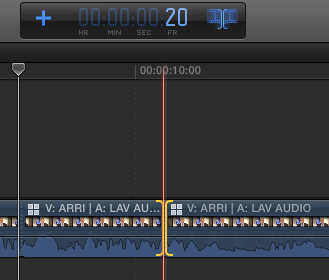
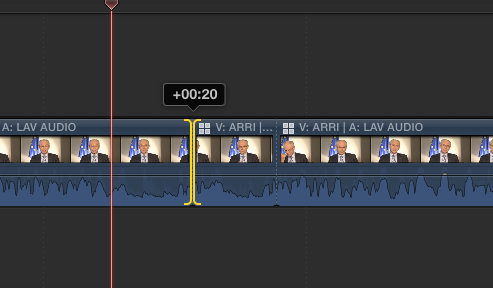
If you don't know how many frames you want to slide the clip: drag one of the cut points to move it and note the number of frames you see above the cut point. Then select the other cut and enter the same number of frames.
- Ronny
If you don't know how many frames you want to slide the clip: drag one of the cut points to move it and note the number of frames you see above the cut point. Then select the other cut and enter the same number of frames.
- Ronny
Last edit: 29 Sep 2014 18:05 by ronny courtens.
Please Log in to join the conversation.
- Tom Wolsky
-

- Offline
- Moderator
-
30 Sep 2014 02:19 #53414
by Tom Wolsky
Replied by Tom Wolsky on topic is it possible to simultaneously slip and slide a multi cam clip????
There is something very wrong here. A slide edit will not move adjacent clips out of sync. It does two roll edits. A slip edit will immediately move the clips out of sync.
Please Log in to join the conversation.
- ronny courtens
-
- Offline
- Moderator
-
Less
More
- Posts: 4455
- Thank you received: 962
30 Sep 2014 05:23 #53419
by ronny courtens
Replied by ronny courtens on topic is it possible to simultaneously slip and slide a multi cam clip????
I agree there is something wrong.
A slide edit ("T" + ALT drag) on a multicam clip should not move the adjacent clips out of sync, but it does. In fact it behaves just like a slide edit between regular clips. To slide a multicam clip without affecting the sync you have to perform a double Roll.
- Ronny
A slide edit ("T" + ALT drag) on a multicam clip should not move the adjacent clips out of sync, but it does. In fact it behaves just like a slide edit between regular clips. To slide a multicam clip without affecting the sync you have to perform a double Roll.
- Ronny
Please Log in to join the conversation.
- Ponponpostprod
-

- Offline
- Premium Member
-

Less
More
- Posts: 134
- Thank you received: 9
30 Sep 2014 05:59 #53420
by Ponponpostprod
Replied by Ponponpostprod on topic is it possible to simultaneously slip and slide a multi cam clip????
Not sure that's something's wrong or I don(t understand but when I slide a clip on a multicam, that don't move adjacent clip out of sync.
There is not any function that make simultaneously slip and slide (for me today), either you make 2 roll edit as Ronny said, either you make one slide (Alt+T) for exemple with a positive value and then one slip (just one click on the clip) with the exact negative value and you've your goal, without any sync issue.

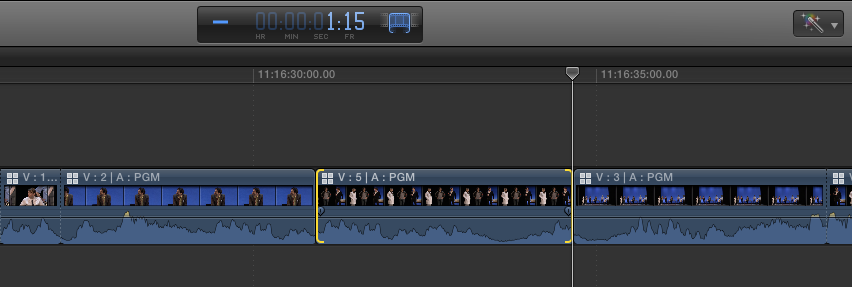
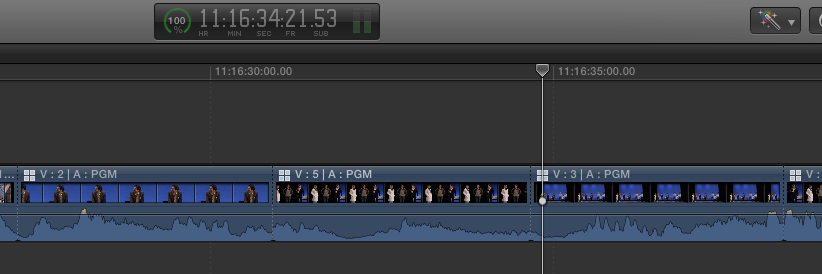
There is not any function that make simultaneously slip and slide (for me today), either you make 2 roll edit as Ronny said, either you make one slide (Alt+T) for exemple with a positive value and then one slip (just one click on the clip) with the exact negative value and you've your goal, without any sync issue.
Please Log in to join the conversation.
30 Sep 2014 09:47 #53424
by Ryszard K
Replied by Ryszard K on topic is it possible to simultaneously slip and slide a multi cam clip????
hello,
Thanks for the tips and discussion....
I think the issue here is that the purpose of having a multicam sequence is that FCPX automatically keeps clips in sync.....BUT sliding a clip breaks that sync
The correct method was described by Ronnie: "perform a double Roll"
So my question should have been "is there a quick way to perform a double roll on the edit points of a clip in a multicam timeline" and the answer seems to be no.
I was hoping there was a hidden tool or a combination of modifier keys that I would need to press to allow me to shift a clip along the timeline in sync with the rest of the cameras.
Thanks for the tips and discussion....
I think the issue here is that the purpose of having a multicam sequence is that FCPX automatically keeps clips in sync.....BUT sliding a clip breaks that sync
The correct method was described by Ronnie: "perform a double Roll"
So my question should have been "is there a quick way to perform a double roll on the edit points of a clip in a multicam timeline" and the answer seems to be no.
I was hoping there was a hidden tool or a combination of modifier keys that I would need to press to allow me to shift a clip along the timeline in sync with the rest of the cameras.
Please Log in to join the conversation.
- Tom Wolsky
-
- Offline
- Moderator
-
30 Sep 2014 11:42 #53431
by Tom Wolsky
Replied by Tom Wolsky on topic is it possible to simultaneously slip and slide a multi cam clip????
A slide edit IS a double roll. It rolls the edit point at the beginning of the shot and the end of the shot. Are you sure you're not doing a slip edit?
Please Log in to join the conversation.

01 Oct 2014 12:26 - 01 Oct 2014 12:34 #53474
by BenB
Replied by BenB on topic is it possible to simultaneously slip and slide a multi cam clip????
Slip - Trim tool with no modifiers; slips only the content of the individual clip, maintains that clip and surrounding clips edit points, maintains timeline duration.
Slide - Trim tool + Option; maintains content and edit points of that individual clip, moves that individual clip left or right, ripples out point of outgoing clip and in point of incoming clip to match, maintains timeline duration.
No roll edits are involved in either.
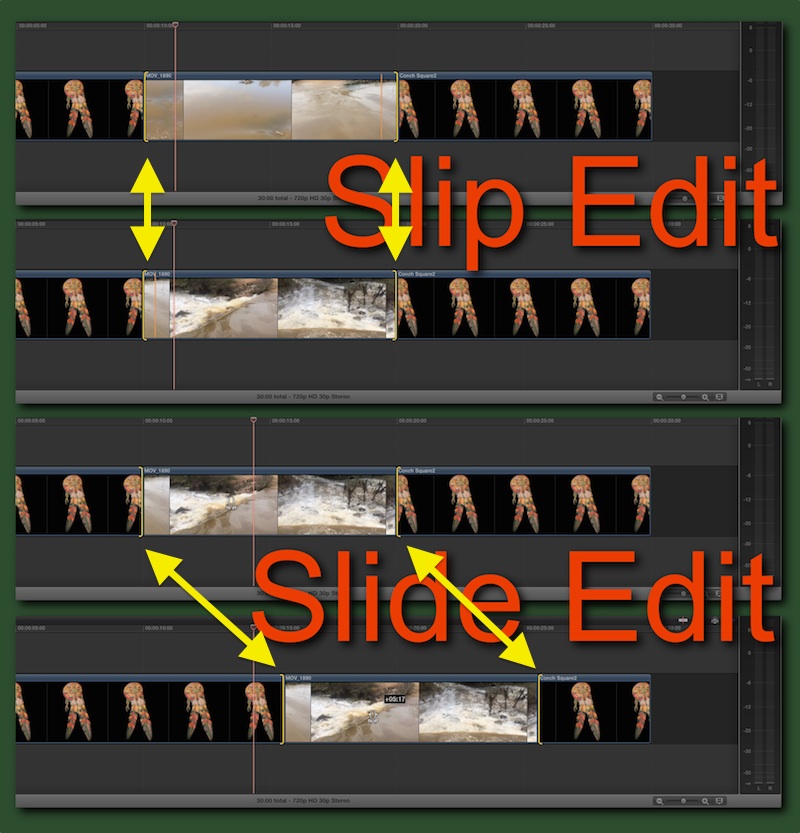
Slide - Trim tool + Option; maintains content and edit points of that individual clip, moves that individual clip left or right, ripples out point of outgoing clip and in point of incoming clip to match, maintains timeline duration.
No roll edits are involved in either.
Last edit: 01 Oct 2014 12:34 by BenB.
Please Log in to join the conversation.
