


- Posts: 31
- Thank you received: 1
3 Post Moderation Rule for New Boarders (25 Jan 2021)
New boarders will have their posts moderated - Don't worry if you cannot see your post immediately.
Re Framing Shortcut Nightmare
- Feral Media
-
 Topic Author
- Offline
- Junior Member
-

Less
More
28 Sep 2014 13:22 #53337
by Feral Media
Re Framing Shortcut Nightmare was created by Feral Media
Hi All,
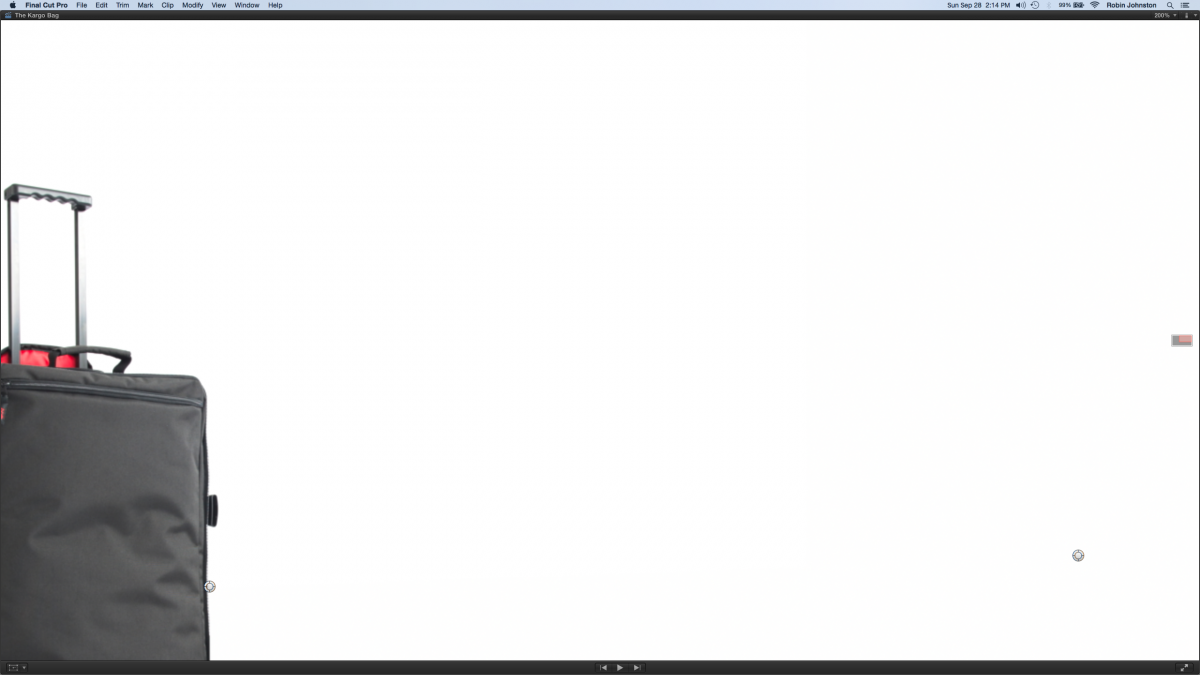
A while ago I watched a tutorial in which it happened to throw in an amazing shortcut for when you're zoomed in on your viewer window and want to change the portion of screen that you're working on (see attachment) using the red square. I have always had to drag the cursor over the square, click and use the trackpad but in this tutorial there was ingenious key and multiple finger gesture that allowed tracking in a tenth of the time. My only problem is I cannot for the life of me remember it or find it anywhere on the net.
Does anyway one know??
Please help, its driving me crazy.
A while ago I watched a tutorial in which it happened to throw in an amazing shortcut for when you're zoomed in on your viewer window and want to change the portion of screen that you're working on (see attachment) using the red square. I have always had to drag the cursor over the square, click and use the trackpad but in this tutorial there was ingenious key and multiple finger gesture that allowed tracking in a tenth of the time. My only problem is I cannot for the life of me remember it or find it anywhere on the net.
Does anyway one know??
Please help, its driving me crazy.
Please Log in to join the conversation.

28 Sep 2014 13:55 #53339
by BenB
Replied by BenB on topic Re Framing Shortcut Nightmare
Are you talking about the Zoom tool? Hit Z to turn the cursor into a magnifying glass, click to zoom in. Option-click zooms out. Shift-Z is a Fit To Window shortcut.
Please Log in to join the conversation.
- ronny courtens
-

- Offline
- Moderator
-

Less
More
- Posts: 4455
- Thank you received: 962
28 Sep 2014 13:56 - 28 Sep 2014 14:09 #53340
by ronny courtens
Replied by ronny courtens on topic Re Framing Shortcut Nightmare
Instead of dragging the cursor over the tiny red square:
Press" h" to activate the Hand tool and drag anywhere in the Viewer to navigate through your picture.
If you're using a trackpad, press "h" and (I think) swipe with two fingers to navigate through your picture.
The Hand tool gives you much more subtle control than dragging the red square.
- Ronny
Press" h" to activate the Hand tool and drag anywhere in the Viewer to navigate through your picture.
If you're using a trackpad, press "h" and (I think) swipe with two fingers to navigate through your picture.
The Hand tool gives you much more subtle control than dragging the red square.
- Ronny
Last edit: 28 Sep 2014 14:09 by ronny courtens.
Please Log in to join the conversation.
- Feral Media
-
Topic Author
- Offline
- Junior Member
-
Less
More
- Posts: 31
- Thank you received: 1
28 Sep 2014 15:11 - 28 Sep 2014 15:11 #53346
by Feral Media
Replied by Feral Media on topic Re Framing Shortcut Nightmare
Thanks you but Ronny has answered my question.
Last edit: 28 Sep 2014 15:11 by Feral Media.
Please Log in to join the conversation.
- Feral Media
-
Topic Author
- Offline
- Junior Member
-
Less
More
- Posts: 31
- Thank you received: 1
28 Sep 2014 15:14 #53347
by Feral Media
 Thanks Ronny thats exactly what I was looking for. Legend.
Replied by Feral Media on topic Re Framing Shortcut Nightmare
Thanks Ronny thats exactly what I was looking for. Legend. Please Log in to join the conversation.
