


- Posts: 1077
- Thank you received: 189
3 Post Moderation Rule for New Boarders (25 Jan 2021)
New boarders will have their posts moderated - Don't worry if you cannot see your post immediately.
OT: Another useless Motion Title Template
- Andreas Kiel
-
 Topic Author
- Offline
- Platinum Member
-

Less
More
18 Sep 2014 10:58 #52853
by Andreas Kiel
OT: Another useless Motion Title Template was created by Andreas Kiel
While communicating with people who prepare subtitles for hearing impaired and the main German broadcasters about their way to implement these kind of subtitles both on the internet and "real" TV I created a new one for "burned in" usage.
I am NOT a Motion specialist – so this template is more than simple – the template allows to create "soft enhanced" subtitles, and "No" nothing automagically.
The final goal is to have a constant region which is not changing during the whole playback but enhances subtitle visibility. For 16:9 on 4:3 displays it's easy, same as 2.35 on 16:9 and so on.
Using 16:9 display and 16:9 source you are in trouble.
As I wrote often enough basic subtitle handling is working (and expected to work) from bottom lines to add additional lines to the top. This means subtitles will jump and and down. This kind of handling is in some kind okay since the subtitles don't cover valuable parts of the image. And it is the current practice.
But from a point of viewer (and editor) it brings more unwanted movement into a moving picture distracting from the "real" thing. This is especially bad with CC and Teletext (and maybe a reason why some broadcasters have switched to HTML5).
While my preferred HTML5 can't transport "fading boxes" the burned in subtitles can do.
Some screenshots below.
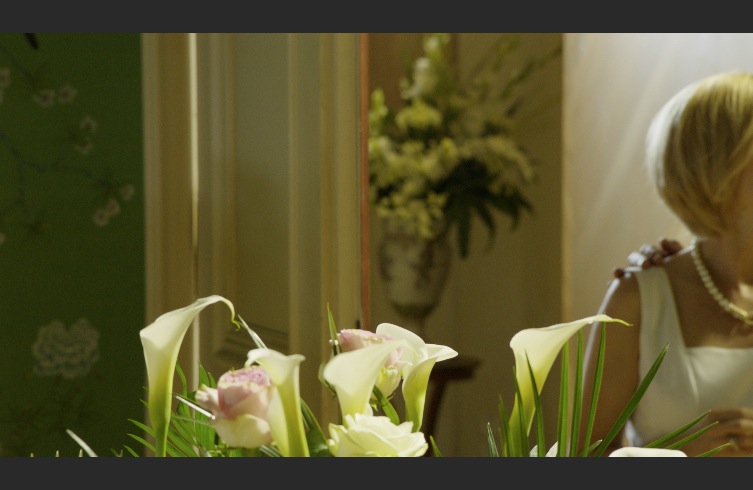
A scene without anything.
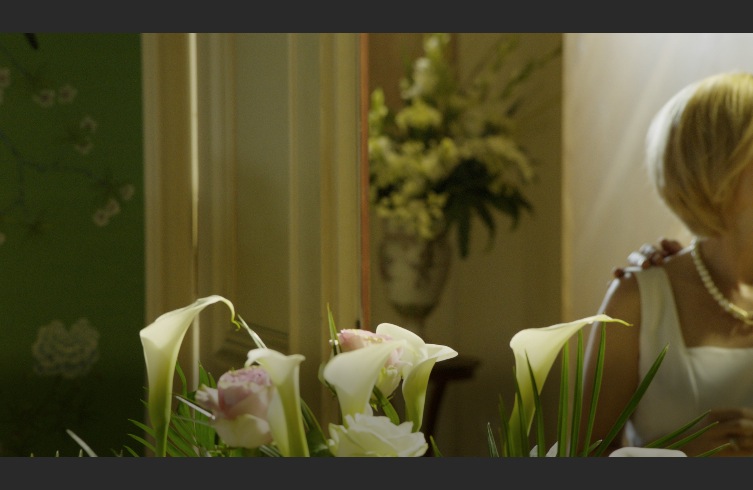
Same scene with a slight faded banner (applied across the movie).
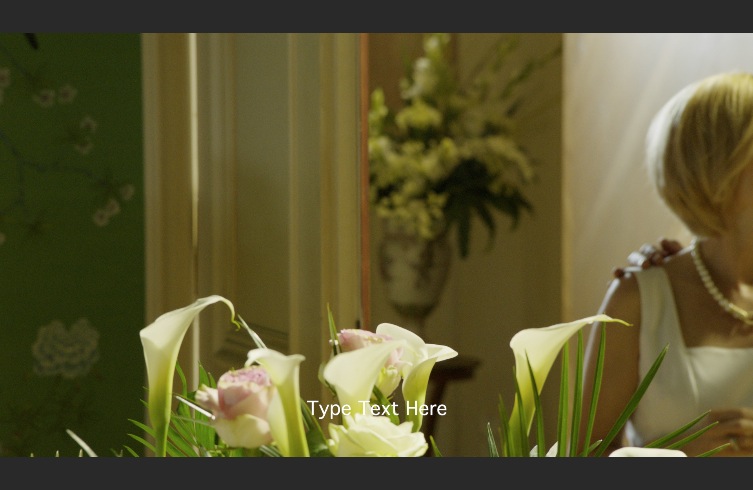
Same scene with just the subtile.
Same scene with banner and subtitle
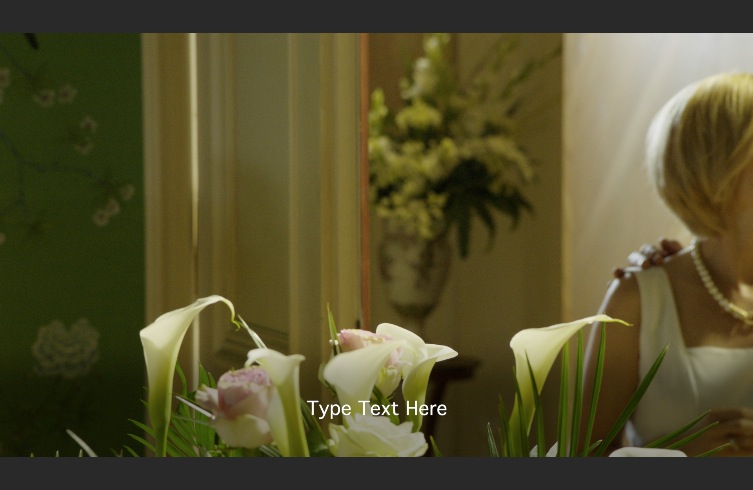
Even though the banner is hardly visible without subtitles the subtitles become way more readable with the banner added.
You can download the template here. Unzip it and place it into "/Library/Application Support/Final Cut Pro/Templates.localized/Titles.localized/Spherico/Standard Subtitles/". If you love the Apple way and keep the template private move it to "~/Movies/Motion Templates.localized/Titles.localized/Spherico/Standard Subtitles/".
- Andreas
I am NOT a Motion specialist – so this template is more than simple – the template allows to create "soft enhanced" subtitles, and "No" nothing automagically.
The final goal is to have a constant region which is not changing during the whole playback but enhances subtitle visibility. For 16:9 on 4:3 displays it's easy, same as 2.35 on 16:9 and so on.
Using 16:9 display and 16:9 source you are in trouble.
As I wrote often enough basic subtitle handling is working (and expected to work) from bottom lines to add additional lines to the top. This means subtitles will jump and and down. This kind of handling is in some kind okay since the subtitles don't cover valuable parts of the image. And it is the current practice.
But from a point of viewer (and editor) it brings more unwanted movement into a moving picture distracting from the "real" thing. This is especially bad with CC and Teletext (and maybe a reason why some broadcasters have switched to HTML5).
While my preferred HTML5 can't transport "fading boxes" the burned in subtitles can do.
Some screenshots below.
A scene without anything.
Same scene with a slight faded banner (applied across the movie).
Same scene with just the subtile.
Same scene with banner and subtitle
Even though the banner is hardly visible without subtitles the subtitles become way more readable with the banner added.
You can download the template here. Unzip it and place it into "/Library/Application Support/Final Cut Pro/Templates.localized/Titles.localized/Spherico/Standard Subtitles/". If you love the Apple way and keep the template private move it to "~/Movies/Motion Templates.localized/Titles.localized/Spherico/Standard Subtitles/".
- Andreas
Please Log in to join the conversation.
