


- Posts: 7
- Thank you received: 0
3 Post Moderation Rule for New Boarders (25 Jan 2021)
New boarders will have their posts moderated - Don't worry if you cannot see your post immediately.
Working with text - Vertical Alignment
02 Sep 2014 19:40 #52105
by jefharris
Working with text - Vertical Alignment was created by jefharris
Coming back to FCPX after a while, first thing I do is try to create a title using Basic Title. I notice that when I try to Vertically Alignment some text and nothing happens. Tried selecting text, making changes to non-selected text etc. Normal horizontal alignment works, just not up and down.
Course I tried sourcing the manual and other sources, found nothing related to this.
Am I missing something? Anyone else have this issue?
Course I tried sourcing the manual and other sources, found nothing related to this.
Am I missing something? Anyone else have this issue?
Please Log in to join the conversation.
- ronny courtens
-

- Offline
- Moderator
-

Less
More
- Posts: 4455
- Thank you received: 962
02 Sep 2014 22:58 #52117
by ronny courtens
Replied by ronny courtens on topic Working with text - Vertical Alignment
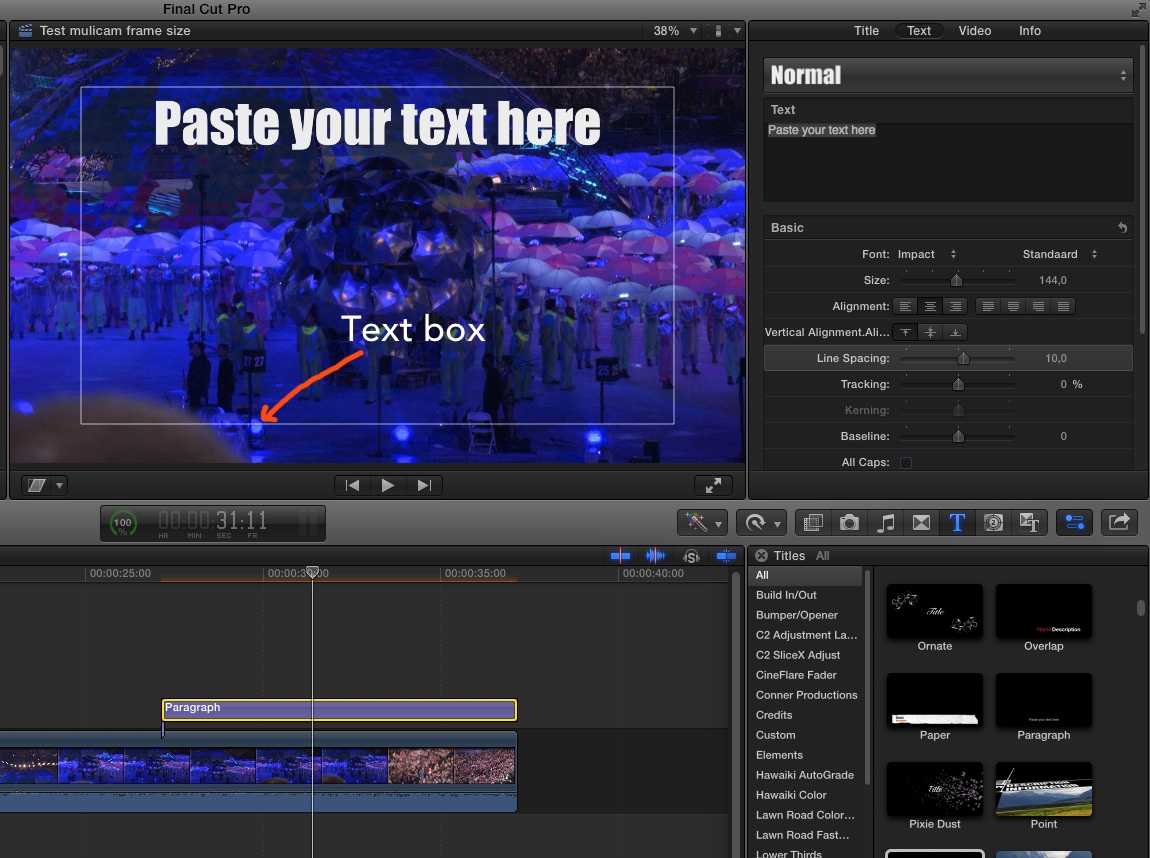
Vertical Alignment only works with titles that are confined to a text box AKA a paragraph box. Using Vertical Alignment you can align the title to the top, the center or the bottom of this box.
Most of the standard title templates in FCP X, such as the Basic Title, don't use such a text box and can be moved outside of the screen. Hence Vertical Alignment has no influence on them.
This is an example of a title template where the text is confined to a text box. The title template is called Paragraph, I think it is a third-party template, and you can see the box when you hover over the text:
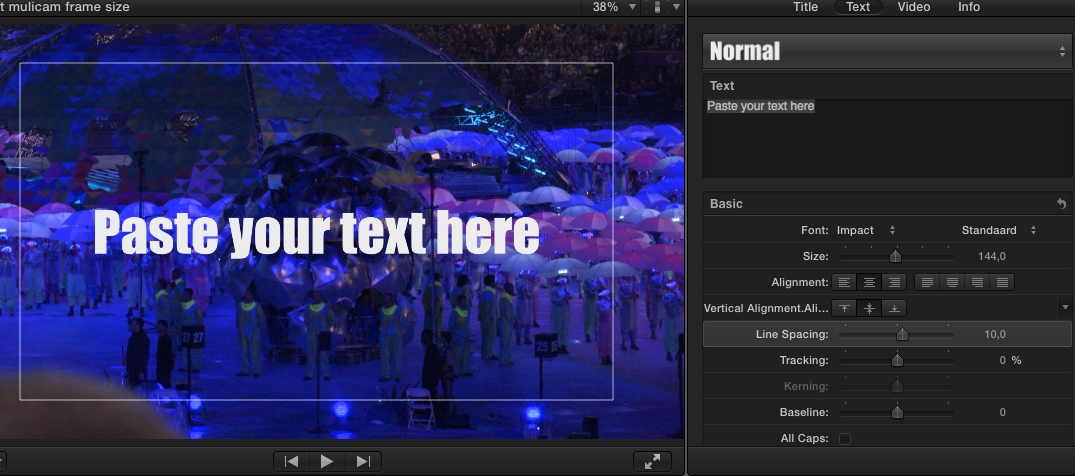
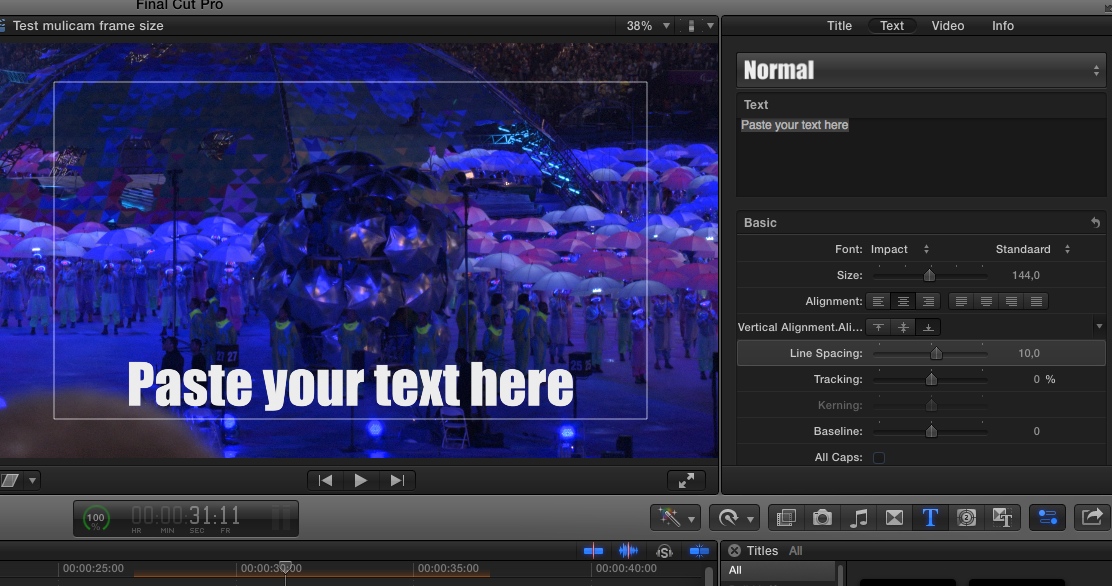
When you have such a title you can use Vertical Alignment to vertically align the text in relation to the box:
- Ronny
Most of the standard title templates in FCP X, such as the Basic Title, don't use such a text box and can be moved outside of the screen. Hence Vertical Alignment has no influence on them.
This is an example of a title template where the text is confined to a text box. The title template is called Paragraph, I think it is a third-party template, and you can see the box when you hover over the text:
When you have such a title you can use Vertical Alignment to vertically align the text in relation to the box:
- Ronny
Please Log in to join the conversation.
- Jonathan Levin
-

- Offline
- Platinum Member
-

Less
More
- Posts: 786
- Thank you received: 21
03 Sep 2014 03:09 #52123
by Jonathan Levin
Replied by Jonathan Levin on topic Working with text - Vertical Alignment
You could also make that title in Photoshop and then import that file into FCP.
Please Log in to join the conversation.
