


- Posts: 8
- Thank you received: 0
3 Post Moderation Rule for New Boarders (25 Jan 2021)
New boarders will have their posts moderated - Don't worry if you cannot see your post immediately.
Consolidate Library and Compound Clips
26 Aug 2014 23:06 #51836
by eco_bach
Consolidate Library and Compound Clips was created by eco_bach
I recently 'archived' a project by creating a new archive library, copying my project there, and then choosing Consolidate Library.
However, I seem to be missing essential files that were inside Compound Clips.
Someone please tell me that FCPX recognizes files INSIDE of Compound Clips when Consolidating a Library!
However, I seem to be missing essential files that were inside Compound Clips.
Someone please tell me that FCPX recognizes files INSIDE of Compound Clips when Consolidating a Library!
Please Log in to join the conversation.
- ronny courtens
-

- Offline
- Moderator
-

Less
More
- Posts: 4455
- Thank you received: 962
28 Aug 2014 17:45 #51904
by ronny courtens
Replied by ronny courtens on topic Consolidate Library and Compound Clips
It is best to consolidate media BEFORE moving or copying a project to a new Library, not afterwards.
Here's a detailed explanation on how to properly archive a Project:
www.bascombproductions.com/blog/2014/1/5...-final-cut-pro-x-101
- Ronny
Here's a detailed explanation on how to properly archive a Project:
www.bascombproductions.com/blog/2014/1/5...-final-cut-pro-x-101
- Ronny
Please Log in to join the conversation.

28 Aug 2014 17:49 #51906
by BenB
Replied by BenB on topic Consolidate Library and Compound Clips
And Apple's own media management paper. See page 17.
images.apple.com/final-cut-pro/docs/Media_Management.pdf
images.apple.com/final-cut-pro/docs/Media_Management.pdf
Please Log in to join the conversation.

31 Aug 2014 11:56 #51984
by MrGralich
Replied by MrGralich on topic Consolidate Library and Compound Clips
Not an answer, here, but another question related to the topic.
In FCPX 10.1.2 (or maybe since 10.1) I can't find an automatic way to 'consolidate' just the used media. I'm sure that in past FCPX version there was an option to create an event containing just the media really used in the project(s).
How can this be done in 10.1.x? Or am I supposed to delete manually all the clips that I'm not using (with Used media orange bar active)?
Thank you
MrG
In FCPX 10.1.2 (or maybe since 10.1) I can't find an automatic way to 'consolidate' just the used media. I'm sure that in past FCPX version there was an option to create an event containing just the media really used in the project(s).
How can this be done in 10.1.x? Or am I supposed to delete manually all the clips that I'm not using (with Used media orange bar active)?
Thank you
MrG
Please Log in to join the conversation.
31 Aug 2014 14:03 #51987
by BenB
Replied by BenB on topic Consolidate Library and Compound Clips
You can still consolidate only the files for a specific Project. Select it in the Browser, look in the File menu. But I don't think any version made a new Event based on this function.
Please Log in to join the conversation.
31 Aug 2014 14:10 - 31 Aug 2014 14:15 #51988
by MrGralich
Replied by MrGralich on topic Consolidate Library and Compound Clips
Thanks for the input Ben.
In any case, see in attachment what I was talking about.
MrG
EDIT:

In any case, see in attachment what I was talking about.
MrG
EDIT:
Last edit: 31 Aug 2014 14:15 by MrGralich.
Please Log in to join the conversation.
- ronny courtens
-
- Offline
- Moderator
-
Less
More
- Posts: 4455
- Thank you received: 962
31 Aug 2014 14:29 #51992
by ronny courtens
Replied by ronny courtens on topic Consolidate Library and Compound Clips
Hi MrG,
This can still be done. The basic workflow is: Create archive library, drag project to archive library, consolidate archive library.
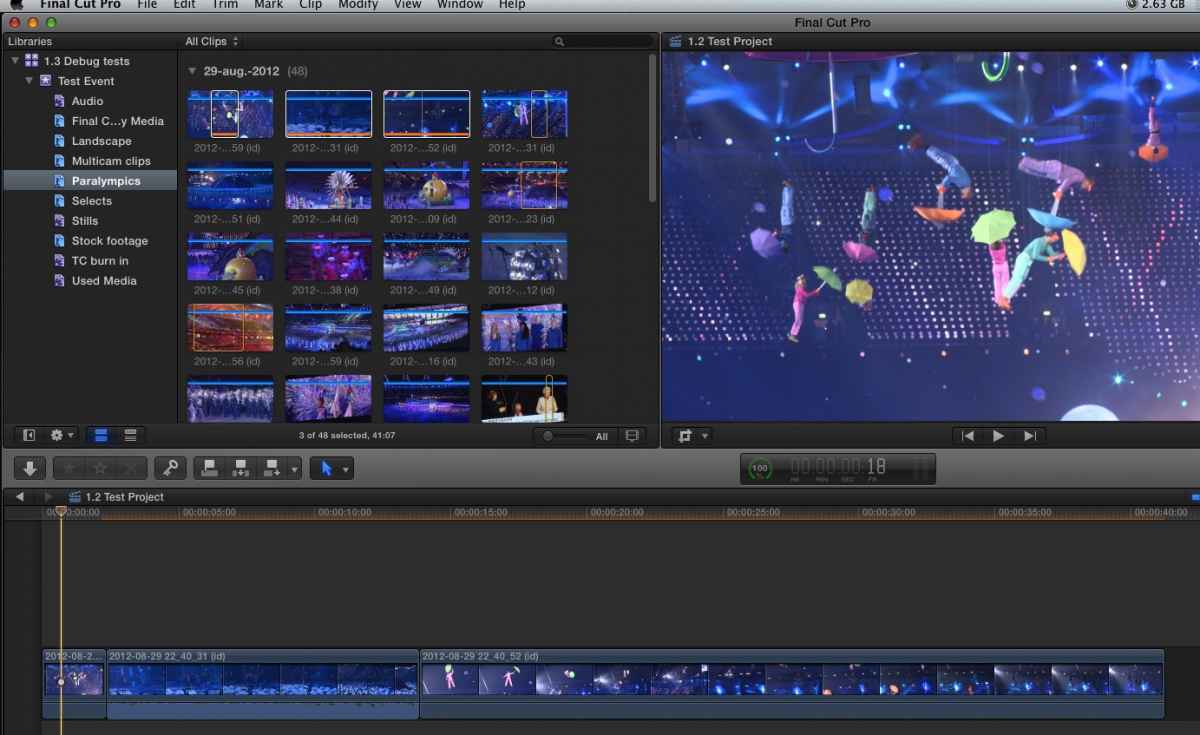
Here's a Library with a "1.2 Test" Project that contains 3 clips from te "Paralympics" keyword collection:
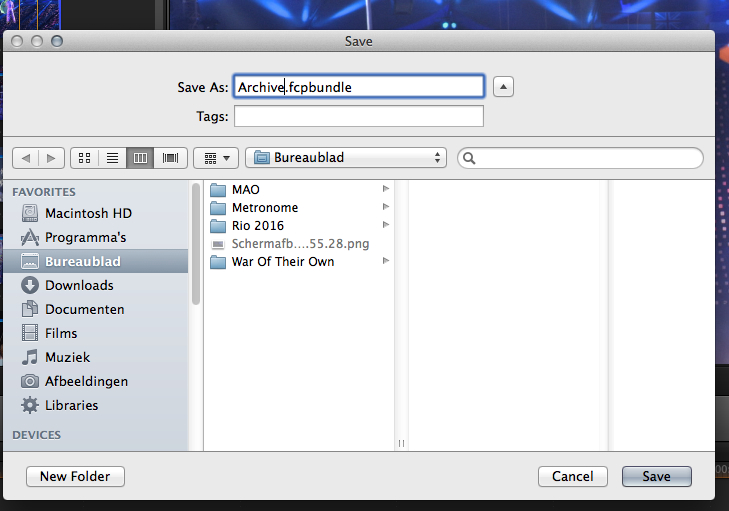
Create a new Library, I have named it "Archive", and store it on your archive drive:
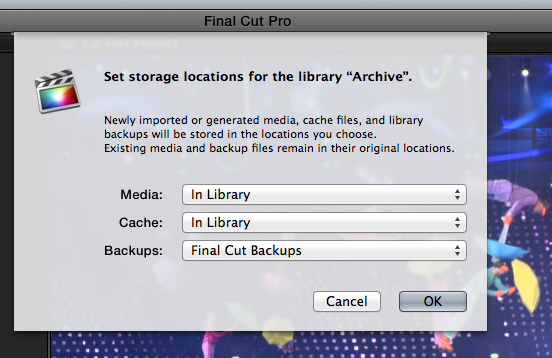
The Library will appear in FCP X, select it, and in the Library Properties click Modify Settings to make sure all media will be stored inside the Library:
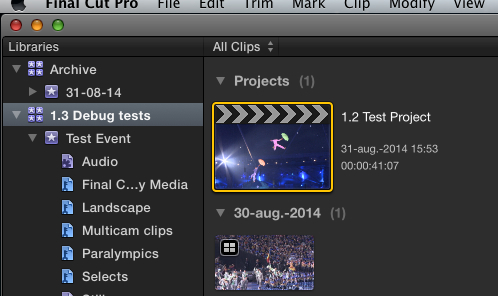
Drag your Project from the original Library onto the Event in the Archive Library:
You will get a message asking if you want to copy Optimized and/or Proxy media. If you don't want this just press OK:
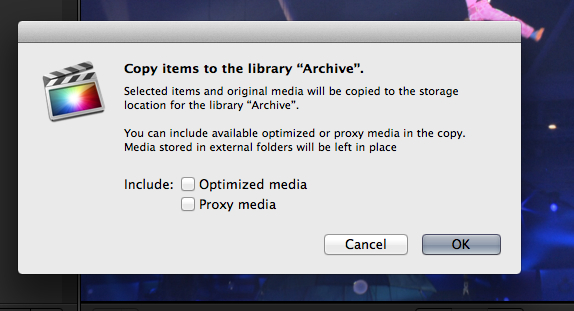
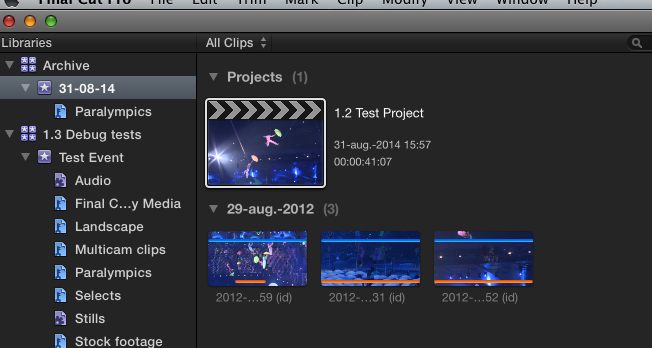
The Project will be copied over to the Archive Library and the Event will only include the clips you have used in the Project. Any keyword collections related to the used clips will also be copied over to the Event:
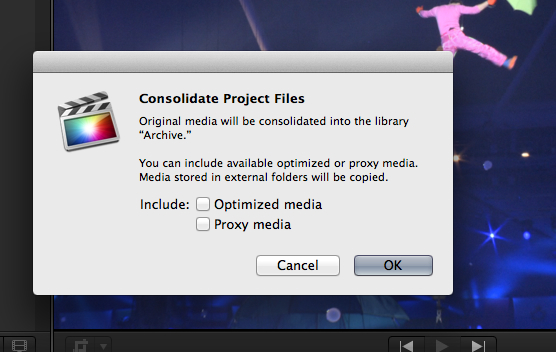
Select the archived Project and choose File > Consolidate Project Files to make sure all the used media are actually copied over to the Archive Library:
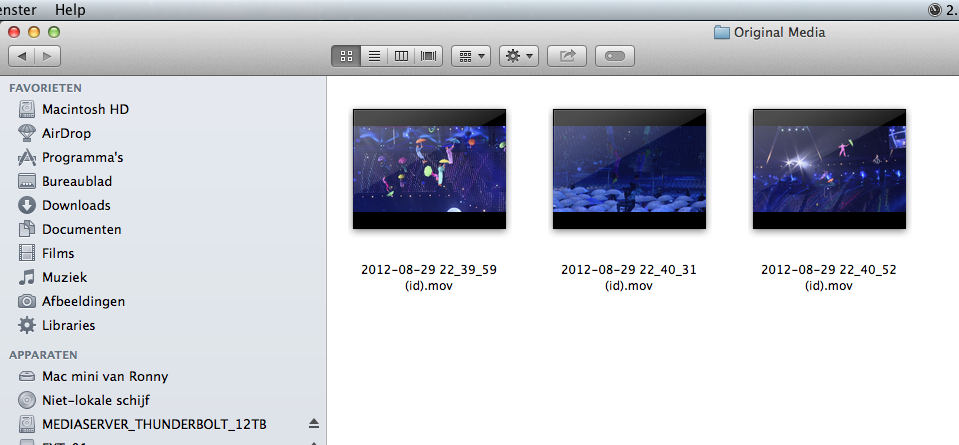
As you can see the original media are consolidated to the Archive Library:
Now you have an archived Project in a self-contained Library with only the clips used in that Project.
- Ronny
This can still be done. The basic workflow is: Create archive library, drag project to archive library, consolidate archive library.
Here's a Library with a "1.2 Test" Project that contains 3 clips from te "Paralympics" keyword collection:
Create a new Library, I have named it "Archive", and store it on your archive drive:
The Library will appear in FCP X, select it, and in the Library Properties click Modify Settings to make sure all media will be stored inside the Library:
Drag your Project from the original Library onto the Event in the Archive Library:
You will get a message asking if you want to copy Optimized and/or Proxy media. If you don't want this just press OK:
The Project will be copied over to the Archive Library and the Event will only include the clips you have used in the Project. Any keyword collections related to the used clips will also be copied over to the Event:
Select the archived Project and choose File > Consolidate Project Files to make sure all the used media are actually copied over to the Archive Library:
As you can see the original media are consolidated to the Archive Library:
Now you have an archived Project in a self-contained Library with only the clips used in that Project.
- Ronny
Please Log in to join the conversation.
31 Aug 2014 18:12 #52016
by MrGralich
Replied by MrGralich on topic Consolidate Library and Compound Clips
Thanks a lot
Please Log in to join the conversation.

01 Sep 2014 13:44 #52051
by rhoydotp
Replied by rhoydotp on topic Consolidate Library and Compound Clips
Sorry to hijack this thread but I have a quick question about consolidation.
I have a library with a few events. I don't want to consolidate all of them right now (due to lack of space). I have consolidated a couple of events but I want to make sure that all the files exist on the new location before I delete them from the old location. Is there an easy way on FCPX to report this?
Thanks
I have a library with a few events. I don't want to consolidate all of them right now (due to lack of space). I have consolidated a couple of events but I want to make sure that all the files exist on the new location before I delete them from the old location. Is there an easy way on FCPX to report this?
Thanks
Please Log in to join the conversation.
- ronny courtens
-
- Offline
- Moderator
-
Less
More
- Posts: 4455
- Thank you received: 962
01 Sep 2014 21:14 #52060
by ronny courtens
Replied by ronny courtens on topic Consolidate Library and Compound Clips
Hi Rhoy,
Select the archive Library in FCP X and check the Library Properties in the Inspector window. If all your media are in the correct place you will have only one drive listed under Media Locations, this is the drive where you archive media are stored.
If you see two or more drives under Media Locations this means some of the archived media are not in the correct place and you have to Consolidate the archive Library.
- Ronny
Select the archive Library in FCP X and check the Library Properties in the Inspector window. If all your media are in the correct place you will have only one drive listed under Media Locations, this is the drive where you archive media are stored.
If you see two or more drives under Media Locations this means some of the archived media are not in the correct place and you have to Consolidate the archive Library.
- Ronny
Please Log in to join the conversation.
02 Sep 2014 10:53 #52067
by rhoydotp
Replied by rhoydotp on topic Consolidate Library and Compound Clips
Thanks Ronny. When I tried to do a consolidate, it gave me a message that there's nothing consolidate. So I guess that's also another way to validate.
Please Log in to join the conversation.
- ronny courtens
-
- Offline
- Moderator
-
Less
More
- Posts: 4455
- Thank you received: 962
02 Sep 2014 11:05 #52068
by ronny courtens
Replied by ronny courtens on topic Consolidate Library and Compound Clips
Not really. If your archive Library Properties are set to store original media on the same drive as your original Library you will get this message when you Consolidate the archive Library, as all clips are already on that drive.
But if then you delete the media from that drive your archive Library will lose the media as well.
So I think it's more reliable to first check that the Media Location of the archive Library is set to the Library and then Consolidate just for safety. If you get the message that there is nothing to consolidate you know you are good to go.
- Ronny
But if then you delete the media from that drive your archive Library will lose the media as well.
So I think it's more reliable to first check that the Media Location of the archive Library is set to the Library and then Consolidate just for safety. If you get the message that there is nothing to consolidate you know you are good to go.
- Ronny
Please Log in to join the conversation.
