


- Posts: 69
- Thank you received: 1
3 Post Moderation Rule for New Boarders (25 Jan 2021)
New boarders will have their posts moderated - Don't worry if you cannot see your post immediately.
A way to export clip info?
24 Aug 2014 21:32 #51731
by ivannoel
A way to export clip info? was created by ivannoel
Oh kindly Final Cut Colleagues,
A simple question, for a simple thing that I simply can't answer online:
could someone let me know how it would be possible, to export a list of the clips I am using in a (very long) timeline? (no need to actually export clips, just their names).
It would help me greatly as it is a next step for me in feature, and is proving to be a hurdle.
Many thanks,
Ivan
p.s. I know of the 'clip export' free software, but unfortunately it bugs out and gives me a 'application memory' error
p.p.s Reason, if it is of interest, I need to do this, is because I converted my RAW magiclantern files using the new cliphouse software. That was... before I discovered it does a very poor job at converting (bad aliasing, dead pixels, odd colours). I need to re-convert all used files using the long manual RAWmagic way.
A simple question, for a simple thing that I simply can't answer online:
could someone let me know how it would be possible, to export a list of the clips I am using in a (very long) timeline? (no need to actually export clips, just their names).
It would help me greatly as it is a next step for me in feature, and is proving to be a hurdle.
Many thanks,
Ivan
p.s. I know of the 'clip export' free software, but unfortunately it bugs out and gives me a 'application memory' error
p.p.s Reason, if it is of interest, I need to do this, is because I converted my RAW magiclantern files using the new cliphouse software. That was... before I discovered it does a very poor job at converting (bad aliasing, dead pixels, odd colours). I need to re-convert all used files using the long manual RAWmagic way.
Please Log in to join the conversation.
- ronny courtens
-

- Offline
- Moderator
-

Less
More
- Posts: 4455
- Thank you received: 962
25 Aug 2014 08:20 - 25 Aug 2014 12:55 #51744
by ronny courtens
Replied by ronny courtens on topic A way to export clip info?
Hi Ivan,
This is the most complete utility I know that will do this, and much more: assistedediting.intelligentassistance.com/ProducersBestFriend/
But if you only need a list of the names of clips used on your timeline Andreas Kiel (once again) comes to the rescue with a nifty utility called X-Typelist (XTL).
You can download it here: www.spherico.com/filmtools/X-Files/X-TypeList/XTL%20Install.dmg
And here's the link to the help pdf: www.spherico.com/filmtools/X-Files/X-TypeList/XTL%20Help.pdf
This is how you use XTL for exporting your clip name list:
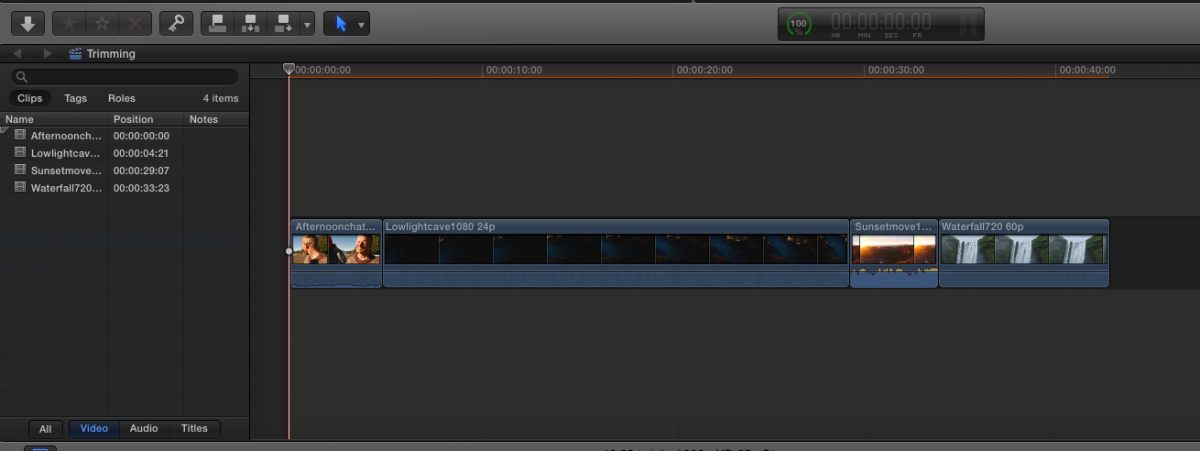
1. Here is a Project timeline with 4 clips:
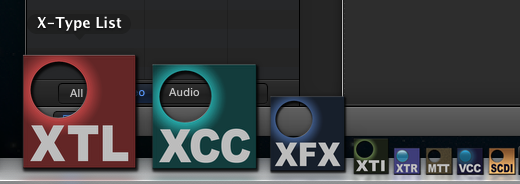
2. With the Project opened, launch XTL:
3. This will open the X-Type List window. For exporting clip names you only need the Project Clips settings:
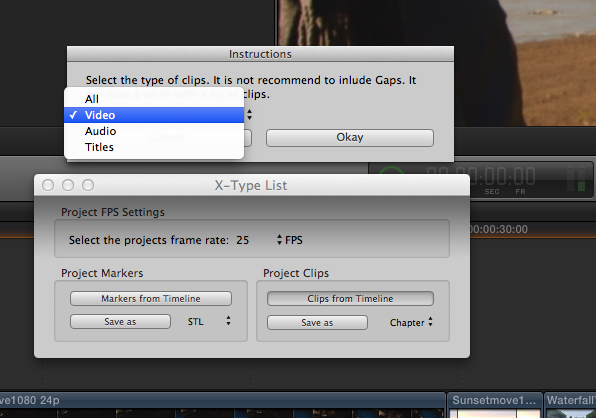
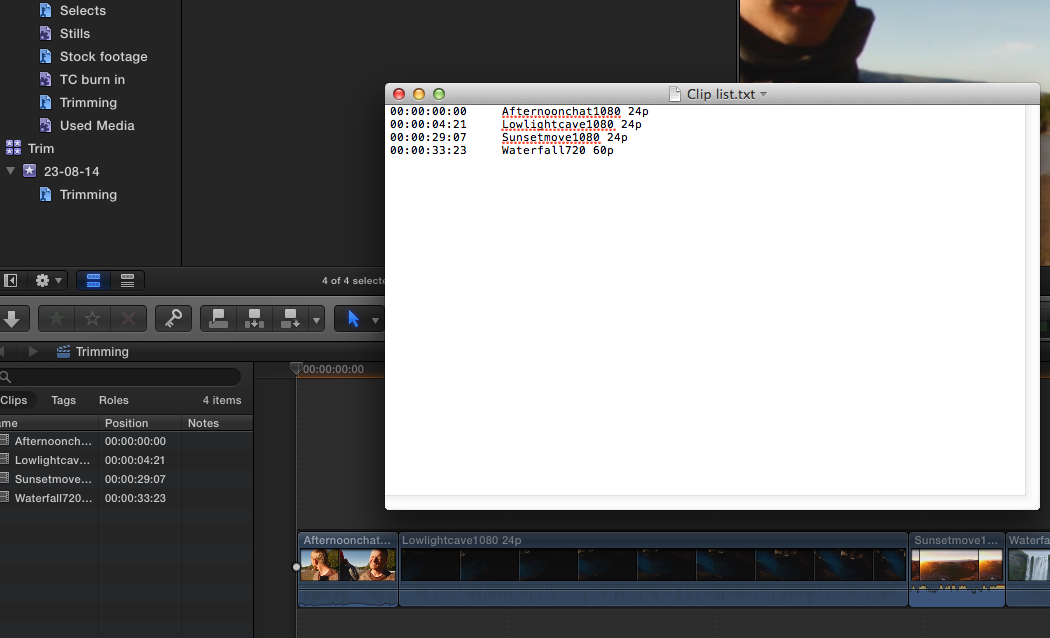
Set the list type to "Chapter", then press the "Clips from Timeline" button. This will open the Instructions window. In the Instructions window select video and press Okay. Then press Save As, enter a name and a destination for your txt file and press Save. Your Project clips will be saved as a text list:
If this helps you it's thanks to the great work Andreas is doing for the FCP X community. His work certainly deserves our support.
- Ronny
This is the most complete utility I know that will do this, and much more: assistedediting.intelligentassistance.com/ProducersBestFriend/
But if you only need a list of the names of clips used on your timeline Andreas Kiel (once again) comes to the rescue with a nifty utility called X-Typelist (XTL).
You can download it here: www.spherico.com/filmtools/X-Files/X-TypeList/XTL%20Install.dmg
And here's the link to the help pdf: www.spherico.com/filmtools/X-Files/X-TypeList/XTL%20Help.pdf
This is how you use XTL for exporting your clip name list:
1. Here is a Project timeline with 4 clips:
2. With the Project opened, launch XTL:
3. This will open the X-Type List window. For exporting clip names you only need the Project Clips settings:
Set the list type to "Chapter", then press the "Clips from Timeline" button. This will open the Instructions window. In the Instructions window select video and press Okay. Then press Save As, enter a name and a destination for your txt file and press Save. Your Project clips will be saved as a text list:
If this helps you it's thanks to the great work Andreas is doing for the FCP X community. His work certainly deserves our support.
- Ronny
Last edit: 25 Aug 2014 12:55 by ronny courtens.
Please Log in to join the conversation.
25 Aug 2014 14:06 #51755
by ivannoel
Replied by ivannoel on topic A way to export clip info?
Hi Ronny,
Many thanks for your help on this.
It seems like just the tool I was looking for, great.
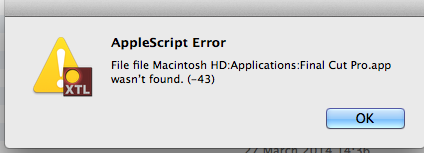
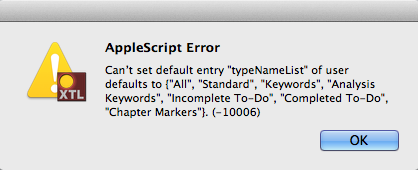
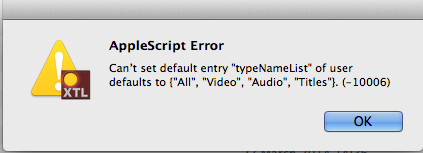
I did however fall upon errors (below), and have contacted Andreas.
Thanks!
Ivan
Many thanks for your help on this.
It seems like just the tool I was looking for, great.
I did however fall upon errors (below), and have contacted Andreas.
Thanks!
Ivan
Please Log in to join the conversation.
- Andreas Kiel
-

- Offline
- Platinum Member
-

Less
More
- Posts: 1077
- Thank you received: 189
25 Aug 2014 17:12 #51764
by Andreas Kiel
Replied by Andreas Kiel on topic A way to export clip info?
Ivan,
I will have a look.
- Andreas
I will have a look.
- Andreas
Please Log in to join the conversation.
- Andreas Kiel
-
- Offline
- Platinum Member
-
Less
More
- Posts: 1077
- Thank you received: 189
26 Aug 2014 09:20 #51790
by Andreas Kiel
Replied by Andreas Kiel on topic A way to export clip info?
Hi Ivan,
I tried it here today. Everything works as expected.
Try to repair permissions.
Make sure FCP X is at the main level of "Applications"
Trash the apps preferences.
- Andreas
I tried it here today. Everything works as expected.
Try to repair permissions.
Make sure FCP X is at the main level of "Applications"
Trash the apps preferences.
- Andreas
Please Log in to join the conversation.
26 Aug 2014 14:59 #51802
by ivannoel
Replied by ivannoel on topic A way to export clip info?
Hi there,
great, with those changes it did the trick.
So, many thanks for your help, and also for the program!
Ivan
great, with those changes it did the trick.
So, many thanks for your help, and also for the program!
Ivan
Please Log in to join the conversation.
19 Mar 2018 17:07 #94712
by ivannoel
Replied by ivannoel on topic A way to export clip info?
Hi Andreas,
Meanwhile, years later!
I am now on Sierra and fcpx 10.4 and finding a renewed need to be able to export clip names, and am trying to (re) use your program XTL.
However this time when I export clip details using 'chapter' it comes out as an empty text file, 0kb.
If I try exporting using SRT or STL ...nothing happen. I don't get the 'save as' window to choose destination.
Any help my good sir?
Many thanks
Ivan
Meanwhile, years later!
I am now on Sierra and fcpx 10.4 and finding a renewed need to be able to export clip names, and am trying to (re) use your program XTL.
However this time when I export clip details using 'chapter' it comes out as an empty text file, 0kb.
If I try exporting using SRT or STL ...nothing happen. I don't get the 'save as' window to choose destination.
Any help my good sir?
Many thanks
Ivan
Please Log in to join the conversation.
