


- Posts: 59
- Thank you received: 0
3 Post Moderation Rule for New Boarders (25 Jan 2021)
New boarders will have their posts moderated - Don't worry if you cannot see your post immediately.
Mask
19 Aug 2014 11:40 - 19 Aug 2014 12:23 #51464
by chk70
Fellow Workaholics,
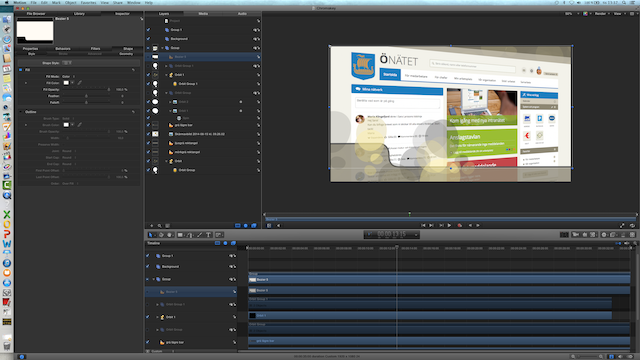
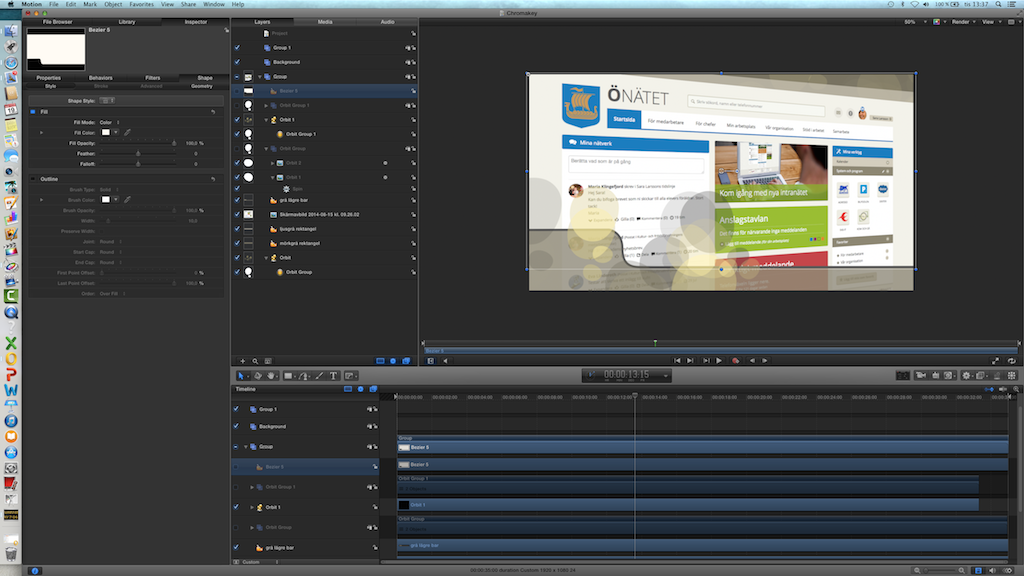
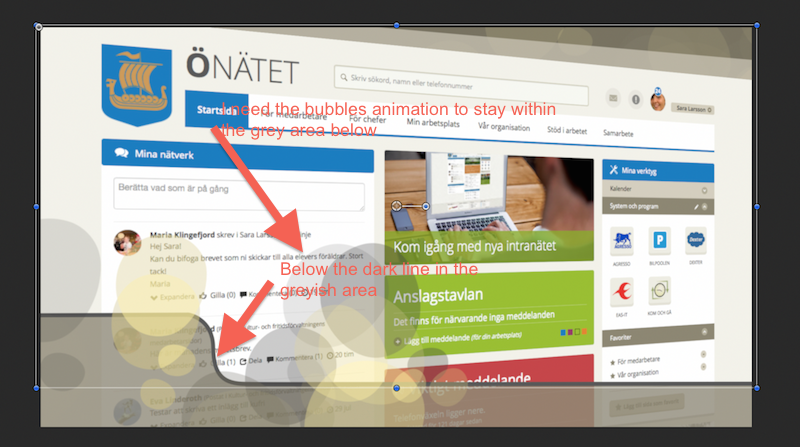
Hi thanks for all the help with my previous questions. Now however I´m stuck again, maybe I should have mentions earlier that I am a true novis when i comes to Motion 5 this is my third week trying to master the software. To the problem at hand. I´ve made a chromakey background were I have 2 animations one of them is in the background which works´s fine. The second one is between the two top layers and this animation I need to mask to have in the lower third, I need the animation to be bigger to work well in the space which make´s it bigger than the area it suppose to be in, here´s the problem I need to mask the bit´s outside of the lower third area. I have made numerous masks and tried putting the mask in the right layer but it just won´t work. I have attached a picture (hopefully it will work this time)
Hi thanks for all the help with my previous questions. Now however I´m stuck again, maybe I should have mentions earlier that I am a true novis when i comes to Motion 5 this is my third week trying to master the software. To the problem at hand. I´ve made a chromakey background were I have 2 animations one of them is in the background which works´s fine. The second one is between the two top layers and this animation I need to mask to have in the lower third, I need the animation to be bigger to work well in the space which make´s it bigger than the area it suppose to be in, here´s the problem I need to mask the bit´s outside of the lower third area. I have made numerous masks and tried putting the mask in the right layer but it just won´t work. I have attached a picture (hopefully it will work this time)
Last edit: 19 Aug 2014 12:23 by chk70.
Please Log in to join the conversation.

19 Aug 2014 18:29 - 19 Aug 2014 18:33 #51493
by rhoydotp
Not on a mac right now but maybe you can try this ...
1. Create a bezier to cover the lower third area where you want the bubbles to appear
2. On your bubbles layer, add an "Image Mask"
2. On the "Image Mask" inspector, drag the "Bezier" on the "Mask Source"
You may need to move the Bezier on the same group as the bubbles. sorry I can't read the text on your attachments to find out which layer is which.
Hope this helps.
1. Create a bezier to cover the lower third area where you want the bubbles to appear
2. On your bubbles layer, add an "Image Mask"
2. On the "Image Mask" inspector, drag the "Bezier" on the "Mask Source"
You may need to move the Bezier on the same group as the bubbles. sorry I can't read the text on your attachments to find out which layer is which.
Hope this helps.
Last edit: 19 Aug 2014 18:33 by rhoydotp.
Please Log in to join the conversation.
20 Aug 2014 06:50 #51536
by chk70
Rhoydotp,
Thank´s I feel I´m really close now. What happens when I do what you instructed is that the bubbles are confined to the area and shape I want them to be. However the shape layer disappears or becomes transparent and that shape is key to the design. I figure I need to copy the shape but I´m not really getting the result I´m looking for. Any help her will be much appreciated.
/H
Thank´s I feel I´m really close now. What happens when I do what you instructed is that the bubbles are confined to the area and shape I want them to be. However the shape layer disappears or becomes transparent and that shape is key to the design. I figure I need to copy the shape but I´m not really getting the result I´m looking for. Any help her will be much appreciated.
/H
Please Log in to join the conversation.
20 Aug 2014 11:11 - 20 Aug 2014 11:30 #51541
by rhoydotp
Is the shape layer still "checked" ... when you drag an item to the mask, it makes it "unchecked".
EDIT: I've created this crude project as a sample. Hopefully something similar to what you are looking for. www.dropbox.com/s/89ir93twzv1syzj/test_mask.zip
chk70 wrote: Rhoydotp,
Thank´s I feel I´m really close now. What happens when I do what you instructed is that the bubbles are confined to the area and shape I want them to be. However the shape layer disappears or becomes transparent and that shape is key to the design. I figure I need to copy the shape but I´m not really getting the result I´m looking for. Any help her will be much appreciated.
/H
Is the shape layer still "checked" ... when you drag an item to the mask, it makes it "unchecked".
EDIT: I've created this crude project as a sample. Hopefully something similar to what you are looking for. www.dropbox.com/s/89ir93twzv1syzj/test_mask.zip
Last edit: 20 Aug 2014 11:30 by rhoydotp.
Please Log in to join the conversation.

