


- Posts: 263
- Thank you received: 2
3 Post Moderation Rule for New Boarders (25 Jan 2021)
New boarders will have their posts moderated - Don't worry if you cannot see your post immediately.
Highlight a product promo?
11 Aug 2014 10:47 #51167
by gaddster
MBP retina 15" 2014
imac 27 i7 2013
G-tech
Panasonic GH4, AC90, Gopro
Highlight a product promo? was created by gaddster
Hi all
I have filmed a 'product promo' (basically an oval shaped portable toolkit which has many adaptions and uses, some actually fit together to make one specific tool etc
Can anyone suggest the best way to use a static shot and 'highlight the different tools or segments' with some info graphics to the side etc? Its been shot on a white background and I have left plenty of space for text or lines arrows etc.
Thanks
I have filmed a 'product promo' (basically an oval shaped portable toolkit which has many adaptions and uses, some actually fit together to make one specific tool etc
Can anyone suggest the best way to use a static shot and 'highlight the different tools or segments' with some info graphics to the side etc? Its been shot on a white background and I have left plenty of space for text or lines arrows etc.
Thanks
MBP retina 15" 2014
imac 27 i7 2013
G-tech
Panasonic GH4, AC90, Gopro
Please Log in to join the conversation.
- ronny courtens
-

- Offline
- Moderator
-

Less
More
- Posts: 4455
- Thank you received: 962
11 Aug 2014 12:10 #51169
by ronny courtens
Replied by ronny courtens on topic Highlight a product promo?
Hey Phil,
Of course you can do all this right inside FCP X:
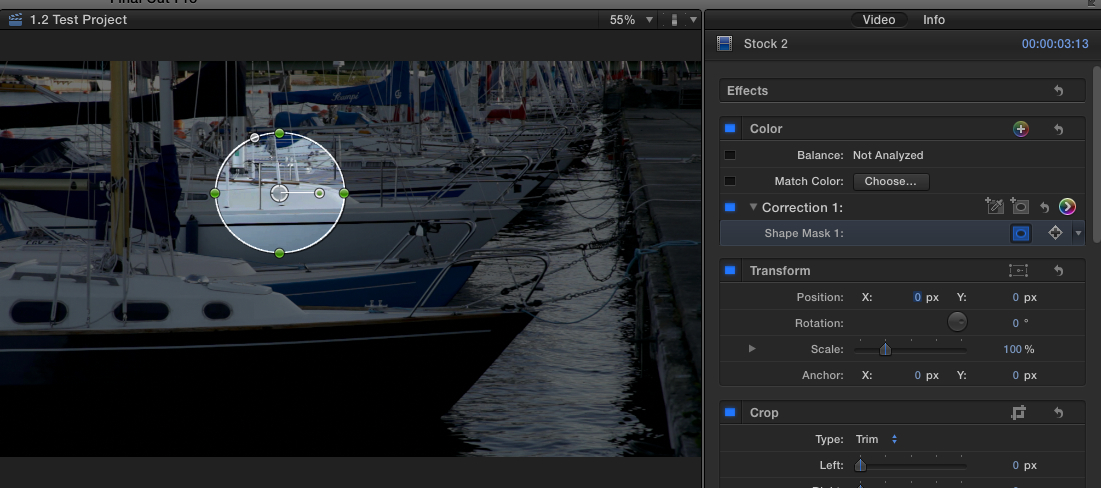
You can use the color corrector mask to highlight parts of the product
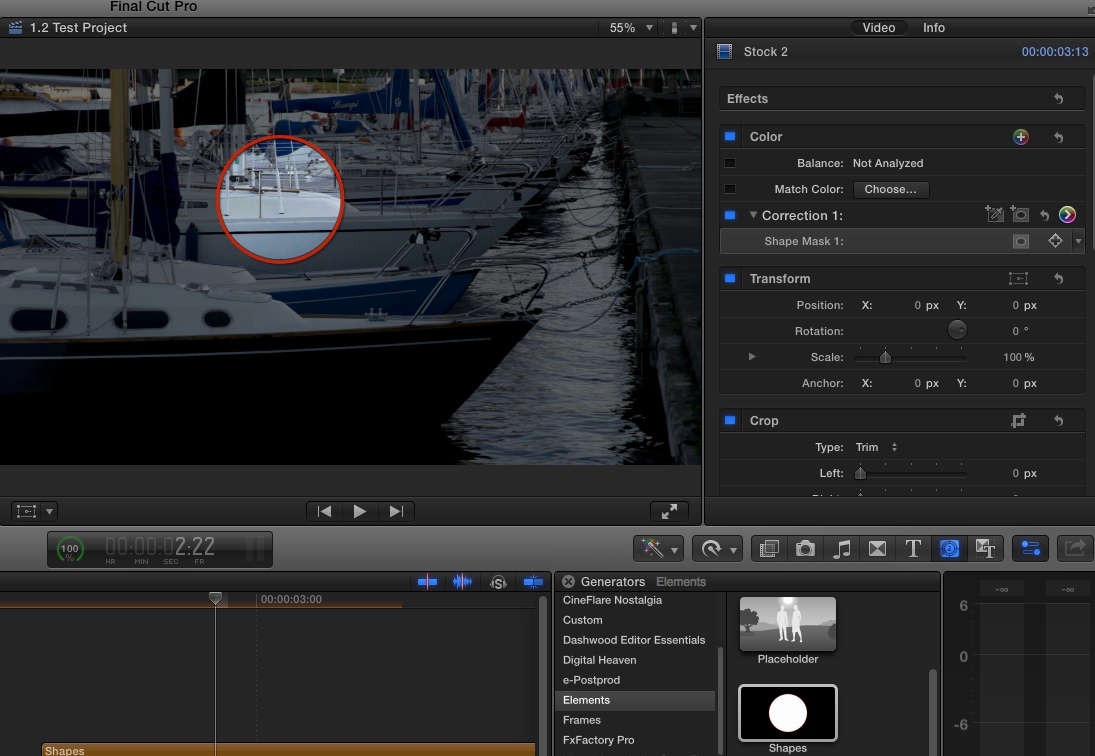
You can use the Shape generator to draw circles or any shape around part of the product
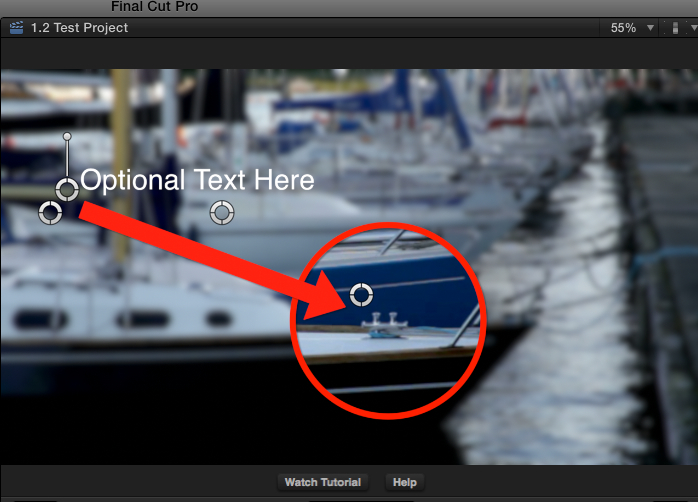
But if you want a powerful arsenal of animated pointers, magnifying options and whatnot: Callouts from Ripple Training is the best set of plugins you can find for what you want to do: fxfactory.com/info/callouts/
- Ronny
Of course you can do all this right inside FCP X:
You can use the color corrector mask to highlight parts of the product
You can use the Shape generator to draw circles or any shape around part of the product
But if you want a powerful arsenal of animated pointers, magnifying options and whatnot: Callouts from Ripple Training is the best set of plugins you can find for what you want to do: fxfactory.com/info/callouts/
- Ronny
Please Log in to join the conversation.
11 Aug 2014 12:31 #51173
by gaddster
MBP retina 15" 2014
imac 27 i7 2013
G-tech
Panasonic GH4, AC90, Gopro
Replied by gaddster on topic Highlight a product promo?
Hi Ronnie, fantastic thats exactly what I wanted. 
MBP retina 15" 2014
imac 27 i7 2013
G-tech
Panasonic GH4, AC90, Gopro
Please Log in to join the conversation.
