


- Posts: 1077
- Thank you received: 189
3 Post Moderation Rule for New Boarders (25 Jan 2021)
New boarders will have their posts moderated - Don't worry if you cannot see your post immediately.
Another subtitle thing.
- Andreas Kiel
-
 Topic Author
- Offline
- Platinum Member
-

Less
More
04 Aug 2014 09:21 - 04 Aug 2014 09:32 #50930
by Andreas Kiel
Another subtitle thing. was created by Andreas Kiel
Last weeks some of the People using (successfully) X-Title Importer had some performance issues with in FCP X.
If you got a timeline with a huge amount of subtitles FCP X can be become very unresponsive.
That's somehow understandable. A subtitle finally is a clip with a lot of effects applied.
With hundreds or thousands of subtitles this will eat up memory. And dependent on your setup it can cost performance.
So an idea was to create a little application which can swap the subtitles and replace them with regular clips.
X-Title Replace is a more than simple app to do that.
Before you start is a good idea to create a new folder to keep things together.
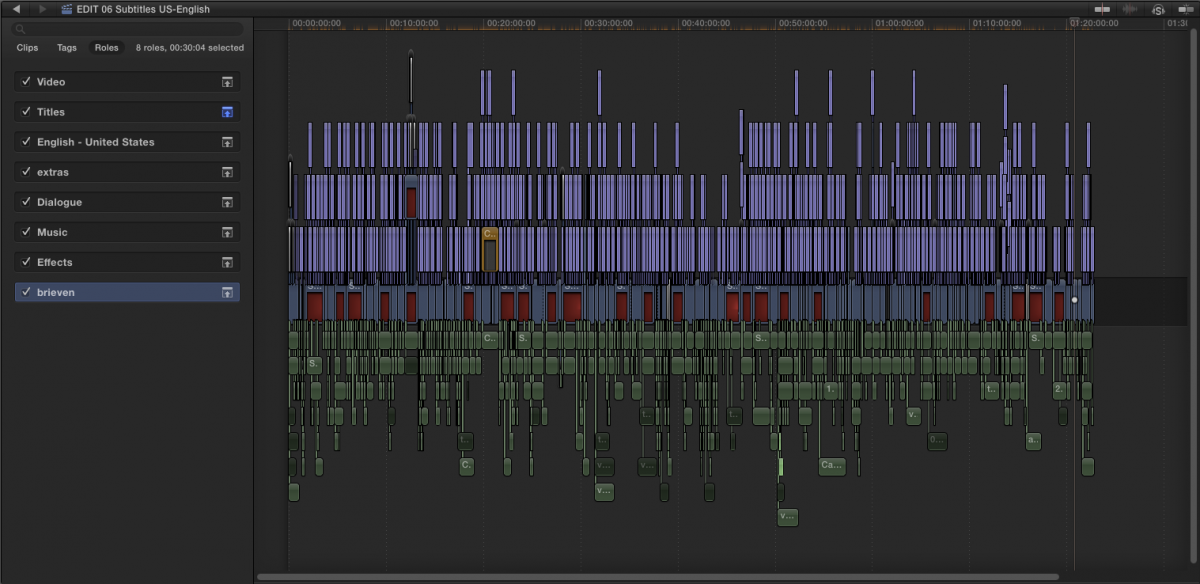
Once a "subtitle lock" is done, export your project as XML into that folder.
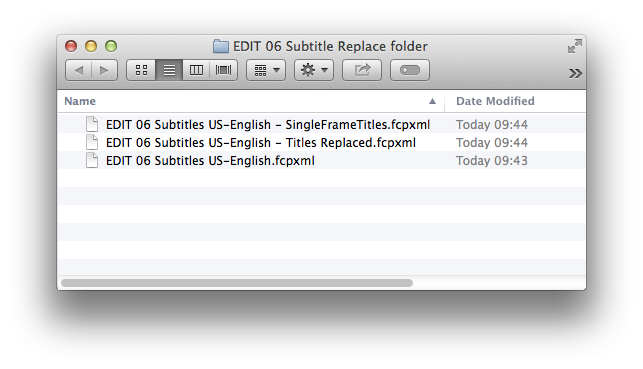
Open the XML with X-Title Replace and wait a few seconds. When the work is done you'll find 2 more XMLs at the same level your original XML was stored : xmlName - SingleFrameTitles.fcpxml, xmlName - TitlesReplaced.fcpxml.
Import the xmlName - SingleFrameTitles.fcpxml into FCP X.
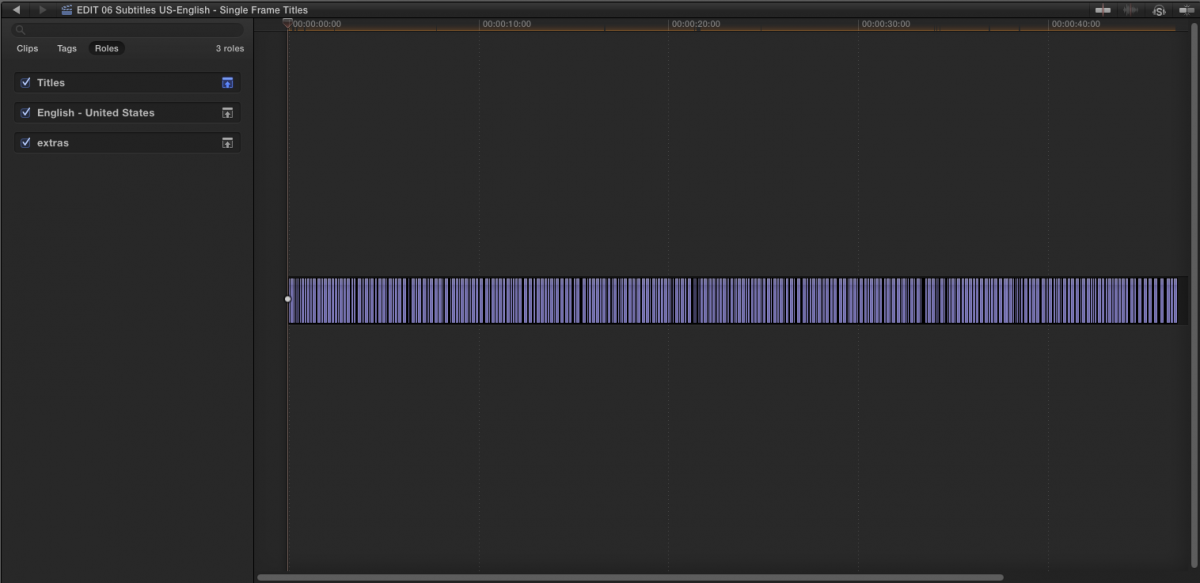
The new project will have as many frames as the amount subtitles found in the original project. The timeline settings are ProRes 4444. Now export the timeline as Image Sequence.
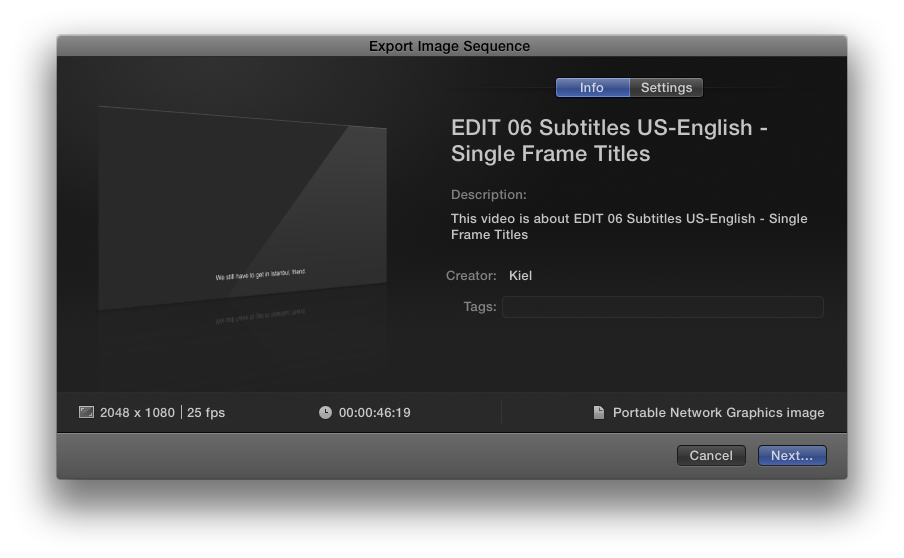
In the export dialog leave everything unchanged - except the format: it must be set to .png files.
As target directory select the previously created folder. Then render out. Each frame created now has all settings of the matching subtitle "baken in".
The "xmlName - TitlesReplaced.fcpxml" is similar to your original XML except that their is no Motion Title any more – they are all replaced with links to stills. These still though contains the role applied to the original title. To the Notes field a "Was Title" is added.
Now open this XML with FCP X – and "Voila" your subtitles are replaced with stills, even in compound clips. In case not just relink them.
Limitations:
Download: www.spherico.com/filmtools/TitleExchange/XTX/XTX.dmg
- Andreas
If you got a timeline with a huge amount of subtitles FCP X can be become very unresponsive.
That's somehow understandable. A subtitle finally is a clip with a lot of effects applied.
With hundreds or thousands of subtitles this will eat up memory. And dependent on your setup it can cost performance.
So an idea was to create a little application which can swap the subtitles and replace them with regular clips.
X-Title Replace is a more than simple app to do that.
Before you start is a good idea to create a new folder to keep things together.
Once a "subtitle lock" is done, export your project as XML into that folder.
Open the XML with X-Title Replace and wait a few seconds. When the work is done you'll find 2 more XMLs at the same level your original XML was stored : xmlName - SingleFrameTitles.fcpxml, xmlName - TitlesReplaced.fcpxml.
Import the xmlName - SingleFrameTitles.fcpxml into FCP X.
The new project will have as many frames as the amount subtitles found in the original project. The timeline settings are ProRes 4444. Now export the timeline as Image Sequence.
In the export dialog leave everything unchanged - except the format: it must be set to .png files.
As target directory select the previously created folder. Then render out. Each frame created now has all settings of the matching subtitle "baken in".
The "xmlName - TitlesReplaced.fcpxml" is similar to your original XML except that their is no Motion Title any more – they are all replaced with links to stills. These still though contains the role applied to the original title. To the Notes field a "Was Title" is added.
Now open this XML with FCP X – and "Voila" your subtitles are replaced with stills, even in compound clips. In case not just relink them.
Limitations:
- Only Motion Titles
- No support for animated subtitles.
- No support for video effects supplied to subtitles.
- In theory you could repeat the process several times, but that's not implemented yet.
- The application also could be extended to cover other titles rather than Motion Titles – let me know.
Download: www.spherico.com/filmtools/TitleExchange/XTX/XTX.dmg
- Andreas
Last edit: 04 Aug 2014 09:32 by Andreas Kiel. Reason: screen capture won't upload
Please Log in to join the conversation.
- Andreas Kiel
-
Topic Author
- Offline
- Platinum Member
-
Less
More
- Posts: 1077
- Thank you received: 189
04 Aug 2014 09:34 - 04 Aug 2014 09:36 #50932
by Andreas Kiel
Replied by Andreas Kiel on topic Another subtitle thing.
Some screen capture didn't made their way.
Here the final result:
dl.dropboxusercontent.com/u/63959366/FinalResult.png
- Andreas
Here the final result:
dl.dropboxusercontent.com/u/63959366/FinalResult.png
- Andreas
Last edit: 04 Aug 2014 09:36 by Andreas Kiel.
Please Log in to join the conversation.
