


- Posts: 299
- Thank you received: 10
3 Post Moderation Rule for New Boarders (25 Jan 2021)
New boarders will have their posts moderated - Don't worry if you cannot see your post immediately.
Matching client's Effects location
04 Aug 2014 09:21 #50929
by robertdee
Matching client's Effects location was created by robertdee
I've got a client who's used FCPX to build an edit and although I have the correct effects they are not put in the same place as the client had them installed. I can't contact the client as they are on a job. Is there anyway to see where FCPX is expecting to find an effect so I can recreate the file structure?
Effect management is something that would be very useful in a future update.
Effect management is something that would be very useful in a future update.
Please Log in to join the conversation.
- Andreas Kiel
-

- Offline
- Platinum Member
-

Less
More
- Posts: 1077
- Thank you received: 189
04 Aug 2014 09:50 - 04 Aug 2014 09:51 #50937
by Andreas Kiel
Replied by Andreas Kiel on topic Matching client's Effects location
Robert,
You can try my XFX www.spherico.com/filmtools/X-Files/X-FXH...er/XFX%20Install.dmg
Export your project as XML and use the app.
I will give you a list of effects.
- Andreas
You can try my XFX www.spherico.com/filmtools/X-Files/X-FXH...er/XFX%20Install.dmg
Export your project as XML and use the app.
I will give you a list of effects.
- Andreas
Last edit: 04 Aug 2014 09:51 by Andreas Kiel.
Please Log in to join the conversation.
04 Aug 2014 10:00 - 04 Aug 2014 10:01 #50938
by robertdee
Replied by robertdee on topic Matching client's Effects location
Hi Andreas,
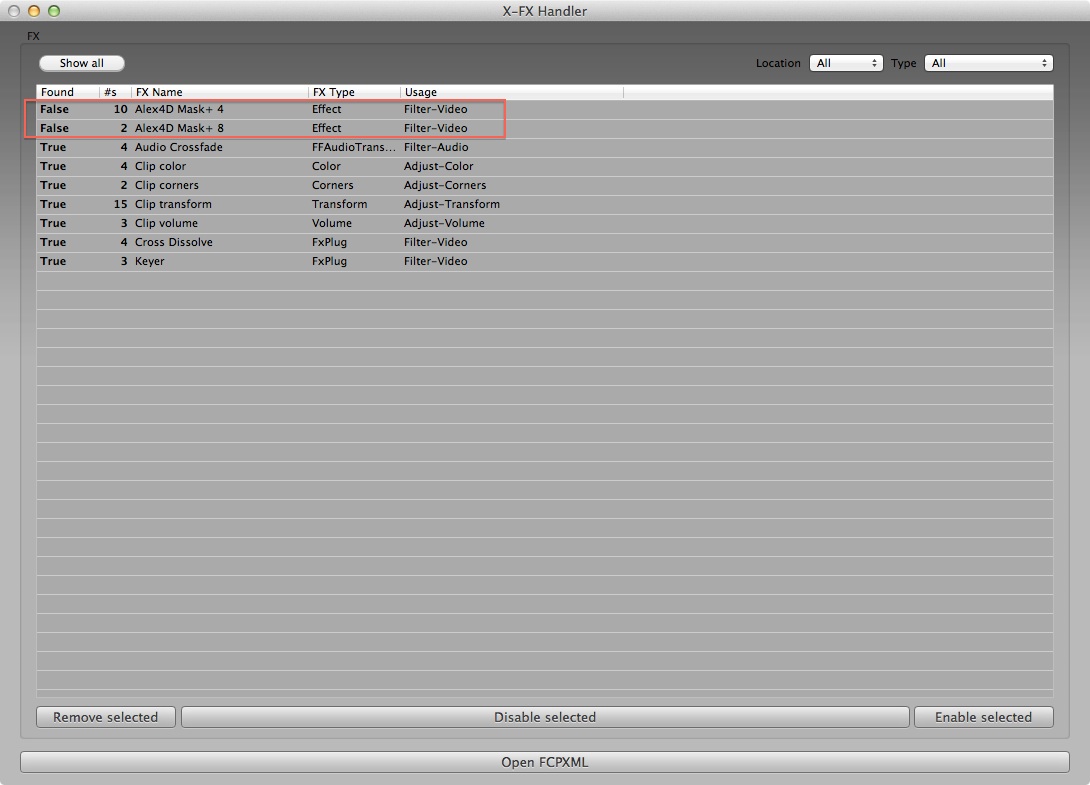
Thanks but I've tried this and I'm not having much luck. It's not giving me the paths that it's looking for the fx in (which is what I need). I've added the screenshot below - the Alex4D masks are the issue (he hasn't installed them where Alex suggests). I could redo them but it's to mask out colour blocks and I'd be guessing location, size, etc.
Any suggestions?
Thanks but I've tried this and I'm not having much luck. It's not giving me the paths that it's looking for the fx in (which is what I need). I've added the screenshot below - the Alex4D masks are the issue (he hasn't installed them where Alex suggests). I could redo them but it's to mask out colour blocks and I'd be guessing location, size, etc.
Any suggestions?
Last edit: 04 Aug 2014 10:01 by robertdee.
Please Log in to join the conversation.
- Andreas Kiel
-
- Offline
- Platinum Member
-
Less
More
- Posts: 1077
- Thank you received: 189
04 Aug 2014 10:41 #50939
by Andreas Kiel
Replied by Andreas Kiel on topic Matching client's Effects location
Hi Robert,
Seems there is a bug with the report stuff there.
I made a quick hack to display the path in the main window.
Download again.
- Andreas
Seems there is a bug with the report stuff there.
I made a quick hack to display the path in the main window.
Download again.
- Andreas
Please Log in to join the conversation.
04 Aug 2014 10:47 #50940
by robertdee
Replied by robertdee on topic Matching client's Effects location
Andreas, you're a star. That's fixed it. Super useful.

Please Log in to join the conversation.
- Andreas Kiel
-
- Offline
- Platinum Member
-
Less
More
- Posts: 1077
- Thank you received: 189
04 Aug 2014 10:55 #50942
by Andreas Kiel
Replied by Andreas Kiel on topic Matching client's Effects location
Always good to hear that something works 
Please Log in to join the conversation.
