


- Posts: 244
- Thank you received: 12
3 Post Moderation Rule for New Boarders (25 Jan 2021)
New boarders will have their posts moderated - Don't worry if you cannot see your post immediately.
XML and footage provided. XML works but can't connect media.
- Doug Suiter
-
 Topic Author
- Offline
- Elite Member
-

Less
More
11 Jul 2014 04:09 #49647
by Doug Suiter
Hi all - using 7toX for FCPX 10.1.2 I have imported a series of timelines from Premiere. All is well - I see the offline clips in the browser and timelines. So now I just grab the footage and perform a simple relink, correct?
2 problems:
1) FCPX won't search for media recursively. I was under the impression fro Alex4D's post that there is now... "Much better relinking of missing files. Select the parent volume or folder and Final Cut will now search all sub-folders until it finds the correct files". Searching a folder just comes up with nothing even thought there is definitely the correct file(s) within the folder structure.
2) when I go into the file structure and manually select the correct footage it throws up an "Incompatible Media: Error: The original file and new file have no shared media range. Relinked files must have the same media type and similar audio channels as the original files, and must be long enough to cover all the clips that reference the files.
The footage is definitely correct. Any thoughts on either issue?
2 problems:
1) FCPX won't search for media recursively. I was under the impression fro Alex4D's post that there is now... "Much better relinking of missing files. Select the parent volume or folder and Final Cut will now search all sub-folders until it finds the correct files". Searching a folder just comes up with nothing even thought there is definitely the correct file(s) within the folder structure.
2) when I go into the file structure and manually select the correct footage it throws up an "Incompatible Media: Error: The original file and new file have no shared media range. Relinked files must have the same media type and similar audio channels as the original files, and must be long enough to cover all the clips that reference the files.
The footage is definitely correct. Any thoughts on either issue?
Please Log in to join the conversation.
- Andreas Kiel
-

- Offline
- Platinum Member
-

Less
More
- Posts: 1077
- Thank you received: 189
11 Jul 2014 08:22 #49656
by Andreas Kiel
Replied by Andreas Kiel on topic XML and footage provided. XML works but can't connect media.
Have you tried to import one of the files and export as XML, find the asset and format in the big XML and compare those?
- Andreas
- Andreas
Please Log in to join the conversation.
- ronny courtens
-

- Offline
- Moderator
-

Less
More
- Posts: 4455
- Thank you received: 962
11 Jul 2014 11:03 #49665
by ronny courtens
Replied by ronny courtens on topic XML and footage provided. XML works but can't connect media.
Just an idea: if the timelines were created in an older version of Premiere (pre July 2013) and MXP was not disabled in Pr this can lead to relinking problems in FCP X because stupid MXP modifies the file metadata which makes FCP X think the files are incompatible for relinking.
- Ronny
- Ronny
Please Log in to join the conversation.
- Andreas Kiel
-
- Offline
- Platinum Member
-
Less
More
- Posts: 1077
- Thank you received: 189
11 Jul 2014 11:12 - 11 Jul 2014 11:15 #49667
by Andreas Kiel
Replied by Andreas Kiel on topic XML and footage provided. XML works but can't connect media.
Ronny,
I think that's the "solution".
- Andreas
P.S.
Doug you can send me the XML and can try to make "metadata clean up"
I think that's the "solution".
- Andreas
P.S.
Doug you can send me the XML and can try to make "metadata clean up"
Last edit: 11 Jul 2014 11:15 by Andreas Kiel.
Please Log in to join the conversation.

12 Jul 2014 22:36 #49756
by tiz
Replied by tiz on topic XML and footage provided. XML works but can't connect media.
I just did a fresh edit with 10.1.2 on Mav 10.9.4 and my timeline has lost the media and will not relink no matter what I try. I have a mid 2012 MBPr with 16GB Ram. It seems to be wonderful for quite a few people but it's been an utter nightmare for me. I just can't figure it out.
Please Log in to join the conversation.
- Doug Suiter
-
Topic Author
- Offline
- Elite Member
-
Less
More
- Posts: 244
- Thank you received: 12
14 Jul 2014 03:49 - 14 Jul 2014 03:51 #49836
by Doug Suiter
Replied by Doug Suiter on topic XML and footage provided. XML works but can't connect media.
Thank you for the replies so far - I thought that Ronny's answer sounded interested so I opened Premiere CC 2014 and opened the XML provided. Then I created a new XML from Premiere hoping it would negate the XMP metadata issue but unfortunately it did not.
Instead now I have black clips. I can relink these in FCPX and they do not throw the incorrect media error, but the clips simply remain black.
It looks like this:
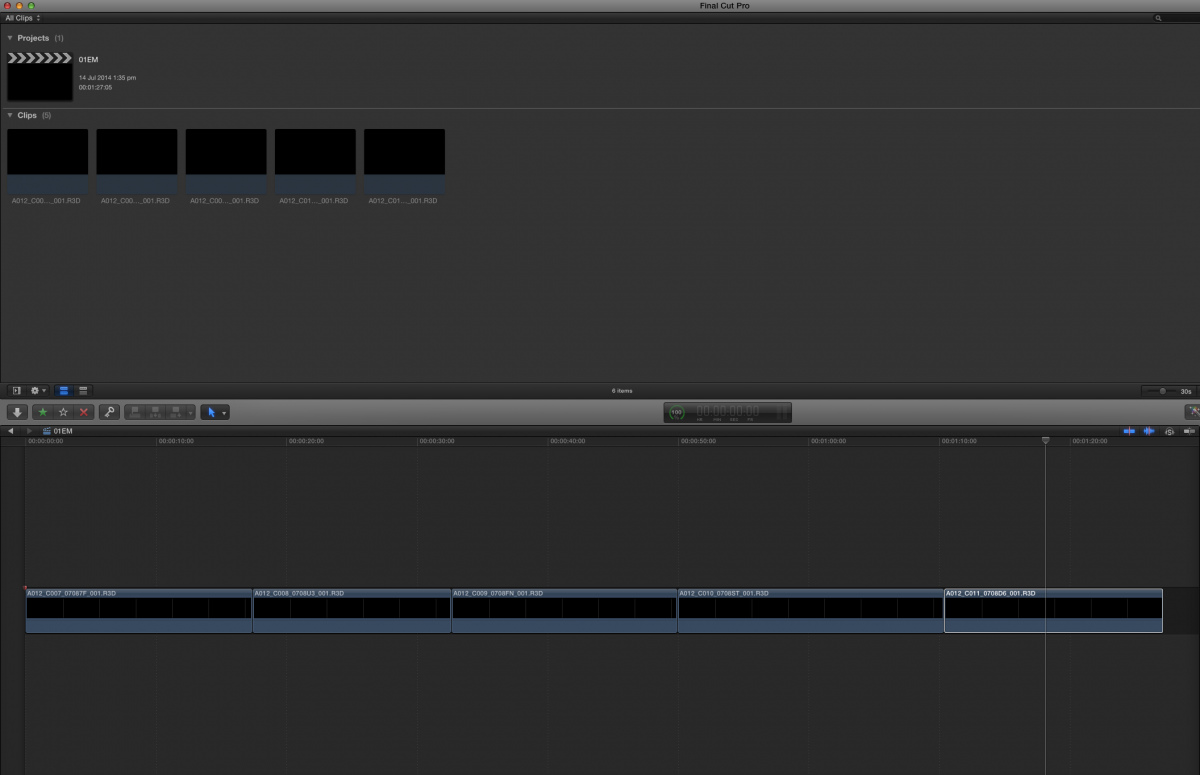
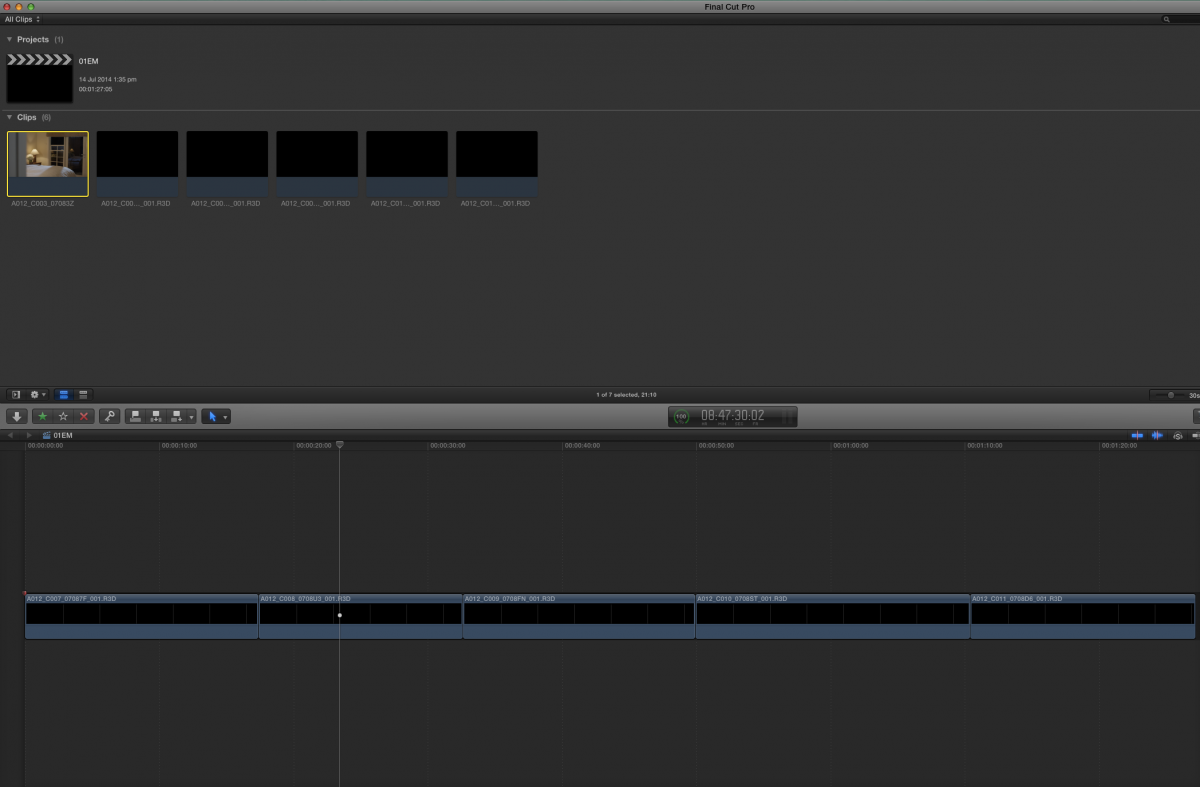
If I drag the same R3D file in from the finder, no trouble at all:
Instead now I have black clips. I can relink these in FCPX and they do not throw the incorrect media error, but the clips simply remain black.
It looks like this:
If I drag the same R3D file in from the finder, no trouble at all:
Last edit: 14 Jul 2014 03:51 by Doug Suiter.
Please Log in to join the conversation.
- Tom Wolsky
-

- Offline
- Moderator
-
14 Jul 2014 03:59 #49838
by Tom Wolsky
Replied by Tom Wolsky on topic XML and footage provided. XML works but can't connect media.
Ronny's answer is correct, but what has happened is that Premiere has been set up incorrectly and has hosed your media. I don't know of a workaround for it, XML cannot to it AFAIK. Maybe someone like Andreas Kiel or Alex Gollner could tweak, but I don't know if that's possible.
Please Log in to join the conversation.
- Doug Suiter
-
Topic Author
- Offline
- Elite Member
-
Less
More
- Posts: 244
- Thank you received: 12
14 Jul 2014 04:35 #49839
by Doug Suiter
Replied by Doug Suiter on topic XML and footage provided. XML works but can't connect media.
Thank you Tom - any thoughts on the first point - the fact that FCPX wasn't looking for media recursively (as in folders within folders)?
Please Log in to join the conversation.
- ronny courtens
-
- Offline
- Moderator
-
Less
More
- Posts: 4455
- Thank you received: 962
14 Jul 2014 06:53 #49848
by ronny courtens
Replied by ronny courtens on topic XML and footage provided. XML works but can't connect media.
Hi Doug,
FCP X 10.1.2 looks for compatible media anywhere on any connected drive. If it finds compatible media it will point to the correct folder no matter how deep this folder is inside other folders.
When it does not see any compatible media on any drive (as in this case) it is quite logical that it will not point you to any folders and it will ask you to manually select compatible media.
Tom is correct that recreating an new XML with the media that has been corrupted by Pr will not solve the problem. You might take up Andreas' offer and send him the original XML so he can see if he can fix this. Only an XML wizard can sort this out. Adobe's XMP is :evil:
- Ronny
FCP X 10.1.2 looks for compatible media anywhere on any connected drive. If it finds compatible media it will point to the correct folder no matter how deep this folder is inside other folders.
When it does not see any compatible media on any drive (as in this case) it is quite logical that it will not point you to any folders and it will ask you to manually select compatible media.
Tom is correct that recreating an new XML with the media that has been corrupted by Pr will not solve the problem. You might take up Andreas' offer and send him the original XML so he can see if he can fix this. Only an XML wizard can sort this out. Adobe's XMP is :evil:
- Ronny
Please Log in to join the conversation.
- Doug Suiter
-
Topic Author
- Offline
- Elite Member
-
Less
More
- Posts: 244
- Thank you received: 12
14 Jul 2014 07:06 #49849
by Doug Suiter
Replied by Doug Suiter on topic XML and footage provided. XML works but can't connect media.
Thanks gentlemen - that's cleared it up for me. Luckily the project wasn't very far advanced so i just started from scratch in FCPX but learning this has definitely been valuable to me - much appreciated.
Please Log in to join the conversation.
- Andreas Kiel
-
- Offline
- Platinum Member
-
Less
More
- Posts: 1077
- Thank you received: 189
14 Jul 2014 07:53 #49851
by Andreas Kiel
Replied by Andreas Kiel on topic XML and footage provided. XML works but can't connect media.
Doug,
Just out of curiosity, could you try the below little app and let us know what happens.
I will simply remove all metadata from the PPro XML and save a new one at "/modXML.fcpxml"
In case it works that could be a simple solution for other people who run into the problem as well.
- Andreas
dl.dropboxusercontent.com/u/63959366/mdRemove.dmg
Just out of curiosity, could you try the below little app and let us know what happens.
I will simply remove all metadata from the PPro XML and save a new one at "/modXML.fcpxml"
In case it works that could be a simple solution for other people who run into the problem as well.
- Andreas
dl.dropboxusercontent.com/u/63959366/mdRemove.dmg
Please Log in to join the conversation.
- Doug Suiter
-
Topic Author
- Offline
- Elite Member
-
Less
More
- Posts: 244
- Thank you received: 12
18 Jul 2014 01:04 #50167
by Doug Suiter
Replied by Doug Suiter on topic XML and footage provided. XML works but can't connect media.
Thank you Andreas - I am trying it out but it is asking for an FCPXML so i can't provide it with a PPXML. I did export an FCPXML out of FCPX of the offline version but the app didn't seem to do anything.
Please Log in to join the conversation.
- Andreas Kiel
-
- Offline
- Platinum Member
-
Less
More
- Posts: 1077
- Thank you received: 189
18 Jul 2014 07:01 #50179
by Andreas Kiel
Replied by Andreas Kiel on topic XML and footage provided. XML works but can't connect media.
Doug,
I was assuming you used 7toX to get the xml into FCP X. So you should have an fcpxml file somewhere.
Make a copy of it and open that one with the app. In an blink of an eye all metadata inside the file are removed and the fcpxml is saved. Then import this XML into FCP X.
- Andreas
I was assuming you used 7toX to get the xml into FCP X. So you should have an fcpxml file somewhere.
Make a copy of it and open that one with the app. In an blink of an eye all metadata inside the file are removed and the fcpxml is saved. Then import this XML into FCP X.
- Andreas
Please Log in to join the conversation.
- Doug Suiter
-
Topic Author
- Offline
- Elite Member
-
Less
More
- Posts: 244
- Thank you received: 12
19 Jul 2014 01:32 #50208
by Doug Suiter
Replied by Doug Suiter on topic XML and footage provided. XML works but can't connect media.
Yes - I used 7toX. But that does not create a FCPXML that I can see, it creates a new library based of the PP XML. I can export an FCPXML from that but that is what I described above. If you can give me some instructions to follow I will be happy to run the test for you.
Please Log in to join the conversation.
- Andreas Kiel
-
- Offline
- Platinum Member
-
Less
More
- Posts: 1077
- Thank you received: 189
19 Jul 2014 08:23 #50214
by Andreas Kiel
Replied by Andreas Kiel on topic XML and footage provided. XML works but can't connect media.
Doug,
When I said you should have a fcpxml I implied that you create one from the 7toX. Sorry my bad.
Otherwise it's the procedure I described. Make a copy and run the little app.
- Andreas
When I said you should have a fcpxml I implied that you create one from the 7toX. Sorry my bad.
Otherwise it's the procedure I described. Make a copy and run the little app.
- Andreas
Please Log in to join the conversation.
- Doug Suiter
-
Topic Author
- Offline
- Elite Member
-
Less
More
- Posts: 244
- Thank you received: 12
20 Jul 2014 02:24 #50233
by Doug Suiter
Replied by Doug Suiter on topic XML and footage provided. XML works but can't connect media.
Thanks for the update Andreas - when you say "save a new one at "/modXML.fcpxml" where might that be? I followed your instructions but nothing seemed to happened.
Please Log in to join the conversation.
- Andreas Kiel
-
- Offline
- Platinum Member
-
Less
More
- Posts: 1077
- Thank you received: 189
20 Jul 2014 13:07 #50239
by Andreas Kiel
Replied by Andreas Kiel on topic XML and footage provided. XML works but can't connect media.
"/modXML.fcpxml"
means that it is a file named "modXML.fcpxml" on the root level of your boot volume.
- Andreas
means that it is a file named "modXML.fcpxml" on the root level of your boot volume.
- Andreas
Please Log in to join the conversation.
- Doug Suiter
-
Topic Author
- Offline
- Elite Member
-
Less
More
- Posts: 244
- Thank you received: 12
21 Jul 2014 00:59 #50256
by Doug Suiter
Replied by Doug Suiter on topic XML and footage provided. XML works but can't connect media.
Ok - found it  So - interesting result. FCPX can now find more than one file at a time through the relinking process although not all of them. Unfortunately I still cannot link to them. I still get the error:
"41 name matches were found, but 41 files are not compatible.
Relinked files must have the same media type and similar audio channels as the original files, and must be long enough to cover all the clips that reference the files.
Select a single item at a time to get information about why it is not compatible."
So - interesting result. FCPX can now find more than one file at a time through the relinking process although not all of them. Unfortunately I still cannot link to them. I still get the error:"41 name matches were found, but 41 files are not compatible.
Relinked files must have the same media type and similar audio channels as the original files, and must be long enough to cover all the clips that reference the files.
Select a single item at a time to get information about why it is not compatible."
Please Log in to join the conversation.
- Beeldcomponist
-
- Offline
- Junior Member
-

Less
More
- Posts: 33
- Thank you received: 8
21 Jul 2014 06:46 #50258
by Beeldcomponist
Replied by Beeldcomponist on topic XML and footage provided. XML works but can't connect media.
I had also a problem with relinking files and got also this message:
".. name matches were found, but .. files are not compatible.
Relinked files must have the same media type and similar audio channels as the original files, and must be long enough to cover all the clips that reference the files.
Select a single item at a time to get information about why it is not compatible."
This was our workflow: about 80 XDCAM disk were imported on 2 hard disks, both disks have the same material.
The director worked in FCP 7 and sent me the project.
I relinked it in FCP 7 to check everything and exported the XML.
I copied my hard disk to a Pegasus2 R4 and here comes the strange thing:
Importing the XML (7toX) on an other Macpro with the Pegasus hard disk I got that same error massage as above.
When I connected the original hard disk, were I created the XML from, all files could be relinked!
Copying the Library to the Pegasus and relinking was also possible.
On both machines Premiere Pro is not installed.
On both machines FCPX 10.1.2 is installed and the latest version 7 to X.
I think it has to do with the new xml version in 10.1.2.
-Hans
".. name matches were found, but .. files are not compatible.
Relinked files must have the same media type and similar audio channels as the original files, and must be long enough to cover all the clips that reference the files.
Select a single item at a time to get information about why it is not compatible."
This was our workflow: about 80 XDCAM disk were imported on 2 hard disks, both disks have the same material.
The director worked in FCP 7 and sent me the project.
I relinked it in FCP 7 to check everything and exported the XML.
I copied my hard disk to a Pegasus2 R4 and here comes the strange thing:
Importing the XML (7toX) on an other Macpro with the Pegasus hard disk I got that same error massage as above.
When I connected the original hard disk, were I created the XML from, all files could be relinked!
Copying the Library to the Pegasus and relinking was also possible.
On both machines Premiere Pro is not installed.
On both machines FCPX 10.1.2 is installed and the latest version 7 to X.
I think it has to do with the new xml version in 10.1.2.
-Hans
Please Log in to join the conversation.
- Andreas Kiel
-
- Offline
- Platinum Member
-
Less
More
- Posts: 1077
- Thank you received: 189
21 Jul 2014 11:08 #50266
by Andreas Kiel
Replied by Andreas Kiel on topic XML and footage provided. XML works but can't connect media.
As I offered earlier you can send me XMLs.
First one the XML not working, second one with a clip from the "bad one" dragged to a timelime (which works on re-import).
- Andreas
kiel(at)spherico(dot)com
First one the XML not working, second one with a clip from the "bad one" dragged to a timelime (which works on re-import).
- Andreas
kiel(at)spherico(dot)com
Please Log in to join the conversation.
