


- Posts: 37
- Thank you received: 0
3 Post Moderation Rule for New Boarders (25 Jan 2021)
New boarders will have their posts moderated - Don't worry if you cannot see your post immediately.
Camera archive
10 Jul 2014 14:33 #49597
by bbrunner
Camera archive was created by bbrunner
Hi all,
I began editing a feature length documentary recently. Today we discovered that we didn't import all media into the project's event - I'm running FCPX 10.0.9 - when we first imported the media. Our backup of the original material is in the form of Camera Archive. We tried "Reimport Camera/Archive" from the Import menu but, to my horror, FCPX responded with a popup window saying that all the clips' media already exist. When trying Import Media from the Import menu and navigating to the Camera Archive files they were greyed out in the Import window. Is there a method to go into the Camera Archive in order to import the clips we forgot to import the first time.
Help is much appreciated.
Thanks,
Benny Brunner
I began editing a feature length documentary recently. Today we discovered that we didn't import all media into the project's event - I'm running FCPX 10.0.9 - when we first imported the media. Our backup of the original material is in the form of Camera Archive. We tried "Reimport Camera/Archive" from the Import menu but, to my horror, FCPX responded with a popup window saying that all the clips' media already exist. When trying Import Media from the Import menu and navigating to the Camera Archive files they were greyed out in the Import window. Is there a method to go into the Camera Archive in order to import the clips we forgot to import the first time.
Help is much appreciated.
Thanks,
Benny Brunner
Please Log in to join the conversation.
- ronny courtens
-

- Offline
- Moderator
-

Less
More
- Posts: 4455
- Thank you received: 962
10 Jul 2014 15:00 - 10 Jul 2014 15:02 #49598
by ronny courtens
Replied by ronny courtens on topic Camera archive
Hi Benny,
If this is a Camera Archive you have created within FCP X (.fcarch extension):
Select the Camera Archive in Finder, R-click it and choose "Show Package Content". This will open the Archive in Finder, revealing all the clips inside the Archive. Select the clips you wish to import and drag them onto your Event in the FCP X browser window.
- Ronny
If this is a Camera Archive you have created within FCP X (.fcarch extension):
Select the Camera Archive in Finder, R-click it and choose "Show Package Content". This will open the Archive in Finder, revealing all the clips inside the Archive. Select the clips you wish to import and drag them onto your Event in the FCP X browser window.
- Ronny
Last edit: 10 Jul 2014 15:02 by ronny courtens.
Please Log in to join the conversation.
10 Jul 2014 15:44 #49601
by bbrunner
Replied by bbrunner on topic Camera archive
Thanks Ronny.
After opening the camera archive in the finder using 'show camera archives' I found the clips in .MTS format.
I was able to convert them to .MOV but without sound.
Any ideas?
B.
After opening the camera archive in the finder using 'show camera archives' I found the clips in .MTS format.
I was able to convert them to .MOV but without sound.
Any ideas?
B.
Please Log in to join the conversation.
- ronny courtens
-
- Offline
- Moderator
-
Less
More
- Posts: 4455
- Thank you received: 962
10 Jul 2014 16:03 - 10 Jul 2014 16:09 #49602
by ronny courtens
Replied by ronny courtens on topic Camera archive
You could convert the files using MPEG Streamclip, but there should be no need for that because FCP X imports MTS files natively with sound.
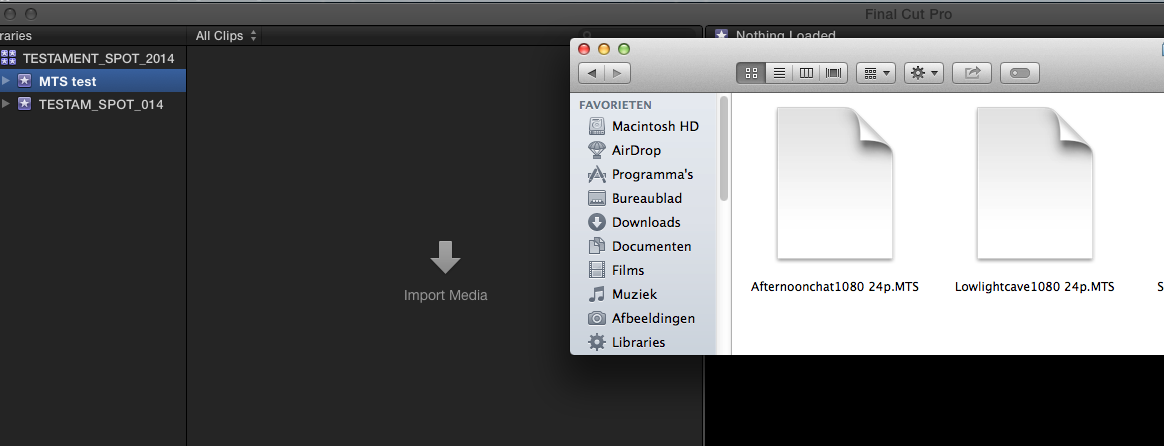
Here's some MTS clips:
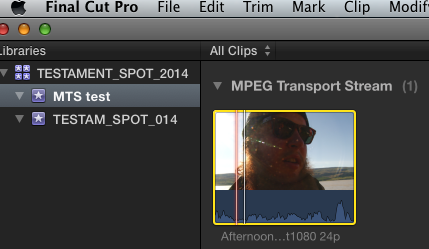
Here's one of the clips imported in FCP X:
Ah, but wait... you say you still run 10.0.9.? As far as I recall MTS support was added in a later version.
So try converting the files using MPEG Streamclip (free): www.squared5.com
This should give you video and audio.
- Ronny
Here's some MTS clips:
Here's one of the clips imported in FCP X:
Ah, but wait... you say you still run 10.0.9.? As far as I recall MTS support was added in a later version.
So try converting the files using MPEG Streamclip (free): www.squared5.com
This should give you video and audio.
- Ronny
Last edit: 10 Jul 2014 16:09 by ronny courtens.
Please Log in to join the conversation.
