


3 Post Moderation Rule for New Boarders (25 Jan 2021)
New boarders will have their posts moderated - Don't worry if you cannot see your post immediately.
Two Keyboards same settings different results?
- finalbug.net
-
 Topic Author
- Offline
- Platinum Member
-

- Absence of Quality is the essence of squareness.
Less
More
10 Jul 2014 08:18 - 10 Jul 2014 08:19 #49580
by finalbug.net
Two Keyboards same settings different results? was created by finalbug.net
This one is just driving me nuts and makes no sense what so ever. I am posting here in the hope that someone has some ideas. I have two keyboards connected to my 2011 Powerbook.
One is a standard apple keyboard. Similar to this here:
en.wikipedia.org/wiki/Apple_Keyboard#med...c_Keyboard_A1243.png
Pressing the buttons on the standard keyboard give me the following:
Standard keyboard:
^1234567890ß´
qwertzuiopü+
asdfghjklöä#
<yxcvbnm,.-
Standard numeric keyboard:
789456123
Then I have a FCPX keyboard connected.
www.logickeyboard.com/shop/apple-final-cut-2157p.html
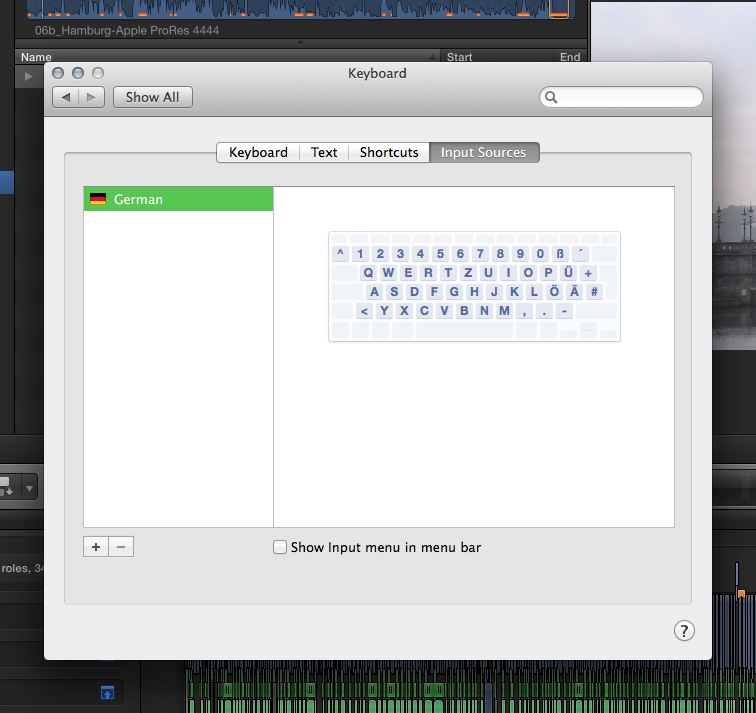
Without changing the keyboard settings in the preferences (Am in Germany)
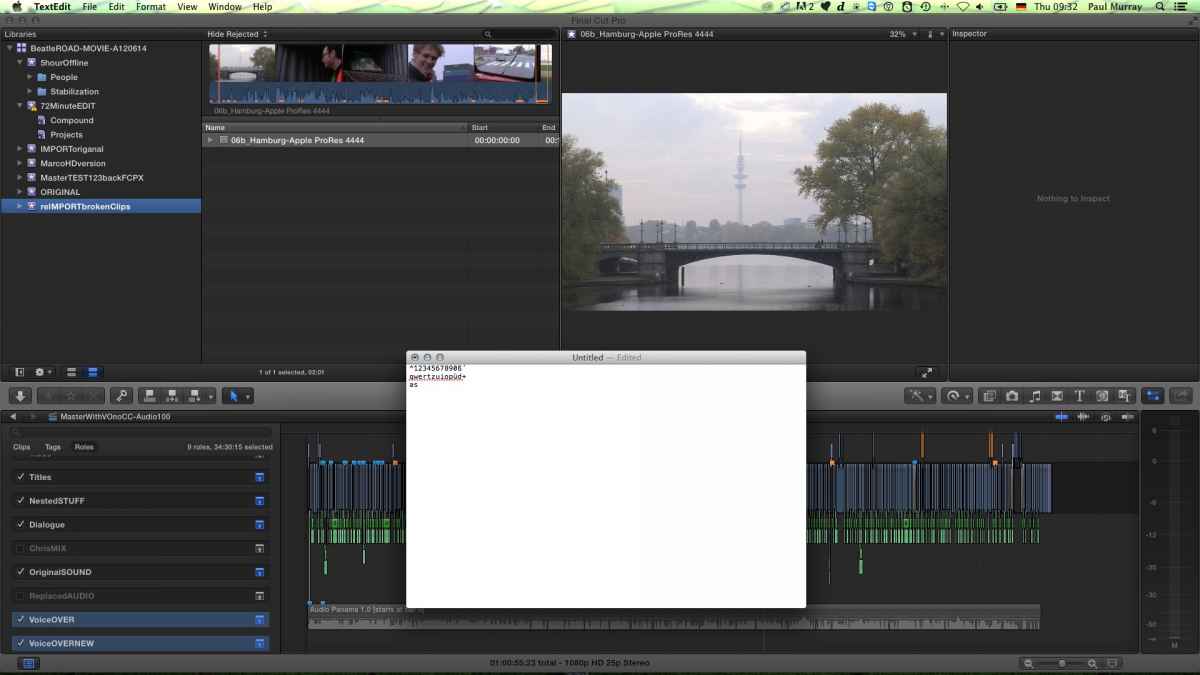
FCPX main keyboard:
^1234567890ß´
qwertzuiopüd+
asd+f#ghjk7l8ö9ä-#
<yxcvbnm,.-
FCPX numeric keyboard:
k7l8ö9456123
123k7l8ö9
Hitting “S” on the FCPX keyboard acts like some kind of Expose mode or something. Never use Expose. Open programs fly off to the left revealing desktop.
At one point I even tried connecting the FCPX keyboard to a PC and had the same problem
eg
k7l8ö9456123
instead of
789456123
I know that this is just weird and some people will think he has lost a screw but this really is happening! Does anybody have any idea what is going on. As of now I can throw my 100€+ keyboard in the bin and do not even know why? Logically one would think that a keyboard is nothing more than a row of switches but I am wondering if there is more to this than one would think…
Would love to hear from some one who has some ideas?
thanks
Paul
One is a standard apple keyboard. Similar to this here:
en.wikipedia.org/wiki/Apple_Keyboard#med...c_Keyboard_A1243.png
Pressing the buttons on the standard keyboard give me the following:
Standard keyboard:
^1234567890ß´
qwertzuiopü+
asdfghjklöä#
<yxcvbnm,.-
Standard numeric keyboard:
789456123
Then I have a FCPX keyboard connected.
www.logickeyboard.com/shop/apple-final-cut-2157p.html
Without changing the keyboard settings in the preferences (Am in Germany)
FCPX main keyboard:
^1234567890ß´
qwertzuiopüd+
asd+f#ghjk7l8ö9ä-#
<yxcvbnm,.-
FCPX numeric keyboard:
k7l8ö9456123
123k7l8ö9
Hitting “S” on the FCPX keyboard acts like some kind of Expose mode or something. Never use Expose. Open programs fly off to the left revealing desktop.
At one point I even tried connecting the FCPX keyboard to a PC and had the same problem
eg
k7l8ö9456123
instead of
789456123
I know that this is just weird and some people will think he has lost a screw but this really is happening! Does anybody have any idea what is going on. As of now I can throw my 100€+ keyboard in the bin and do not even know why? Logically one would think that a keyboard is nothing more than a row of switches but I am wondering if there is more to this than one would think…
Would love to hear from some one who has some ideas?
thanks
Paul

Last edit: 10 Jul 2014 08:19 by finalbug.net.
Please Log in to join the conversation.

10 Jul 2014 11:31 #49589
by lichinho
Replied by lichinho on topic Two Keyboards same settings different results?
This seems to indicate that there may be a defect with the keyboard.
Before giving up, though, it may be instructive to try the same tests using a different keyboard layout. Try setting the input source to US English or English International, for example. How does the keyboard respond? Different keyboard layouts have their specificities - like different dead keys, for entering diacritical marks like umlauts in German, for example. I don't know if this is playing a role.
Before giving up, though, it may be instructive to try the same tests using a different keyboard layout. Try setting the input source to US English or English International, for example. How does the keyboard respond? Different keyboard layouts have their specificities - like different dead keys, for entering diacritical marks like umlauts in German, for example. I don't know if this is playing a role.
Please Log in to join the conversation.
- finalbug.net
-
Topic Author
- Offline
- Platinum Member
-
- Absence of Quality is the essence of squareness.
10 Jul 2014 11:46 #49590
by finalbug.net
Replied by finalbug.net on topic Two Keyboards same settings different results?
Hi lichinho
Just tried as you suggested. It did not make a difference.
I am mailing with the people who made the keyboard in Denmark so maybe that will bring something.
thanks all the same
Paul
Just tried as you suggested. It did not make a difference.
I am mailing with the people who made the keyboard in Denmark so maybe that will bring something.
thanks all the same
Paul
Please Log in to join the conversation.
