


- Posts: 4455
- Thank you received: 962
3 Post Moderation Rule for New Boarders (25 Jan 2021)
New boarders will have their posts moderated - Don't worry if you cannot see your post immediately.
Used Media Ranges quirk
- ronny courtens
-
 Topic Author
- Offline
- Moderator
-

Less
More
06 Jul 2014 12:37 #49261
by ronny courtens
Used Media Ranges quirk was created by ronny courtens
I am doing some debugging tests for 10.1.2 and wanted to see if someone can reproduce a quirk we are experiencing with Used Media Ranges.
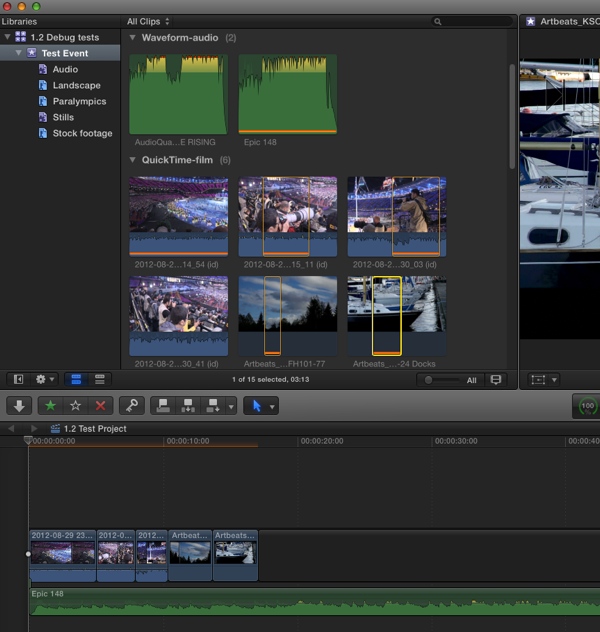
Here's a bunch of clips that I have edited in the Timeline. As you can see Used Media Ranges are displayed correctly:
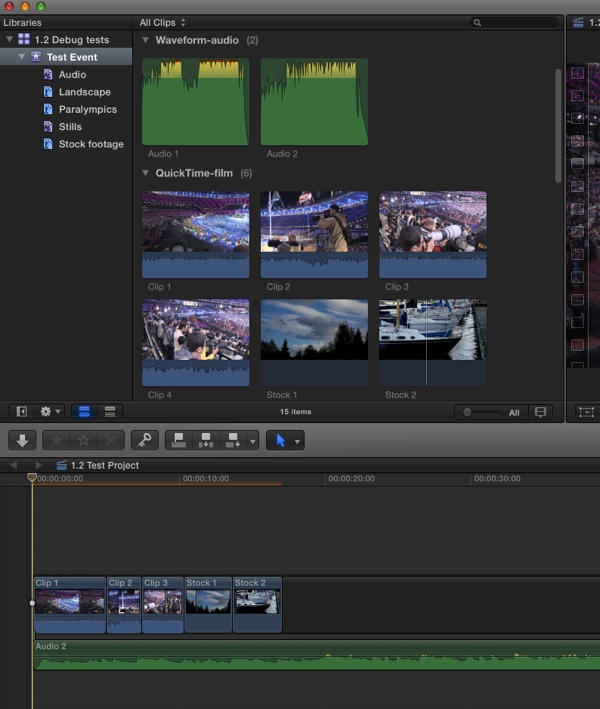
Now I rename the clips in the Browser, I delete the clips from the Timeline and I re-edit them in. I select "Show Used Media Ranges" in the View menu, but no Used Media ranges are showing:
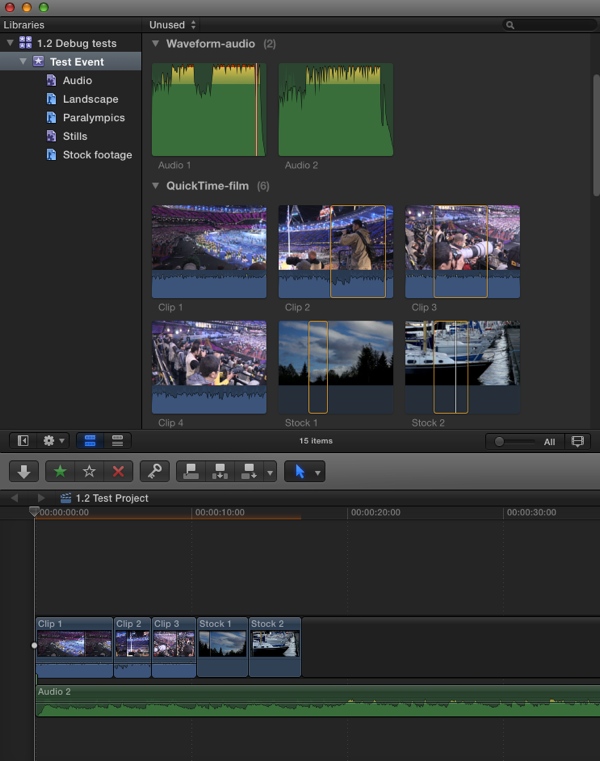
When I select the "unused" filter nothing happens either (which seems logical as no Used Media Ranges are displayed):
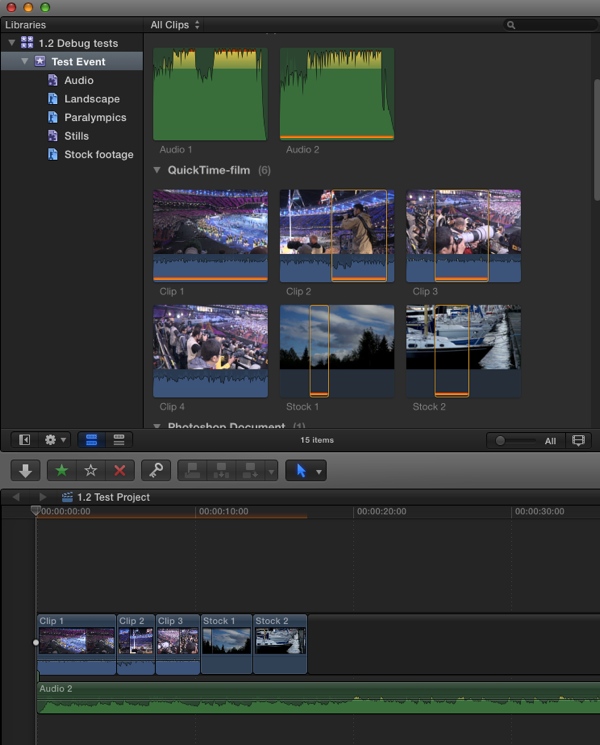
Then I just quit FCP X, re-launch the app and instantly the Used Media Ranges are displayed:
Can someone confirm this before I file a bug report?
- Ronny
Here's a bunch of clips that I have edited in the Timeline. As you can see Used Media Ranges are displayed correctly:
Now I rename the clips in the Browser, I delete the clips from the Timeline and I re-edit them in. I select "Show Used Media Ranges" in the View menu, but no Used Media ranges are showing:
When I select the "unused" filter nothing happens either (which seems logical as no Used Media Ranges are displayed):
Then I just quit FCP X, re-launch the app and instantly the Used Media Ranges are displayed:
Can someone confirm this before I file a bug report?
- Ronny
Please Log in to join the conversation.

06 Jul 2014 13:20 - 06 Jul 2014 13:43 #49265
by BenB
Replied by BenB on topic Used Media Ranges quirk
I'm trying to test it, but I found another bug. I select multiple ranges of a QT clip, created in Motion. E, and I get the following message. The Timeline I'm editing to is totally empty. I'm not making compounds, I'm simply append editing. WTH?
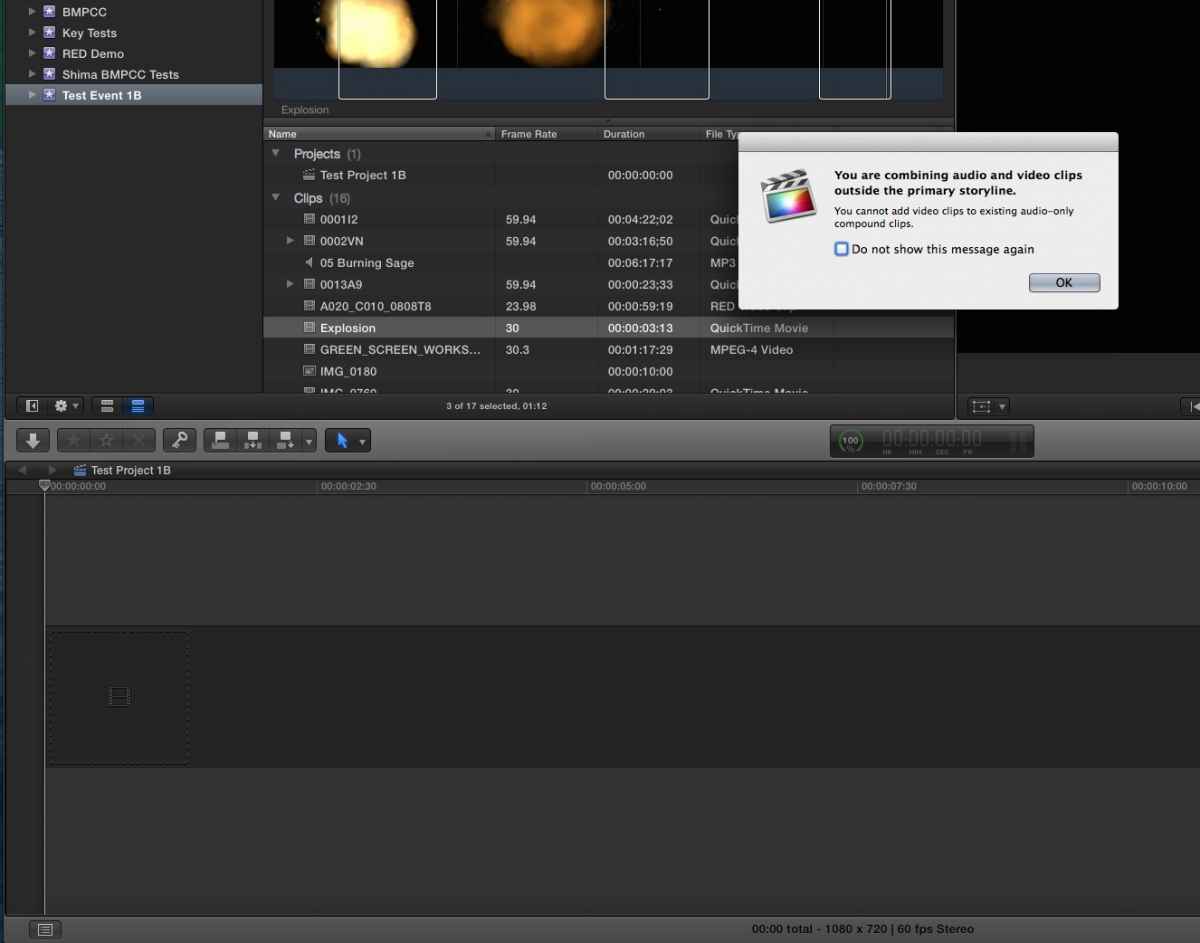
This is a Project created before the 10.1.2 update. I created a new Project, and it works just fine. BTW, when were we not able to add video to an "audio only compound clip"? Wha....?
So I created an audio only Compound, and could very easily add video to it. What?
This is a Project created before the 10.1.2 update. I created a new Project, and it works just fine. BTW, when were we not able to add video to an "audio only compound clip"? Wha....?
So I created an audio only Compound, and could very easily add video to it. What?
Last edit: 06 Jul 2014 13:43 by BenB.
Please Log in to join the conversation.
06 Jul 2014 14:02 #49266
by BenB
Replied by BenB on topic Used Media Ranges quirk
Ronney, I can confirm the bug you found. I'm replicating it exactly. Let's hit the feedback page!
Please Log in to join the conversation.
- ronny courtens
-
Topic Author
- Offline
- Moderator
-
Less
More
- Posts: 4455
- Thank you received: 962
06 Jul 2014 14:15 #49270
by ronny courtens
Replied by ronny courtens on topic Used Media Ranges quirk
Thanks Ben. I can also confirm the strange message you have seen. Seems old Projects still contain certain information even when you delete all the media inside them. Creating a new Project prevents this message from appearing. I am testing some other things right now, then I will submit detailed feedback.
- Ronny
- Ronny
Please Log in to join the conversation.
- Andreas Kiel
-

- Offline
- Platinum Member
-

Less
More
- Posts: 1077
- Thank you received: 189
06 Jul 2014 15:55 - 06 Jul 2014 16:10 #49279
by Andreas Kiel
Replied by Andreas Kiel on topic Used Media Ranges quirk
I can confirm as well. Just made a small test.
I'm fighting with another problem which probably doesn't affect most of you.
I'm working with some people who do have a real lot of subtitles while "work is in progress" – so not a finished movie. 10.1.2 is way slower than 10.1.1 (which was slow as well) and is crashing quite often.
For previews with external subtitles one could switch the subtitles off create a movie and an XML where the subtitles can be read from. This works somehow fine. But depending on the lane and connected clips there is a timecode shift. These even come up often enough even if you re-import the XML.
I first thought why not copy all titles from the timeline index and paste them into a new project, but then I remembered that this only makes partial sense since subtitles with fades are compound clips and fades inside the compound clips will be lost - that always had been like that.
Now manually selecting 1000 - 2000 titles if they are in the right lane was another option. Lengthy procedure. The new project now has only subtitles connected to one gap in the primary storyline. Exporting an XML will shift all subtitles exactly for 3600 seconds. But the titles being attached to clips in the event are forgotten. Very weird.
For better understanding – a screenshot of a simple one
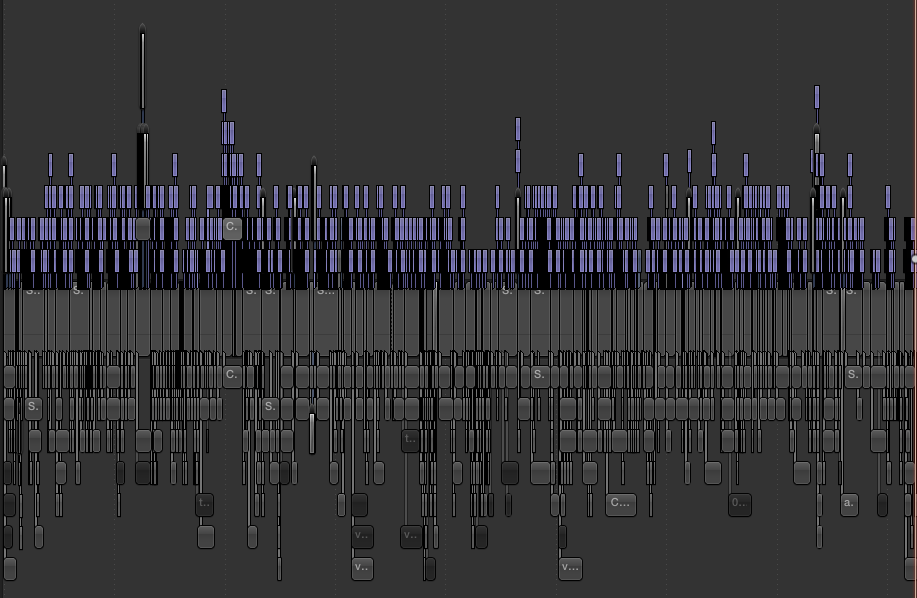
- Andreas
I'm fighting with another problem which probably doesn't affect most of you.
I'm working with some people who do have a real lot of subtitles while "work is in progress" – so not a finished movie. 10.1.2 is way slower than 10.1.1 (which was slow as well) and is crashing quite often.
For previews with external subtitles one could switch the subtitles off create a movie and an XML where the subtitles can be read from. This works somehow fine. But depending on the lane and connected clips there is a timecode shift. These even come up often enough even if you re-import the XML.
I first thought why not copy all titles from the timeline index and paste them into a new project, but then I remembered that this only makes partial sense since subtitles with fades are compound clips and fades inside the compound clips will be lost - that always had been like that.
Now manually selecting 1000 - 2000 titles if they are in the right lane was another option. Lengthy procedure. The new project now has only subtitles connected to one gap in the primary storyline. Exporting an XML will shift all subtitles exactly for 3600 seconds. But the titles being attached to clips in the event are forgotten. Very weird.
For better understanding – a screenshot of a simple one
- Andreas
Last edit: 06 Jul 2014 16:10 by Andreas Kiel.
Please Log in to join the conversation.
