


- Posts: 46
- Thank you received: 0
3 Post Moderation Rule for New Boarders (25 Jan 2021)
New boarders will have their posts moderated - Don't worry if you cannot see your post immediately.
relink problems
10 Jun 2014 02:22 - 10 Jun 2014 02:39 #47567
by Doug108
relink problems was created by Doug108
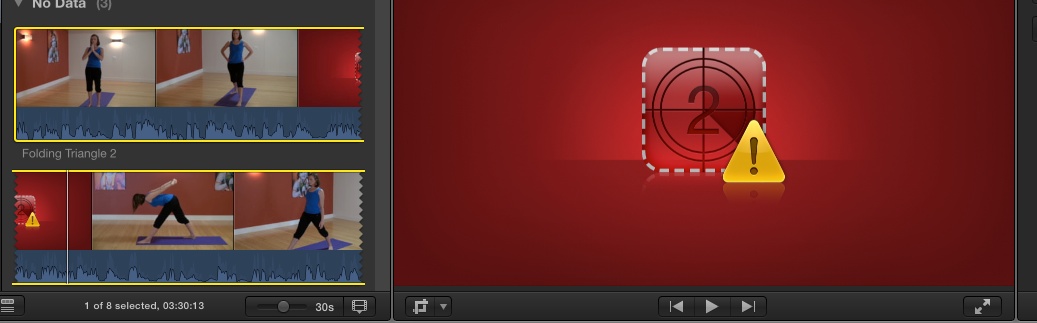
I completed a short project a few days ago, but today when I opened up that library, I noticed a triangle and exclamation mark on one of the clips in that project. Apparantly that means the clip has gone AWOL. I clicked the relink item under File menu and the dialogue box pops up. Selecting the file listed I then clicked locate.
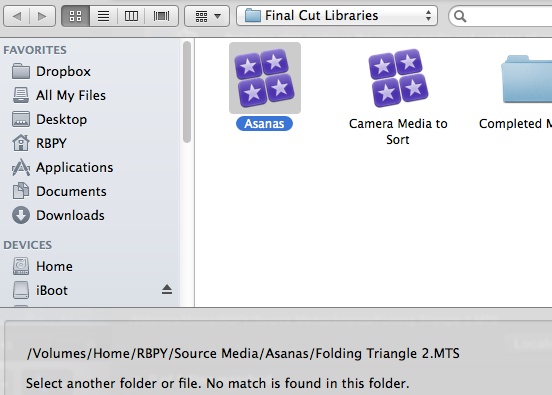
Now the file is supposed to be in /Volumes/Home/RBPY/Final Cut Libraries/Asanas.fcpbundle/Folding Triangle/Original Media/Folding Triangle 2 (fcp1).mts
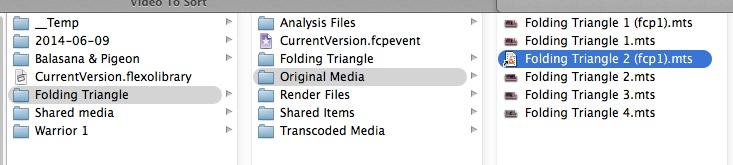
but the locate dialogues will not let me get past the Asana Library. When I open the library using "Show Contents" in Finder I can navigate as the above path and see the file quite clearly. Also the original file of Folding Triangle 2.mts is there as well. But I can't find anyway to get the program to see and therefore relink the file correctly. (see Attachments)
3 Questions
1) How to I relink this file
2) What made it become unlinked - the only thing I have done with files is once the project is completed I then delete all render files in both Event and Project using the menu commands from FCPX
3) What is the (fcp1) bit all about?
Appreciate any assistance.
Thanks
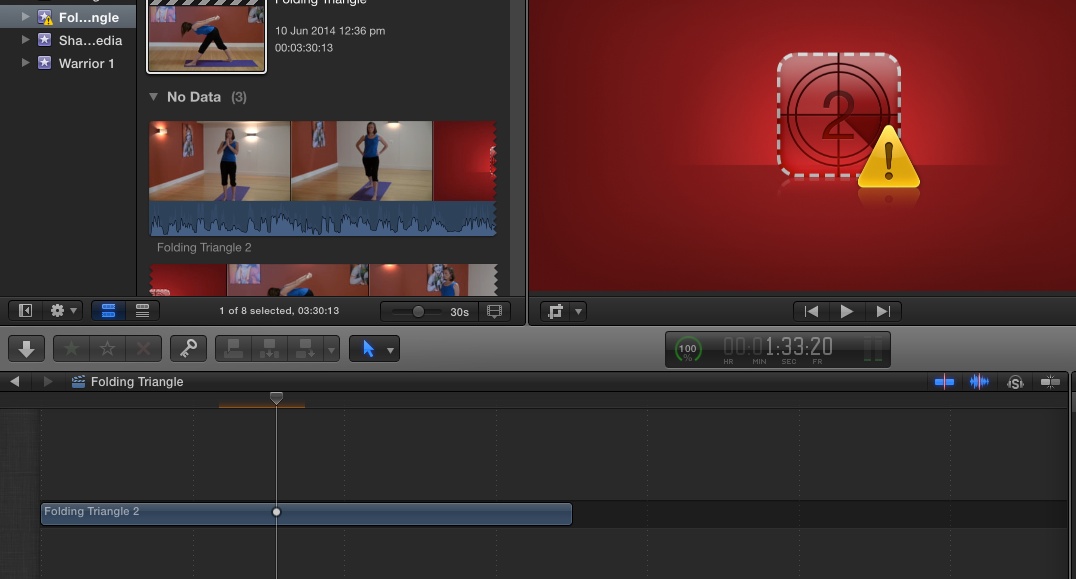
EDIT -- I just noticed that the timeline only shows one story line not the usual multi line display (if thats the right terminology) See Shot 4 -- So Obviously I have made a mistake maybe in the share or something. I am very new to FCPX.
Now the file is supposed to be in /Volumes/Home/RBPY/Final Cut Libraries/Asanas.fcpbundle/Folding Triangle/Original Media/Folding Triangle 2 (fcp1).mts
but the locate dialogues will not let me get past the Asana Library. When I open the library using "Show Contents" in Finder I can navigate as the above path and see the file quite clearly. Also the original file of Folding Triangle 2.mts is there as well. But I can't find anyway to get the program to see and therefore relink the file correctly. (see Attachments)
3 Questions
1) How to I relink this file
2) What made it become unlinked - the only thing I have done with files is once the project is completed I then delete all render files in both Event and Project using the menu commands from FCPX
3) What is the (fcp1) bit all about?
Appreciate any assistance.
Thanks
EDIT -- I just noticed that the timeline only shows one story line not the usual multi line display (if thats the right terminology) See Shot 4 -- So Obviously I have made a mistake maybe in the share or something. I am very new to FCPX.
Last edit: 10 Jun 2014 02:39 by Doug108.
Please Log in to join the conversation.
- Carsten Orlt
-

- Offline
- Platinum Member
-

Less
More
- Posts: 422
- Thank you received: 82
10 Jun 2014 04:03 #47570
by Carsten Orlt
Replied by Carsten Orlt on topic relink problems
Yes you are correct that you can't access the library bundles through the normal file dialogue in OSX, this goes for any instance, e.g. importing files.
What you can do to relink is to grab the file in the finder and manually drop it over your event. It should now relink. To be sure it will stay that way just select 'consolidate event files' from the file menu and select your library as the destination. If all are in the library FCP should come back with 'nothing to consolidate' if not it will copy the files.
Why it happened in the first place I don't. Only guess looking at your screenshots is that that particular file was looking for media externally (hence the alias icon).
I haven't figured out myself why FCP sometimes adds a file a second time with the (fcp1) extension. But it needs all of them
Hope that helps
Happy editing
What you can do to relink is to grab the file in the finder and manually drop it over your event. It should now relink. To be sure it will stay that way just select 'consolidate event files' from the file menu and select your library as the destination. If all are in the library FCP should come back with 'nothing to consolidate' if not it will copy the files.
Why it happened in the first place I don't. Only guess looking at your screenshots is that that particular file was looking for media externally (hence the alias icon).
I haven't figured out myself why FCP sometimes adds a file a second time with the (fcp1) extension. But it needs all of them
Hope that helps
Happy editing
Please Log in to join the conversation.
10 Jun 2014 06:29 #47572
by Doug108
Replied by Doug108 on topic relink problems
Thanks a heap -- your solution didn't actually solve it, but it made me look further and I found out what the issue was. It wasn't actually a missing clip -- it was a missing third party split screen generator that had somehow become uninstalled from FCPX.
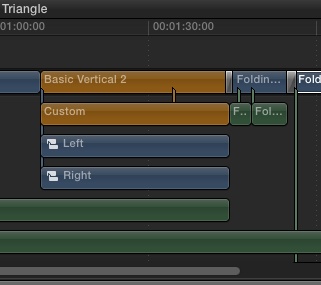
I right clicked in the timeline and selected "Open in Timeline" and the whole thing expanded. (See attachment) then as I moved the play head and it came to the "Basic vertical 2" and the "Custom" clips it went blank. That was when it struck me that it was the plugin not the clip that was the issue. I reinstalled it and bingo all was well.
So thanks because it made me look further and I have posted the solution in case anyone else suffers this behaviour.
I right clicked in the timeline and selected "Open in Timeline" and the whole thing expanded. (See attachment) then as I moved the play head and it came to the "Basic vertical 2" and the "Custom" clips it went blank. That was when it struck me that it was the plugin not the clip that was the issue. I reinstalled it and bingo all was well.
So thanks because it made me look further and I have posted the solution in case anyone else suffers this behaviour.
Please Log in to join the conversation.
