


- Posts: 929
- Thank you received: 131
3 Post Moderation Rule for New Boarders (25 Jan 2021)
New boarders will have their posts moderated - Don't worry if you cannot see your post immediately.
QuickTip: Selecting a clip without moving the playhead
05 Nov 2011 04:19 #2043
by tpayton
QuickTip: Selecting a clip without moving the playhead was created by tpayton
Want to select a clip without moving the playhead and without turning on skimming?
It's super easy. Turn off skimming and then move your mouse over the clip you want to select and type C or X. It works even while playing. Very cool.
Great for looking at the color settings on another clip like this:
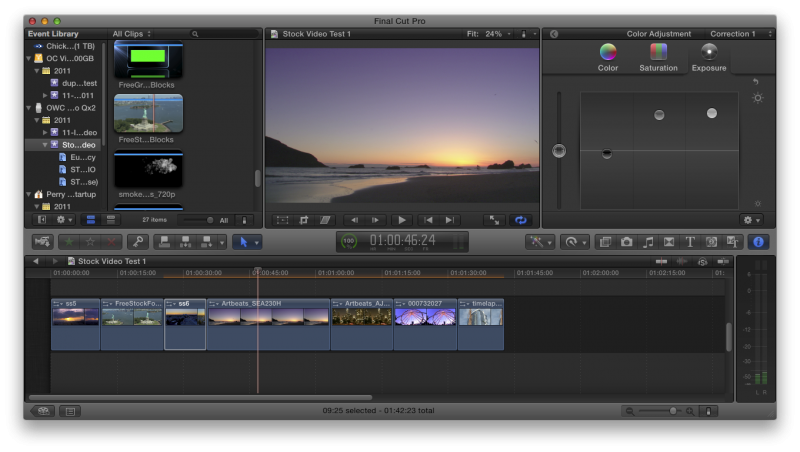
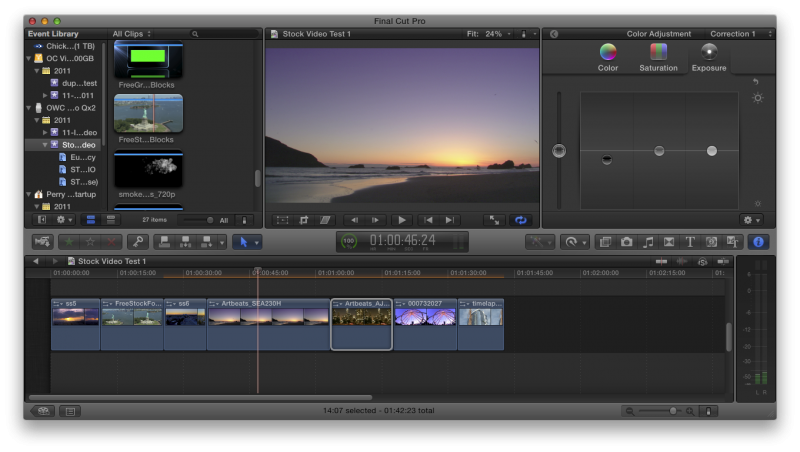
Or making other adjustments:
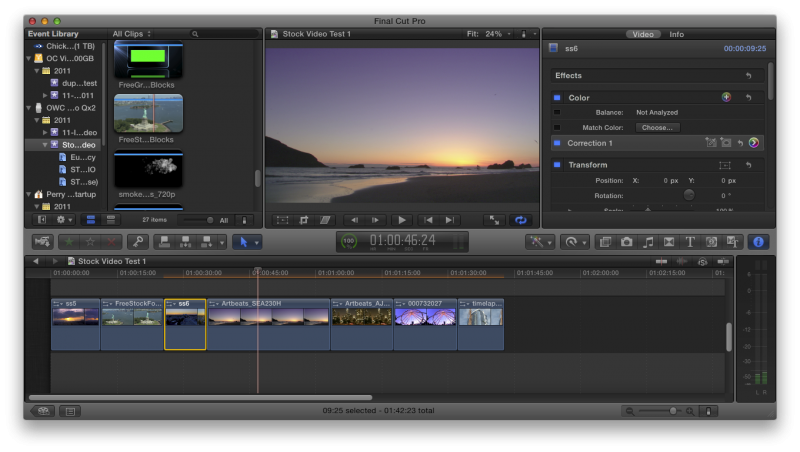
Enjoy!
It's super easy. Turn off skimming and then move your mouse over the clip you want to select and type C or X. It works even while playing. Very cool.
Great for looking at the color settings on another clip like this:
Or making other adjustments:
Enjoy!
Please Log in to join the conversation.

05 Nov 2011 04:58 #2044
by alex4D
Replied by alex4D on topic Re: QuickTip: Selecting a clip without moving the playhead
Option-clicking also works too.
Please Log in to join the conversation.
05 Nov 2011 05:02 - 05 Nov 2011 05:02 #2045
by tpayton
Replied by tpayton on topic Re: QuickTip: Selecting a clip without moving the playhead
Option-clicking, that is even better! (Note that skimming does have to be off.)
So have you found a way by chance to select the next or previous clip without having multiple keystrokes (i.e. ";" and then "c")
So have you found a way by chance to select the next or previous clip without having multiple keystrokes (i.e. ";" and then "c")
Last edit: 05 Nov 2011 05:02 by tpayton.
Please Log in to join the conversation.
- ronny courtens
-

- Offline
- Moderator
-

Less
More
- Posts: 4455
- Thank you received: 962
06 Nov 2011 01:04 - 06 Nov 2011 01:08 #2053
by ronny courtens
Replied by ronny courtens on topic Re: QuickTip: Selecting a clip without moving the playhead
You don't have to turn skimming off to select a clip by pressing C or by Option-clicking it. Place your playhead on any part of the timeline, skim to any clip and press C or Option-click. The clip will be selected and its properties will be displayed in the Inspector.
Pressing X on a clip with the skimmer on will also select it and its properties will also be displayed in the Inspector. The only difference is that when you use the skimmer and press X the clip gets a Range selection instead of a standard selection applied to it.
Pressing X on a clip with the skimmer on will also select it and its properties will also be displayed in the Inspector. The only difference is that when you use the skimmer and press X the clip gets a Range selection instead of a standard selection applied to it.
Last edit: 06 Nov 2011 01:08 by ronny courtens.
Please Log in to join the conversation.
