


3 Post Moderation Rule for New Boarders (25 Jan 2021)
New boarders will have their posts moderated - Don't worry if you cannot see your post immediately.
Round tripping with final Mix


01 Jun 2014 13:14 - 01 Jun 2014 13:15 #47090
by Seanus
Sean Lander - Editing since 1982 - AVID 1991 - FCP 1999 - FCPX 2011
Round tripping with final Mix was created by Seanus
So I put my faith in X2Pro and I have to say it worked very well.
The mix is now done and has been mastered.
However just for myself I want to take it back into FCP X and lay it up as if I was going to do the final output myself.
This got me thinking. In FCP 7 or AVID it's pretty easy: Duplicate the sequence, select all the the audio and DELETE. Then edit in the new mix.
This is actually not so easy to do with FCP X. I guess I could either. Select all and break apart everything and then delete the audio but I have Voice Over (light green) in the Primary Storyline OR Send everything into a compound clip and then turn the volume down to 0.
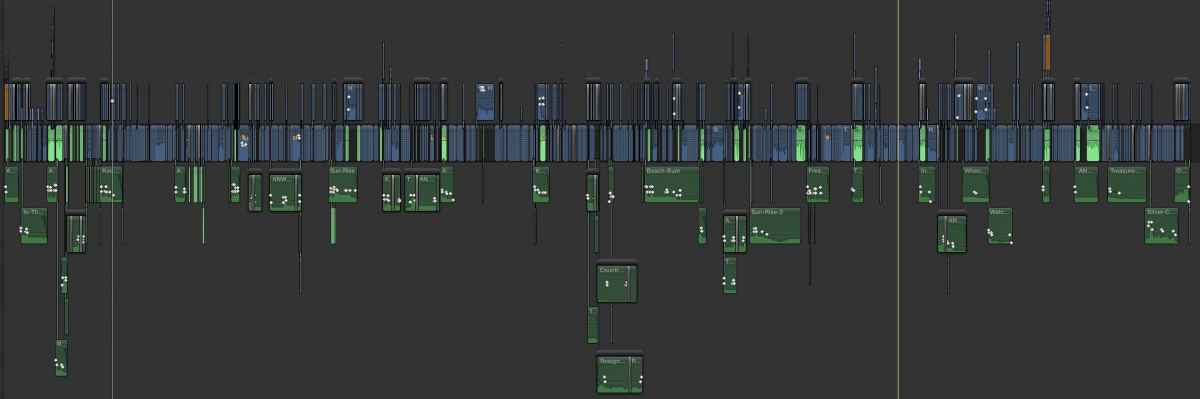
This is what my timeline looks like... What would you do?
The mix is now done and has been mastered.
However just for myself I want to take it back into FCP X and lay it up as if I was going to do the final output myself.
This got me thinking. In FCP 7 or AVID it's pretty easy: Duplicate the sequence, select all the the audio and DELETE. Then edit in the new mix.
This is actually not so easy to do with FCP X. I guess I could either. Select all and break apart everything and then delete the audio but I have Voice Over (light green) in the Primary Storyline OR Send everything into a compound clip and then turn the volume down to 0.
This is what my timeline looks like... What would you do?
Sean Lander - Editing since 1982 - AVID 1991 - FCP 1999 - FCPX 2011
Last edit: 01 Jun 2014 13:15 by Seanus.
Please Log in to join the conversation.
- Tom Wolsky
-

- Offline
- Moderator
-

01 Jun 2014 14:00 #47091
by Tom Wolsky
Replied by Tom Wolsky on topic Round tripping with final Mix
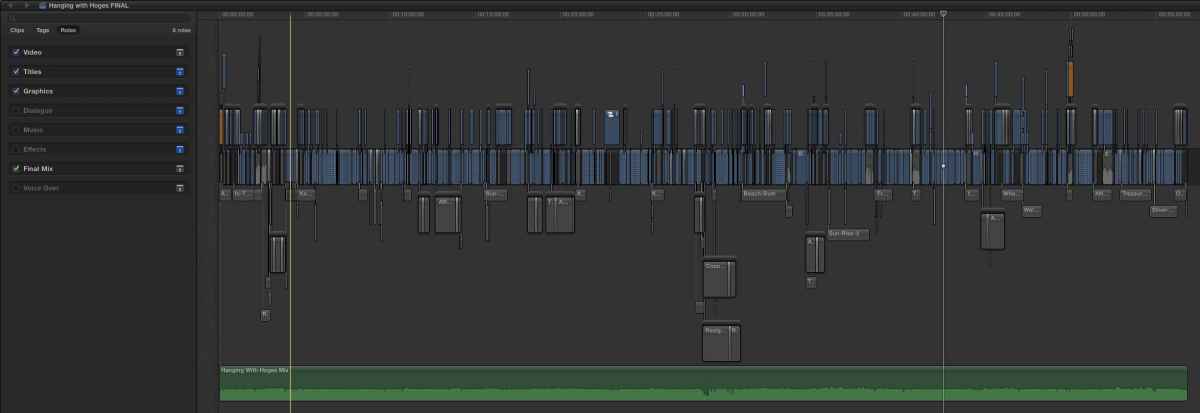
Open the timeline index. Select all the audio roles and disable them. Put in the master mix and create a new, enabled role for it.
Please Log in to join the conversation.
01 Jun 2014 21:56 - 01 Jun 2014 22:02 #47107
by Seanus
Sean Lander - Editing since 1982 - AVID 1991 - FCP 1999 - FCPX 2011
Replied by Seanus on topic Round tripping with final Mix
Of course! so simple. When I export this file as a Master will FCP X ignore the disabled roles?
Sean Lander - Editing since 1982 - AVID 1991 - FCP 1999 - FCPX 2011
Last edit: 01 Jun 2014 22:02 by Seanus.
Please Log in to join the conversation.
- Tom Wolsky
-
- Offline
- Moderator
-
01 Jun 2014 22:15 #47109
by Tom Wolsky
Replied by Tom Wolsky on topic Round tripping with final Mix
Not quite. You have to disable the roles you don't want in the Share window when you export your master file.
Please Log in to join the conversation.

02 Jun 2014 11:25 - 02 Jun 2014 11:49 #47124
by Dawar
Replied by Dawar on topic Round tripping with final Mix
Thanks for sharing, I hadn't think of multitracks export for this case.
I also was doing what Seanus said, breaking apart all audio and disabling it with « V » keystroke.
Your suggestion Tom is even simpler. I did a test with a timeline looking like Seanus one :
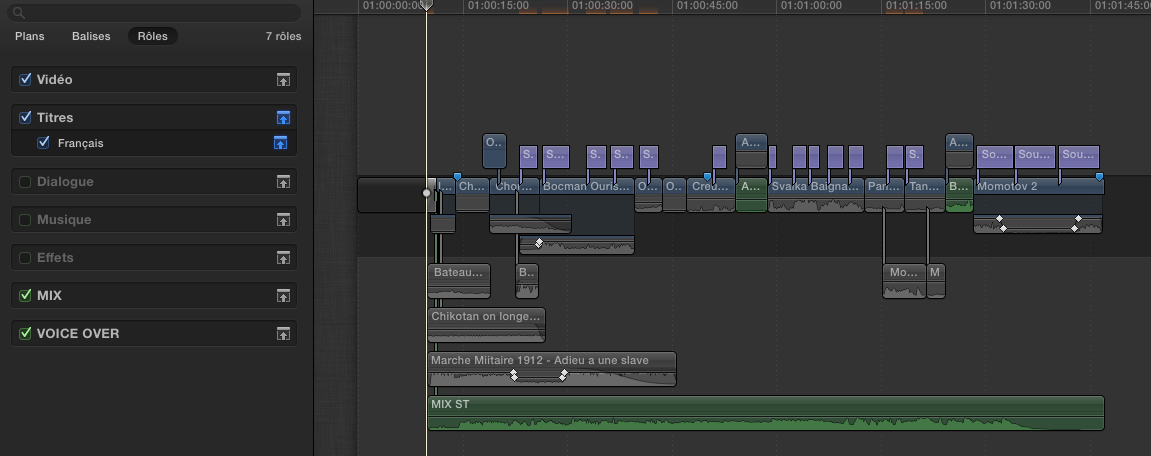
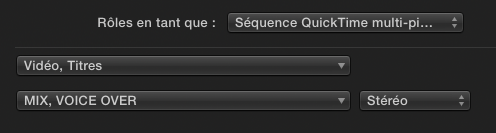
In the Share window, I put only one audio track including MIX + VOICE OVER roles :
I also was doing what Seanus said, breaking apart all audio and disabling it with « V » keystroke.
Your suggestion Tom is even simpler. I did a test with a timeline looking like Seanus one :
In the Share window, I put only one audio track including MIX + VOICE OVER roles :
Last edit: 02 Jun 2014 11:49 by Dawar.
Please Log in to join the conversation.
