- Posts: 34
- Thank you received: 0
3 Post Moderation Rule for New Boarders (25 Jan 2021)
New boarders will have their posts moderated - Don't worry if you cannot see your post immediately.
Beginner Question - Help fixing Green/Blue Swim Video
09 May 2014 16:37 - 09 May 2014 16:39 #45835
by SFA2013
Beginner Question - Help fixing Green/Blue Swim Video was created by SFA2013
I've finished one of the tutorial books, all 370 pages, and am trying a few projects using my own videos. I shot a few videos of our swim club, but never did anything with them as the color was horrible. I don't know how to fix.
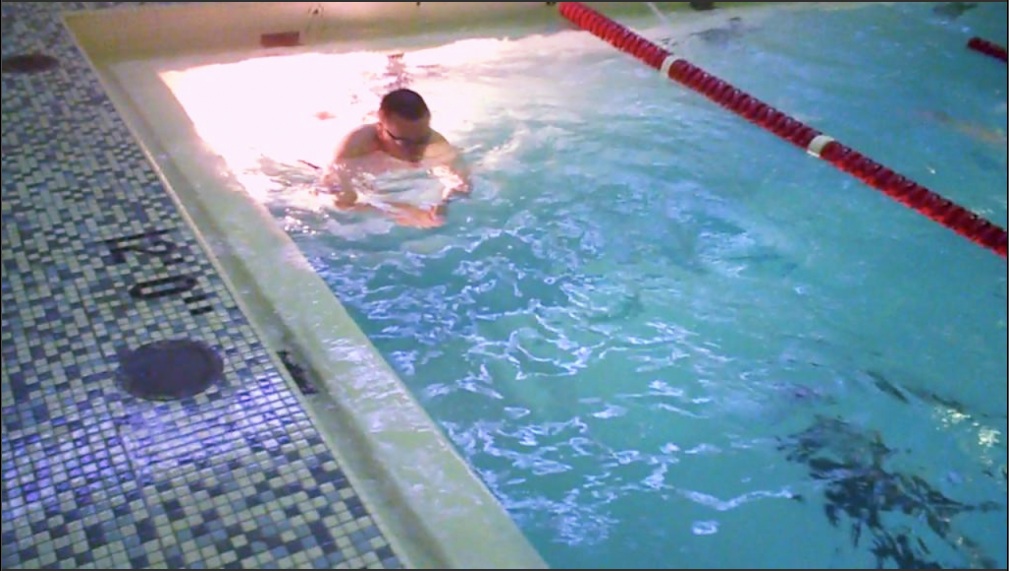
Here is a still exported to see the problem:

The small tiles in the mosaic are white, as is the pool border.
Here is the exposure using Luma. I think I fixed this OK:

In case not, or it would be helpful, here is the histogram view:

I think saturation is OK too:

I've played around with color and can't get rid of the blue/green. So I set everything to default, and here is what the RGB parade looks like:

Please could someone give me some tips on how to fix a blue/green cast like this?
Here is a still exported to see the problem:
The small tiles in the mosaic are white, as is the pool border.
Here is the exposure using Luma. I think I fixed this OK:
In case not, or it would be helpful, here is the histogram view:
I think saturation is OK too:
I've played around with color and can't get rid of the blue/green. So I set everything to default, and here is what the RGB parade looks like:
Please could someone give me some tips on how to fix a blue/green cast like this?
Last edit: 09 May 2014 16:39 by SFA2013.
Please Log in to join the conversation.

09 May 2014 16:49 #45836
by Dave_EP
Replied by Dave_EP on topic Beginner Question - Help fixing Green/Blue Swim Video
Temporarily crop the image so that just the area that is supposed to be white is left showing, then look at the vector scope to see where the colour cast is. That should help you fix it more easily than looking at a vector scope for the entire frame.
Once you have it corrected un-crop and see what you have.
If may be that if you were under mixed lighting (e.g. daylight and tungsten) then complete correction will be harder than you hope.
Once you have it corrected un-crop and see what you have.
If may be that if you were under mixed lighting (e.g. daylight and tungsten) then complete correction will be harder than you hope.
Please Log in to join the conversation.
09 May 2014 16:54 - 09 May 2014 16:59 #45838
by Dave_EP
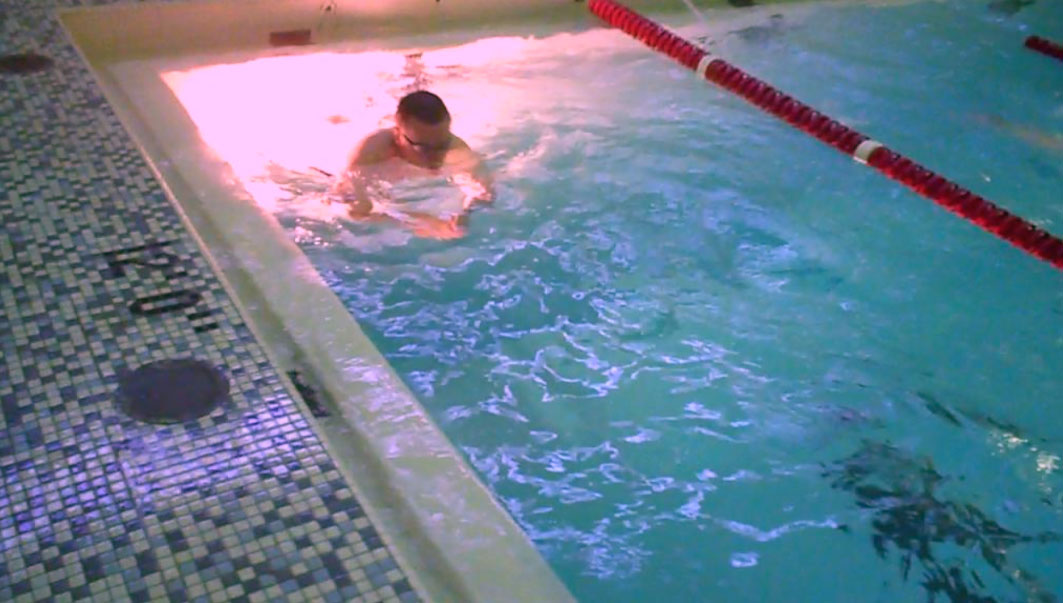
Something more like this (I only spent about 5 seconds on it).
You may then want to mask the underwater light area, add a colour selection and correct that separately.
Replied by Dave_EP on topic Beginner Question - Help fixing Green/Blue Swim Video
Something more like this (I only spent about 5 seconds on it).
You may then want to mask the underwater light area, add a colour selection and correct that separately.
Last edit: 09 May 2014 16:59 by Dave_EP.
Please Log in to join the conversation.
- cinemaloha
-

- Offline
- Elite Member
-

Less
More
- Posts: 163
- Thank you received: 36
09 May 2014 17:14 - 09 May 2014 17:18 #45839
by cinemaloha
Replied by cinemaloha on topic Beginner Question - Help fixing Green/Blue Swim Video
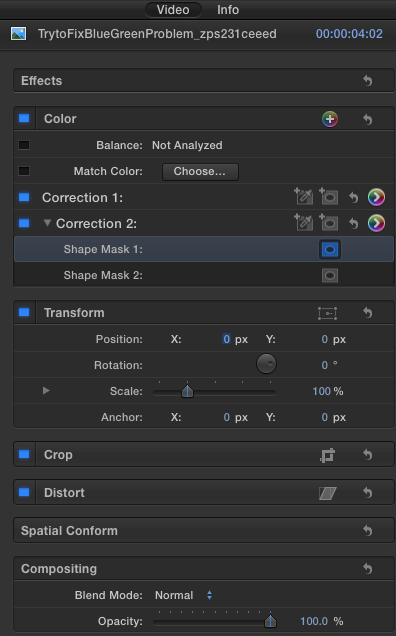
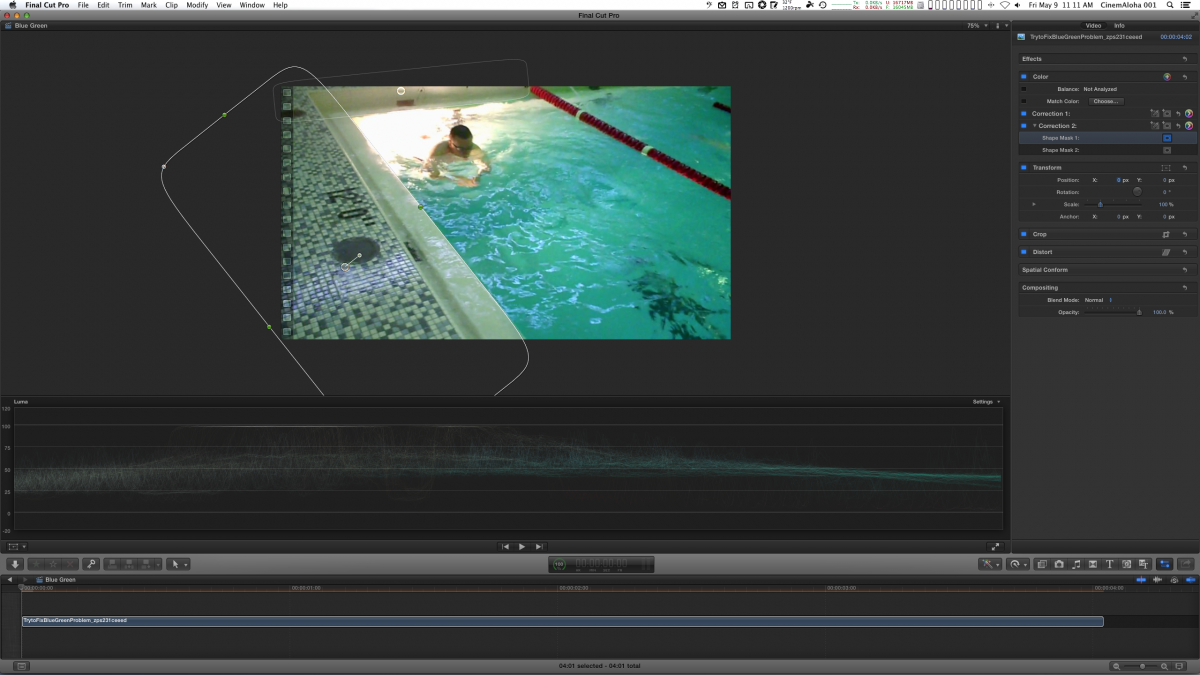
As you can see in the screenshots, I used 2 shape masks and desaturated & some color adjustments.
2 Shapes Masks
Desaturated a bit
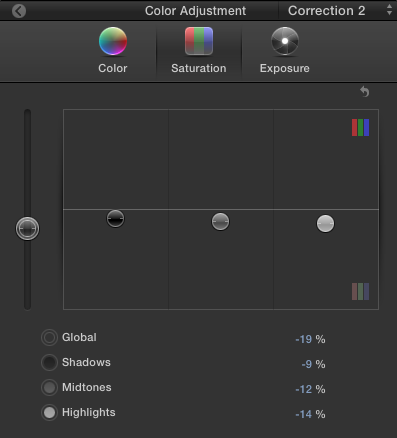
Color Correct
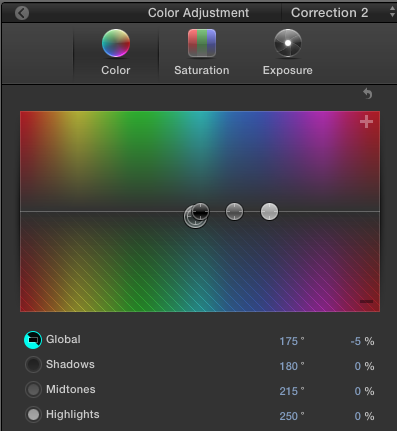
2 Shapes Masks
Desaturated a bit
Color Correct
Last edit: 09 May 2014 17:18 by cinemaloha.
Please Log in to join the conversation.
09 May 2014 18:35 #45840
by SFA2013
Replied by SFA2013 on topic Beginner Question - Help fixing Green/Blue Swim Video
Thank you for the help. By sharing your settings, I can see what I was missing.
Please Log in to join the conversation.
09 May 2014 23:48 - 09 May 2014 23:49 #45850
by tpayton
Replied by tpayton on topic Beginner Question - Help fixing Green/Blue Swim Video
If I may interject, the unbelievably excellent HyColor Pro fixes this with a single click to remove green cast:
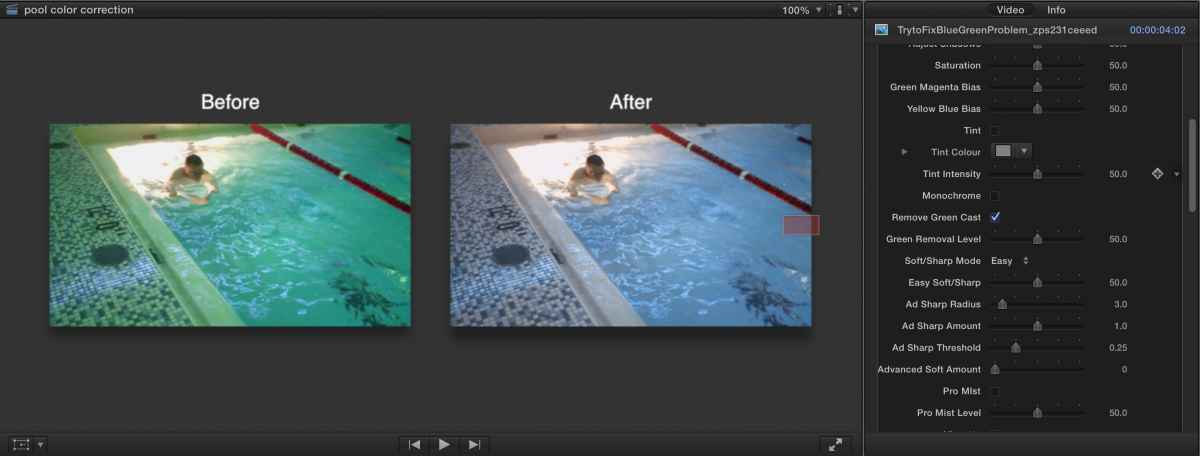
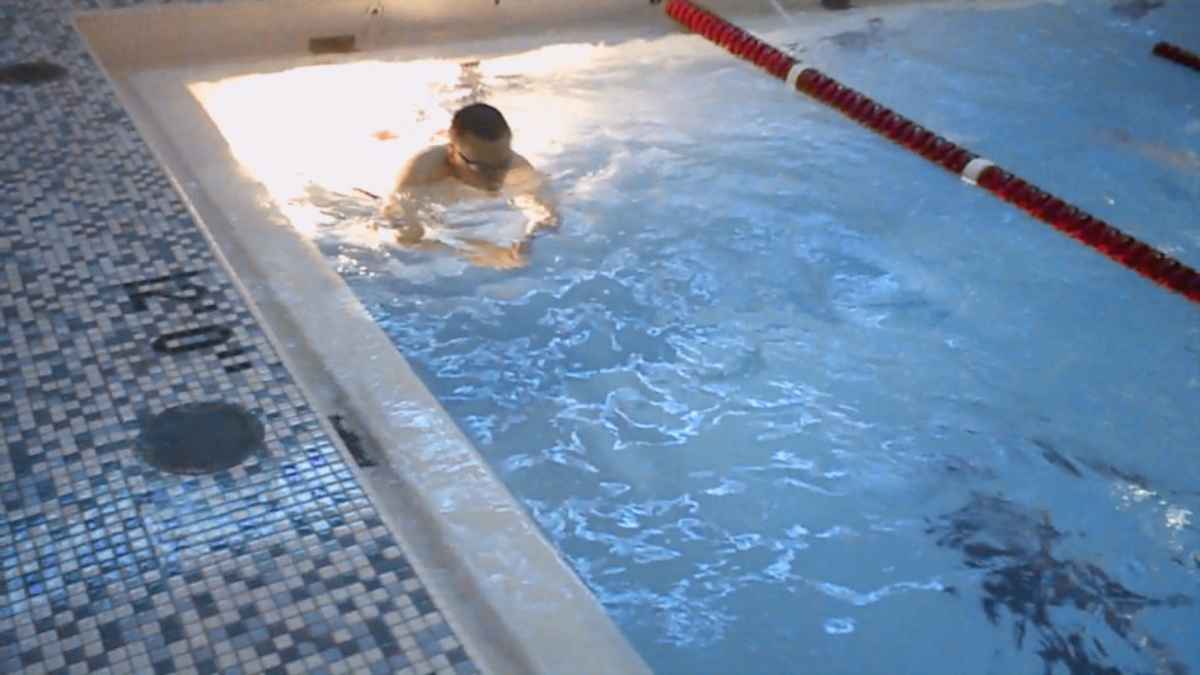
As a side note, I'm becoming increasingly convinced that the color correction we need with digital video is not a three way corrector model like the color board, but white balance correction and exposure correction. Careful though, if you start using HyColor Pro you'll get super spoiled. It does correction, sharpening, comparison, etc. It's pretty fantastic. It's $45 but for my time it is well worth it.
www.hyfx.tv/hycolourpro
As a side note, I'm becoming increasingly convinced that the color correction we need with digital video is not a three way corrector model like the color board, but white balance correction and exposure correction. Careful though, if you start using HyColor Pro you'll get super spoiled. It does correction, sharpening, comparison, etc. It's pretty fantastic. It's $45 but for my time it is well worth it.
www.hyfx.tv/hycolourpro
Last edit: 09 May 2014 23:49 by tpayton.
Please Log in to join the conversation.

09 May 2014 23:58 #45851
by BenB
Replied by BenB on topic Beginner Question - Help fixing Green/Blue Swim Video
Love Hycolor Pro!!!!
Please Log in to join the conversation.