


- Posts: 384
- Thank you received: 23
3 Post Moderation Rule for New Boarders (25 Jan 2021)
New boarders will have their posts moderated - Don't worry if you cannot see your post immediately.
Optimise native media.
28 Mar 2014 15:10 #43671
by Makki
Optimise native media. was created by Makki
This not a big issue. I shoot exdcam ex 35 on my JVC camera. I know this native media for FCPX but I am curious why I have no option to optimise to PRO Res 422 on import.
Please Log in to join the conversation.
- Tom Wolsky
-

- Offline
- Moderator
-

28 Mar 2014 15:29 #43674
by Tom Wolsky
Replied by Tom Wolsky on topic Optimise native media.
Because XDCAM uses an I-frame format do it's already optimized for playback.
Please Log in to join the conversation.
28 Mar 2014 16:25 #43677
by Makki
Replied by Makki on topic Optimise native media.
Yes I understand but one side effect is that I can not make archive or trim clips is not available on import.
Please Log in to join the conversation.
- Tom Wolsky
-
- Offline
- Moderator
-
28 Mar 2014 16:30 #43678
by Tom Wolsky
Replied by Tom Wolsky on topic Optimise native media.
That has nothing to do with optimizing. If you are importing from a camera or camera archive you have the option to selectively import segments. If you are importing the media directly from a hard drive, you do not. It's like importing a graphics file.
Please Log in to join the conversation.
28 Mar 2014 17:07 #43680
by Makki
Replied by Makki on topic Optimise native media.
No when I import from my camera to the hard drive, I do not have this option I described above. Or I am misunderstanding something ?
Please Log in to join the conversation.
- Tom Wolsky
-
- Offline
- Moderator
-
28 Mar 2014 17:11 #43681
by Tom Wolsky
Replied by Tom Wolsky on topic Optimise native media.
Can you post a screen shot of what you see in the import window?
Please Log in to join the conversation.
- Tom Wolsky
-
- Offline
- Moderator
-
28 Mar 2014 17:29 #43684
by Tom Wolsky
Replied by Tom Wolsky on topic Optimise native media.
After you click add file and select the file you have to click insert.
Please Log in to join the conversation.
- Tom Wolsky
-
- Offline
- Moderator
-
28 Mar 2014 17:43 - 28 Mar 2014 17:43 #43687
by Tom Wolsky
Replied by Tom Wolsky on topic Optimise native media.
Strange
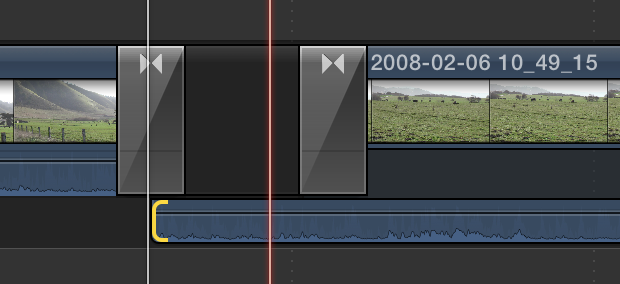
Are you using the Reply window? Not Quick Reply.
Are you using the Reply window? Not Quick Reply.
Last edit: 28 Mar 2014 17:43 by Tom Wolsky.
Please Log in to join the conversation.
28 Mar 2014 20:57 #43696
by Makki
Replied by Makki on topic Optimise native media.
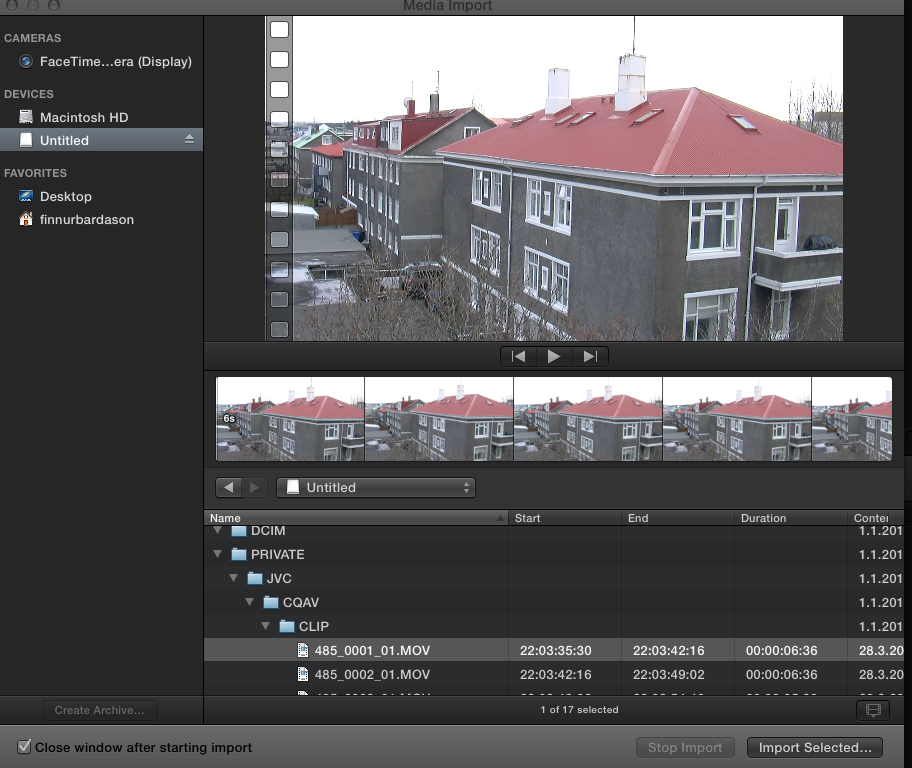
I think it is here I had to use PNG
Please Log in to join the conversation.
- Tom Wolsky
-
- Offline
- Moderator
-
28 Mar 2014 21:04 #43697
by Tom Wolsky
Replied by Tom Wolsky on topic Optimise native media.
It's showing up as a device, like a hard drive, not a camera. I wonder why that happens. Untitled is a camera card? Normally when the application sees a folder structure like that it appears in the Cameras section. Not sure why you're having to drill down into it like that.
Please Log in to join the conversation.
- Jonathan Levin
-

- Offline
- Platinum Member
-

Less
More
- Posts: 786
- Thank you received: 21
28 Mar 2014 22:44 #43700
by Jonathan Levin
Replied by Jonathan Levin on topic Optimise native media.
If that is the card that came out of camera, try putting card back in the camera, and then connect camera to your computer, then see how FCP try's to import that.
Not sure why card is called "untitled" since most camera formatted cards are called something other than untitled.
Not sure why card is called "untitled" since most camera formatted cards are called something other than untitled.
Please Log in to join the conversation.
- Tom Wolsky
-
- Offline
- Moderator
-
29 Mar 2014 07:31 #43709
by Tom Wolsky
Replied by Tom Wolsky on topic Optimise native media.
This is strange. Normally you don't see a card reader unless there's a card in it, and what you see is the name of the card not the reader.
Please Log in to join the conversation.
29 Mar 2014 09:21 #43717
by Makki
Replied by Makki on topic Optimise native media.
Thank you Tom for your time. Is it possible that the computer see the reader as a hard drive, because I can change the name on the desktop ?
Please Log in to join the conversation.
- Tom Wolsky
-
- Offline
- Moderator
-
29 Mar 2014 09:47 #43718
by Tom Wolsky
Replied by Tom Wolsky on topic Optimise native media.
Yes, I think that's what's happening.
Please Log in to join the conversation.
