


- Posts: 222
- Thank you received: 3
3 Post Moderation Rule for New Boarders (25 Jan 2021)
New boarders will have their posts moderated - Don't worry if you cannot see your post immediately.
Invert Mask
23 Mar 2014 23:38 #43280
by Rbelfi
Invert Mask was created by Rbelfi
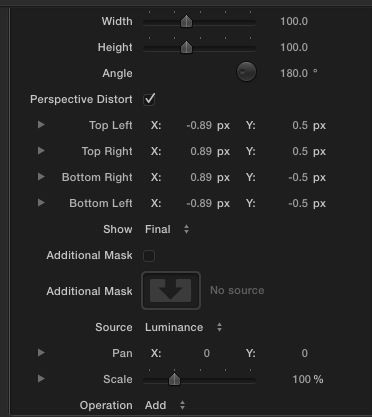
I've downloaded an 8-point mask and can't figure out how to invert the mask so that when I duplicate the clip on top of the original I can use a blur to blur out what I don't want seen. I've attached 2 screen grabs of the effect parameters. Any would would be awesome!

Please Log in to join the conversation.
- ronny courtens
-

- Offline
- Moderator
-

Less
More
- Posts: 4455
- Thank you received: 962
24 Mar 2014 15:44 - 24 Mar 2014 15:46 #43318
by ronny courtens
Replied by ronny courtens on topic Invert Mask
Hi Rob,
You don't need to invert the mask to do what you want to do.
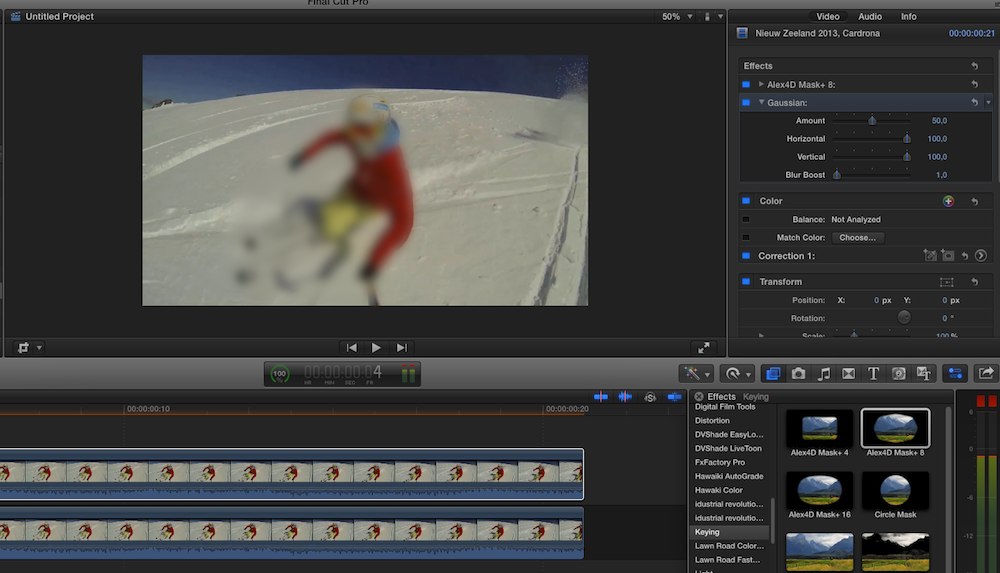
Duplicate the clip, put it on top of the original clip and apply the 8-point mask to the duplicate:

To blur out the picture inside the mask: add a blur filter to the duplicate clip:
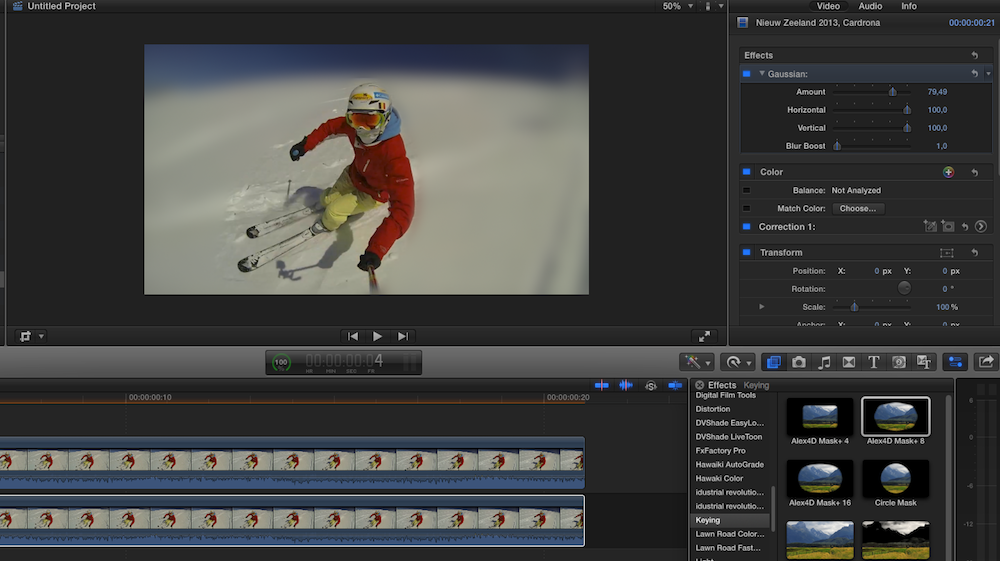
To blur out the picture outside the mask: add a blur filter to the original clip:
Hope this helps.
-Ronny
You don't need to invert the mask to do what you want to do.
Duplicate the clip, put it on top of the original clip and apply the 8-point mask to the duplicate:
To blur out the picture inside the mask: add a blur filter to the duplicate clip:
To blur out the picture outside the mask: add a blur filter to the original clip:
Hope this helps.
-Ronny
Last edit: 24 Mar 2014 15:46 by ronny courtens.
Please Log in to join the conversation.
24 Mar 2014 19:04 #43329
by Rbelfi
Replied by Rbelfi on topic Invert Mask
Well I made that way more difficult than it needed to be haha. Thanks for breaking it down!
Please Log in to join the conversation.
30 Mar 2014 01:56 #43772
by Rbelfi
Replied by Rbelfi on topic Invert Mask
Ronny, I have another question. I'm trying to keyframe the points and can't seem to get the keyframes to follow when i move them for the 2nd keyframe. I've tried hitting add keyframe for the whole effect, just the position, I've watched youtube video on similar masks, but I'm not getting it to work on my end. Would you happen to know how to keyframe a mask?
Please Log in to join the conversation.
- ronny courtens
-
- Offline
- Moderator
-
Less
More
- Posts: 4455
- Thank you received: 962
30 Mar 2014 13:12 #43789
by ronny courtens
Replied by ronny courtens on topic Invert Mask
Hi Rob,
The Alex 4D Mask does not allow you to animate the mask points. You can add keyframes, but they won't animate. You can animate the position and more parameters of the entire mask, but not the specific points.
There is a set of free masks in which you can animate the the mask points. But as OSC animation is limed to 4 points you will need to add two 4-point masks above each other to animate 8 points. It's all explained in this vid:
You can download the masks from the link under the video on Youtube. As I always use Slice-X w/Mocha for multipoint mask animation (a must-have if you do this on a regular basis) I haven't tried these masks yet. But if you watch the video you will be able to decide if this can help you or not.
-Ronny
The Alex 4D Mask does not allow you to animate the mask points. You can add keyframes, but they won't animate. You can animate the position and more parameters of the entire mask, but not the specific points.
There is a set of free masks in which you can animate the the mask points. But as OSC animation is limed to 4 points you will need to add two 4-point masks above each other to animate 8 points. It's all explained in this vid:
You can download the masks from the link under the video on Youtube. As I always use Slice-X w/Mocha for multipoint mask animation (a must-have if you do this on a regular basis) I haven't tried these masks yet. But if you watch the video you will be able to decide if this can help you or not.
-Ronny
Please Log in to join the conversation.
30 Mar 2014 23:00 #43817
by Rbelfi
Replied by Rbelfi on topic Invert Mask
Thanks for the help Ronny! Slice X seems like a great tool but for 100 I couldn't justify buying it as I don't need to key frame mask too often. The free one you suggested has a 4 mask options which equalled out to 16 points. Took a lot of adjusting but I was about to pull off the desired effect I was looking for. Thanks again!
Please Log in to join the conversation.
