


- Posts: 33
- Thank you received: 0
3 Post Moderation Rule for New Boarders (25 Jan 2021)
New boarders will have their posts moderated - Don't worry if you cannot see your post immediately.
FCPX/C100 uncompressed export question
20 Mar 2014 12:50 #43057
by Sunne718
FCPX/C100 uncompressed export question was created by Sunne718
What causes the lines/discoloration and wavyness as seen in some parts of this video
Example at 0:31 and 0:52 I've also attached a screen shot to see it better. Could this be caused by the sharpen plug in?
This video was shot on a Canon c100 with hyperdeck shuttle external recorder and edited in FCPX
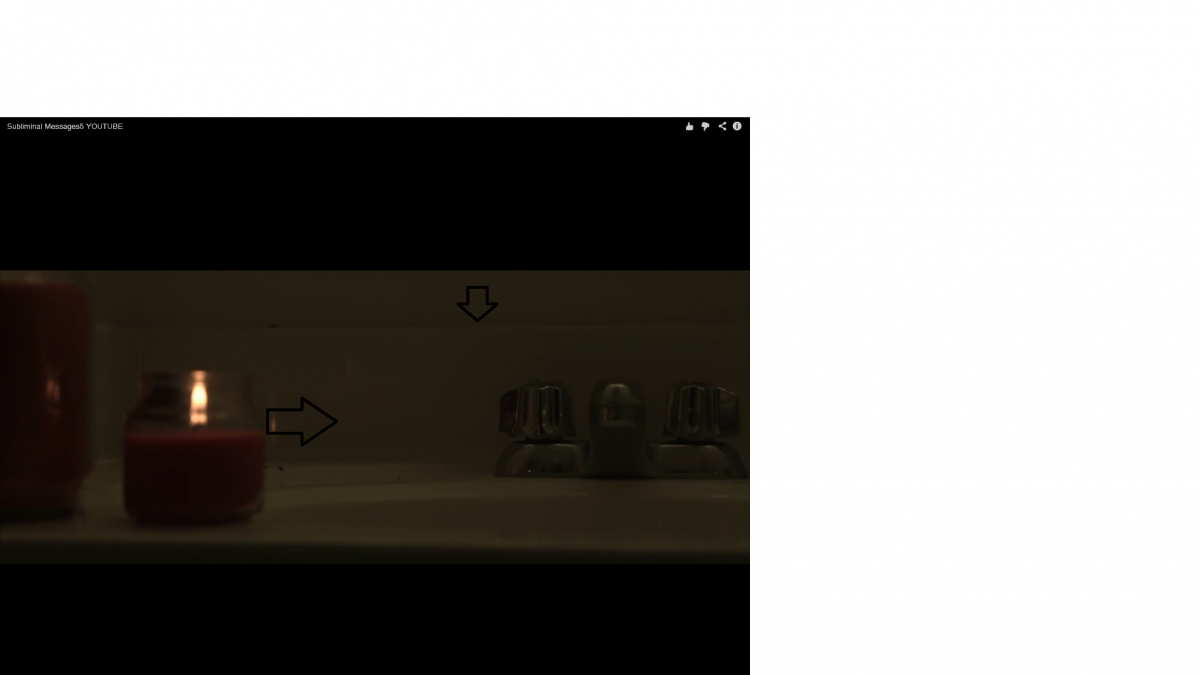
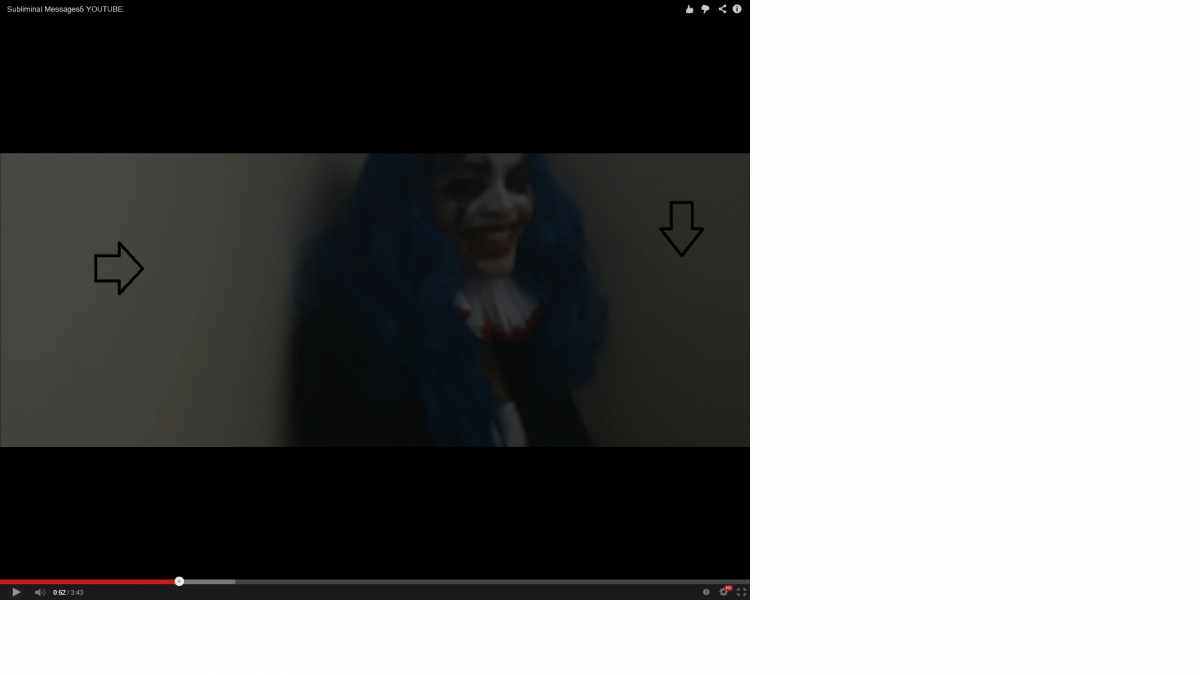
Example at 0:31 and 0:52 I've also attached a screen shot to see it better. Could this be caused by the sharpen plug in?
This video was shot on a Canon c100 with hyperdeck shuttle external recorder and edited in FCPX
Please Log in to join the conversation.
20 Mar 2014 22:28 - 20 Mar 2014 22:30 #43092
by Dave_EP
Replied by Dave_EP on topic FCPX/C100 uncompressed export question
Have you set the Field Dominance Override (required on every clip) to progressive? If not, FCPX is interpreting your footage as interlaced due to the way Canon encode the C100 within an interlaced codec internally, but I've also seen it within ProRes encoded files (Atomos). Some clips can look just plain nasty without this setting. I don't have any experience with the Hyperdeck, but it's worth trying and see if it makes any difference at all.
I've had direct discussions with Apple about this and they say that using the override is their recommended way to deal with it at this time.
I've had direct discussions with Apple about this and they say that using the override is their recommended way to deal with it at this time.
Last edit: 20 Mar 2014 22:30 by Dave_EP.
Please Log in to join the conversation.
20 Mar 2014 22:37 #43093
by Sunne718
Replied by Sunne718 on topic FCPX/C100 uncompressed export question
Yes everything is set to progressive, I wonder if I select "upper first" will it change
Please Log in to join the conversation.
- haysoos123
-

- Offline
- Platinum Member
-

Less
More
- Posts: 402
- Thank you received: 72
21 Mar 2014 22:19 #43178
by haysoos123
Replied by haysoos123 on topic FCPX/C100 uncompressed export question
It looks like you're talking about the stair-stepping/banding in the color gradients, according to your arrows in the stills. This doesn't have anything to do with interlacing, I don't think. And also as you say, everything is set to progressive which is correct.
This kind of banding happens a lot in darker scenes. You should check your master to see if it's there, or if it's the youtube compression that's primarily the cause. You may also be using some sort of filter that's making it worse. Also, if you really underlit the shot and tried to brighten it too much, it could also be the cause. There's just not a lot of color information there. Both the C100 and C300 are very good at low light, but it depends on how you shoot it, and of course they have limits.
Judging from the video, you sent youtube something that was already very compressed, and its compression made it worse. Try sending youtube the highest quality master you can.
This kind of banding happens a lot in darker scenes. You should check your master to see if it's there, or if it's the youtube compression that's primarily the cause. You may also be using some sort of filter that's making it worse. Also, if you really underlit the shot and tried to brighten it too much, it could also be the cause. There's just not a lot of color information there. Both the C100 and C300 are very good at low light, but it depends on how you shoot it, and of course they have limits.
Judging from the video, you sent youtube something that was already very compressed, and its compression made it worse. Try sending youtube the highest quality master you can.
Please Log in to join the conversation.
21 Mar 2014 23:22 #43181
by Sunne718
Replied by Sunne718 on topic FCPX/C100 uncompressed export question
The original image isn't like that. The only thing on the image is sharpen. As far as color and lightening it's all original I didn't rich any knobs. As far as exporting I export as 10bit uncompressed then I use custom compressor settings to generate a YouTube version. Any suggestions on settings that may deliver better results ?
Please Log in to join the conversation.
- ronny courtens
-

- Offline
- Moderator
-

Less
More
- Posts: 4455
- Thank you received: 962
22 Mar 2014 08:40 #43189
by ronny courtens
Replied by ronny courtens on topic FCPX/C100 uncompressed export question
What you see is banding or polarizing, which is typical with compressed underlit footage. You may not notice this in the original clips, but it's always there there and the more you further compress the video the more it will become obvious. Adding a sharpen filter will only make it worse, as sharpen filters tend to polarize underlit colors even more.
So don't use underlit compressed footage, or if you really have no choice don't add sharpening to it. And be aware that any banding or polarizing in the original video will only get worse when you further compress the video for the internet, no matter which settings you use.
-Ronny
So don't use underlit compressed footage, or if you really have no choice don't add sharpening to it. And be aware that any banding or polarizing in the original video will only get worse when you further compress the video for the internet, no matter which settings you use.
-Ronny
Please Log in to join the conversation.
