


- Posts: 233
- Thank you received: 6
3 Post Moderation Rule for New Boarders (25 Jan 2021)
New boarders will have their posts moderated - Don't worry if you cannot see your post immediately.
Photoshop file won't import correctly
- damiangrady
-
 Topic Author
- Offline
- Elite Member
-

Less
More
07 Mar 2014 01:05 - 07 Mar 2014 01:07 #42190
by damiangrady
Photoshop file won't import correctly was created by damiangrady
Hi there,
I'm having an issue bringing a photoshop file into FCP X 10.1.1.
I have a .psd with rasterised layers but when I pull it into FCP X I get this:
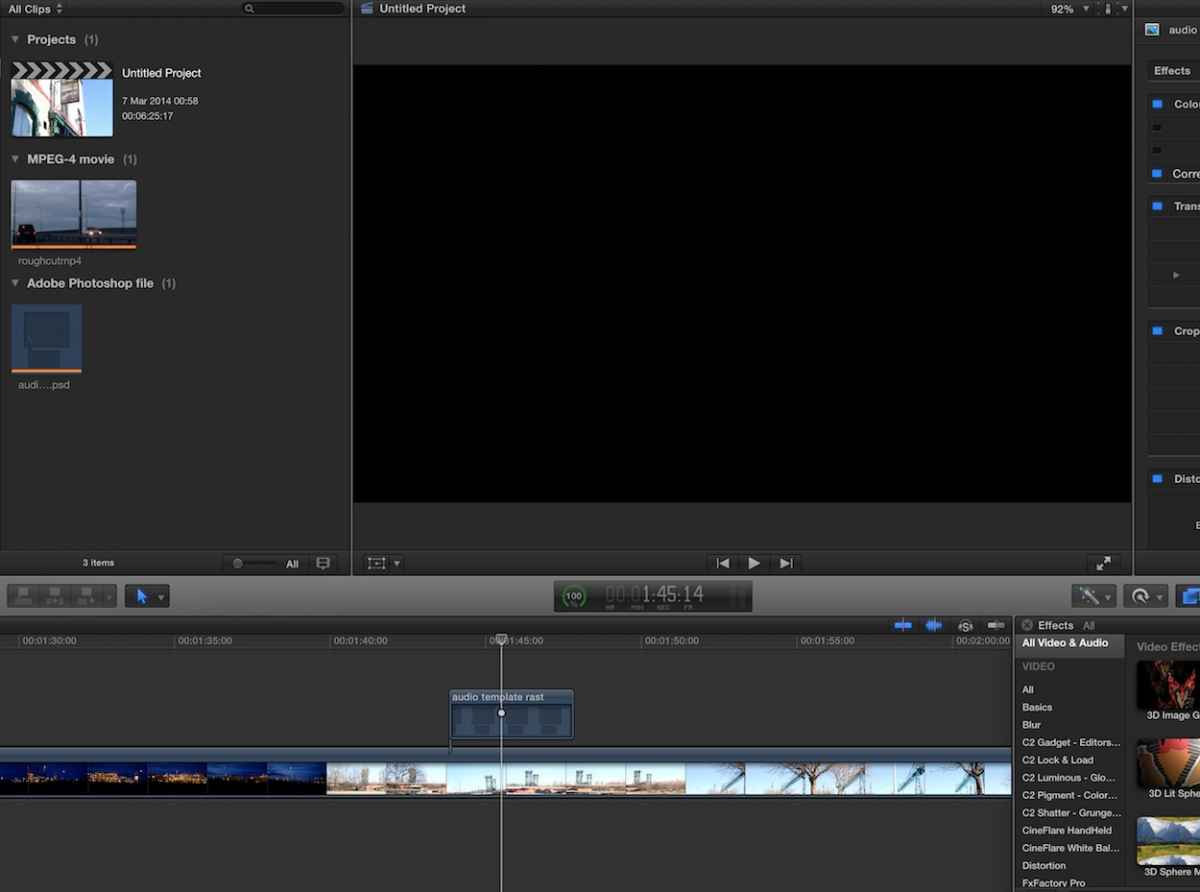
I'm having an issue bringing a photoshop file into FCP X 10.1.1.
I have a .psd with rasterised layers but when I pull it into FCP X I get this:
Last edit: 07 Mar 2014 01:07 by damiangrady.
Please Log in to join the conversation.
- Jonathan Levin
-

- Offline
- Platinum Member
-

Less
More
- Posts: 786
- Thank you received: 21
07 Mar 2014 03:26 #42194
by Jonathan Levin
Replied by Jonathan Levin on topic Photoshop file won't import correctly
Damien,
Can you import any other layered files into that project? Just wondering if it is just that file or anything layered.
I've been dizzy with my own PS import issues as of late. I'm hoping that a new day and restart will help some things .
Jonathan
Can you import any other layered files into that project? Just wondering if it is just that file or anything layered.
I've been dizzy with my own PS import issues as of late. I'm hoping that a new day and restart will help some things .
Jonathan
Please Log in to join the conversation.

07 Mar 2014 13:12 #42209
by anickt
Replied by anickt on topic Photoshop file won't import correctly
I was getting that same issue when I imported PSD files that I received from a third party. When I copied their layers into a new Photoshop document it imported fine. I worked at it for a while but I never could figure out what the issue was. I went through everything I could think of. Maybe you could try that. Make a new document, copy the layers from the current document into the new document, save it as a new file and import it.
PS - this happened in previous versions of FCP X also.
PS - this happened in previous versions of FCP X also.
Please Log in to join the conversation.
