


- Posts: 377
- Thank you received: 9
3 Post Moderation Rule for New Boarders (25 Jan 2021)
New boarders will have their posts moderated - Don't worry if you cannot see your post immediately.
How to find associated project?
28 Feb 2014 17:00 #41882
by dkag7
How to find associated project? was created by dkag7
Hi,
I just updated a million projects from fcpx to fcpx.1
I used to have this same problem in fcpx where i could never find an events project..
"What project does this event belong too?"
To make it a bit worse, in the past i would make compound clips as there own 'mini projects'.
So, I have an event selected, within this event I see all its files and some compound clips.
One of these compound clips i have loaded into the timeline.. all is good.
Now I want to Save this compound clip as a project.. How to do it?
Or, find what project belongs to this compound clip...
End result is I want to have this compound clip in its own library/project... something to where it is separate from all the rest of the million events...
Thanks
Kurt
I just updated a million projects from fcpx to fcpx.1
I used to have this same problem in fcpx where i could never find an events project..
"What project does this event belong too?"
To make it a bit worse, in the past i would make compound clips as there own 'mini projects'.
So, I have an event selected, within this event I see all its files and some compound clips.
One of these compound clips i have loaded into the timeline.. all is good.
Now I want to Save this compound clip as a project.. How to do it?
Or, find what project belongs to this compound clip...
End result is I want to have this compound clip in its own library/project... something to where it is separate from all the rest of the million events...
Thanks
Kurt
Please Log in to join the conversation.

28 Feb 2014 18:41 - 28 Feb 2014 18:46 #41888
by BenB
Replied by BenB on topic How to find associated project?
In FCPX 10.1 a Project lives inside of your Event, making them easier to track. You an also create a Smart Search to group Projects. I'd think you wouldn't have to use Compounds as much anymore. To move from a CC to a Project, in that CC, "Select All", then "Copy". Create a new Project, "Paste", then you can delete the CC if desired.
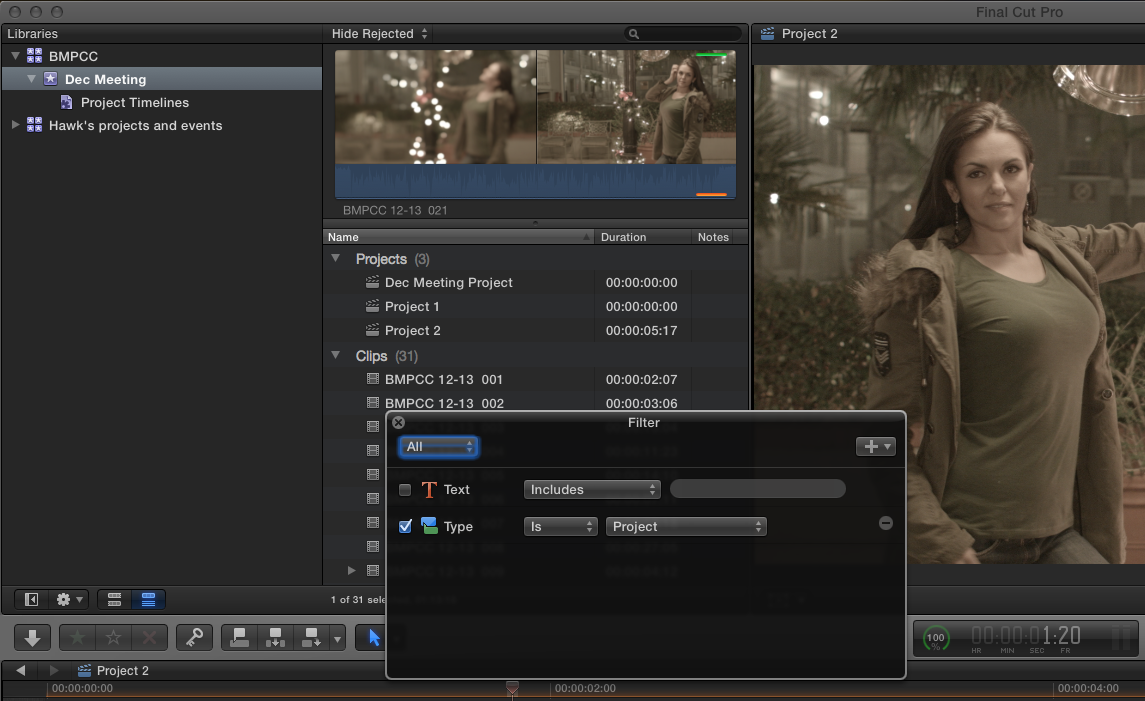
Select a CC in the Browser, take a look in the Inspector, in the Info section, down at the bottom, the "File Information" block.
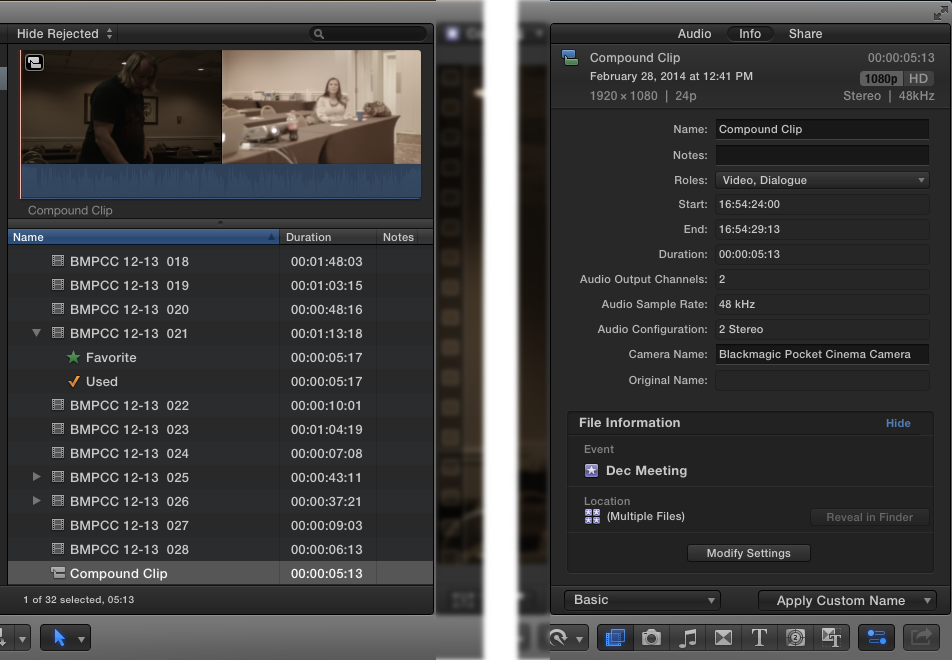
Select a CC in the Browser, take a look in the Inspector, in the Info section, down at the bottom, the "File Information" block.
Last edit: 28 Feb 2014 18:46 by BenB.
Please Log in to join the conversation.
