


3 Post Moderation Rule for New Boarders (25 Jan 2021)
New boarders will have their posts moderated - Don't worry if you cannot see your post immediately.
Favorites Duplicating
- P8nt4lyfe
-
 Topic Author
- Offline
- New Member
-

- I'm a Freelance RED Camera operator. I live with my best friend who I also work camera department with. I love music almost as much as I love film and I'm a generally funny guy.
Less
More
20 Jan 2014 23:42 #39371
by P8nt4lyfe
Favorites Duplicating was created by P8nt4lyfe
When applying keywords to clips that I have already favorited it creates many separate sub clips from all of my favorites. Is this normal, and if so, is there a way to turn it off? If turning off the sub clipping feature isn't a possibility, how do you guys work with it. Does it bother you having 30-40 different sub clips named exactly the same thing?
Thanks!
Thanks!
Please Log in to join the conversation.

21 Jan 2014 00:02 #39372
by BenB
Replied by BenB on topic Favorites Duplicating
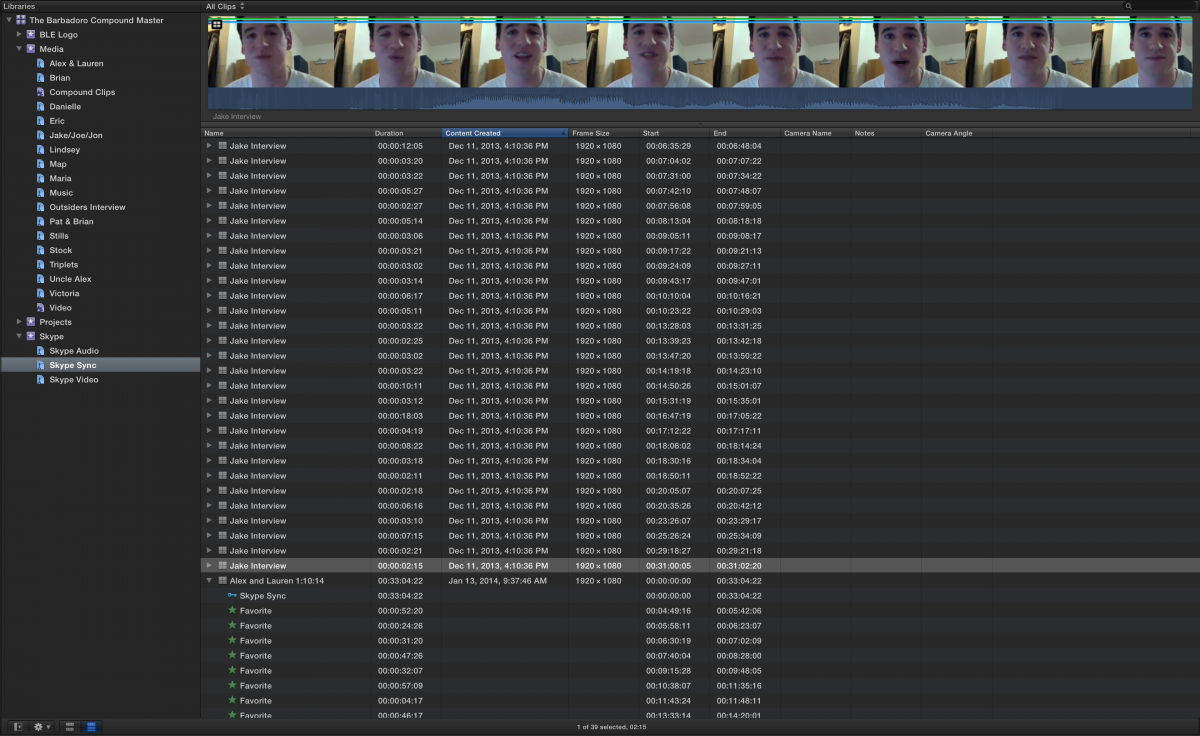
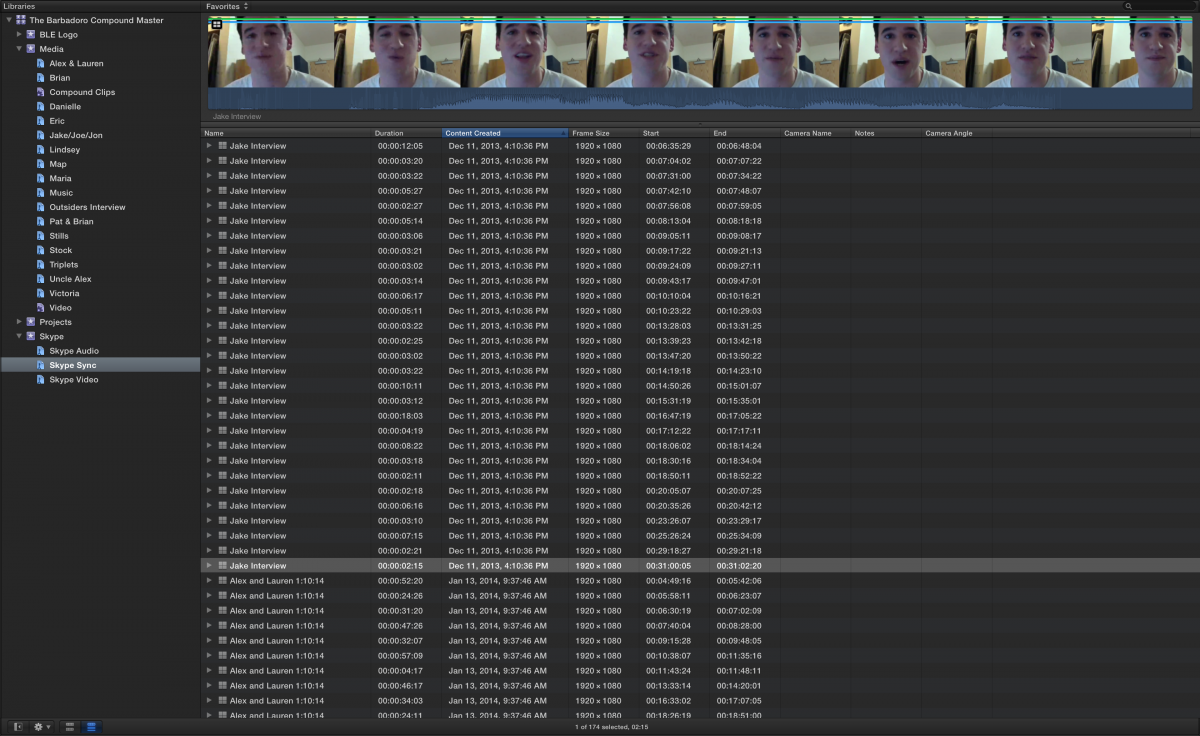
Top left of the Browser, is a Clip Filter menu. Set it to show exactly what you want to see. Do you want to see whole master clips (All Clips), or do you want to see tagged sub-clips (Show Favorites)?
Also, exploring Smart Collections is super helpful to organize things to get to a view you need to return to mega-fast and easy.
Also, exploring Smart Collections is super helpful to organize things to get to a view you need to return to mega-fast and easy.
Please Log in to join the conversation.
- Tom Wolsky
-

- Offline
- Moderator
-

21 Jan 2014 00:10 #39373
by Tom Wolsky
Replied by Tom Wolsky on topic Favorites Duplicating
Just to add to Ben's excellent suggestions. You can select the word Favorite and rename it.
Please Log in to join the conversation.
21 Jan 2014 00:21 #39375
by P8nt4lyfe
Replied by P8nt4lyfe on topic Favorites Duplicating
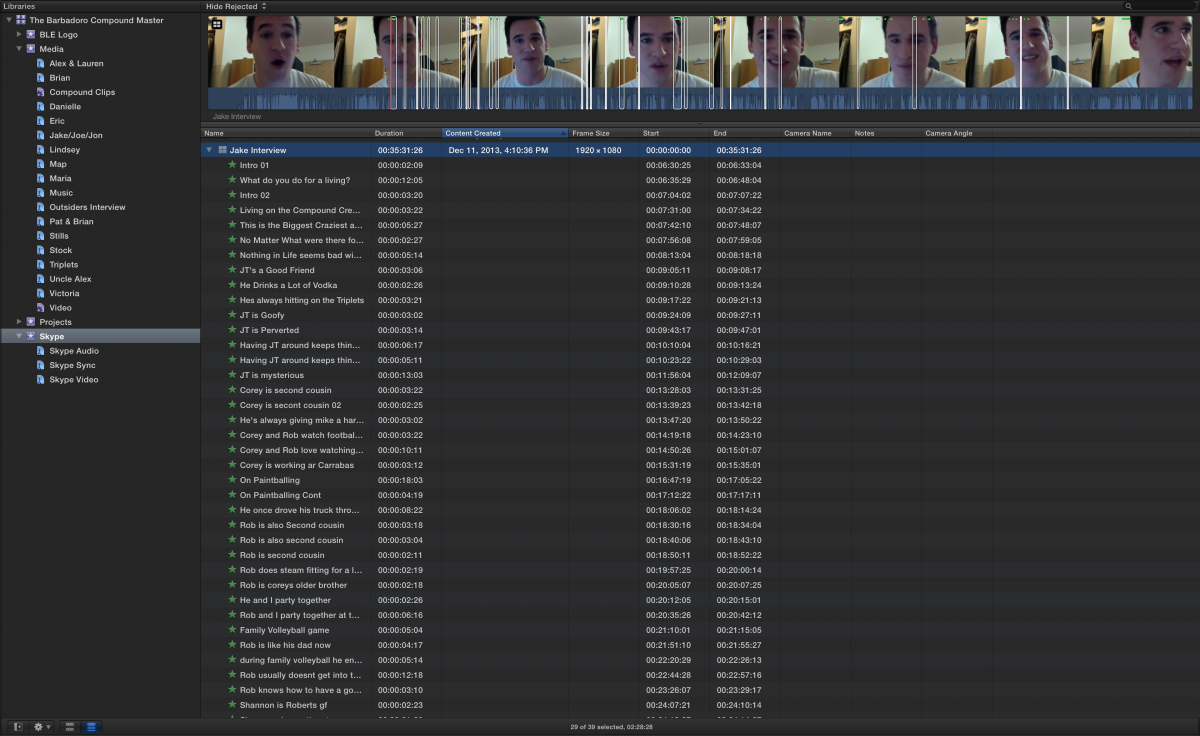
I've actually renamed all of the clips already, though it still makes them into separate sub clips. I tent to use the filter to Hide Rejected, but even if play with the settings it still makes 45 little mini clips...Mind you, this is only if I favorite before I keyword. Any other suggestions?
Please Log in to join the conversation.
21 Jan 2014 00:25 #39376
by P8nt4lyfe
Replied by P8nt4lyfe on topic Favorites Duplicating
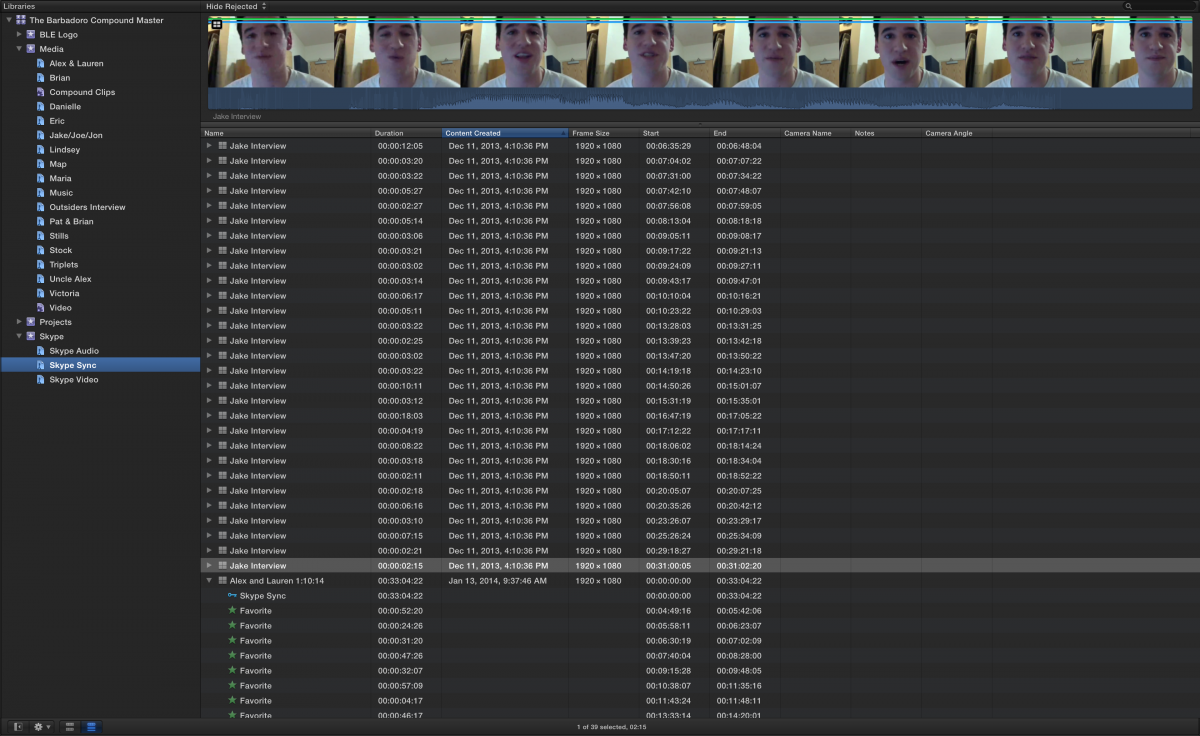
Just to show you guys, I added that Favorited Multicam clip into the keyword Skype Sync. The second picture is what I get when I go into that keyword ;/
Please Log in to join the conversation.
- Tom Wolsky
-
- Offline
- Moderator
-
21 Jan 2014 00:34 #39377
by Tom Wolsky
Replied by Tom Wolsky on topic Favorites Duplicating
See the image withFavorites. Rename the Favorites. Select Favorite. Press Return. Rename. Use the search function to find the name favorite segments.
Please Log in to join the conversation.
21 Jan 2014 14:28 #39422
by BenB
Replied by BenB on topic Favorites Duplicating
Hide Rejected will cut clips up, if you have ranges that are rejected. Those ranges are hidden, which results in different ranges showing up as sub-clips.
Please Log in to join the conversation.
