


- Posts: 479
- Thank you received: 5
3 Post Moderation Rule for New Boarders (25 Jan 2021)
New boarders will have their posts moderated - Don't worry if you cannot see your post immediately.
file missing between libraries
20 Jan 2014 13:08 #39337
by parkerhqj
file missing between libraries was created by parkerhqj
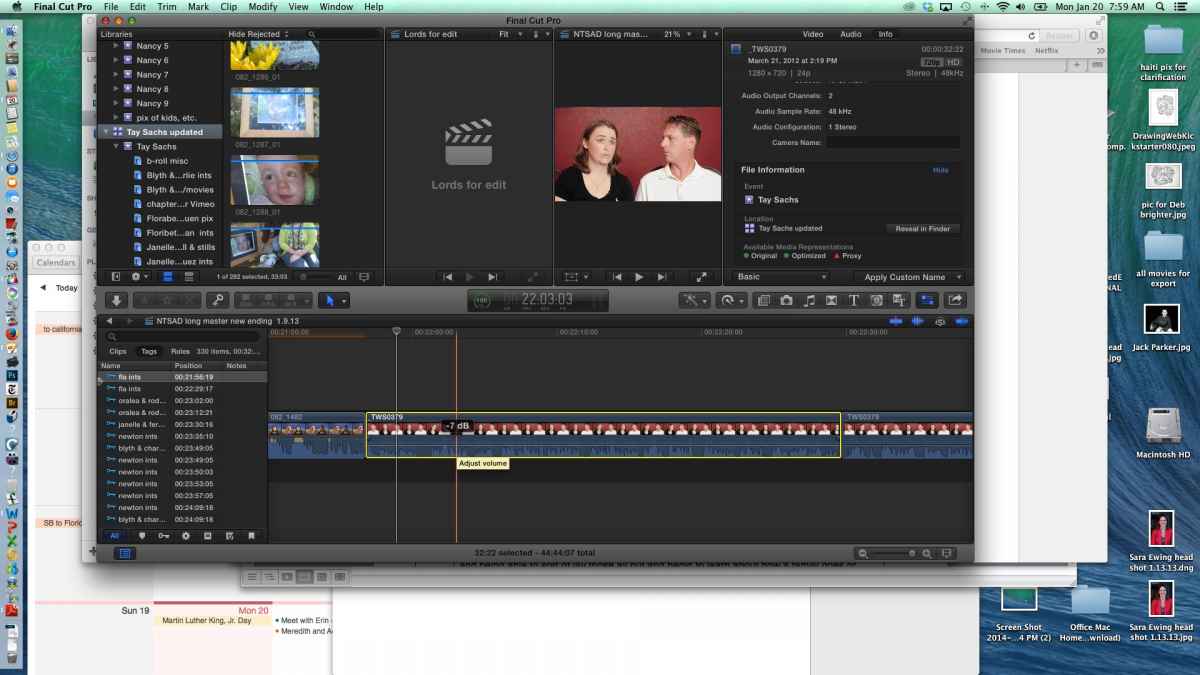
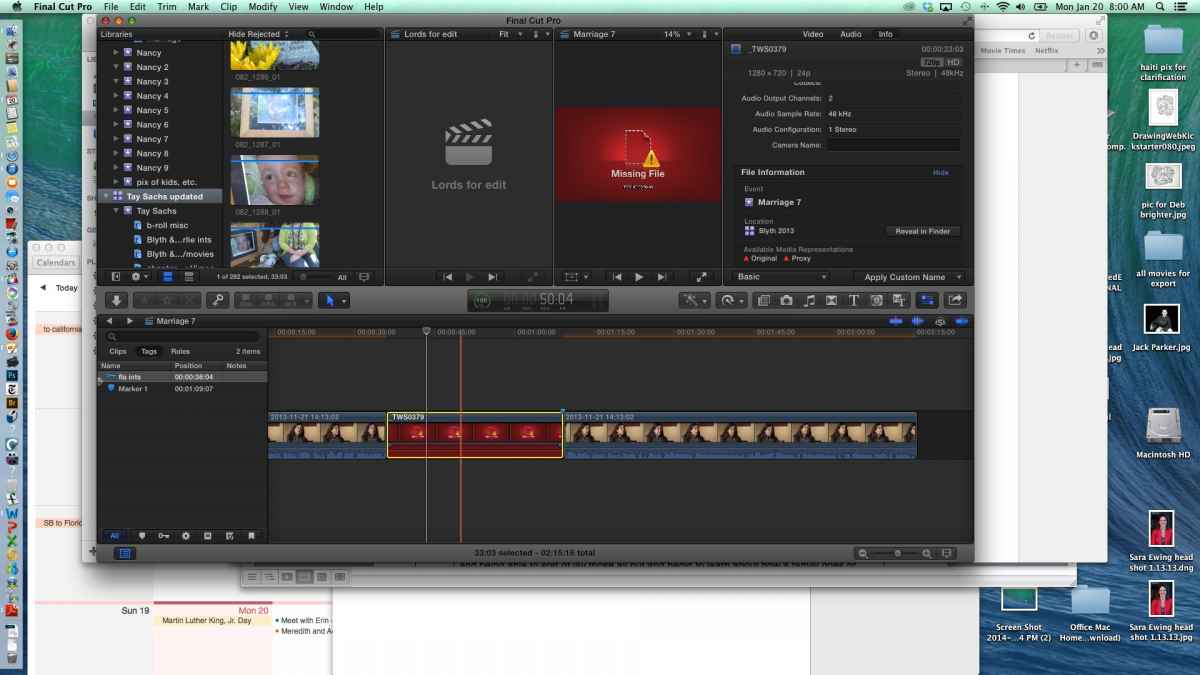
I have a clip that I am trying to copy between projects in different libraries. It lists it as missing when I do that. Here are two screen shots - file in it's original place in the timeline and copied to the new timeline. Not sure what I'm doing wrong. Both libraries are on the same drive.
Please Log in to join the conversation.
- ronny courtens
-

- Offline
- Moderator
-

Less
More
- Posts: 4455
- Thank you received: 962
20 Jan 2014 14:09 #39339
by ronny courtens
Replied by ronny courtens on topic file missing between libraries
This shouldn't happen. How do you copy the clip from one Library to the other?
- Ronny
- Ronny
Please Log in to join the conversation.
20 Jan 2014 14:37 #39341
by parkerhqj
Replied by parkerhqj on topic file missing between libraries
I'm just copying the clip from one timeline to another. I've done this successfully before so I'm wondering what is different this time around. I've run some tests. When I make a new project on the original library and copy the file, it's fine. When I do the same thing on the new (receiving) library, it's a missing file. I can't relink the file manually because it takes me to the updated library and that's as far as I can go.
Please Log in to join the conversation.
- ronny courtens
-
- Offline
- Moderator
-
Less
More
- Posts: 4455
- Thank you received: 962
20 Jan 2014 15:00 - 20 Jan 2014 15:01 #39342
by ronny courtens
Replied by ronny courtens on topic file missing between libraries
I agree that's not normal behavior, and I cannot reproduce it here. Do you get the "You are editing clips between Libraries..." message every time you do this?
- Ronny
- Ronny
Last edit: 20 Jan 2014 15:01 by ronny courtens.
Please Log in to join the conversation.
20 Jan 2014 15:13 #39343
by parkerhqj
Replied by parkerhqj on topic file missing between libraries
It actually didn't do that. The project had come from another editor and she had included the media file somehow when she shared the xml. Or at least the media file followed along (and was also listed as missing). Once I deleted the missing media file that was in the browser and tried to recopy the clips from the timeline, I got the message about editing clips between timelines - which I hadn't gotten before - and it copied properly.
Not sure why any of this happened, but I'm glad it's fixed - thanks.
Is there any reason to not work between libraries on the same drive? Both libraries have a lot of media and I figured it made sense to keep them separate. One is from an older project and I am only using it to copy over a few sections of the projects there. Or is it better to have one enormous library?
Not sure why any of this happened, but I'm glad it's fixed - thanks.
Is there any reason to not work between libraries on the same drive? Both libraries have a lot of media and I figured it made sense to keep them separate. One is from an older project and I am only using it to copy over a few sections of the projects there. Or is it better to have one enormous library?
Please Log in to join the conversation.
- ronny courtens
-
- Offline
- Moderator
-
Less
More
- Posts: 4455
- Thank you received: 962
20 Jan 2014 15:19 #39344
by ronny courtens
Replied by ronny courtens on topic file missing between libraries
Ah, I see what went wrong.
There is absolutely no reason to not work between Libraries on the same drive, and it does make sense to keep them separate when they contain lots of media. So I think you have a good workflow. Glad you have been able to fix the issue.
- Ronny
There is absolutely no reason to not work between Libraries on the same drive, and it does make sense to keep them separate when they contain lots of media. So I think you have a good workflow. Glad you have been able to fix the issue.
- Ronny
Please Log in to join the conversation.
