


- Posts: 233
- Thank you received: 6
3 Post Moderation Rule for New Boarders (25 Jan 2021)
New boarders will have their posts moderated - Don't worry if you cannot see your post immediately.
Global Audio Compression
- damiangrady
-
 Topic Author
- Offline
- Elite Member
-

Less
More
18 Jan 2014 18:53 #39261
by damiangrady
Global Audio Compression was created by damiangrady
Couple of questions that someone might be able to help me with.
Is there a way to add dynamics compression/limiting to the master audio out in FCP X 10.1?
Also, what is an efficient workflow for adding dynamics to a track in FCP X. I know they're not really tracks but I'm looking for a way to add audio compression to all of the audio in an interview with having to add it to each clip.
Hopefully that makes sense and someone can help.
Is there a way to add dynamics compression/limiting to the master audio out in FCP X 10.1?
Also, what is an efficient workflow for adding dynamics to a track in FCP X. I know they're not really tracks but I'm looking for a way to add audio compression to all of the audio in an interview with having to add it to each clip.
Hopefully that makes sense and someone can help.
Please Log in to join the conversation.

18 Jan 2014 19:08 - 18 Jan 2014 19:13 #39262
by Seamusvfx
Replied by Seamusvfx on topic Global Audio Compression
No. There's not really. The lack of audio mixer I think is the most significant weakness currently in fcpx. What you can do as a work around is put your entire edit into a compound clip and apply the compressor to that. You can do that with the iv s as well, but apply the compressor inside the compound clip. Either that or XML to logic and use the mixer there.
Last edit: 18 Jan 2014 19:13 by Seamusvfx.
Please Log in to join the conversation.

18 Jan 2014 20:50 - 18 Jan 2014 20:52 #39264
by BenB
Replied by BenB on topic Global Audio Compression
Or, export a single AIFF file.
Import, and place in your timeline.
Mute all original audio.
Apply the filters to that AIFF.
Import, and place in your timeline.
Mute all original audio.
Apply the filters to that AIFF.
Last edit: 18 Jan 2014 20:52 by BenB.
Please Log in to join the conversation.

18 Jan 2014 23:51 #39268
by rjvddoes
Replied by rjvddoes on topic Global Audio Compression
You can right click on a the uncut clip with your interview in the Browser and select "Open in Timeline". Apply compression to the whole clip. Close the timeline of the clip by clicking the left pointing triangle in the upper left corner of the timeline. This brings you back to your project timeline. Now edit your interview in the project timeline. Every piece of your clip will have the compression applied.
Please Log in to join the conversation.
- Tom Wolsky
-

- Offline
- Moderator
-

19 Jan 2014 04:06 #39273
by Tom Wolsky
Replied by Tom Wolsky on topic Global Audio Compression
This no longer works in 10.1. Projects clips are distinct instances of the clip.
Please Log in to join the conversation.
- ronny courtens
-

- Offline
- Moderator
-
Less
More
- Posts: 4455
- Thank you received: 962
19 Jan 2014 08:59 #39277
by ronny courtens
Replied by ronny courtens on topic Global Audio Compression
This still works in 10.1. When you apply any video or audio effect to a master clip in its own timeline and you cut up the modified clip onto the Project Timeline, each instance of the master clip on the Project Timeline will have the effects you have applied to the master clip in its own timeline.
The only thing that you need to be aware of is that the effects or changes you have applied to a master clip in its own timeline will not graphically be reflected in the Inspector of each instance, but that was already so in earlier versions of FCPX as well.
Two examples:
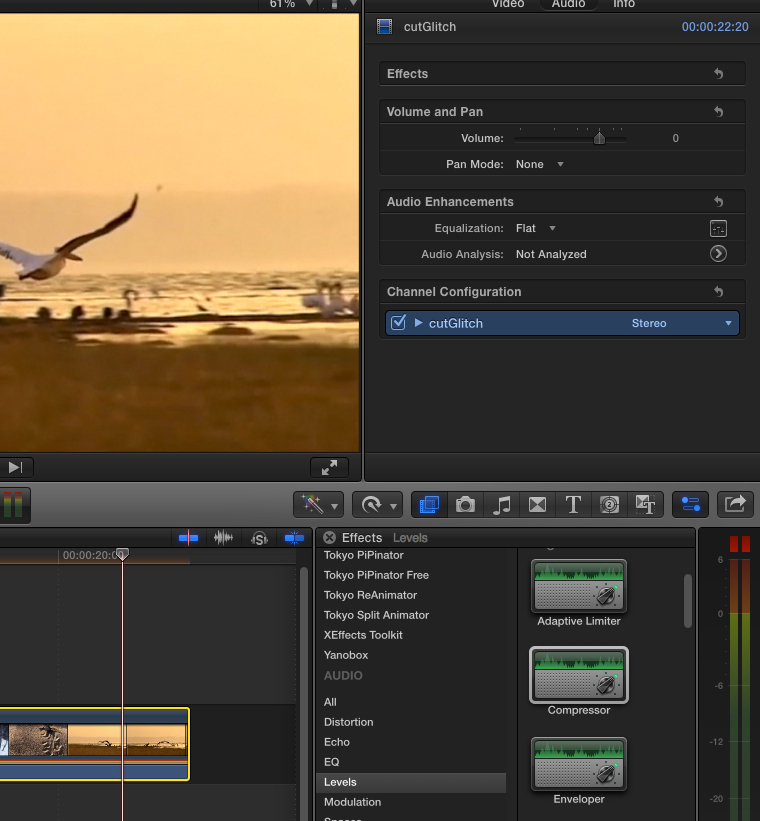
1. Open an Event clip in its own timeline and apply a Compressor to the clip. Drag the compressor master volume way up so the waveforms get into the red.
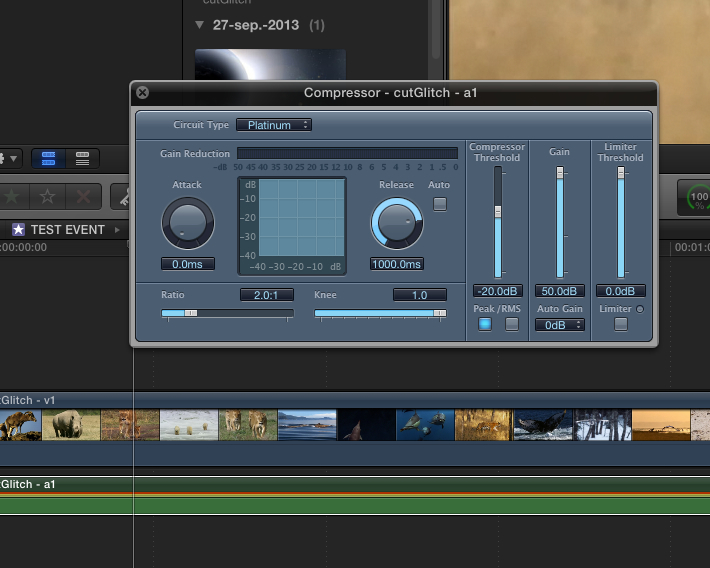
Now cut part of the Event clip onto the Project Timeline. You can hear the compressor effect on the clip and you can see the waveforms are way in the red. But when you look in the Inspector > Audio tab of the clip you cannot see the Compressor effect listed.
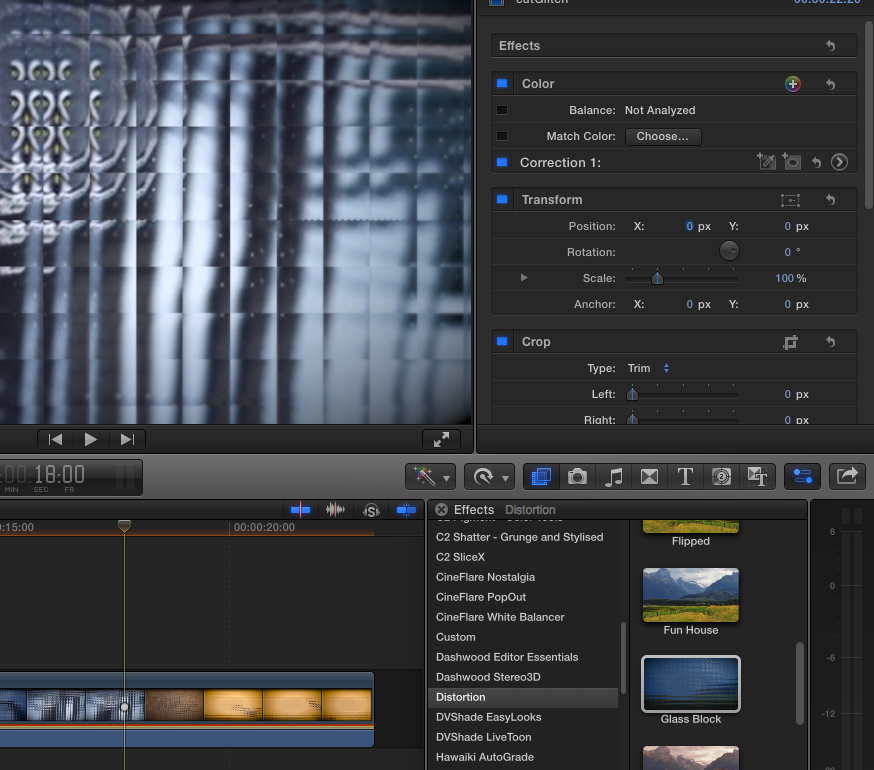
2. Open an Event clip in its own timeline and apply a video effect to the clip (here I have applied the Glass Block effect).
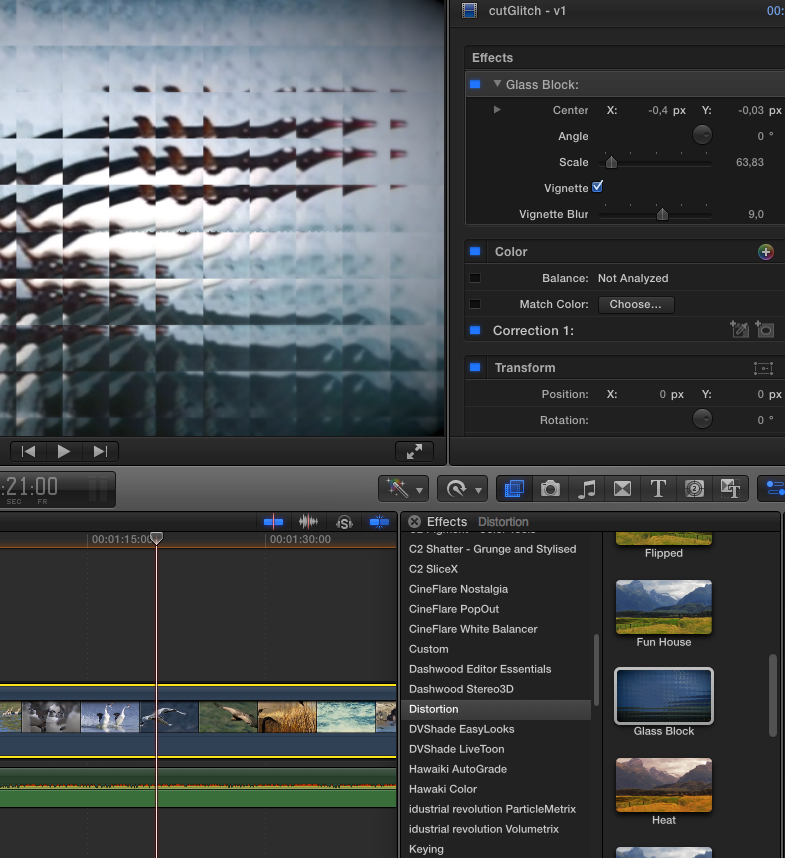
Now cut part of the clip onto the Project Timeline. You can see the effect on the clip, but when you look in the Inspector > Video tab of the clip you cannot see the Glass Block effect listed.
So in short: you can apply general audio enhancements to a master clip (in this case your interview) by opening the master clip in its own timeline and applying the enhancements there.
When you cut up the clip onto the Project Timeline each instance will have the enhancements you applied to the master clip.
Just be aware that the effects or changes won't graphically show in the Inspector of its instances in the Project Timeline. It's like if you would have exported the master clip with all its enhancements as a file an re-imported that file as a new master clip.
- Ronny
The only thing that you need to be aware of is that the effects or changes you have applied to a master clip in its own timeline will not graphically be reflected in the Inspector of each instance, but that was already so in earlier versions of FCPX as well.
Two examples:
1. Open an Event clip in its own timeline and apply a Compressor to the clip. Drag the compressor master volume way up so the waveforms get into the red.
Now cut part of the Event clip onto the Project Timeline. You can hear the compressor effect on the clip and you can see the waveforms are way in the red. But when you look in the Inspector > Audio tab of the clip you cannot see the Compressor effect listed.
2. Open an Event clip in its own timeline and apply a video effect to the clip (here I have applied the Glass Block effect).
Now cut part of the clip onto the Project Timeline. You can see the effect on the clip, but when you look in the Inspector > Video tab of the clip you cannot see the Glass Block effect listed.
So in short: you can apply general audio enhancements to a master clip (in this case your interview) by opening the master clip in its own timeline and applying the enhancements there.
When you cut up the clip onto the Project Timeline each instance will have the enhancements you applied to the master clip.
Just be aware that the effects or changes won't graphically show in the Inspector of its instances in the Project Timeline. It's like if you would have exported the master clip with all its enhancements as a file an re-imported that file as a new master clip.
- Ronny
Please Log in to join the conversation.
- Tom Wolsky
-
- Offline
- Moderator
-
19 Jan 2014 09:03 #39278
by Tom Wolsky
Replied by Tom Wolsky on topic Global Audio Compression
This only works if you apply the compression or effect to the clip prior to editing it into the timeline. It's unlikely you'll want to do without hearing the audio in relation to what's around it.
Please Log in to join the conversation.
- ronny courtens
-
- Offline
- Moderator
-
Less
More
- Posts: 4455
- Thank you received: 962
19 Jan 2014 09:21 #39279
by ronny courtens
Replied by ronny courtens on topic Global Audio Compression
Absolutely, Tom, but I just wanted to point out that what Robbert-Jan suggested still works in 10.1.
Making global enhancements to an interview in its own timeline before cutting it up in the Project Timeline can have a lot of use: color balancing, adjusting low-level audio, filtering out noise or hum,... these are all things you can do on the master clip without needing any reference to other clips in the project timeline.
- Ronny
Making global enhancements to an interview in its own timeline before cutting it up in the Project Timeline can have a lot of use: color balancing, adjusting low-level audio, filtering out noise or hum,... these are all things you can do on the master clip without needing any reference to other clips in the project timeline.
- Ronny
Please Log in to join the conversation.
- Tom Wolsky
-
- Offline
- Moderator
-
19 Jan 2014 09:28 #39280
by Tom Wolsky
Replied by Tom Wolsky on topic Global Audio Compression
Again only prior to editing in the timeline, which does not seem appropriate in the context of the original question. Now if going back to the master clip and changing it there and having it ripple through every instance of the clip might be useful, as it is in the angle editor.
Please Log in to join the conversation.
- ronny courtens
-
- Offline
- Moderator
-
Less
More
- Posts: 4455
- Thank you received: 962
19 Jan 2014 09:50 #39282
by ronny courtens
Replied by ronny courtens on topic Global Audio Compression
I agree this may not be the ideal solution for the OP. My only point was that "Open In Timeline" prior to editing, which RJVD suggested, still works the same in 10.1 as before.
- Ronny
- Ronny
Please Log in to join the conversation.
- damiangrady
-
Topic Author
- Offline
- Elite Member
-
Less
More
- Posts: 233
- Thank you received: 6
19 Jan 2014 10:24 #39288
by damiangrady
Replied by damiangrady on topic Global Audio Compression
Thanks for the replies guys. Very, very useful tip here.
With the fact that FCP X doesn't use tracks I'm not overly sure how a mixer and bus system can even be implemented in the future.
With the fact that FCP X doesn't use tracks I'm not overly sure how a mixer and bus system can even be implemented in the future.
Please Log in to join the conversation.
- ronny courtens
-
- Offline
- Moderator
-
Less
More
- Posts: 4455
- Thank you received: 962
19 Jan 2014 10:40 #39289
by ronny courtens
Replied by ronny courtens on topic Global Audio Compression
Well, you just have asked the million-dollar question 
It is in fact quite possible to implement a mixer and bus system in FCPX using Roles as track substitutes. The only question is if Apple really wants to implement a proper audio mixer system right inside FCPX, or will they prefer to create a seamless link with Logic X where you already have a full-fledged professional audio mixer with every bell and whistle you may want. Only the future can tell...
- Ronny
It is in fact quite possible to implement a mixer and bus system in FCPX using Roles as track substitutes. The only question is if Apple really wants to implement a proper audio mixer system right inside FCPX, or will they prefer to create a seamless link with Logic X where you already have a full-fledged professional audio mixer with every bell and whistle you may want. Only the future can tell...
- Ronny
Please Log in to join the conversation.
19 Jan 2014 10:48 - 19 Jan 2014 10:52 #39290
by Seamusvfx
Replied by Seamusvfx on topic Global Audio Compression
I think it is possible using roles. It might not be the same sort of skeuomorphic mixer as you find in a DAW, but that's not a necessity. What is needed is actually a router with points where you can apply effects, adjust levels or monitor at goups of clips. It could work as a nodal interface like nuke, or it could be as simple as allowing you to apply effects to the roles in the timeline index.
Hopefully something's on the roadmap because stacking compound clips is a real pain.
Hopefully something's on the roadmap because stacking compound clips is a real pain.
Last edit: 19 Jan 2014 10:52 by Seamusvfx.
Please Log in to join the conversation.
19 Jan 2014 12:00 #39291
by rjvddoes
Replied by rjvddoes on topic Global Audio Compression
I use the technique of applying an effect to a clip prior to editing it to the timeline mostly for adding a basic color adjustment to match a camera in a multicam edit. But in some occasions I have also added a de-esser to a complete uncut interview and even a very mild compressor in combination with a brick wall limiter the same way as you could use this on a final mix. Especially if the voice of an interviewee has a very constant, but for broadcast too high dynamic range. This might not be a perfect solution, but it can help to speed up things when time or budgets are tight.
Please Log in to join the conversation.
