


3 Post Moderation Rule for New Boarders (25 Jan 2021)
New boarders will have their posts moderated - Don't worry if you cannot see your post immediately.
Picture in Picture with main video
- olegtarasov
-
 Topic Author
- Offline
- New Member
-

Less
More
07 Jan 2014 14:05 - 07 Jan 2014 14:06 #38303
by olegtarasov
Picture in Picture with main video was created by olegtarasov
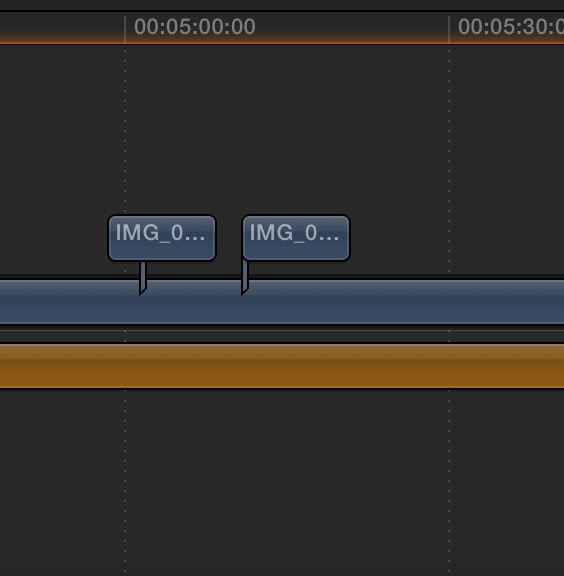
I have a main video to which I'm adding photos. What is the way I could show main video as Picture in Picture above the added photo and going back to main video in full screen as photo is no longer demonstrating?
Thanks a lot, looking forward to your advices.
Oleg
Thanks a lot, looking forward to your advices.
Oleg
Last edit: 07 Jan 2014 14:06 by olegtarasov.
Please Log in to join the conversation.

07 Jan 2014 17:44 #38317
by BenB
Replied by BenB on topic Picture in Picture with main video
Two things off the top of my head. Keyframe the Scale and Position parameters of the main video to shrink it and re-enlarge it.
Or, I have an effect that will do side by side effect like this. Not exactly the same thing, but similar. Did it for someone who wanted to show a speaker and what was on his presentation screen off an on. I also have this as a transition and as a generator.
Dual Clip Comparison Effect
Or, I have an effect that will do side by side effect like this. Not exactly the same thing, but similar. Did it for someone who wanted to show a speaker and what was on his presentation screen off an on. I also have this as a transition and as a generator.
Dual Clip Comparison Effect
Please Log in to join the conversation.
- dude at keystone
-
- Offline
- New Member
-
Less
More
- Posts: 15
- Thank you received: 3
08 Jan 2014 17:29 #38403
by dude at keystone
Replied by dude at keystone on topic Picture in Picture with main video
obviously (to Ben's advice) you would need to have the PIP (you're saying main video) above the picture in the sequence, so for example, if your main video is in the primary storyline, you could either blade it and "lift" the bladed main video up over the storyline - making it a connected clip, and then place the picture below into the primary storyline, (scaling the main video down in size and positioning it to taste) - you could even add a basic border to set it apart better, or you could place the picture as a connection BELOW the primary storyline.
If you choose the latter, then you could use keyframes to move the main video up into the corner and then back to full-screen when you were finished showing the pictures below. The idea is that the highest clip sits above the clips below - so above is in front, and below is behind. If you get all that please don't be offended - I know it is elementary...
If you choose the latter, then you could use keyframes to move the main video up into the corner and then back to full-screen when you were finished showing the pictures below. The idea is that the highest clip sits above the clips below - so above is in front, and below is behind. If you get all that please don't be offended - I know it is elementary...
Please Log in to join the conversation.
- olegtarasov
-
Topic Author
- Offline
- New Member
-
08 Jan 2014 17:52 #38405
by olegtarasov
Replied by olegtarasov on topic Picture in Picture with main video
Thank yo very much! I will try to use your plugin to reach desired effect.
Please Log in to join the conversation.
08 Jan 2014 18:45 - 08 Jan 2014 18:47 #38430
by BenB
Replied by BenB on topic Picture in Picture with main video
dude is correct, I forgot to mention that you'd want to move the connected clip to below the primary Storyline. Oops...
And I forgot that I do in fact have a PIP effect that would be even easier, if you wanted to go that route. Click here to download. Comes with installation instructions.
And I forgot that I do in fact have a PIP effect that would be even easier, if you wanted to go that route. Click here to download. Comes with installation instructions.
Last edit: 08 Jan 2014 18:47 by BenB.
Please Log in to join the conversation.
