


- Posts: 36
- Thank you received: 1
3 Post Moderation Rule for New Boarders (25 Jan 2021)
New boarders will have their posts moderated - Don't worry if you cannot see your post immediately.
FCP X 10.1 Freeze Frame problems...
27 Dec 2013 19:50 #37442
by Editor d
FCP X 10.1 Freeze Frame problems... was created by Editor d
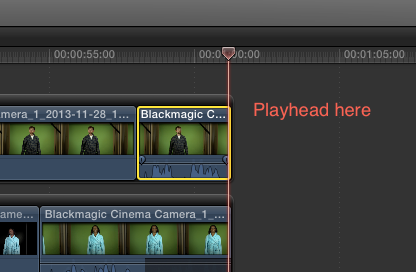
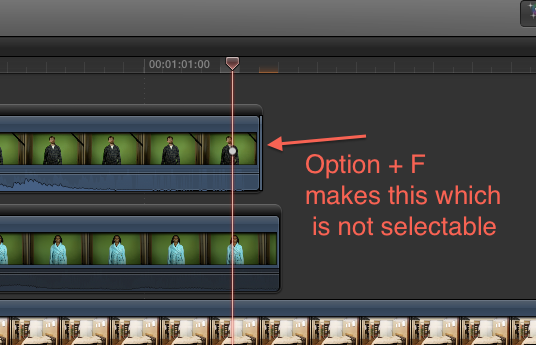
For some reason when I try to make a freeze frame (option + F) in a connected clip all I get is a sub-frame sliver even though my still image preference is set to 5 seconds. Then when I try to expand it or change duration it does nothing as if there is no more material, OR it expands but it's a copy of the clip not a freeze frame? Connecting a freeze frame from the Event viewer still works fine.
My work around is to simply use a hold (shift + H) but it's not really what I want.
Any ideas?
Using a 3.5 GHz i7 iMac 32 GB RAM OS 10.9.1 FCP X 10.1
ProRes footage 1080p at 23.98fps
My work around is to simply use a hold (shift + H) but it's not really what I want.
Any ideas?
Using a 3.5 GHz i7 iMac 32 GB RAM OS 10.9.1 FCP X 10.1
ProRes footage 1080p at 23.98fps
Please Log in to join the conversation.
- Tom Wolsky
-

- Offline
- Moderator
-

27 Dec 2013 19:59 #37444
by Tom Wolsky
Replied by Tom Wolsky on topic FCP X 10.1 Freeze Frame problems...
Can't reproduce that. Are you sure you're sitting on the last frame. Try zooming in a bit.
Please Log in to join the conversation.
27 Dec 2013 20:02 #37445
by Editor d
Replied by Editor d on topic FCP X 10.1 Freeze Frame problems...
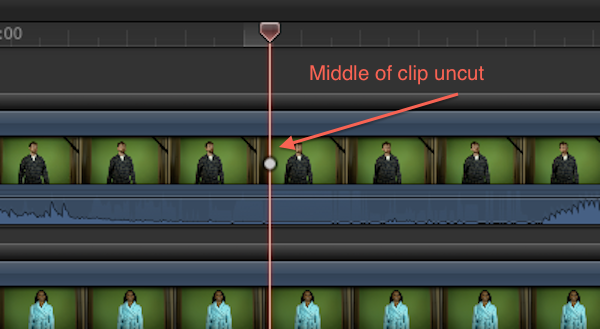
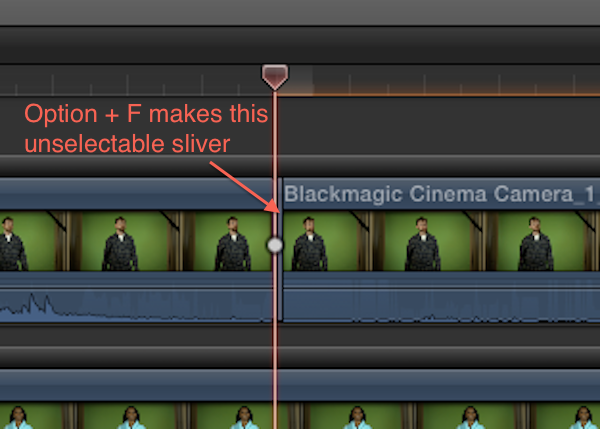
Yes. I used the arrow key just to make sure I was one frame back from the end. It even happens when you park the playhead in the middle of the clip. It just splits the clip (like the blade tool would) and then adds that non-useable sliver.
Please Log in to join the conversation.
27 Dec 2013 20:10 #37447
by Editor d
Replied by Editor d on topic FCP X 10.1 Freeze Frame problems...
Here are two more screen shots from the middle of the clip.
Please Log in to join the conversation.
- Tom Wolsky
-
- Offline
- Moderator
-
27 Dec 2013 20:15 - 27 Dec 2013 20:19 #37448
by Tom Wolsky
Replied by Tom Wolsky on topic FCP X 10.1 Freeze Frame problems...
Do you have the clip selected when you press Opt-F?
Actually it doesn't need to be selected in 10.1. It works with the active clip indicator, but either way, either shortcut works for me.
Actually it doesn't need to be selected in 10.1. It works with the active clip indicator, but either way, either shortcut works for me.
Last edit: 27 Dec 2013 20:19 by Tom Wolsky.
Please Log in to join the conversation.
27 Dec 2013 20:20 - 27 Dec 2013 20:35 #37449
by Editor d
Replied by Editor d on topic FCP X 10.1 Freeze Frame problems...
Yes its selected but it also does the same thing when using just the active clip indicator. There's no difference.
Holds seem to work just fine but I want an independent still to use.
Holds seem to work just fine but I want an independent still to use.
Last edit: 27 Dec 2013 20:35 by Editor d.
Please Log in to join the conversation.
- Tom Wolsky
-
- Offline
- Moderator
-
27 Dec 2013 20:35 #37450
by Tom Wolsky
Replied by Tom Wolsky on topic FCP X 10.1 Freeze Frame problems...
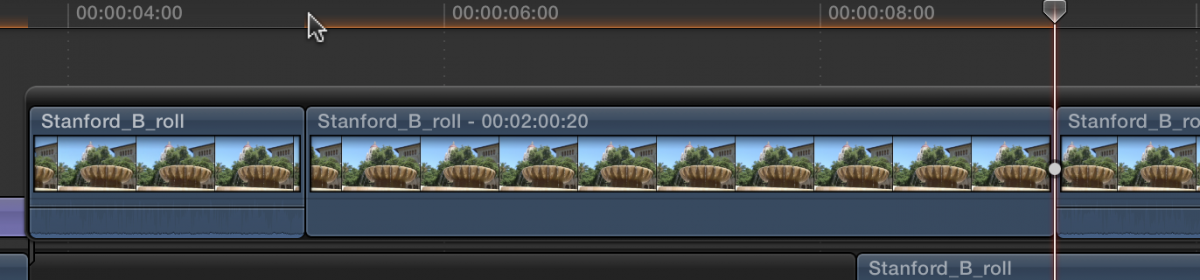
Sorry. I typed the wrong shortcut the first time I wrote it. Here's what I get.
Before
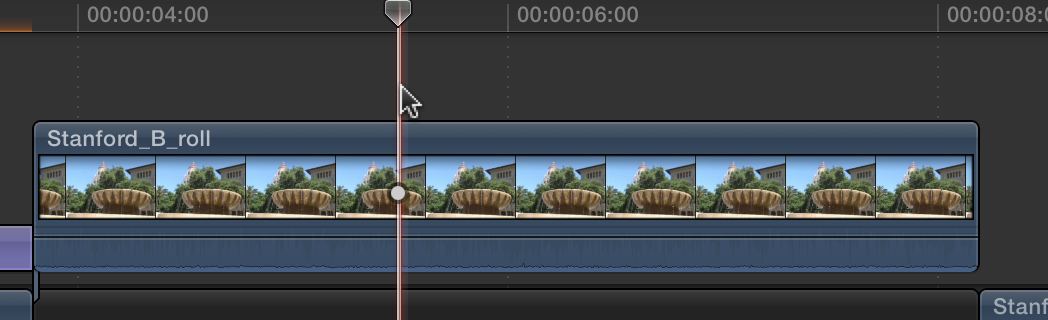
After
Before
After
Please Log in to join the conversation.
- Tom Wolsky
-
- Offline
- Moderator
-
27 Dec 2013 20:36 #37451
by Tom Wolsky
Replied by Tom Wolsky on topic FCP X 10.1 Freeze Frame problems...
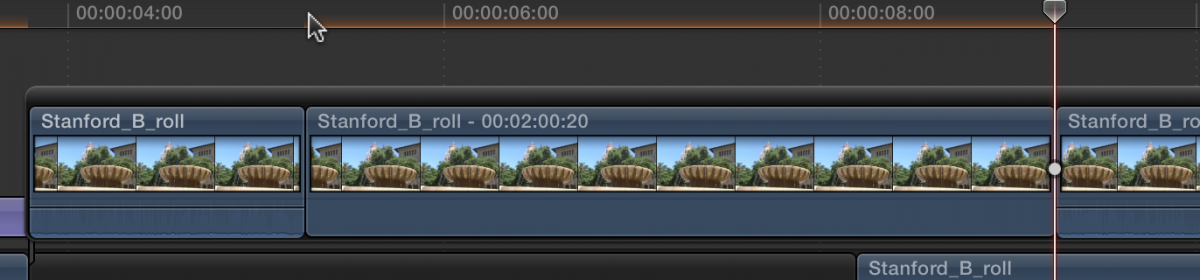
Sorry. I wrote the wrong shortcut the first time I typed it. Here's what I get.
Before
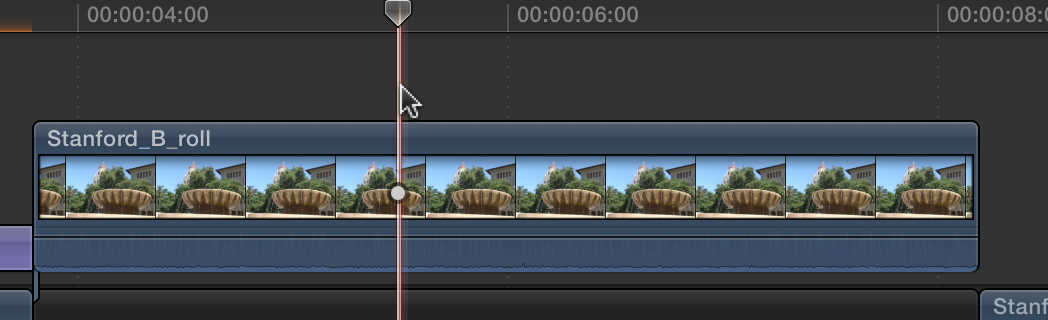
After
Before
After
Please Log in to join the conversation.
- Tom Wolsky
-
- Offline
- Moderator
-
27 Dec 2013 20:39 #37452
by Tom Wolsky
Replied by Tom Wolsky on topic FCP X 10.1 Freeze Frame problems...
Sorry. I typed the wrong shortcut the first time I wrote it. Here's what I get.
Before
After
Before
After
Please Log in to join the conversation.
27 Dec 2013 20:41 - 27 Dec 2013 20:42 #37453
by Editor d
Replied by Editor d on topic FCP X 10.1 Freeze Frame problems...
Yep that's what I should get too. Been using FCP since day 1. I mean FCP 1.0 too. Ha!
Anyway, It seems to be working fine on some clips but not others. I thought maybe it was the keyer glitching it but other keyed clips will make a freeze just fine and hold their alphas correctly too. It's all from the same shoot and all BMCC footage. So no format differences to speak of.
Anyway, It seems to be working fine on some clips but not others. I thought maybe it was the keyer glitching it but other keyed clips will make a freeze just fine and hold their alphas correctly too. It's all from the same shoot and all BMCC footage. So no format differences to speak of.
Last edit: 27 Dec 2013 20:42 by Editor d.
Please Log in to join the conversation.


28 Dec 2013 04:25 #37472
by dgwvideo
Creating history....one edit at a time !
Replied by dgwvideo on topic FCP X 10.1 Freeze Frame problems...
Can you try to save a still frame using the share menu and insert that into your timeline as a temporary workaround? Sounds like the shortcut to freeze has a bug.
Creating history....one edit at a time !
Please Log in to join the conversation.
- Tom Wolsky
-
- Offline
- Moderator
-
28 Dec 2013 04:37 #37475
by Tom Wolsky
Replied by Tom Wolsky on topic FCP X 10.1 Freeze Frame problems...
It's not working for you either?
Please Log in to join the conversation.
28 Dec 2013 04:54 #37478
by dgwvideo
Creating history....one edit at a time !
Replied by dgwvideo on topic FCP X 10.1 Freeze Frame problems...
I haven't tested it, Tom. I was commenting on another way he might be able to get it done. Your post came thru 3 times, once without attachments so I didn't know if you replicated it or not.
Creating history....one edit at a time !
Please Log in to join the conversation.
28 Dec 2013 05:10 #37479
by dgwvideo
Creating history....one edit at a time !
Replied by dgwvideo on topic FCP X 10.1 Freeze Frame problems...
@Tom Wolsky I just did test this and it is working properly for me with Option-F.
Creating history....one edit at a time !
Please Log in to join the conversation.
- Tom Wolsky
-
- Offline
- Moderator
-
28 Dec 2013 05:31 #37480
by Tom Wolsky
Replied by Tom Wolsky on topic FCP X 10.1 Freeze Frame problems...
Does the frame rate of the media match the frame rate of the project?
Please Log in to join the conversation.
28 Dec 2013 05:54 #37482
by dgwvideo
Creating history....one edit at a time !
Replied by dgwvideo on topic FCP X 10.1 Freeze Frame problems...
You may be asking this question of the OP, but for my test, I tried it both ways. I used a 29.97 clip in a 29.97 project and also a 23.98 clip in a 29.97 project. Worked correctly in each scenario.
Creating history....one edit at a time !
Please Log in to join the conversation.
28 Dec 2013 13:24 #37494
by Editor d
Replied by Editor d on topic FCP X 10.1 Freeze Frame problems...
Yep the frame rate is 23.98, same as the project. Most of the time option + F is working correctly and making freeze frames. It seems to be only a clip here and there. I'm trying to focus in on what could be different with the clip than others. All the footage is from a BMCC at the same shoot. 23.98 1080p ProRes. I can't seem to find what's different.
I'll have to try again on Monday as it's at a client's edit bay in their office. I have NOT been able to replicate the problem at my home computers.
I'll have to try again on Monday as it's at a client's edit bay in their office. I have NOT been able to replicate the problem at my home computers.
Please Log in to join the conversation.
- misterbarryman
-

- Offline
- New Member
-

Less
More
- Posts: 2
- Thank you received: 1
17 Mar 2014 08:09 #42805
by misterbarryman
Replied by misterbarryman on topic FCP X 10.1 Freeze Frame problems...
I have had exactly the same problem. With footage from the SAME camera I can create a freeze-frame with some of the clips but with others I get the unusable sliver. No explanations as of yet, BUT I HAVE FOUND A WORK AROUND. Create a compound clip from the clip from which you are unable to make a freeze frame and you should now be able to create a freeze frame .
Please Log in to join the conversation.
30 Jun 2015 22:43 #66066
by sdgard
Replied by sdgard on topic FCP X 10.1 Freeze Frame problems...
Thank you for this solution!
FWIW: I am (for the first time) editing footage from two different cameras in FCPX... and that was the problem.
Camera 1: 1920 x 1080 23.98i
Camera 2: 1920 x 1080 25i
* Cutaway CU from Cam 2.
* Freeze Frame.
* No work.
* Make compound clip
* Freeze Frame
* Works.
FWIW 2:
Problem: I had a maddening issue of pitch-shift in the background music track.
Solution: Don't mix 44kHz and 48kHz audio sample rates in FCPX
Thanks again,
Stephen Gard
FWIW: I am (for the first time) editing footage from two different cameras in FCPX... and that was the problem.
Camera 1: 1920 x 1080 23.98i
Camera 2: 1920 x 1080 25i
* Cutaway CU from Cam 2.
* Freeze Frame.
* No work.
* Make compound clip
* Freeze Frame
* Works.
FWIW 2:
Problem: I had a maddening issue of pitch-shift in the background music track.
Solution: Don't mix 44kHz and 48kHz audio sample rates in FCPX
Thanks again,
Stephen Gard
Please Log in to join the conversation.
