


- Posts: 1077
- Thank you received: 189
3 Post Moderation Rule for New Boarders (25 Jan 2021)
New boarders will have their posts moderated - Don't worry if you cannot see your post immediately.
Some more news for 10.1 (subtitles)
- Andreas Kiel
-
 Topic Author
- Offline
- Platinum Member
-

Less
More
26 Dec 2013 11:47 - 26 Dec 2013 11:49 #37302
by Andreas Kiel
Some more news for 10.1 (subtitles) was created by Andreas Kiel
As mentioned by others the XML format is updated us well.
This seems not be that important to most of the people but for minor group like mine this was the best thing at all.
Im working with subtitles or for subtitlers or for edittors in a collaborative environment
Prior versions of X only allowed basic text exchange.
10.1 allows a complex style based exchange of Motion based subtitles and titles.
This is already visible in the UI. Motion text titles always had been RTF based, but not with the full feature set. This has drastically improved now.
There are two kinds of Motion text titles. Some use a text region for text entries others just a simple text entry.
Both behave different.
For the simple entry example the "Basic Title"
You can select parts of the text and apply a different font, style, color, size etc.
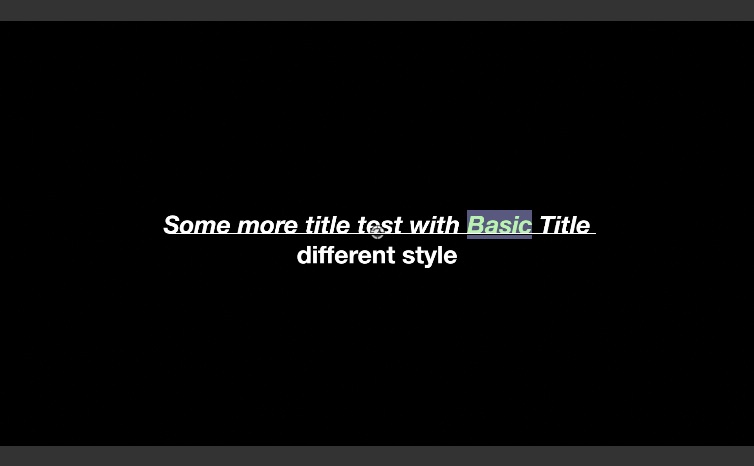
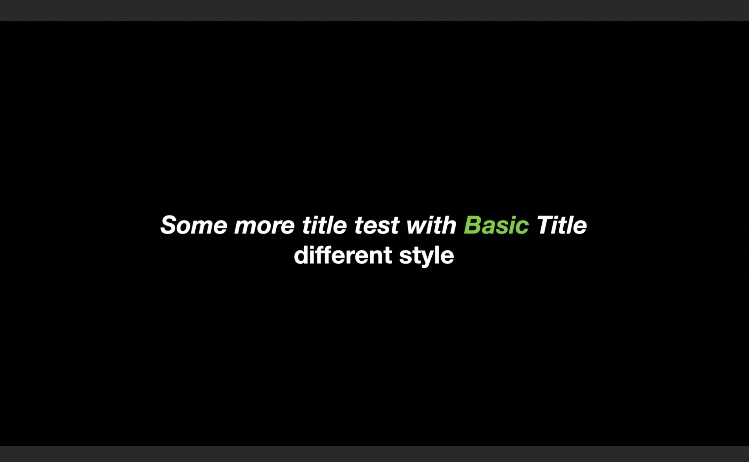
For these kind of titles alignment changes either don't work or make no sense cause of their center.
Text region based (sub)titles behave a bit different.
Once you select the text in the canvas the text region will be visible and you can do the same things as above.
Once you are done the behaviour in Inspector will change a bit.
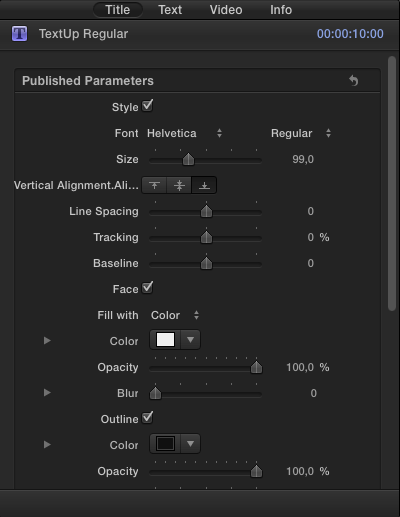
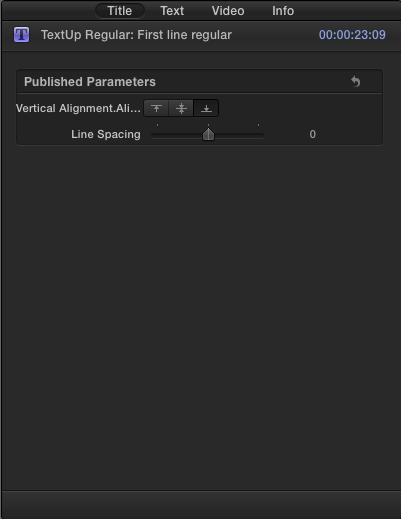
With this kind of title you now can use the alignment settings cause it has a kind of bounding box.
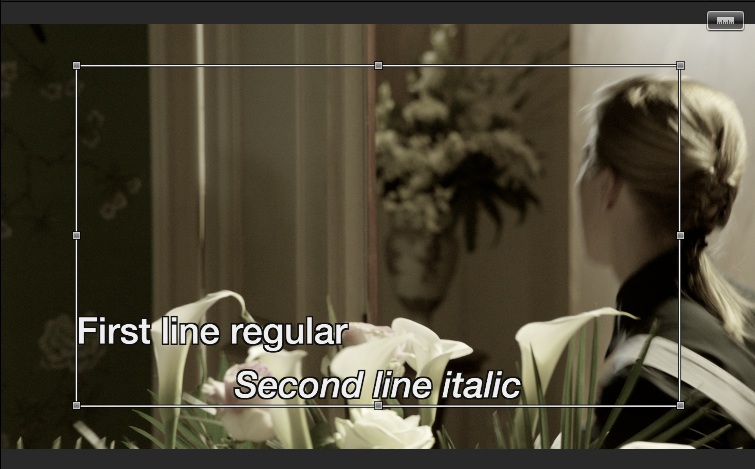
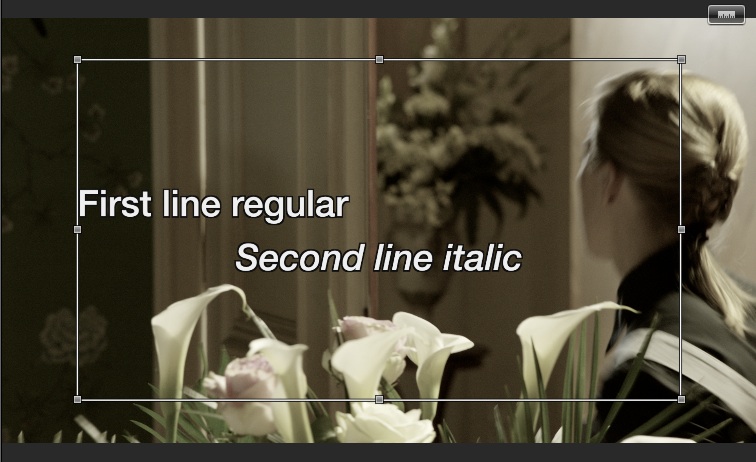
You even can go further and click the little ruler icon in the upper right of the canvas and setup tabs.
To make tabs work as expected the text (the line) must be left aligned.
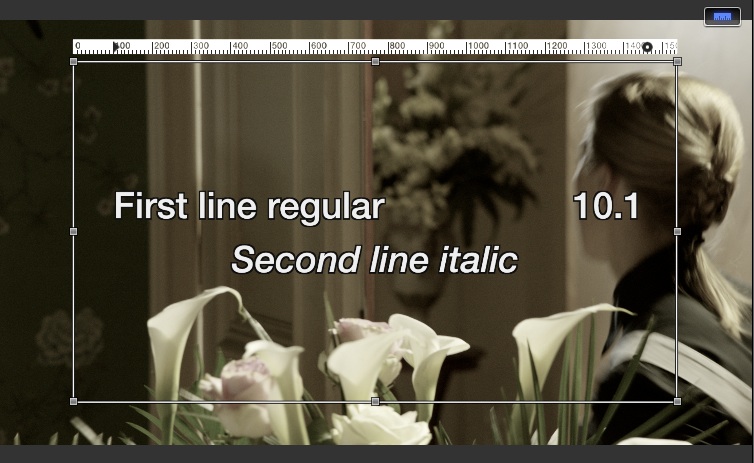
BUT there is one thing you should keep in mind: There is no way back to the original settings of the title with a simple reset of all parameters!!!!!!!!
So what's the reason to be happy for me?
Finally it's possible to interchange subtitles with co-workers who work with other apps and still keep the settings with an XML roundtrip.
I can create XMLs which do match the settings given by subtitle company and don't have to modify thousands of subtitles in the timeline.
Another thing (which worked beautifully in FCP) is that it is now possible to create a .tiff subtitle image sequence (each subtitle 1 frame) together with EDL or something like this which can be used in other apps and every app will have exactly the same subtitle appearance.
I will update my X-Title apps early next year. So others will be able to use these new features.
-Andreas
This seems not be that important to most of the people but for minor group like mine this was the best thing at all.
Im working with subtitles or for subtitlers or for edittors in a collaborative environment
Prior versions of X only allowed basic text exchange.
10.1 allows a complex style based exchange of Motion based subtitles and titles.
This is already visible in the UI. Motion text titles always had been RTF based, but not with the full feature set. This has drastically improved now.
There are two kinds of Motion text titles. Some use a text region for text entries others just a simple text entry.
Both behave different.
For the simple entry example the "Basic Title"
You can select parts of the text and apply a different font, style, color, size etc.
For these kind of titles alignment changes either don't work or make no sense cause of their center.
Text region based (sub)titles behave a bit different.
Once you select the text in the canvas the text region will be visible and you can do the same things as above.
Once you are done the behaviour in Inspector will change a bit.
With this kind of title you now can use the alignment settings cause it has a kind of bounding box.
You even can go further and click the little ruler icon in the upper right of the canvas and setup tabs.
To make tabs work as expected the text (the line) must be left aligned.
BUT there is one thing you should keep in mind: There is no way back to the original settings of the title with a simple reset of all parameters!!!!!!!!
So what's the reason to be happy for me?
Finally it's possible to interchange subtitles with co-workers who work with other apps and still keep the settings with an XML roundtrip.
I can create XMLs which do match the settings given by subtitle company and don't have to modify thousands of subtitles in the timeline.
Another thing (which worked beautifully in FCP) is that it is now possible to create a .tiff subtitle image sequence (each subtitle 1 frame) together with EDL or something like this which can be used in other apps and every app will have exactly the same subtitle appearance.
I will update my X-Title apps early next year. So others will be able to use these new features.
-Andreas
Last edit: 26 Dec 2013 11:49 by Andreas Kiel.
Please Log in to join the conversation.


26 Dec 2013 12:09 #37305
by rjvddoes
Replied by rjvddoes on topic Some more news for 10.1 (subtitles)
Hi Andreas,
Good find! Thanks for sharing. When I have to do subtitling I am still using BelleNuit, but this workflow still requires me to use FCP7 once in a while to add the subtitles to the videofile.
Would love to do it all in FCPX.
Robbert-Jan
Good find! Thanks for sharing. When I have to do subtitling I am still using BelleNuit, but this workflow still requires me to use FCP7 once in a while to add the subtitles to the videofile.
Would love to do it all in FCPX.
Robbert-Jan
Please Log in to join the conversation.

26 Dec 2013 12:41 #37308
by Dawar
Replied by Dawar on topic Some more news for 10.1 (subtitles)
Very good news Andreas, thanks for all your work.
Please Log in to join the conversation.
- Andreas Kiel
-
Topic Author
- Offline
- Platinum Member
-
Less
More
- Posts: 1077
- Thank you received: 189
26 Dec 2013 13:30 - 26 Dec 2013 13:42 #37310
by Andreas Kiel
Replied by Andreas Kiel on topic Some more news for 10.1 (subtitles)
To follow up my own post.
In former times you needed a Motion title for each font style to get a "half-baken" import from external subtitle files. This still didn't include alignment nor any custom font settings.
For the alignment you needed three times the amount of these title effects – again still no font settings and only one style per subtitle.
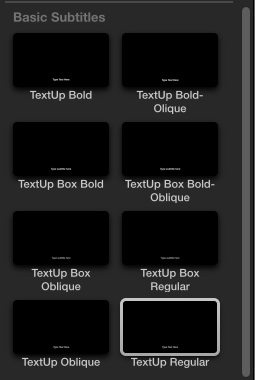
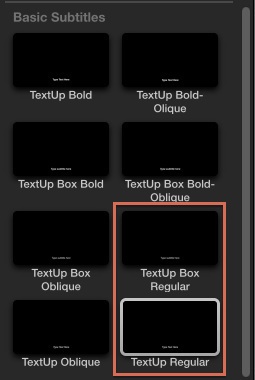
The new handling reduces the needed subtitle effects to 2 or finally 1. So clutter will be less.
This makes not only handling easier but also editing speed because FCPX have to load less templates.
Another note: If you have ideas or wishes how a subtitle importer/exporter for FCPX should work let me know.
-Andreas
In former times you needed a Motion title for each font style to get a "half-baken" import from external subtitle files. This still didn't include alignment nor any custom font settings.
For the alignment you needed three times the amount of these title effects – again still no font settings and only one style per subtitle.
The new handling reduces the needed subtitle effects to 2 or finally 1. So clutter will be less.
This makes not only handling easier but also editing speed because FCPX have to load less templates.
Another note: If you have ideas or wishes how a subtitle importer/exporter for FCPX should work let me know.
-Andreas
Last edit: 26 Dec 2013 13:42 by Andreas Kiel.
Please Log in to join the conversation.
- ronny courtens
-

- Offline
- Moderator
-

Less
More
- Posts: 4455
- Thank you received: 962
26 Dec 2013 15:15 #37321
by ronny courtens
Replied by ronny courtens on topic Some more news for 10.1 (subtitles)
Hey Andreas,
Thank you for this interesting heads-up and I'm glad Apple seems to have been listening to you as well
Although this does not apply to every editor, subtitling is really very important. Thank you for all the hard work you are doing in this specific niche of our industry and keep us posted on your progress.
- Ronny
Thank you for this interesting heads-up and I'm glad Apple seems to have been listening to you as well
Although this does not apply to every editor, subtitling is really very important. Thank you for all the hard work you are doing in this specific niche of our industry and keep us posted on your progress.
- Ronny
Please Log in to join the conversation.
28 Dec 2013 10:46 #37487
by wdevn
LLAP,
James
Taipei, Taiwan
Replied by wdevn on topic Some more news for 10.1 (subtitles)
Great Andreas!
I do a lot of bad formated Chinese subtitles to place in videos. I will try this next year. Thanks!
I do a lot of bad formated Chinese subtitles to place in videos. I will try this next year. Thanks!
LLAP,
James
Taipei, Taiwan
Please Log in to join the conversation.
- Andreas Kiel
-
Topic Author
- Offline
- Platinum Member
-
Less
More
- Posts: 1077
- Thank you received: 189
28 Dec 2013 13:34 - 28 Dec 2013 13:37 #37495
by Andreas Kiel
Replied by Andreas Kiel on topic Some more news for 10.1 (subtitles)
Hi James,
First thing (because its the easiest) I will do is to write a little app which will create two XMLs from 1 XML with subtitles.
The first one will will be a new timeline where each (sub)title has a duration of 1 frame – all frames don't have any gaps in between.
The second one will have the original timing but all title effects will be replaced by a video entry with a dummy source path.
The first one can be opened in FCP 10.1 and exported as Image Sequence - the codec must be set to Prores 4444 and for saving a lot of disk space the output should be png.
Once finished you can relink the dummies in the second XML with the rendered images.
This second timeline has the advantage that no render is needed for the titles.
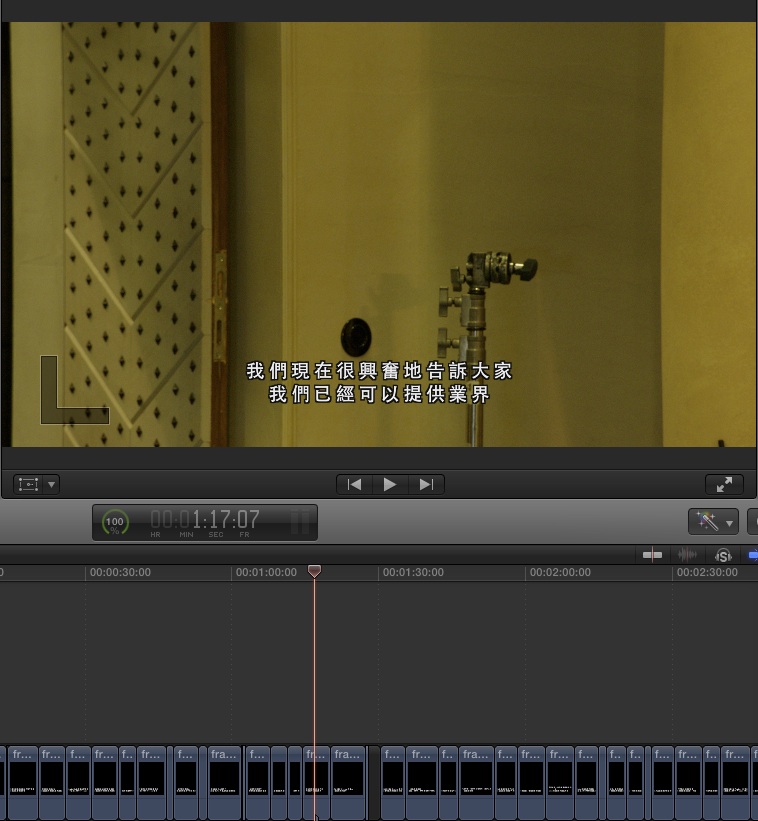
The disadvantage is that you can't edit the text anymore directly. You have to go to the "single frame generator" timeline, edit the text there and export this frame.
Andreas
First thing (because its the easiest) I will do is to write a little app which will create two XMLs from 1 XML with subtitles.
The first one will will be a new timeline where each (sub)title has a duration of 1 frame – all frames don't have any gaps in between.
The second one will have the original timing but all title effects will be replaced by a video entry with a dummy source path.
The first one can be opened in FCP 10.1 and exported as Image Sequence - the codec must be set to Prores 4444 and for saving a lot of disk space the output should be png.
Once finished you can relink the dummies in the second XML with the rendered images.
This second timeline has the advantage that no render is needed for the titles.
The disadvantage is that you can't edit the text anymore directly. You have to go to the "single frame generator" timeline, edit the text there and export this frame.
Andreas
Last edit: 28 Dec 2013 13:37 by Andreas Kiel.
Please Log in to join the conversation.
28 Dec 2013 13:47 - 28 Dec 2013 13:49 #37496
by wdevn
LLAP,
James
Taipei, Taiwan
Replied by wdevn on topic Some more news for 10.1 (subtitles)
Cool Andreas! I will give it a try!
I've always had to do the translation while viewing the video!
Never used SRT in FCPX... I know...crazy...
I've always had to do the translation while viewing the video!
Never used SRT in FCPX... I know...crazy...
LLAP,
James
Taipei, Taiwan
Last edit: 28 Dec 2013 13:49 by wdevn.
Please Log in to join the conversation.
- Andreas Kiel
-
Topic Author
- Offline
- Platinum Member
-
Less
More
- Posts: 1077
- Thank you received: 189
29 Dec 2013 18:38 #37628
by Andreas Kiel
Replied by Andreas Kiel on topic Some more news for 10.1 (subtitles)
Ha!
This style stuff doesn't seem to work reliable - I haven't tried all title effects, but there were some oddities.
Here some examples with just 2 title effects (my TextUp and the built in Basic Title) where the Basic Title is buggy
Here how it looks in the timeline.
TextUp
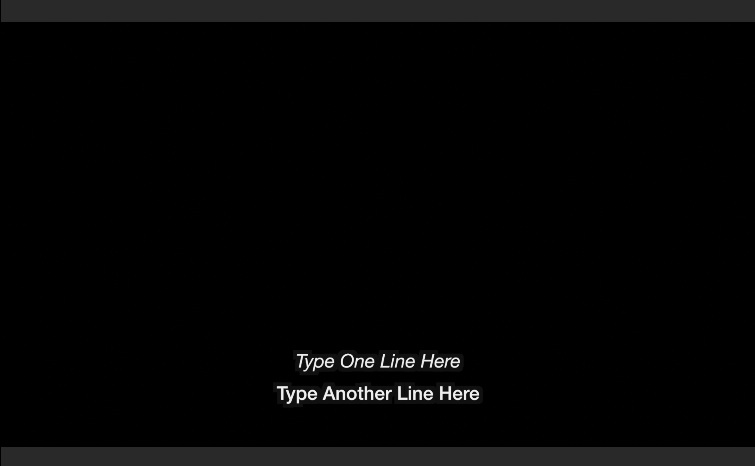
Basic Title
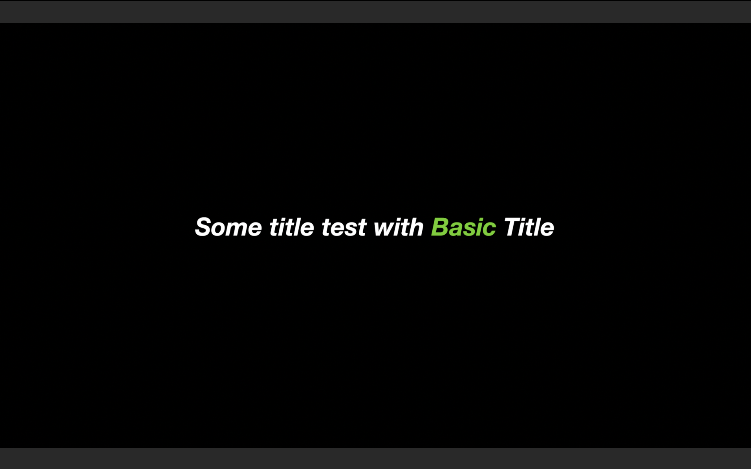
Here how it looks after exporting the timeline.
TextUp
Basic Title
Andreas
This style stuff doesn't seem to work reliable - I haven't tried all title effects, but there were some oddities.
Here some examples with just 2 title effects (my TextUp and the built in Basic Title) where the Basic Title is buggy
Here how it looks in the timeline.
TextUp
Basic Title
Here how it looks after exporting the timeline.
TextUp
Basic Title
Andreas
Please Log in to join the conversation.
- Andreas Kiel
-
Topic Author
- Offline
- Platinum Member
-
Less
More
- Posts: 1077
- Thank you received: 189
30 Dec 2013 13:05 #37657
by Andreas Kiel
Replied by Andreas Kiel on topic Some more news for 10.1 (subtitles)
I made a post for the first app.
www.fcp.co/forum/4-final-cut-pro-x-fcpx/...style-features#37656
-Andreas
www.fcp.co/forum/4-final-cut-pro-x-fcpx/...style-features#37656
-Andreas
Please Log in to join the conversation.
