


- Posts: 18
- Thank you received: 0
3 Post Moderation Rule for New Boarders (25 Jan 2021)
New boarders will have their posts moderated - Don't worry if you cannot see your post immediately.
FCPX poor quality import?
27 Oct 2013 16:24 #33286
by loop_1
FCPX poor quality import? was created by loop_1
FCPX 10.0.9 with Playback quality High.
Footage recorded with GH-2 1080i High Bitrate.
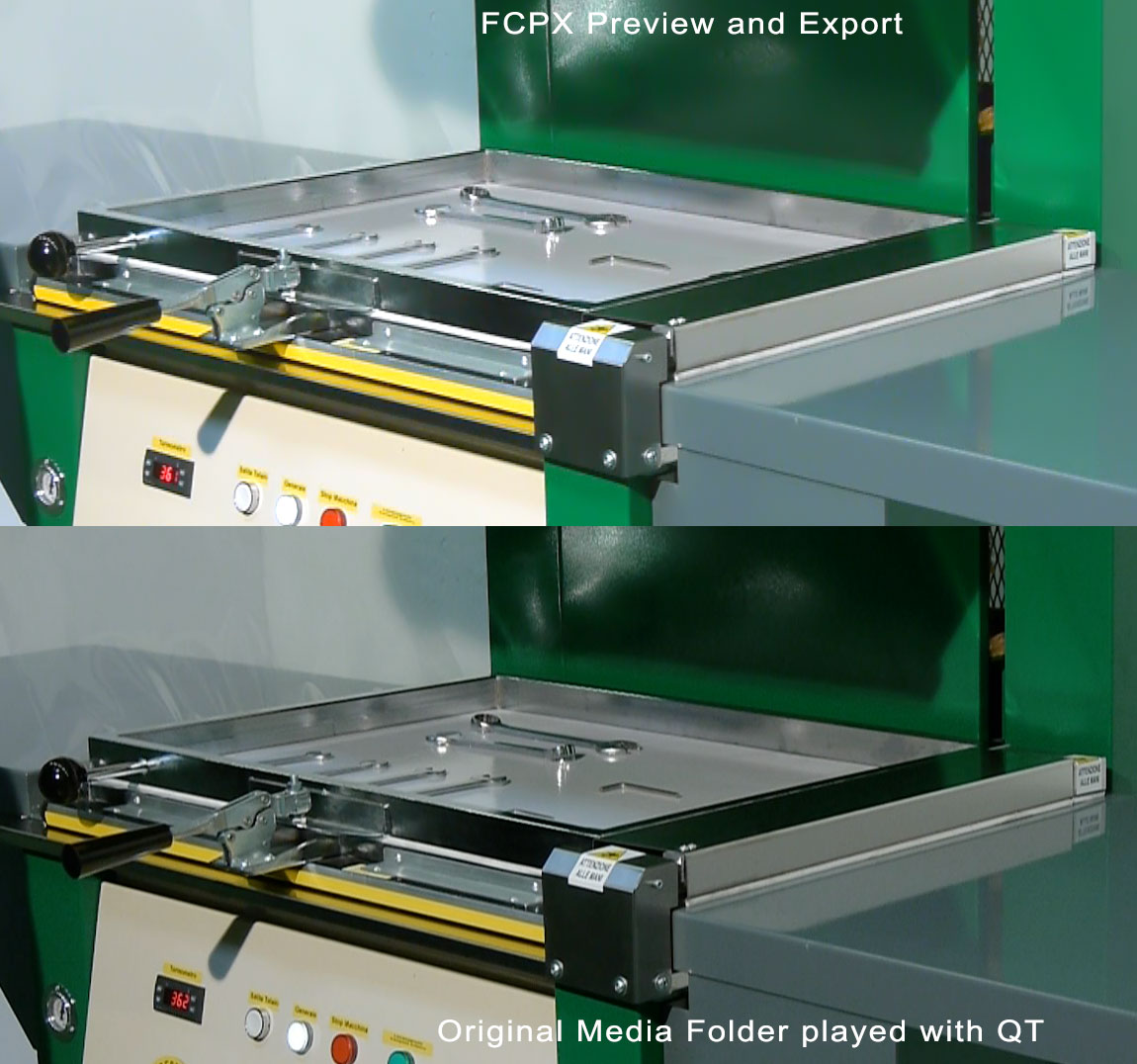
After the fcpx import i see the preview of the video with a lot of aliasing or with poor quality (i don't understand which is the problem)...
but if i do "reveal in finder" of the footage and i try to play it with QT the quality is good!
Why???
The problem is that also the exported videos have poor quality!!
I create a 1080 25i timeline and after i imported the "compound clip" in a 1080p timeline but i tryed to export from 1080i or 1080p the result is the same!
Help me!
in the attached file you can see the difference between the two players (FCPX and QT)
Footage recorded with GH-2 1080i High Bitrate.
After the fcpx import i see the preview of the video with a lot of aliasing or with poor quality (i don't understand which is the problem)...
but if i do "reveal in finder" of the footage and i try to play it with QT the quality is good!
Why???
The problem is that also the exported videos have poor quality!!
I create a 1080 25i timeline and after i imported the "compound clip" in a 1080p timeline but i tryed to export from 1080i or 1080p the result is the same!
Help me!
in the attached file you can see the difference between the two players (FCPX and QT)
Please Log in to join the conversation.
- Tom Wolsky
-

- Offline
- Moderator
-

27 Oct 2013 17:03 #33288
by Tom Wolsky
Replied by Tom Wolsky on topic FCPX poor quality import?
Are you using proxy video?
Please Log in to join the conversation.
27 Oct 2013 21:15 #33302
by loop_1
Replied by loop_1 on topic FCPX poor quality import?
No, i don't use proxy or optimized video.
Please Log in to join the conversation.

27 Oct 2013 22:01 #33303
by Julian
Replied by Julian on topic FCPX poor quality import?
Is it only like this when it's playing? I have a GH2, but it does this with other cameras where the image looks like this when it's not rendered. If you export the footage it should come out fine. I'd test the final export before you do anything else.
Please Log in to join the conversation.

27 Oct 2013 22:26 - 27 Oct 2013 22:28 #33305
by BenB
Replied by BenB on topic FCPX poor quality import?
FCP will degrade the image quality if your hardware needs it to play back the video smoothly. But when you're stopped on a single frame, you'll see full quality. Even legacy FCP and other NLEs do this. Not anything really to worry about normally. If you are editing with the native footage, you're working with Long GOP clips, which require excessive system resources to play back, and thus on a MacBook Pro or iMac may require a slight drop in image quality during playback. But the import is exactly what your camera recorded.
What Mac are you editing on?
What Mac are you editing on?
Last edit: 27 Oct 2013 22:28 by BenB.
Please Log in to join the conversation.
28 Oct 2013 05:16 #33314
by loop_1
Replied by loop_1 on topic FCPX poor quality import?
i also notice that the fcpx player is not smoothly... For example i add two simple title animation and i need a render to playing it smoothly!!
Moreover the render quality is poor as the preview.
Recently i upgrade to OS 10.9 my iMac 2001 i7, 16GB RAM, Radeon 6970M 1GB, dual SSD + G-tech Thunderbolt...i think that can be this the problem....
Yesterday i also reinstall fcpx....
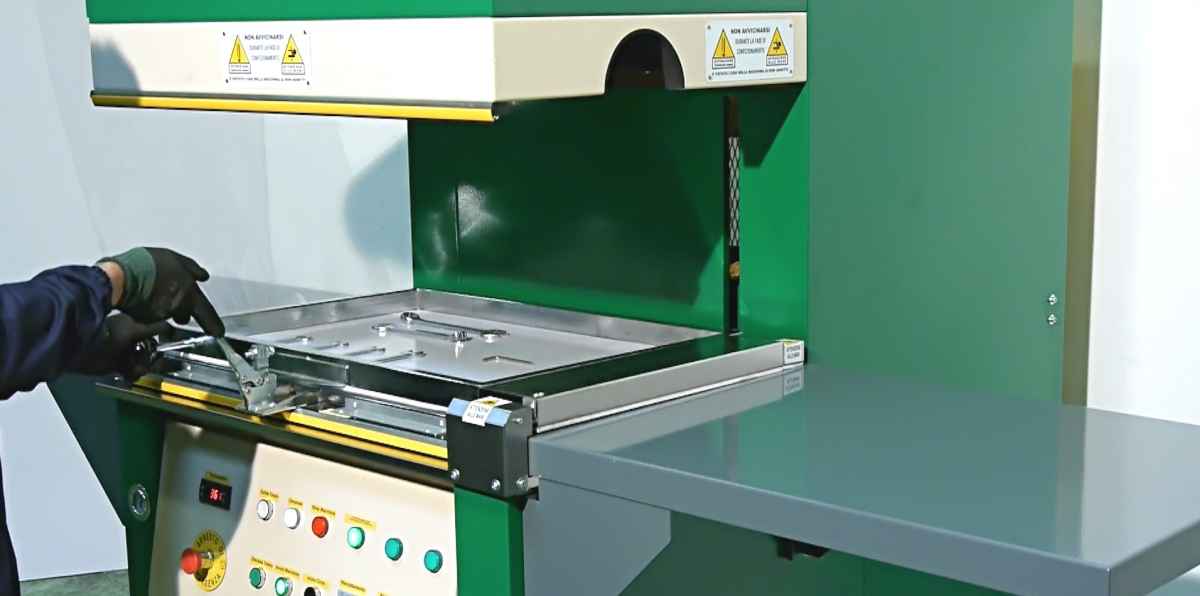
in the attached file an export frame...
Moreover the render quality is poor as the preview.
Recently i upgrade to OS 10.9 my iMac 2001 i7, 16GB RAM, Radeon 6970M 1GB, dual SSD + G-tech Thunderbolt...i think that can be this the problem....
Yesterday i also reinstall fcpx....
in the attached file an export frame...
Please Log in to join the conversation.
- ronny courtens
-

- Offline
- Moderator
-
Less
More
- Posts: 4455
- Thank you received: 962
28 Oct 2013 06:51 - 28 Oct 2013 06:52 #33316
by ronny courtens
Replied by ronny courtens on topic FCPX poor quality import?
The GH2 records PFS (progressive over interlaced), that may be the cause of your aliasing.
Try this:
Select the video you have imported in the Event Browser and go to Inspector > Info tab.
Make sure your view is set to "Settings View".
In the Settings View window set "Field Dominance Override" to Progressive.
Then create a new Project, in the Project settings window make sure Video Properties is set to "Set based on first video clip" and drop one of the clips onto the Project Timeline.
Export a small part of the timeline to see if you still have the jagged edges.
- Ronny
Try this:
Select the video you have imported in the Event Browser and go to Inspector > Info tab.
Make sure your view is set to "Settings View".
In the Settings View window set "Field Dominance Override" to Progressive.
Then create a new Project, in the Project settings window make sure Video Properties is set to "Set based on first video clip" and drop one of the clips onto the Project Timeline.
Export a small part of the timeline to see if you still have the jagged edges.
- Ronny
Last edit: 28 Oct 2013 06:52 by ronny courtens.
Please Log in to join the conversation.
28 Oct 2013 07:23 #33317
by loop_1
Replied by loop_1 on topic FCPX poor quality import?
Wow! :woohoo:
Now it's correct!! Thanks!!!!!!!
but before osx 10.9 i never did this!
Now it's correct!! Thanks!!!!!!!
but before osx 10.9 i never did this!
Please Log in to join the conversation.
- ronny courtens
-
- Offline
- Moderator
-
Less
More
- Posts: 4455
- Thank you received: 962
28 Oct 2013 07:30 - 28 Oct 2013 07:34 #33319
by ronny courtens
Replied by ronny courtens on topic FCPX poor quality import?
PSF is a very weird (and kind of fake) way of recording progressive video. Sometimes the NLE can interpret it correctly, sometimes it cannot. That's why it's always best to check the field dominance before starting to work with PFS recorded video. Although it is progressive it may be recognized as interlaced, and when it does you get these aliasing issues. Glad it is okay now.
- Ronny
- Ronny
Last edit: 28 Oct 2013 07:34 by ronny courtens.
Please Log in to join the conversation.
28 Oct 2013 08:44 #33321
by Julian
Replied by Julian on topic FCPX poor quality import?
Yeah, the only useable setting for the GH2 is 24p. Everything else is interlaced and looks crappy. Other than that it's a great camera.
Please Log in to join the conversation.
28 Oct 2013 09:31 #33328
by loop_1
Replied by loop_1 on topic FCPX poor quality import?
now i closed and reopened fcpx but i have the same issue!
all files are setted as progressive but the preview and the export are bad quality!! Why??
i tryed to transcode all files but is the same...
Can be the new QT codecs??
i confirm that in 24p there aren't problems!
all files are setted as progressive but the preview and the export are bad quality!! Why??
i tryed to transcode all files but is the same...
Can be the new QT codecs??
i confirm that in 24p there aren't problems!
Please Log in to join the conversation.
- ronny courtens
-
- Offline
- Moderator
-
Less
More
- Posts: 4455
- Thank you received: 962
28 Oct 2013 09:48 #33333
by ronny courtens
Replied by ronny courtens on topic FCPX poor quality import?
PFS is a real PITA to work with. I really don't know why Panasonic is still using this outdated recording workaround.
Create a new Progressive timeline and drop the clips of your current timeline into it. Also check if the Field Dominance setting hasn't changed in the Inspector. Could be FCPX reset the setting.
- Ronny
Create a new Progressive timeline and drop the clips of your current timeline into it. Also check if the Field Dominance setting hasn't changed in the Inspector. Could be FCPX reset the setting.
- Ronny
Please Log in to join the conversation.
28 Oct 2013 10:12 #33336
by loop_1
Replied by loop_1 on topic FCPX poor quality import?
i found that not all clips are in progressive, moreover if i try to change it to progressive... nothing!!
i create a new timeline in progressive and paste all the clips and i found that 3 clips aren't in progressive!! why only 3??? FCPX Bug?
Thanks a lot for the support!
I like very much the gh-2 but i hate the interlaced video
i create a new timeline in progressive and paste all the clips and i found that 3 clips aren't in progressive!! why only 3??? FCPX Bug?
Thanks a lot for the support!
I like very much the gh-2 but i hate the interlaced video
Please Log in to join the conversation.
- ronny courtens
-
- Offline
- Moderator
-
Less
More
- Posts: 4455
- Thank you received: 962
28 Oct 2013 10:20 - 28 Oct 2013 10:22 #33337
by ronny courtens
Replied by ronny courtens on topic FCPX poor quality import?
Nope, not a bug. This has happened on any NLE with this kind of footage. It is not interlaced, it is "progressive over interlaced" which is a stupid workaround used in some DSLRs to save card space. Sometimes these clips are recognized as progressive, that's OK. Sometimes some aren't, that's bad. For these clips you need to override the Field Dominance and manually set it to Progressive. For the clips that are correctly recognized you don't need to do anything.
So this has nothing to do with FCPX. In the future only use 24p with this kind of camera.
- Ronny
So this has nothing to do with FCPX. In the future only use 24p with this kind of camera.
- Ronny
Last edit: 28 Oct 2013 10:22 by ronny courtens.
Please Log in to join the conversation.
