


- Posts: 1
- Thank you received: 0
3 Post Moderation Rule for New Boarders (25 Jan 2021)
New boarders will have their posts moderated - Don't worry if you cannot see your post immediately.
FCP X Audio Drop-Out or Audio Gap on Timeline.
- reggiebraydon
-
 Topic Author
- Offline
- New Member
-

Less
More
01 Oct 2013 19:53 - 01 Oct 2013 20:04 #31871
by reggiebraydon
FCP X Audio Drop-Out or Audio Gap on Timeline. was created by reggiebraydon
Hello fellow FCPX -ers.
I am posting this thread on a few forums as I have encountered a very weird issue taking place.
Trying to figure out if the issue I am encountering is a bug/glitch or a technical issue.
This has consistently occurred in three different projects now all shot at different times. The audio has been fine on the camera during the recording process and has been fine in it’s RAW NATIVE SOURCE.
THE ISSUE
For some reason my audio keeps dropping out on my timeline and it is creating audio skips/clicks making it impossible to export proper audio or fix the gaps on the timeline.
Screenshots are attached to this thread for a visualization example.
I have followed the process and finished troubleshooting with it all the way to FCP X.
Thus, I am able to pinpoint that whatever is going on is a FCP X issue
The audio is fine until it reaches the FCP X timeline.
I have tested the RAW FILE in VLC player and there is no audio drop-outs
I have also tested the video file in Sony Vegas Video and the audio is fine.
The Digital Workflow:
It start’s off as a .M2T file which is then run through Clipwrap 2.6.4 as a (rewrap as source format) and then eventually makes it into FCP X and is placed on the appropriate timeline.
I have had this same error for three different projects now. It has occurred both when using the NATIVE VIDEO FORMAT and when trying to use the (rewrap 1920 x 1080 format)
Thanks in advance for your time and help.
reggie-
I am posting this thread on a few forums as I have encountered a very weird issue taking place.
Trying to figure out if the issue I am encountering is a bug/glitch or a technical issue.
This has consistently occurred in three different projects now all shot at different times. The audio has been fine on the camera during the recording process and has been fine in it’s RAW NATIVE SOURCE.
THE ISSUE
For some reason my audio keeps dropping out on my timeline and it is creating audio skips/clicks making it impossible to export proper audio or fix the gaps on the timeline.
Screenshots are attached to this thread for a visualization example.
I have followed the process and finished troubleshooting with it all the way to FCP X.
Thus, I am able to pinpoint that whatever is going on is a FCP X issue
The audio is fine until it reaches the FCP X timeline.
I have tested the RAW FILE in VLC player and there is no audio drop-outs
I have also tested the video file in Sony Vegas Video and the audio is fine.
The Digital Workflow:
It start’s off as a .M2T file which is then run through Clipwrap 2.6.4 as a (rewrap as source format) and then eventually makes it into FCP X and is placed on the appropriate timeline.
I have had this same error for three different projects now. It has occurred both when using the NATIVE VIDEO FORMAT and when trying to use the (rewrap 1920 x 1080 format)
Thanks in advance for your time and help.
reggie-
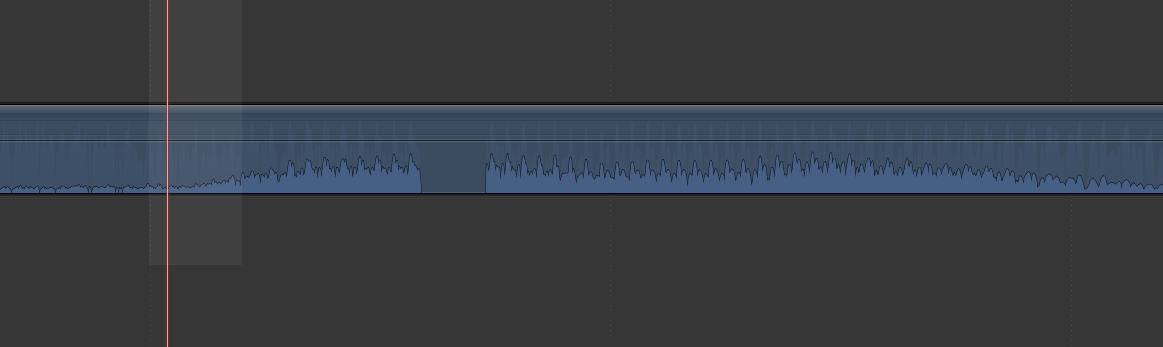

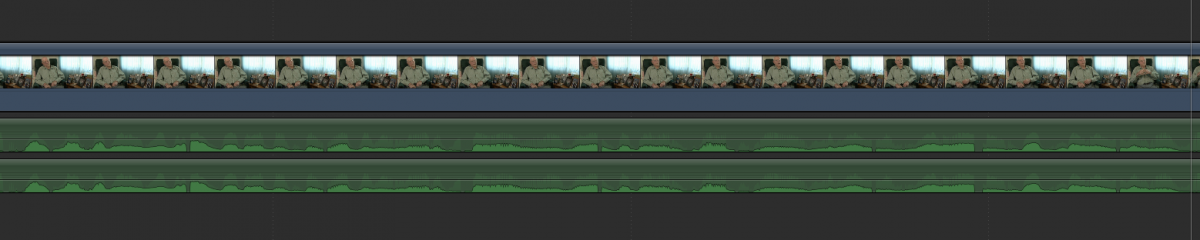
Last edit: 01 Oct 2013 20:04 by reggiebraydon.
Please Log in to join the conversation.
- Tom Wolsky
-

- Offline
- Moderator
-

01 Oct 2013 21:05 #31880
by Tom Wolsky
Replied by Tom Wolsky on topic FCP X Audio Drop-Out or Audio Gap on Timeline.
Try this. Rather than using ClipWrap try AVCAM Restorer to rebuild the AVCHD folder structure, and see if this happens using FCP to import from the AVCHD folder structure.
Please Log in to join the conversation.
08 Oct 2013 18:03 #32230
by cmcfadden
Replied by cmcfadden on topic FCP X Audio Drop-Out or Audio Gap on Timeline.
Hey Reggie - if you drop us a line at support@divergentmedia.com we can help you troubleshoot that.
Please Log in to join the conversation.
