


- Posts: 1
- Thank you received: 0
3 Post Moderation Rule for New Boarders (25 Jan 2021)
New boarders will have their posts moderated - Don't worry if you cannot see your post immediately.
insert still photo in one of final cut pro x's transitions
03 Jul 2013 10:15 #28138
by zivzig
insert still photo in one of final cut pro x's transitions was created by zivzig
Hello Everyone
I wanted to ask how to insert a still photo into, let say, Themes like Comic Book or Scrapbook (Zoom In and stuff)....
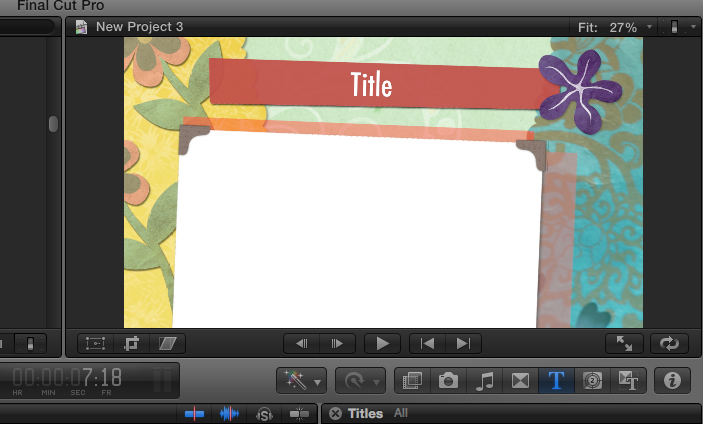
i add the still picture to the sequence but the effect remains white...
i'm attaching a photo to explain better....
TNX
I wanted to ask how to insert a still photo into, let say, Themes like Comic Book or Scrapbook (Zoom In and stuff)....
i add the still picture to the sequence but the effect remains white...
i'm attaching a photo to explain better....
TNX
Please Log in to join the conversation.

03 Jul 2013 21:26 - 03 Jul 2013 21:29 #28178
by BenB
Replied by BenB on topic insert still photo in one of final cut pro x's transitions
For transitions, some have one default drop zone which picks up the clips on either side automatically. Obviously you need a clip on both sides, rather than an opening or closing transition to the first or last clip of the timeline.
Some transitions and generators have adjustable drop zones, which are indicated by yellow pins (only when the transition is highlighted) in the storyline you can move around. Or are inside the Inspector's "Generator" pane.
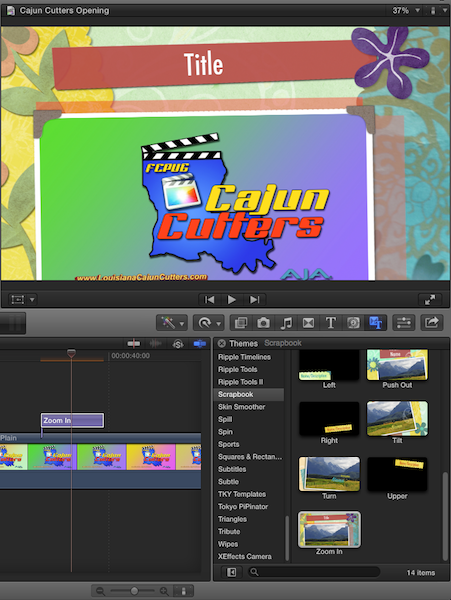
The one you show in your screen shot is the "Zoom In" title, and picks up the image directly below it in the timeline.
Some transitions and generators have adjustable drop zones, which are indicated by yellow pins (only when the transition is highlighted) in the storyline you can move around. Or are inside the Inspector's "Generator" pane.
The one you show in your screen shot is the "Zoom In" title, and picks up the image directly below it in the timeline.
Last edit: 03 Jul 2013 21:29 by BenB.
Please Log in to join the conversation.
