


- Posts: 2
- Thank you received: 0
3 Post Moderation Rule for New Boarders (25 Jan 2021)
New boarders will have their posts moderated - Don't worry if you cannot see your post immediately.
FCPX not seeing Folders in Finder only individual media files
15 Jan 2013 15:22 - 15 Jan 2013 15:24 #19952
by debkim
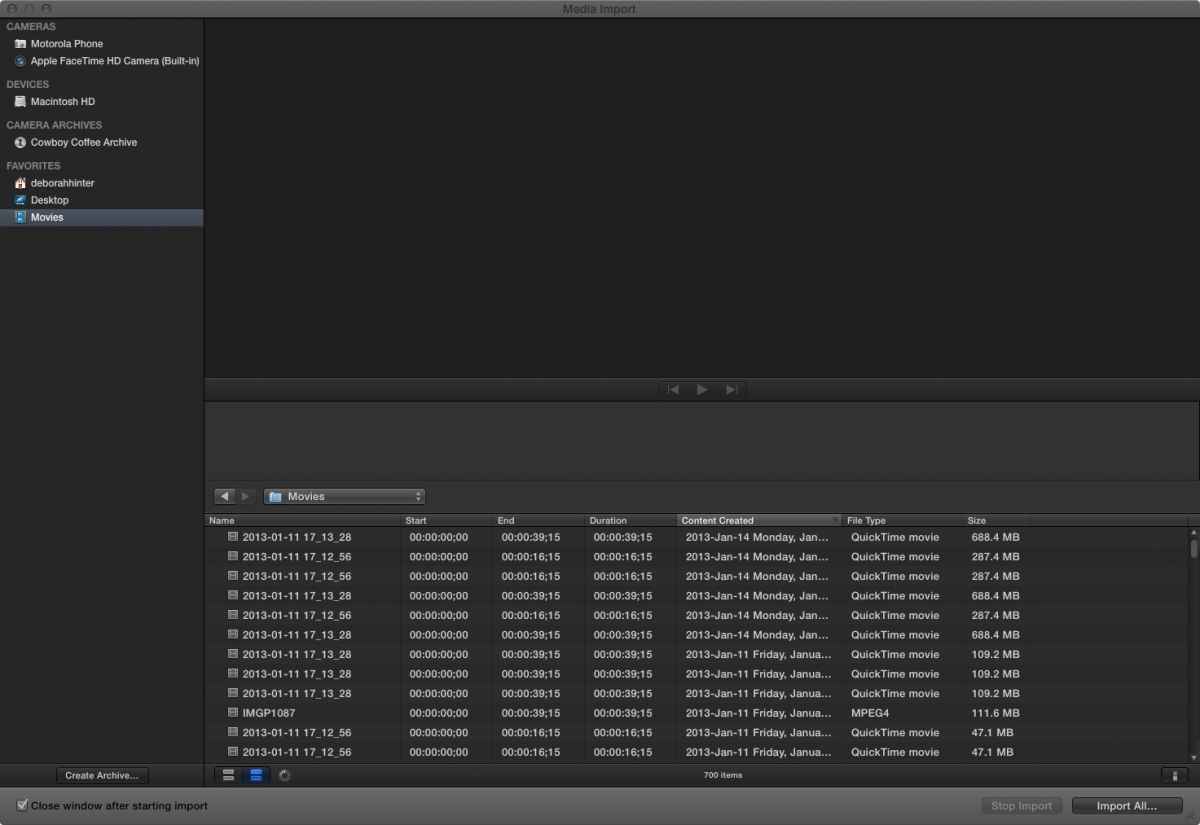
Hello, I am searching for help and unable to find my answers. Hope someone has seen this. I am using the Trial Version of FCPX. Yesterday it recognized the FOLDERS in Finder and imported using them for Keywords. Today, it only sees individual media files in the top level MOVIES folder. There are many folders inside my MOVIES folder, but it no longer sees them, and when I try to import, it loads ALL of my media files one by one, taking forever. Anyone see this behaviour? Thanks, Deb
Last edit: 15 Jan 2013 15:24 by debkim.
Please Log in to join the conversation.

15 Jan 2013 17:13 #19957
by BenB
Replied by BenB on topic FCPX not seeing Folders in Finder only individual media files
Hardware specs?
Please Log in to join the conversation.
15 Jan 2013 17:28 - 15 Jan 2013 17:41 #19960
by debkim
Replied by debkim on topic FCPX not seeing Folders in Finder only individual media files
Macbook Pro 10.6.8
2 GHz Intel Core i7
4 GB Ram
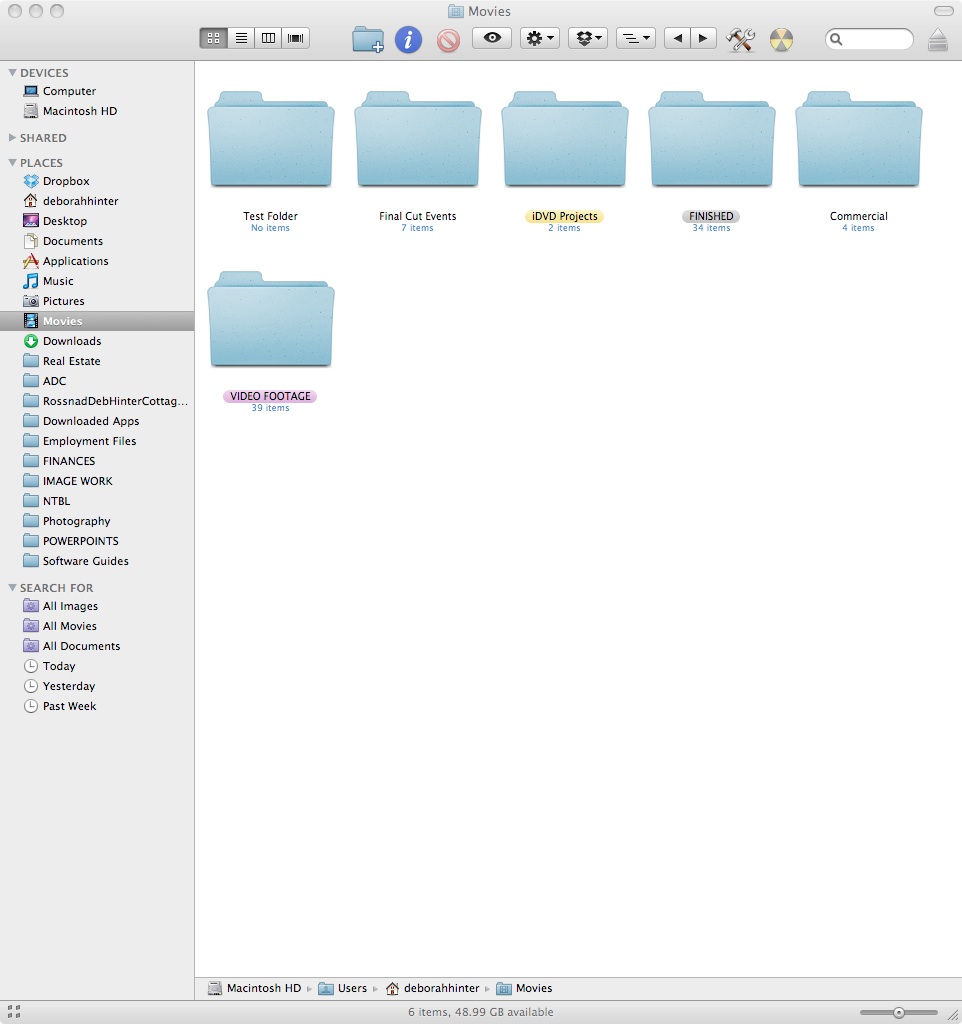
But I now see, There is a folder in the Movies folder, called Video Footage, that is making the application read this as if it's importing from a camera. I have now renamed this folder to MEDIA FOOTAGE, and FCPX seems to now recognize the current structure in my Finder.
FROM APPLE COMMUNITIES TOM WOLSKY, hope this helps anyone else experiencing this issue. Great forum here also.
2 GHz Intel Core i7
4 GB Ram
But I now see, There is a folder in the Movies folder, called Video Footage, that is making the application read this as if it's importing from a camera. I have now renamed this folder to MEDIA FOOTAGE, and FCPX seems to now recognize the current structure in my Finder.
FROM APPLE COMMUNITIES TOM WOLSKY, hope this helps anyone else experiencing this issue. Great forum here also.
Last edit: 15 Jan 2013 17:41 by debkim. Reason: Added info
Please Log in to join the conversation.
