


- Posts: 654
- Thank you received: 42
3 Post Moderation Rule for New Boarders (25 Jan 2021)
New boarders will have their posts moderated - Don't worry if you cannot see your post immediately.
Help with M2T HDV files
- simonpwood
-
 Topic Author
- Offline
- Platinum Member
-

Less
More
11 Oct 2011 14:37 #1578
by simonpwood
Help with M2T HDV files was created by simonpwood
Hi all,
I’m new to apple computers and new to FCP so bear with me as I am still learning how to do things with this OS and with FCP X.
I purchased the Ripple Training tutorials and finished the included projects without any problems (no crashes or bugs to speak of) so I felt I was ready to start editing my first project in FCP X. However I ran into a hurdle at the fist step.
Basically I am trying to import HDV footage that was filmed over a year a go, and captured to a Datavideo DN-60 external recorder. The resulting .M2T files worked fine with Adobe CS3 on a PC, but the Mac does not seem to recognize the files at all. When I view the files in the finder it calls them “Unix Executable File” and shows an image with a lock over them.
I cant import the files into FCP X as they are greyed out. I kind of thought I would be able to transcode them at the point of import into FCP X, but seemingly this is not possible. Does that sound right (that FCP X would not be able to transcode the files)?
A little bit of research on the internet led me to a program called Clipwrap which wraps the M2T files into MOV files which should work. Does anyone have experience of this program; and would this be the best way forward? Anyone know for sure if the program is compatible with Lion and FCP X? Any other options out there?
Thanks!
I’m new to apple computers and new to FCP so bear with me as I am still learning how to do things with this OS and with FCP X.
I purchased the Ripple Training tutorials and finished the included projects without any problems (no crashes or bugs to speak of) so I felt I was ready to start editing my first project in FCP X. However I ran into a hurdle at the fist step.
Basically I am trying to import HDV footage that was filmed over a year a go, and captured to a Datavideo DN-60 external recorder. The resulting .M2T files worked fine with Adobe CS3 on a PC, but the Mac does not seem to recognize the files at all. When I view the files in the finder it calls them “Unix Executable File” and shows an image with a lock over them.
I cant import the files into FCP X as they are greyed out. I kind of thought I would be able to transcode them at the point of import into FCP X, but seemingly this is not possible. Does that sound right (that FCP X would not be able to transcode the files)?
A little bit of research on the internet led me to a program called Clipwrap which wraps the M2T files into MOV files which should work. Does anyone have experience of this program; and would this be the best way forward? Anyone know for sure if the program is compatible with Lion and FCP X? Any other options out there?
Thanks!
Please Log in to join the conversation.
- simonpwood
-
Topic Author
- Offline
- Platinum Member
-
Less
More
- Posts: 654
- Thank you received: 42
11 Oct 2011 17:39 #1580
by simonpwood
Replied by simonpwood on topic Re: Help with M2T HDV files
Ok. I tried the Clipwrap demo (which works the same as the full version but limited to 1 minute clips). The conversions from M2T to MOV are very quick, and the resultant clips played well in Quicktime. So far so good. Then I imported the clips into FCPX (without transcoding) to confirm all is well before I purchase the software....and the footage is intermittently blocky and corrupted. Something is very wrong with it.
So I try to import the footage with transcoding, and FCPX locks up and crashes. Subsequent attempts to open FCPX gets me into a cycle where it tries to transcode again, and crashes again. This goes on for a while before FCPX gives me an option to open without the previous open windows, allowing me to trash the project and prevent further crashes.
So back to Clipwrap. There are a number of options to transcode the footage directly in Clipwrap to ProRes 422 etc (not just wrapping the clips) - so I try 422HQ which it does no problem. Quicktime fails to open this movie, and I have to force quit. When I import the file to FCPX it crashes again.
Agghhh! This is just HDV! Please someone tell me I don't have to start editing this project in my antiquated PC with Adobe CS3 (that handled all of this stuff years ago without any issues)!
So I try to import the footage with transcoding, and FCPX locks up and crashes. Subsequent attempts to open FCPX gets me into a cycle where it tries to transcode again, and crashes again. This goes on for a while before FCPX gives me an option to open without the previous open windows, allowing me to trash the project and prevent further crashes.
So back to Clipwrap. There are a number of options to transcode the footage directly in Clipwrap to ProRes 422 etc (not just wrapping the clips) - so I try 422HQ which it does no problem. Quicktime fails to open this movie, and I have to force quit. When I import the file to FCPX it crashes again.
Agghhh! This is just HDV! Please someone tell me I don't have to start editing this project in my antiquated PC with Adobe CS3 (that handled all of this stuff years ago without any issues)!
Please Log in to join the conversation.
11 Oct 2011 19:41 #1583
by tpayton
Replied by tpayton on topic Re: Help with M2T HDV files
It looks like the Datavideo DN-60 external recorder is a pretty neat little device. But there can be issues with it's M2T format as I did a little research:
I noticed on the spec sheet for that your recorder that it says:
File support includes: AVI, MOV, MXF-OP1A, M2T format, QuickTime
HDV and MXF-OP1A through MAC or PC software conversion program
I found the software here but it is Windows only:
www.datavideo.us/products/players-record...f-card-recorder.html
On their FAQs they say this:
Q: Final Cut Pro does not natively support the .m2t files. How can I convert .m2t files to use with Final Cut Pro?
A: You can use a program like, Streamclip to convert the .m2t files.
However, I found on this site, that there is definitely some possible issues with these files.
www.eventdv.net/Articles/News/Feature/Re...d-Recorder-69227.htm
So your basically at the same place you were when you started. Don't worry however, we will figure out a solution
Here are a few things to try:
- Try to transcode the ProRes files that are crashing FCP X, to another ProRes format in Compressor, that might clean up the files.
- Use MPEGStreamclip to Transcode a file to ProRes.
- If you have Windows on your machine try the windows app I mentioned above.
- Call DataVideo and see if they have any suggestions.
- Better yet, post a small sample m2t file here and let me see if anyone here on the board can transcode them (I'll bet someone can figure out a workflow.)
Hang in there.
I noticed on the spec sheet for that your recorder that it says:
File support includes: AVI, MOV, MXF-OP1A, M2T format, QuickTime
HDV and MXF-OP1A through MAC or PC software conversion program
I found the software here but it is Windows only:
www.datavideo.us/products/players-record...f-card-recorder.html
On their FAQs they say this:
Q: Final Cut Pro does not natively support the .m2t files. How can I convert .m2t files to use with Final Cut Pro?
A: You can use a program like, Streamclip to convert the .m2t files.
However, I found on this site, that there is definitely some possible issues with these files.
www.eventdv.net/Articles/News/Feature/Re...d-Recorder-69227.htm
So your basically at the same place you were when you started. Don't worry however, we will figure out a solution
Here are a few things to try:
- Try to transcode the ProRes files that are crashing FCP X, to another ProRes format in Compressor, that might clean up the files.
- Use MPEGStreamclip to Transcode a file to ProRes.
- If you have Windows on your machine try the windows app I mentioned above.
- Call DataVideo and see if they have any suggestions.
- Better yet, post a small sample m2t file here and let me see if anyone here on the board can transcode them (I'll bet someone can figure out a workflow.)
Hang in there.
Please Log in to join the conversation.
- simonpwood
-
Topic Author
- Offline
- Platinum Member
-
Less
More
- Posts: 654
- Thank you received: 42
11 Oct 2011 20:04 #1585
by simonpwood
Replied by simonpwood on topic Re: Help with M2T HDV files
Hey,
Thanks for taking the time to look into this. I'm going to try some of those options you mentioned. I do have hope because Quicktime managed to play the wrapped movies without any glitches, so I will try transcoding those first with compressor and see where that gets me. I will try the other options if that fails.
There is also a possibility that the Datavideo caused some glitches when it was recording - the clips worked fine on the PC with CS3 but there had been a few minor issues that were easily fixed such as corruption during the first few frames and a few instances where audio was out of synch. That might be the root of the problem.
The weird thing is that FCPX is handling other footage I have from a nanoflash (@ 50 mbs), which is a much more resource hungry codec without any problems so far (although my MacBook Pro sounds like there is a jet turbine in there!).
Thanks for taking the time to look into this. I'm going to try some of those options you mentioned. I do have hope because Quicktime managed to play the wrapped movies without any glitches, so I will try transcoding those first with compressor and see where that gets me. I will try the other options if that fails.
There is also a possibility that the Datavideo caused some glitches when it was recording - the clips worked fine on the PC with CS3 but there had been a few minor issues that were easily fixed such as corruption during the first few frames and a few instances where audio was out of synch. That might be the root of the problem.
The weird thing is that FCPX is handling other footage I have from a nanoflash (@ 50 mbs), which is a much more resource hungry codec without any problems so far (although my MacBook Pro sounds like there is a jet turbine in there!).
Please Log in to join the conversation.
11 Oct 2011 20:19 #1586
by tpayton
Replied by tpayton on topic Re: Help with M2T HDV files
I just downloaded ClipWrap (very nicely done app) and saw that you can convert to HDV and other formats.
I did some tests with a m2t file, although I have no idea of its origin. I did a rewrap and also a DVCProHD.
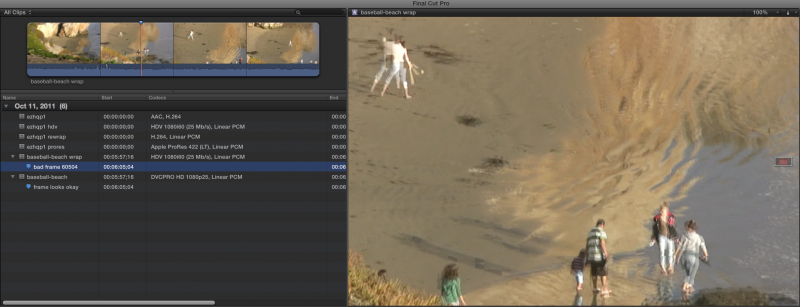
The rewrapped version did have some bizzar errors in it and FCP X didn't like it at all: Look at this screen shot:
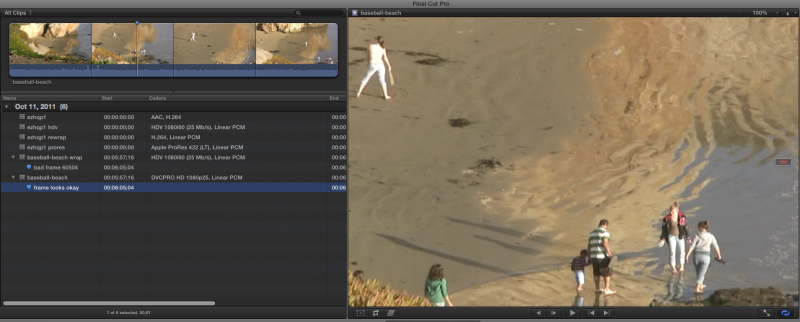
However, when using the DVCProHD version the frame is clean:
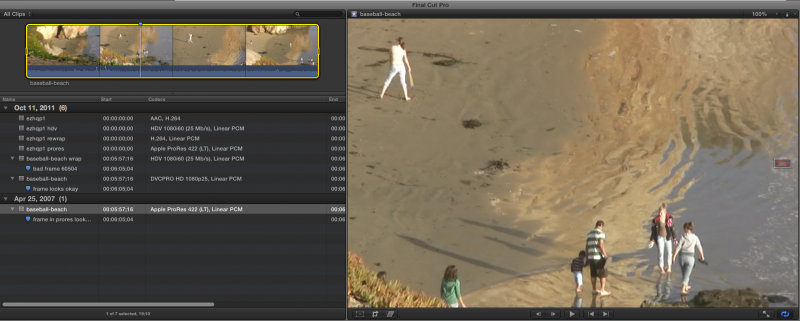
ProRes LT same deal:
However, for whatever reason only the DVCProHD version came into FCPX with wrong aspect ratio. I believe the ClipWrap folks should be made aware of this problem, as well as the ProRes crashing your FCP X.
I would suggest posting a small mt2 file here and let me play with it for a moment. But at this point I believe that it might be best to transcode to ProRes in ClipWrap and then TRANSCODE AGAIN into another form of ProRes, say LT using compressor.
I did some tests with a m2t file, although I have no idea of its origin. I did a rewrap and also a DVCProHD.
The rewrapped version did have some bizzar errors in it and FCP X didn't like it at all: Look at this screen shot:
However, when using the DVCProHD version the frame is clean:
ProRes LT same deal:
However, for whatever reason only the DVCProHD version came into FCPX with wrong aspect ratio. I believe the ClipWrap folks should be made aware of this problem, as well as the ProRes crashing your FCP X.
I would suggest posting a small mt2 file here and let me play with it for a moment. But at this point I believe that it might be best to transcode to ProRes in ClipWrap and then TRANSCODE AGAIN into another form of ProRes, say LT using compressor.
Please Log in to join the conversation.
- simonpwood
-
Topic Author
- Offline
- Platinum Member
-
Less
More
- Posts: 654
- Thank you received: 42
11 Oct 2011 20:40 #1587
by simonpwood
Replied by simonpwood on topic Re: Help with M2T HDV files
Very odd. With my clips the corruption was in the form of very blocky glitches.
Just out of interest; did you try playing those clips in quicktime to see if the glitch was still there (just to ascertain if FCPX is introducing the problem or not)?
BTW; how do you all get your screen captures?
Just out of interest; did you try playing those clips in quicktime to see if the glitch was still there (just to ascertain if FCPX is introducing the problem or not)?
BTW; how do you all get your screen captures?
Please Log in to join the conversation.
11 Oct 2011 21:04 - 11 Oct 2011 23:01 #1588
by tpayton
Replied by tpayton on topic Re: Help with M2T HDV files
It hard to see from my screen captures but the blocky artifacts is what I am seeing too.
No I don't see the blocky artifacts in Quicktime 7 or X. Looks like in fact there is something wrong with the FCP X interpretation of mpeg 2 files. I have a huge HDV project right now and it is a bit slow with HDV files also. I'll report feedback to Apple concerning it.
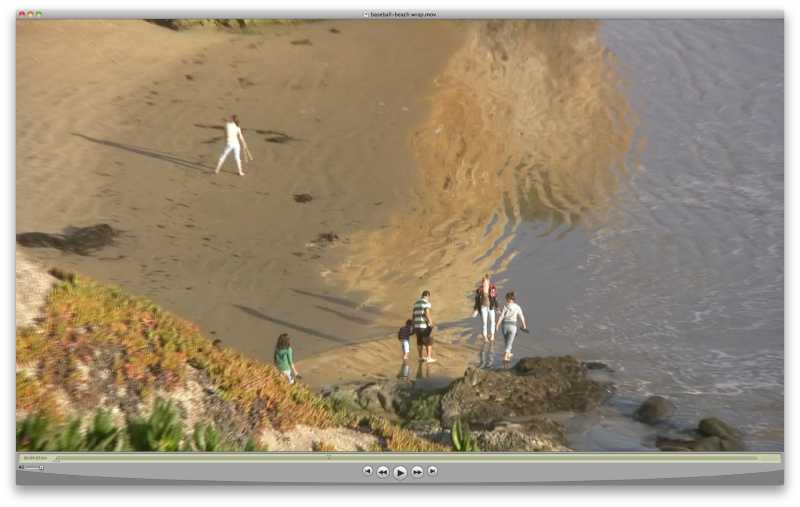
Screen capture? Just the built in Command-Shift-4. Same as it was on the Mac way back in 1984.
No I don't see the blocky artifacts in Quicktime 7 or X. Looks like in fact there is something wrong with the FCP X interpretation of mpeg 2 files. I have a huge HDV project right now and it is a bit slow with HDV files also. I'll report feedback to Apple concerning it.
Screen capture? Just the built in Command-Shift-4. Same as it was on the Mac way back in 1984.
Last edit: 11 Oct 2011 23:01 by tpayton.
Please Log in to join the conversation.
- simonpwood
-
Topic Author
- Offline
- Platinum Member
-
Less
More
- Posts: 654
- Thank you received: 42
13 Oct 2011 19:39 #1601
by simonpwood
Replied by simonpwood on topic Re: Help with M2T HDV files
Well I could not get this to work with compressor either; everything I tried caused some problem or another.
In the end I decided to recapture the original HDV tapes directly to FCPX, but then I realized that I did not have the right firewire cable (different port in my new Mac than what was on my old PC).
In the meantime I managed to capture the tapes from the HD/SDI out of the camera to a Nanoflash unit (saving the clips as MOV files), and so I am working with these files without any issues. This will be my temporary workaround solution until I can figure something else out.
In the end I decided to recapture the original HDV tapes directly to FCPX, but then I realized that I did not have the right firewire cable (different port in my new Mac than what was on my old PC).
In the meantime I managed to capture the tapes from the HD/SDI out of the camera to a Nanoflash unit (saving the clips as MOV files), and so I am working with these files without any issues. This will be my temporary workaround solution until I can figure something else out.
Please Log in to join the conversation.
- simonpwood
-
Topic Author
- Offline
- Platinum Member
-
Less
More
- Posts: 654
- Thank you received: 42
11 Dec 2011 23:07 - 11 Dec 2011 23:10 #2516
by simonpwood
Replied by simonpwood on topic Re: Help with M2T HDV files
I just thought I'd tie this thread up. I have just seen this link, and it seems to explain exactly what was going on:
www.divergentmedia.com/blog/fullpost/hdvwithfcpx
Looks like this was a genuine problem with FCPX and rewrapped HDV clips. ClipWrap have made a work around solution that gets the job (adds one more stage to the process though).
I have not tried it yet however.
www.divergentmedia.com/blog/fullpost/hdvwithfcpx
Looks like this was a genuine problem with FCPX and rewrapped HDV clips. ClipWrap have made a work around solution that gets the job (adds one more stage to the process though).
I have not tried it yet however.
Last edit: 11 Dec 2011 23:10 by simonpwood.
Please Log in to join the conversation.
