


- Posts: 7
- Thank you received: 0
3 Post Moderation Rule for New Boarders (25 Jan 2021)
New boarders will have their posts moderated - Don't worry if you cannot see your post immediately.
10.0.6 Importing Error
- drew_bernard
-
 Topic Author
- Offline
- New Member
-

Less
More
14 Nov 2012 14:51 #17211
by drew_bernard
10.0.6 Importing Error was created by drew_bernard
One thing I've noticed since upgrading to 10.0.6, is that Final Cut seems to have problems when trying to import files larger than 3GB or straight off the camera when using the new unified import screen. However, if I copy the files to the desktop first and then import, there's no problem. Has anyone else had issues importing large files straight off the camera/card?
Please Log in to join the conversation.
- Tom Wolsky
-

- Offline
- Moderator
-

14 Nov 2012 15:01 #17213
by Tom Wolsky
Replied by Tom Wolsky on topic 10.0.6 Importing Error
What media? What kind of problems? As much specific information as possible would be helpful.
Please Log in to join the conversation.
- drew_bernard
-
Topic Author
- Offline
- New Member
-
Less
More
- Posts: 7
- Thank you received: 0
14 Nov 2012 15:04 #17214
by drew_bernard
Replied by drew_bernard on topic 10.0.6 Importing Error
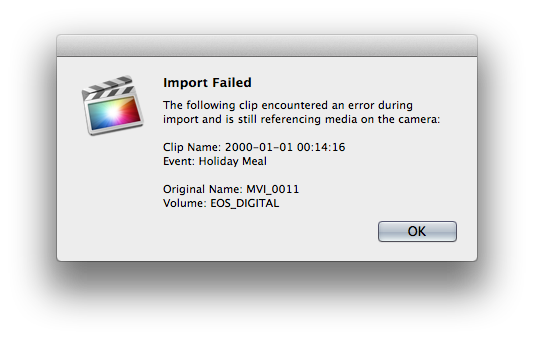
I'm importing DSLR footage from a Canon T3i, which shoots on SD. The files created are .MOV files. I've been using FCPX since the first release, and this is the first time I've encountered this issue, which has happened on multiple machines with multiple SD cards. Here's a screenshot of the error.
Please Log in to join the conversation.
- Tom Wolsky
-
- Offline
- Moderator
-
14 Nov 2012 15:16 #17215
by Tom Wolsky
Replied by Tom Wolsky on topic 10.0.6 Importing Error
When you import from the camera, are you in the camera import mode or the file import mode? They're in one window but they behave differently.
Can you copy the entire card onto your computer and import from there? Do you get the same result?
Can you copy the entire card onto your computer and import from there? Do you get the same result?
Please Log in to join the conversation.
- drew_bernard
-
Topic Author
- Offline
- New Member
-
Less
More
- Posts: 7
- Thank you received: 0
14 Nov 2012 15:33 #17218
by drew_bernard
Replied by drew_bernard on topic 10.0.6 Importing Error
I am in the camera import mode. I believe I have tried the file import way as well with the same results, but I'm not positive on that. When I copy the files to the computer first and then try importing through the camera import screen, it works fine. So I'm able to get a workaround, it's just incredibly inconvenient.
Please Log in to join the conversation.

14 Nov 2012 15:38 #17219
by BenB
Replied by BenB on topic 10.0.6 Importing Error
I use a Rebel and a 7D and have not noticed this issue. I'll have to run some tests to verify this is repeatable. Fill out the feedback form!
Please Log in to join the conversation.
- drew_bernard
-
Topic Author
- Offline
- New Member
-
Less
More
- Posts: 7
- Thank you received: 0
14 Nov 2012 15:40 #17220
by drew_bernard
Replied by drew_bernard on topic 10.0.6 Importing Error
Keep in mind that it's only on really large files. Seems like the cut-off is somewhere around 2.5GB. Anything under that imports just fine for me
Please Log in to join the conversation.
15 Nov 2012 17:38 #17303
by wpark
Replied by wpark on topic 10.0.6 Importing Error
I'm actually having trouble importing 5D clips ranging from 18MB to 4GB.
Failure circumstances:
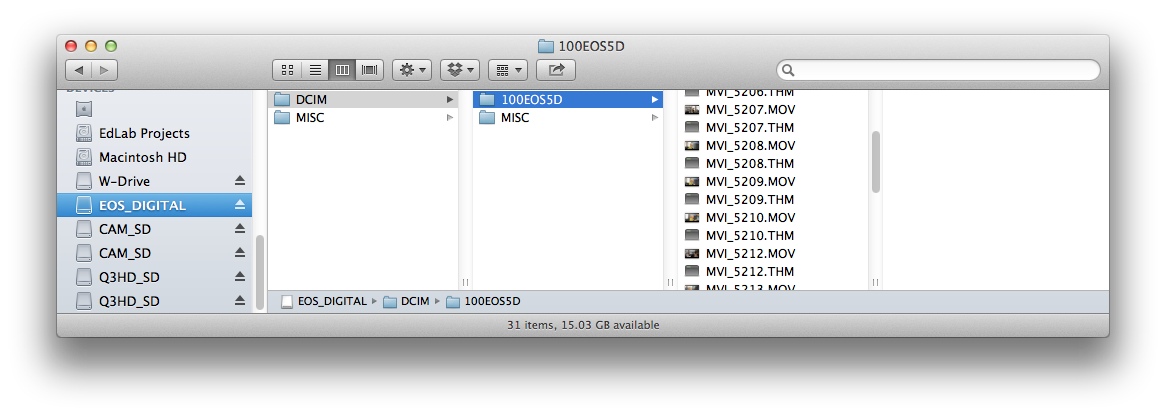
1) I've tried copying and pasting all files on the card onto a folder on an external drive (to keep the file structure intact, just in case), and then importing files from the folder.
2) Creating an archive of the CF card, then importing from there.
Now I'm going to try to import directly from the card. I hope it works. Otherwise, I'll need to downgrade to 10.0.5 somehow.
Failure circumstances:
1) I've tried copying and pasting all files on the card onto a folder on an external drive (to keep the file structure intact, just in case), and then importing files from the folder.
2) Creating an archive of the CF card, then importing from there.
Now I'm going to try to import directly from the card. I hope it works. Otherwise, I'll need to downgrade to 10.0.5 somehow.
Please Log in to join the conversation.
- Tom Wolsky
-
- Offline
- Moderator
-
15 Nov 2012 17:54 - 15 Nov 2012 17:59 #17304
by Tom Wolsky
Replied by Tom Wolsky on topic 10.0.6 Importing Error
Can you post screen shots of what you're doing and what you're seeing in the import window?
Just to add: This is the folder structure I have on my computer

This is what I see in the import window
Just to add: This is the folder structure I have on my computer
This is what I see in the import window
Last edit: 15 Nov 2012 17:59 by Tom Wolsky.
Please Log in to join the conversation.
- Tom Wolsky
-
- Offline
- Moderator
-
15 Nov 2012 18:00 - 15 Nov 2012 18:02 #17305
by Tom Wolsky
Replied by Tom Wolsky on topic 10.0.6 Importing Error
For some reason I can't add the image. No idea what's going on with the forum.
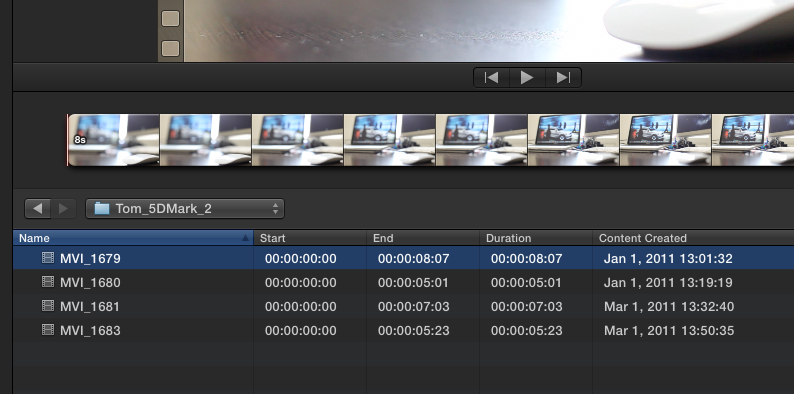
Now it's working.
Now it's working.
Last edit: 15 Nov 2012 18:02 by Tom Wolsky.
Please Log in to join the conversation.
15 Nov 2012 18:04 #17306
by wpark
Replied by wpark on topic 10.0.6 Importing Error
On a video shoot for recording a seminar, we also use Pana AF100 which uses AVCHD structure. For some reason, when I copied the card contents onto a folder on an external drive and then copy from there, that works fine.
Not sure why 5D footage doesn't work...
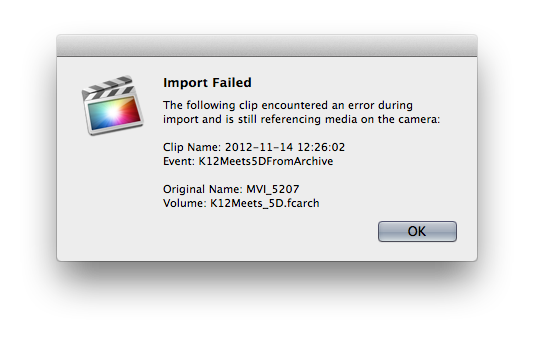
This unified import window is a good idea, but it's quirky.
Not sure why 5D footage doesn't work...
This unified import window is a good idea, but it's quirky.
Please Log in to join the conversation.
- Tom Wolsky
-
- Offline
- Moderator
-
15 Nov 2012 18:17 #17307
by Tom Wolsky
Replied by Tom Wolsky on topic 10.0.6 Importing Error
When exactly do you get that error message? Do you have copy to event checked on?
Please Log in to join the conversation.
15 Nov 2012 19:38 #17311
by wpark
Replied by wpark on topic 10.0.6 Importing Error
I usually get one of those Import Failed windows. I deleted the first event with all of my files, created a new event. I archived all of the cards that I use for my project (2 AVCHD structured SD cards from Pana AF100, 1 CF card from 5DMII, and 2 SD cards from Zoom Q3HD.) And I'm importing one card at a time, instead of importing all of them. Seems like 5D clips are now okay. And one of the Pana cards (AVCHD) did import correctly... so maybe I just had to re-do it. Will update if I get any error.
Oh, FCP crashed a couple of times when I tried to re-import before doing all this.
Oh, FCP crashed a couple of times when I tried to re-import before doing all this.
Please Log in to join the conversation.

17 Nov 2012 12:38 #17389
by robertdee
Replied by robertdee on topic 10.0.6 Importing Error
I've been having an error importing media from SD cards copied to a second drive. Seems to be with larger files. I get a "still referencing media on camera" message. Trying to import from the SD card itself and allow FCPX to copy to it's database to see what happens. That method's a pain because I've got to sit and wait for each card to be done, quit, swap cards, reboot FCPX and move onto the next one. Was never an issue before.
Please Log in to join the conversation.
- Tom Wolsky
-
- Offline
- Moderator
-
17 Nov 2012 13:14 #17390
by Tom Wolsky
Replied by Tom Wolsky on topic 10.0.6 Importing Error
Please give complete specs of the media, camera used, and length of clips.
Please Log in to join the conversation.
17 Nov 2012 13:27 #17392
by robertdee
Replied by robertdee on topic 10.0.6 Importing Error
Canon 600D (Rebel T3i in US). Class 10 SD cards. File size 4.28. File length 12.07. I understand there's a 12minute limit and the camera gave a stopped recording message. Haven't reached that before so may be an issue. Maybe there's some messed up camera metadata. Would re-exporting from QT strip that? I'm re-installing FCPX anyway as it's seemed a little unstable since the upgrade.
Please Log in to join the conversation.
- ronny courtens
-

- Offline
- Moderator
-
Less
More
- Posts: 4455
- Thank you received: 962
17 Nov 2012 19:27 - 17 Nov 2012 19:28 #17399
by ronny courtens
Replied by ronny courtens on topic 10.0.6 Importing Error
Hi Robert,
The 600D records to cards that are formatted as FAT32 which has a 4GB file limit for every individual file on the card. This corresponds with approx. 12 minutes of recording in 1080p.
If your camera has recorded a file close to or slightly over the 4GB limit you may have difficulties importing the file directly from the FAT32 card in FCP10. This is a known issue that already existed before the 10.0.6 update, so it has nothing to do with that.
In most cases where you have individual files close to or slightly over 4GB on a FAT32 card, copying the card's content onto your desktop and importing from there should resolve the issue, as you are no longer importing from a FAT32 formatted drive.
Just as a sidenote: the same import error message also may pop up when you import your media to a USB drive. You are not the only one having this problem, so fill out the Feedback report.
The 600D records to cards that are formatted as FAT32 which has a 4GB file limit for every individual file on the card. This corresponds with approx. 12 minutes of recording in 1080p.
If your camera has recorded a file close to or slightly over the 4GB limit you may have difficulties importing the file directly from the FAT32 card in FCP10. This is a known issue that already existed before the 10.0.6 update, so it has nothing to do with that.
In most cases where you have individual files close to or slightly over 4GB on a FAT32 card, copying the card's content onto your desktop and importing from there should resolve the issue, as you are no longer importing from a FAT32 formatted drive.
Just as a sidenote: the same import error message also may pop up when you import your media to a USB drive. You are not the only one having this problem, so fill out the Feedback report.
Last edit: 17 Nov 2012 19:28 by ronny courtens.
Please Log in to join the conversation.
17 Nov 2012 19:35 #17401
by BenB
Replied by BenB on topic 10.0.6 Importing Error
But my HPX-170 records to FAT 32 cards and I can get non-stop two hours plus. It's the Canon's buffer. All DSLR's are writing to 32 FAT cards, but not all have a 12 minute limit. I've never had problems importing them.
Please Log in to join the conversation.
- ronny courtens
-
- Offline
- Moderator
-
Less
More
- Posts: 4455
- Thank you received: 962
17 Nov 2012 19:42 #17402
by ronny courtens
Replied by ronny courtens on topic 10.0.6 Importing Error
The HPX-170 is a video camera, not a DSLR. It records onto FAT32 cards but it breaks up longer shots into separate files that are under 4GB. Most DSLRs do not do this.
Please Log in to join the conversation.
17 Nov 2012 19:59 #17404
by robertdee
Replied by robertdee on topic 10.0.6 Importing Error
Thanks Ronny,
I'm still getting the issue with a fresh install so I think you're right here. I'm importing from a OSX Journaled drive that I copied the card data across to and I'm still getting that problem. Do you think I could cheat by breaking it up into two files before importing? I still imagine that would be something to do with metadata as the file plays fine from the drive.
I'm still getting the issue with a fresh install so I think you're right here. I'm importing from a OSX Journaled drive that I copied the card data across to and I'm still getting that problem. Do you think I could cheat by breaking it up into two files before importing? I still imagine that would be something to do with metadata as the file plays fine from the drive.
Please Log in to join the conversation.
