


- Posts: 1
- Thank you received: 0
3 Post Moderation Rule for New Boarders (25 Jan 2021)
New boarders will have their posts moderated - Don't worry if you cannot see your post immediately.
No skimming button. Help!
10 Nov 2012 23:59 #17016
by fricodam
No skimming button. Help! was created by fricodam
Hello,
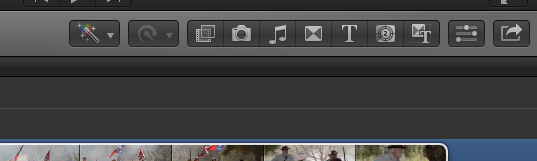
I am a novice and just learning FCP X. there is no skimming button in my interface, even though I've turned Skimming ON. The screen shot is attached. Please help if you know what is going on
I am a novice and just learning FCP X. there is no skimming button in my interface, even though I've turned Skimming ON. The screen shot is attached. Please help if you know what is going on
Please Log in to join the conversation.
- Tom Wolsky
-

- Offline
- Moderator
-

11 Nov 2012 00:09 #17017
by Tom Wolsky
Replied by Tom Wolsky on topic No skimming button. Help!
Reinstall the app.
Please Log in to join the conversation.
- kyletron2000
-

- Offline
- Senior Member
-

Less
More
- Posts: 79
- Thank you received: 15
11 Nov 2012 01:08 #17018
by kyletron2000
Replied by kyletron2000 on topic No skimming button. Help!
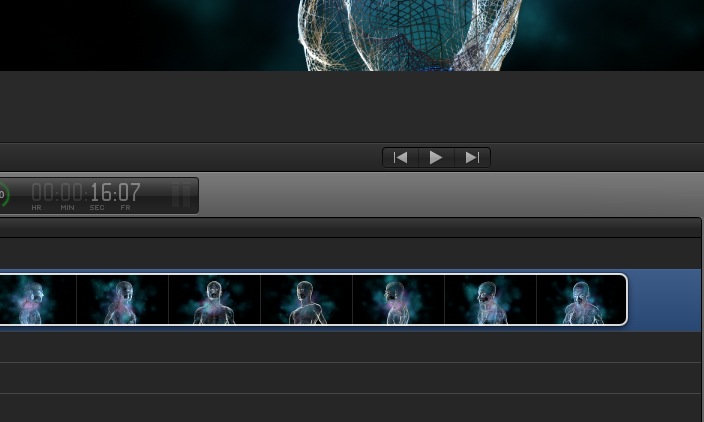
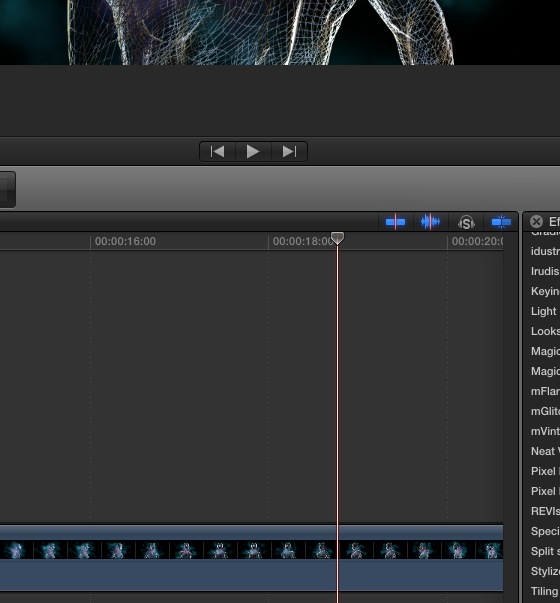
Wait... are you in the project browser? If so, you need to actually be in the timeline to see the skimmer button. Double click on a project first, then you should see it.
Please Log in to join the conversation.

11 Nov 2012 15:09 #17044
by BenB
Replied by BenB on topic No skimming button. Help!
Nope, skimmer and snap-to buttons should be there all the time, no matter what. Move FCP X from the Applications folder to the Trash, as per Tom. Launch the App Store, Purchased tab, click Install for FCP X.
Please Log in to join the conversation.

12 Nov 2012 03:50 #17086
by marchyman
Replied by marchyman on topic No skimming button. Help!
Not with 10.0.6. Don't remember with earlier versions. If in the project browser no buttons. Once you enter a project (or open something in the timeline) the buttons will appear.
Please Log in to join the conversation.
- kyletron2000
-
- Offline
- Senior Member
-
Less
More
- Posts: 79
- Thank you received: 15
12 Nov 2012 07:03 #17088
by kyletron2000
Replied by kyletron2000 on topic No skimming button. Help!
marchyman is correct, in 10.0.6 the skimmer button isn't there in the project browser. Looking at the interface for the OP's screenshot, he is using 10.0.6.
Please Log in to join the conversation.
- ronny courtens
-

- Offline
- Moderator
-
Less
More
- Posts: 4455
- Thank you received: 962
12 Nov 2012 08:06 #17089
by ronny courtens
Replied by ronny courtens on topic No skimming button. Help!
That's correct. The buttons do not show when you are in the Project Browser, only when you open a timeline.
Please Log in to join the conversation.
